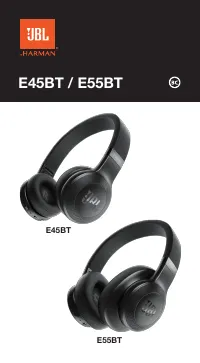
JBL JBLE45BTBLK Headphones – User Manual, read for free online in PDF format. We hope this helps you resolve any issues you may have. If you have further questions, please contact us through the contact form.
1
2
3
4
5
6
7
8
9
10
11
12
13
14
15
16
17
18
19
20
21
22
23
24
25
26
27
28
29
30
31
32
33
34
35
36
Table of Contents:
Page 2 – What’s in the box; Charging cable
Page 3 – Overview
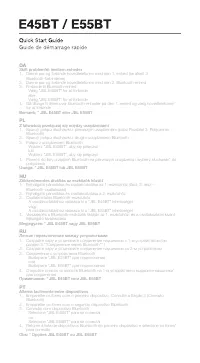
Page 4 – Bluetooth Connection; ON; Choose “; OR
Page 5 – JP; Bluetooth接続; CHS; 蓝牙连接; CHT; Bluetooth 連接; Bluetooth רוביח; תוינזואה תא לעפה; ثوتولبلا برع لاصتلاا
Page 10 – Seamlessly switch between devices; Pair and connect the headphone with the 2; bluetooth device; device
Page 11 – Go back to the bluetooth device list on the 1; device and select the; デバイス間のスムーズな切り替え; 设备间无缝切换; 在不同裝置之間無縫切換; םירישכמ ןיב תולקב רובע; (Bluetooth רוביח 3 קלח האר) ןושארה רישכמל תוינזואה תא רבחו םאתה .1; ةزهجلأا ينب ةلوهسب لقنتلا
Page 15 – a. Maximum 2 devices can be connected simultaneously; to manually reconnect the remaining device. See Section 7 Step 3.
Page 16 – 注意すべき項目:; 注意事项:; 需注意的項目:; دحاو تقو في نيزاهج نم ثركأ ليصوت نكيم لا
"Loading the manual" means you need to wait until the file loads and becomes available for online reading. Some manuals are very large, and the time they take to appear depends on your internet speed.
Summary
Page 2 - What’s in the box; Charging cable
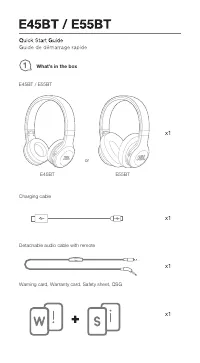
What’s in the box E45BT / E55BT Charging cable Detachable audio cable with remote Warning card, Warranty card, Safety sheet, QSG x1 x1 x1 x1 E55BT or E45BT
Page 3 - Overview
Page 4 - Bluetooth Connection; ON; Choose “; OR
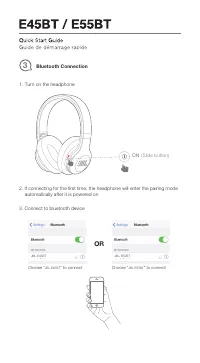
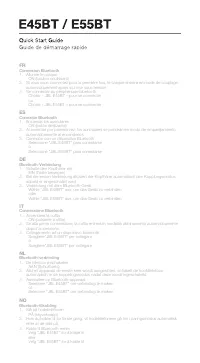
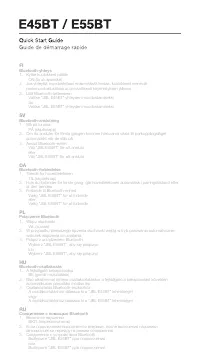
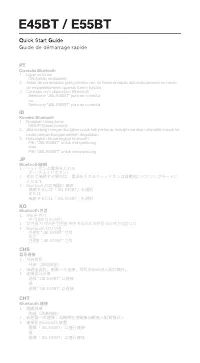
Bluetooth Connection 3 ON (Slide button) 1. Turn on the headphone 3. Connect to bluetooth device 2. If connecting for the first time, the headphone will enter the pairing mode automatically after it is powered on Choose “ JBL E45BT ” to connect JBL E45BT Choose “ JBL E55BT ” to connect JBL E55BT OR
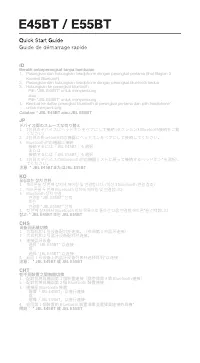
Page 5 - JP; Bluetooth接続; CHS; 蓝牙连接; CHT; Bluetooth 連接; Bluetooth רוביח; תוינזואה תא לעפה; ثوتولبلا برع لاصتلاا
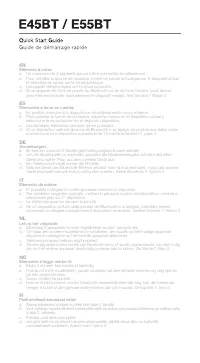
FR Connexion Bluetooth 1. Allumer le casque ON (bouton coulissant) 2. Si vous vous connectez pour la première fois, le casque entrera en mode de couplage automatiquement après sa mise sous tension 3. Se connecter au périphérique bluetooth Choisir « JBL E45BT » pour se connecter ou Choisir « JBL E55B...
Page 10 - Seamlessly switch between devices; Pair and connect the headphone with the 2; bluetooth device; device
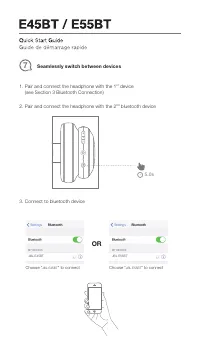
Seamlessly switch between devices 7 2. Pair and connect the headphone with the 2 nd bluetooth device 5.0s 1. Pair and connect the headphone with the 1 st device (see Section 3 Bluetooth Connection) 3. Connect to bluetooth device Choose “ JBL E45BT ” to connect JBL E45BT Choose “ JBL E55BT ” to conne...
Page 11 - Go back to the bluetooth device list on the 1; device and select the; デバイス間のスムーズな切り替え; 设备间无缝切换; 在不同裝置之間無縫切換; םירישכמ ןיב תולקב רובע; (Bluetooth רוביח 3 קלח האר) ןושארה רישכמל תוינזואה תא רבחו םאתה .1; ةزهجلأا ينب ةلوهسب لقنتلا
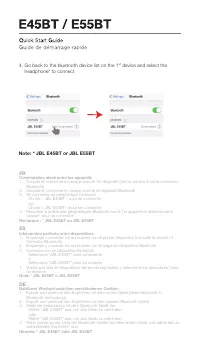
4. Go back to the bluetooth device list on the 1 st device and select the headphone* to connect Note: * JBL E45BT or JBL E55BT FR Commutation aisée entre les appareils 1. Coupler et connecter le casque avec le 1er dispositif (Voir la section 3 sur la connexion Bluetooth) 2. Coupler et connecter le c...
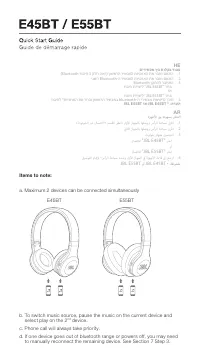
Page 15 - a. Maximum 2 devices can be connected simultaneously; to manually reconnect the remaining device. See Section 7 Step 3.
FR Commutation aisée entre les appareils 1. Coupler et connecter le casque avec le 1er dispositif (Voir la section 3 sur la connexion Bluetooth) 2. Coupler et connecter le casque avec le 2e dispositif Bluetooth 3. Se connecter au périphérique bluetooth Choisir « JBL E45BT » pour se connecter ou Choi...
Page 16 - 注意すべき項目:; 注意事项:; 需注意的項目:; دحاو تقو في نيزاهج نم ثركأ ليصوت نكيم لا
FR Éléments à noter: a. Un maximum de 2 appareils peuvent être connectés simultanément b. Pour modifier la source de musique, mettre en pause la musique sur le dispositif actuel et sélectionner lancer sur le 2e périphérique. c. Les appels téléphoniques ont toujours la priorité. d. Si un appareil est...
Page 19 - LED behaviour
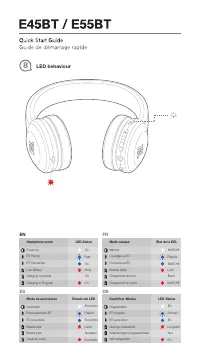
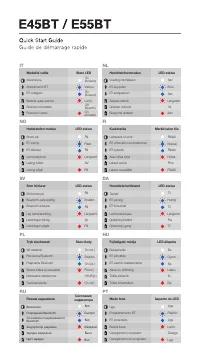
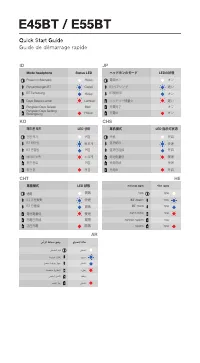
LED behaviour 8 Encendido Modo de auriculares Estado del LED Rápido Encendido Lento Encendido Emparejamiento BT BT conectado Encendido Batería baja Betería baja Apagado Carga en curso ES Power on Headphone mode LED Status Fast On Slow On BT Pairing BT Connected On Low Battery Charging Complete Off C...
Power on (Menyala) Mode headphone Status LED Cepat Hidup Lambat Hidup Penyambungan BT BT Terhubung Hidup Daya Baterai Lemah Pengisian Daya Selesai Mati Pengisian Daya Sedang Berlangsung ID 전원 켜기 헤드폰 모드 LED 상태 빠르게 켜짐 느리게 켜짐 BT 페어링BT 연결됨 켜짐 배터리 부족충전 완료 꺼짐 충전 중 KO AR 通電 耳機模式 LED 狀態 快速 開啟 慢速 開啟 BT 正在配對B...
Page 33 - The Bluetooth
TR03171_C Este equipamento opera em caráter secundário, isto é, não tem direito a proteção contra interferência prejudicial, mesmo de estações do mesmo tipo, e não pode causar interferência a sistemas operando em carater primario”Este produto está homologado pela ANATEL, de acordo com os procediment...