Jabra DIAL 550 - User Manual
Jabra DIAL 550 – User Manual, read for free online in PDF format. We hope this helps you resolve any issues you may have. If you have further questions, please contact us through the contact form.


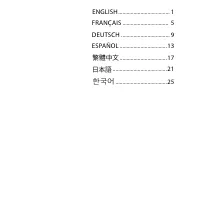

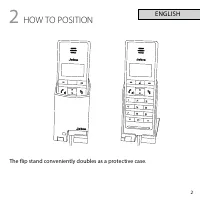


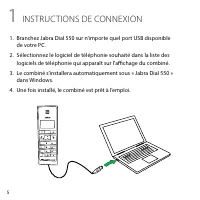
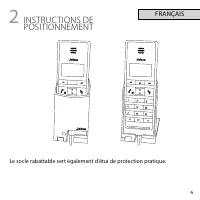
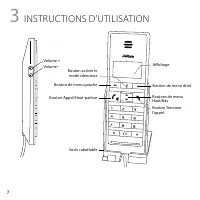
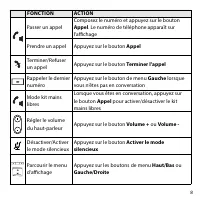

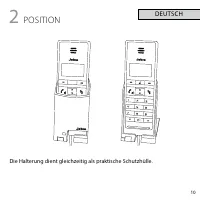
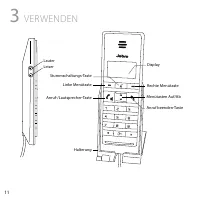


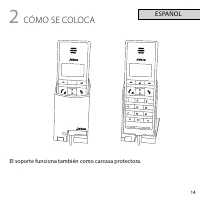


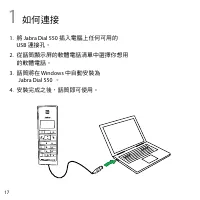
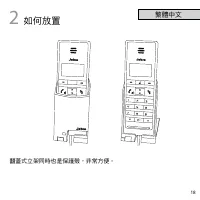
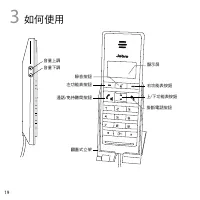
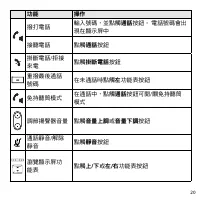

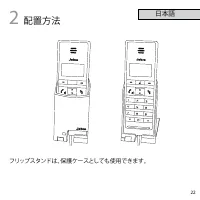
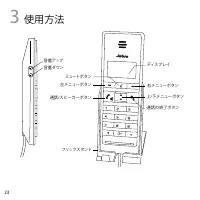


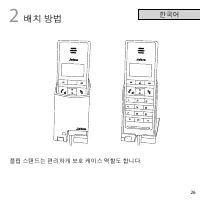
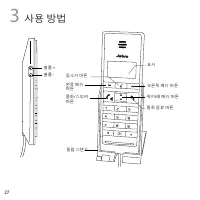

Table of Contents:
- Page 2 – G E T S TA R T E D I N U N D E R; MINUTES
- Page 4 – 한국어
- Page 5 – HOW TO CONNECT
- Page 6 – HOW TO POSITION
- Page 7 – HOW TO USE
- Page 9 – INSTRUC TIONS DE CONNEXION
- Page 11 – INSTRUC TIONS D’UTILISATION
- Page 13 – VERBINDEN
- Page 14 – POSITION
- Page 15 – VERWENDEN
- Page 17 – CÓMO SE CONEC TA
- Page 18 – CÓMO SE COLOCA
- Page 19 – CÓMO SE USA
- Page 21 – 如何連接
- Page 22 – 如何放置
- Page 23 – 如何使用
- Page 25 – 接続方法
- Page 26 – 配置方法
- Page 27 – 使用方法
NEED MORE HELP?
Why wait? Go to our support page and find all the answers you’re looking for
24-hours a day. www.jabra.com/dial550
81-03834 C
G E T S TA R T E D I N U N D E R
For more information, please visit
www.jabra.com
Design Registration Pending International
EUROPE
Austria
Belgique/Belgium
France
Germany
Spain
Switzerland
United Kingdom
International
ASIA PACIFIC
Australia
China
Japan
New Zealand
Singapore
PHONE
+43720880558
+3228080766
+33 182880251
+4930896778991
+34 911875539
+41 435002460
+44 2033180070
+4535256540
1-800-738-521
800-858-0789
03-3242-8722
+64 92806301
+65-62214729
EMAIL
[email protected]
--
Contact details to Jabra Support:
"Loading the manual" means you need to wait until the file loads and becomes available for online reading. Some manuals are very large, and the time they take to appear depends on your internet speed.
Was this manual helpful?
About this manual
- Brand
- Jabra
- Model
- DIAL 550
- Document type
- User Manual
- Language(s)
- German, English, Spanish, French
- Pages
- 32
- File size
- 611.9 KB
- Format
Summary
jabra.com/dial550 JABRA DIAL 550 G E T S TA R T E D I N U N D E R MINUTES 5
ENGLISH ..................................... 1 FRANÇAIS ................................. 5DEUTSCH ................................... 9ESPAÑOL ..................................13 繁體中文 ..................................17 日本語 .......................................21 한국어 .............................
1 1 HOW TO CONNECT 1. Plug the Jabra Dial 550 into any available USB port on the PC. 2. Select the desired softphone from the list of softphones on the handset display. 3. The handset will automatically install as ‘Jabra Dial 550’ in Windows. 4. Once installed, the handset is ready for use.