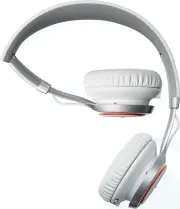
Jabra 100-96700002-37 Headphones – User Manual, read for free online in PDF format. We hope this helps you resolve any issues you may have. If you have further questions, please contact us through the contact form.
1
2
3
4
5
6
7
8
9
10
11
12
13
14
15
16
17
18
19
Table of Contents:
Page 3 – Jabra revo Wireless FeaTUres
Page 5 – HeigHT ADJUSTMeNT
Page 6 – The headset can be folded when not in use.
Page 8 – CONNeCT TO A BLUeTOOTH DeviCe; switch in the Pairing
Page 9 – CONNeCT TO AN NFC DeviCe; Pairing; Different NFC devices have NFC implemented in
Page 10 – Bluetooth and headset connections are disabled
Page 11 – it is possible to connect to a mobile device
Page 15 – Set the; MULTiPLe CALL HANDLiNg
Page 17 – Q i hear crackling noises
Page 18 – HOW TO CARe FOR yOUR HeADSeT
Page 19 – specIfIcatIons
Loading the manual
jabra.com/revowireless
User Manual
Jabra revo Wireless
"Loading the manual" means you need to wait until the file loads and becomes available for online reading. Some manuals are very large, and the time they take to appear depends on your internet speed.
Summary
Page 3 - Jabra revo Wireless FeaTUres
3 jabra revo wireless 1. welcoMe Thank you for purchasing the Jabra Revo Wireless. We hope you will enjoy it! Jabra revo Wireless FeaTUres High definition Dolby ® Digital Plus enhanced sound via exclusive Jabra Sound App. Optimized sound excellence with portable devices. Turntable Touch Contro...
Page 5 - HeigHT ADJUSTMeNT
5 jabra revo wireless 3. how to weaR 3.1 HeigHT ADJUSTMeNT get the perfect fit by adjusting the headband, as illustrated.
Page 6 - The headset can be folded when not in use.
6 jabra revo wireless 3.2 FOLDABLe HiNgeS The headset can be folded when not in use.
Page 8 - CONNeCT TO A BLUeTOOTH DeviCe; switch in the Pairing
8 jabra revo wireless 5. how to connect 5.1 CONNeCT TO A BLUeTOOTH DeviCe 1. Hold the on/off/Pairing switch in the Pairing position for 3 secs. 2. Pairing mode will be announced in the headphones, and the Bluetooth light will flash blue. 3. Follow the voice-guided pairing instructions to pair to you...
Page 9 - CONNeCT TO AN NFC DeviCe; Pairing; Different NFC devices have NFC implemented in
9 jabra revo wireless 5.2 CONNeCT TO AN NFC DeviCe 1. Turn the Revo Wireless on (set the on/off/ Pairing switch to the on position). 2. Hold an NFC device against the NFC zone of the headphones (left earcup). NFC zone NoTe: Different NFC devices have NFC implemented in different ways. The size and s...
Page 10 - Bluetooth and headset connections are disabled
10 jabra revo wireless 5.3 CONNeCT TO 3.5 MM JACK CONNeCTOR Connect the headset to a 3.5 mm jack connector on your mobile device or PC using the supplied music cable. NoTe: Bluetooth and headset connections are disabled when connected to the 3.5 mm Jack Connector.
Page 11 - it is possible to connect to a mobile device
11 jabra revo wireless 5.4 CONNeCT TO USB Connect the headset to a USB slot or PC using the supplied micro-USB cable. NoTe: it is possible to connect to a mobile device wirelessly and to your PC via USB at the same time.
Page 15 - Set the; MULTiPLe CALL HANDLiNg
15 jabra revo wireless 6.1 TURN HeADSeT ON/OFF Set the on/off/Pairing switch to on or off . 6.2 MULTiPLe CALL HANDLiNg The headset can accept and handle multiple calls simultaneously. Put current call on hold and answer incoming call Press (2 secs) the Multi-function button Switch between held call ...
Page 17 - Q i hear crackling noises
17 jabra revo wireless 7. sUppoRt 7.1 FAq Q i hear crackling noises A Bluetooth is a radio technology that is sensitive to objects between the headset and the connected device. ensure the headset and the connected device are within range (up to 10 meters or 30 feet). Q i cannot hear anything A - inc...
Page 18 - HOW TO CARe FOR yOUR HeADSeT
18 jabra revo wireless 7.2 HOW TO CARe FOR yOUR HeADSeT Always store the headset with the power off and safely protected. Avoid storage at extreme temperatures (above 70°C/158°F or below -40°C/-40°F). This can shorten battery life and may affect operation. High temperatures may also degrade perf...
Page 19 - specIfIcatIons
19 jabra revo wireless 8. technIcal specIfIcatIons ToPic descriPTioN Weight: 240 grams Dimensions: H 178.8 mm x W 160.1 mm x L 73 mm Microphone: Omni-directional dual microphone Speaker: 40 mm Operating range: Up to 10 meters Bluetooth version: 3.0 Paired devices: Up to 8 devices, connected to 2 at ...