Page 3 - english
3 english jabra PULSE WIrELESS 1. welCOMe .......................................... 42. heADSeT OVeRView ......................... 5 2.1 iNClUDeD ACCeSSORieS 3. hOw TO weAR .................................. 7 3.1 ChANGiNG eARGelS 3.2 ChANGiNG eARwiNGS3.3 weARiNG The FiTCliP3.4 heART RATe DeTeCTiON...
Page 4 - JABRA SpoRt pulSe WiReleSS feAtuReS
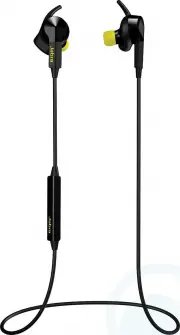
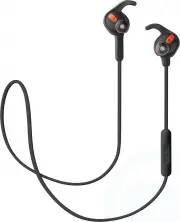
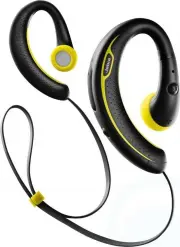
4 english jabra PULSE WIrELESS 1. welCOMe Thank you for using the Jabra Sport Pulse Wireless. We hope you will enjoy it! JABRA SpoRt pulSe WiReleSS feAtuReS Wireless Sports earphones with Dolby® sound enhancement Biometric in-Ear heart rate monitor Jabra Sport Life app for integrated training ...
Page 6 - INCLUDED ACCESSoRIES
6 english jabra PULSE WIrELESS 2.1 INCLUDED ACCESSoRIES Medium Large Small Large Medium Small Extra small Micro-USB cable Protective pouch Fitclips Eargels Earwings Medium plus
Page 7 - CHANgINg EARgELS
7 english jabra PULSE WIrELESS 3. hOw TO weAR 3.1 CHANgINg EARgELS For the optimal audio experience, try the different eargel sizes. The fit should feel tight and secure in your ear.
Page 8 - CHANgINg EARWINgS; Remove the current EarWing and pull the new
8 english jabra PULSE WIrELESS 3.2 CHANgINg EARWINgS For the most secure fit during your workout, try each of the different EarWing styles. 1. Remove the current EarWing and pull the new EarWing onto the earbud, as shown. You may have to stretch the EarWing into position. 2. The top of the EarWing s...
Page 9 - USINg THE FITCLIP; RegulAR fitClip Style
9 english jabra PULSE WIrELESS 3.3 USINg THE FITCLIP Attach the Fitclip to the cable, and adjust for optimal fit. RegulAR fitClip Style optimAl fitClip Style Simple fitClip Style
Page 10 - HEART RATE DETECTIoN; Sports
10 english jabra PULSE WIrELESS 3.4 HEART RATE DETECTIoN The heart rate sensor is located in the left earphone. For accurate monitoring, it is essential the earphones are fitted correctly and that you are wearing the correct eargels and EarWings for your ear. It is highly recommended to try all earg...
Page 11 - hOw TO ChARGe The
11 english jabra PULSE WIrELESS 4. hOw TO ChARGe The eARPhONeS Pull back the EarWing on the right earphone to expose the USB charging port. Plug any USB cable or charger into the USB charging port and connect to power to begin charging. It takes approx. 2 hours to fully charge the earphones.
Page 12 - CoNNECT To A NEW oR SECoND; button on the
12 english jabra PULSE WIrELESS 5. hOw TO CONNeCT The first time the Jabra Sport Pulse Wireless is turned on it will automatically attempt to connect to any mobile phone that has Bluetooth turned on. 5.1 CoNNECT To A NEW oR SECoND MoBILE PHoNE 1. Turn on Bluetooth on your mobile phone.2. Press and h...
Page 13 - CoNNECT To AN NFC DEVICE
13 english jabra PULSE WIrELESS 5.2 CoNNECT To AN NFC DEVICE 1. Turn on NFC on your mobile phone.2. Ensure the earphones are turned on.3. Slowly slide the NFC zone of the earphones (back side of the controller) directly against the NFC device until a connection is confirmed. To disconnect, repeat th...
Page 14 - JABRA SPORT liFe APP
14 english jabra PULSE WIrELESS 6. JABRA SPORT liFe APP The Jabra Sport Life app is a free app that enables you to create, track and personalize your workouts, listen to on-the-go workout status updates, monitor your heart rate and much more. Android download - google play ioS download - App Store
Page 18 - MULTIPLE CALL HANDLINg
18 english jabra PULSE WIrELESS 7.3 MULTIPLE CALL HANDLINg The headset can accept and handle multiple calls at the same time. fuNCtioN ACtioN End current call and answer incoming call Tap the multi- function button Switch between held call and active call Press and hold (2 secs) the multi- function ...
Page 19 - LIST oF VoICE gUIDANCE
19 english jabra PULSE WIrELESS 7.4 LIST oF VoICE gUIDANCE CliCk to liSteN WhAt you heAR To connect Jabra Sport Pulse Wireless, go to the Bluetooth menu on your phone and select it from the list Connected Two devices connected Disconnected Redialling Battery low Battery medium Battery full Muted Unm...
Page 21 - View the FAqs on Jabra.com/sportpulsewireless; HoW To CARE FoR YoUR HEADSET
21 english jabra PULSE WIrELESS 8. SUPPORT 8.1 FAq View the FAqs on Jabra.com/sportpulsewireless 8.2 HoW To CARE FoR YoUR HEADSET Always store the headset with the power off and safely protected. Avoid storage at extreme temperatures (above 65°C/149°F or below -10°C/14°F). This can shorten batte...
Page 22 - SPeCiFiCATiONS
22 english jabra PULSE WIrELESS 9. TeChNiCAl SPeCiFiCATiONS JABRA SpoRt pulSe WiReleSS SpeCifiCAtioN Weight: 16g (0.56oz) Dimensions: H 18mm x W 21mm x D 32mm Microphones: MEMS microphone Speaker: 6mm dynamic speaker operating range: 10m/33ft (phone dependent) Bluetooth version: 4.0 Paired devices: ...