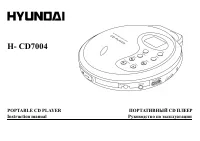
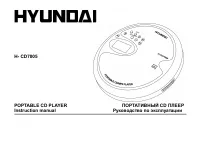
Page 2 - Table of contents; Table
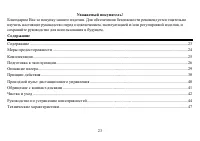
2 Dear customer! Thank you for purchasing our product. For safety, it is strongly recommended to read this manual carefullybefore connecting, operating and/or adjusting the product and keep the manual for reference in the future. Table of contents Table of contents .....................................
Page 3 - Important safeguards; CAUTION
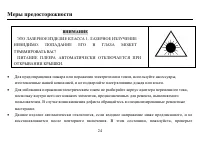
3 Important safeguards · In order to prevent from fire and electric shock, please use accessories supplied by our company and don texpose the player in rain or moisture. · In order to prevent from electronic shock, don t disassemble the case of AC adaptor because there are noreparable components in ...
Page 4 - Accessories; pc
4 · AC adaptor will power the player automatically when the adaptor and dry batteries are used at the sametime. · Don t use AC adaptor that is supplied not by our company because it may cause damage. · Do not connect the player to the power supply if you have just moved it from a cold to a warm envi...
Page 5 - Preparation; Listening with earphones; DO NOT PLUG THE EARPHONES INTO THE AUX OUT JACK!; Connecting to home stereo; made on our audio system.
5 Preparation 1. Listening with earphones Connect the plug the stereo earphones into the phones Jack (on the side of set) DO NOT PLUG THE EARPHONES INTO THE AUX OUT JACK! Caution: · Hearing experts advise against exposure to continuous extended play at loud volume levels while using earphones, possi...
Page 6 - Inserting the batteries; Close the battery cover.
6 3. Power supply T his player requires 2 AA size batteries to start operation if not by AC adaptor 4. Inserting the batteries · Open the battery cover by softly pushing " open ". · Insert batteries according to " + " or "-" polarities. · Close the battery cover. Note: · If t...
Page 7 - You can enjoy music while charging.
7 Cautions: · Pull out AC: DC adaptor or remove t he battery in the player when it i s not in u se for a l ong ti me. Do notuse the ada ptor of other brands or it the same time with the battery. · Use lab elled rechargeable batteri es only or use heavy -duty alk aline batteri es. Never recharge dryb...
Page 8 - Illustration of player s operation; LCD
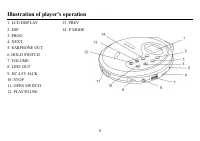
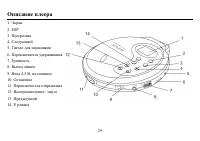
8 Illustration of player s operation 1. LCD DISPLAY 13. PREV 2. ESP 14. P. MODE 3. PROG4. NEXT5. EARPHONE OUT6. HOLD SWITCH7. VOLUME8. LINE OUT9. DC 4.5V JACK10. STOP11. OPEN SWITCH12. PLAY/PAUSE
Page 9 - How to operate
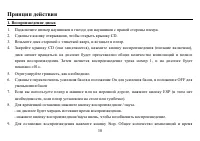
9 How to operate 1. Playing a disc 1.Plug the cord from the headphones into the phones jack on the right side of set.2.Slide the door open button to open the CD door.3.Hold the disc with LABEL SIDE UP and press it onto the spindle until it "Clicks" into place.4.Close the CD door (it will lat...
Page 11 - Forward and backward track search; Press the Search Button or during play to go to the desired track.
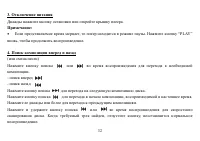
11 4. Forward and backward track search (or changing songs) Press the Search Button or during play to go to the desired track. - search forward- search backwardPress the search button to skip to the next track on the disc.Press the search button to the beginning of the track currently playing. Press...
Page 12 - Auto power off function
12 6. Auto power off function The power turns off automatically when all tracks on a disc have been played or 30 seco nd s a ft er the StopBu tton is pr essed to stop play. T he power turn s off immediately after the CD Door is opened (The displaywill show track & time for 30seconds and men shut...
Page 15 - Programming your playing; Sequence programmed play
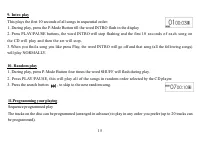
15 9. Intro play This plays the first 10 seconds of all songs in sequential order:1. During play, press the P-Mode Button till the word INTRO flash in the display2. Press PLAY/PAUSE buttons, the word INTRO will stop flashing and the first 10 se conds of ea ch so ng onthe CD will play and then the se...
Page 17 - Wired controller; Location of controls; Illustration for how to connect Wired Controller
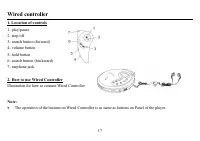
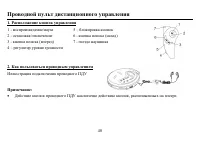
17 Wired controller 1. Location of controls 1- play/pause2- stop/off3- search button (forward)4- volume button 5- hold button6- search button (backward)7- earphone jack 2. How to use Wired Controller Illustration for how to connect Wired Controller Note: · The operation of the buttons on Wired Contr...
Page 18 - Handling compact discs; Dirty, scratched or warped discs may cause skip ping or noise.; Cleaning; Cleaning the cabinet
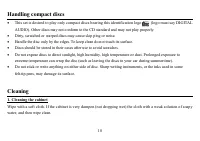
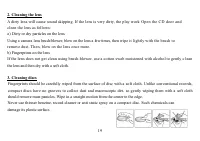
18 Handling compact discs · This set is desired to play only compact discs bearing this identification logo (logo must say DIGITALAUDIO). Other discs may not conform to the CD standard and may not play properly. · Dirty, scratched or warped discs may cause skip ping or noise. · Handle the disc only ...
Page 20 - Troubleshooting guide; Trouble
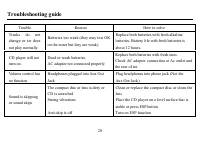
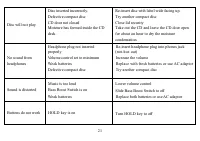
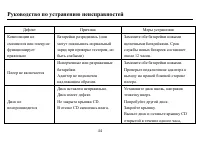
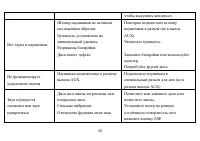
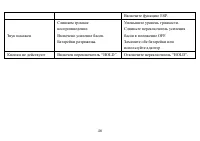
20 Troubleshooting guide Trouble Reason How to solve Tracks do notchange or set doesnot play normally. Batteries too weak (they may test OKon the tester but they are weak). Replace both batteries with fresh alkalinebatteries. Battery life with fresh batteries isabout 12 hours. CD player will notturn...
Page 22 - Specification; Frequency resumes, Hz
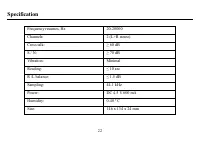
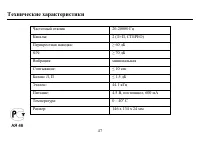
22 Specification Frequency resumes, Hz 20-20000 Channels: 2 (L+R stereo) Cross talk: 60 dB S / N: 70 dB Vibration: Minimal Reading: 10 sec R /L balance: 1.5 dB Sampling: 44.1 kHz Power: DC 4.5 V 600 mA Humidity: 0-40 º C Size: 146 x 134 x 24 mm
Page 32 - PLAY
32 3. . : · , . PLAY , . 4. ) . - - . , . . . , , .
Page 34 - ESP
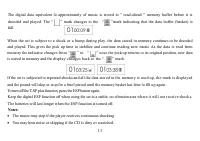
34 7. ESP ESP - , . « » 60 . ESP ( ) , , . ESP , . ESP ESP. , ESP. ESP , . ( ). ESP , ( ) . , ESP. , « » , . , , ( ) .
Page 36 - CD
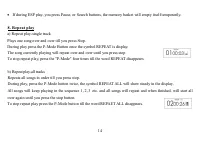
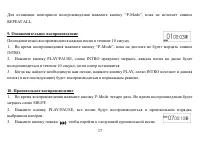
36 · , CD . · ESP, , . 8. ) , . -Mode , REPEAT. , , , . P-Mode , REPEAT. ) , . P-Mode , REPEAT ALL. , , .
Page 39 - PROGRAM
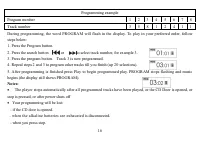
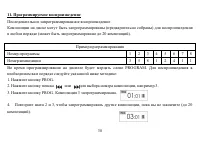
39 5. PLAY, . PROGRAM ( PROGRAM ). : · , , CD, , . · : - CD. - , . - .