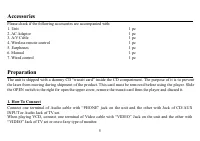
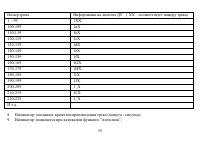
Page 2 - Table of contents
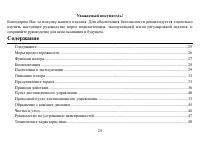
2 Dear customer! Thank you for purchasing our product. For safety, it is strongly recommended to read this manual carefullybefore connecting, operating and/or adjusting the product and keep the manual for reference in the future. Table of contents Table of contents .....................................
Page 3 - Important safeguards; CAUTION
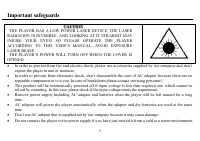
3 Important safeguards · In order to prevent from fire and electric shock, please use accessories supplied by our company and don texpose the player in rain or moisture. · In order to prevent from electronic shock, don t disassemble the case of AC adaptor because there are noreparable components in ...
Page 4 - Function
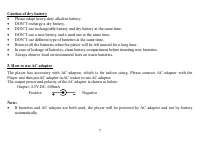
4 This can result in condensation inside the system and cau se serious damage to the machine. Wait arou ndtwo hours to allow it to reach room temperature. Function · Battery Energy Saving Function: Video Output is automatically shut off when playing VCD disc withbatteries. Please keep pressing EQ bu...
Page 6 - Inserting the batteries into the unit
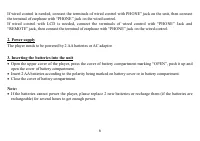
6 If wired control is needed, connect the terminals of wired control with PHONE jack on the unit, then connectthe terminal of earphone with PHONE jack on the wired control.If wired control with LCD is needed, connect the terminals of wired control with PHONE Jack and REMOTE jack, then connect the te...
Page 8 - Illustration of player s operation
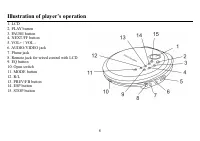
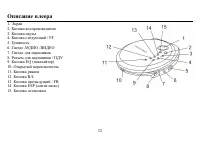
8 Illustration of player s operation 1. LCD2. PLAY button3. PAUSE button4. NEXT/FF button5. VOL+ / VOL -6. AUDIO/VIDEO jack7. Phone jack8. Remote jack for wired control with LCD9. EQ button10. Open switch11. MODE button12. R/L13. PREV/FB button14. ESP button15. STOP button
Page 9 - Wired control; Introducing the buttons and jacks of the wired control:
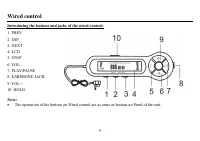
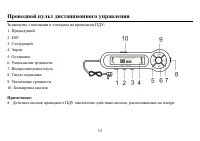
9 Wired control Introducing the buttons and jacks of the wired control: 1. PREV2. ESP3. NEXT4. LCD5. STOP6. VOL -7. PLAY/PAUSE8. EARPHONE JACK9. VOL +10. HOLD Note: · The operations of the buttons on Wired control are as same as buttons on Panel of the unit.
Page 10 - Introduction of LCD
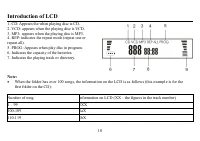
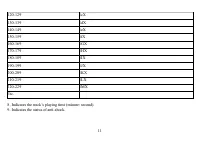
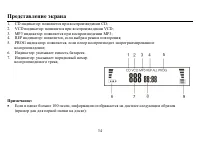
10 Introduction of LCD 1. CD: Appears the when playing disc is CD.2. VCD: appears when the playing disc is VCD.3. MP3: appears when the playing disc is MP3.4. REP: indicates the repeat mode (repeat one orrepeat all).5. PROG: Appears when play disc in program.6. Indicates the capacity of the batterie...
Page 12 - How to operate; PREV; NEXT
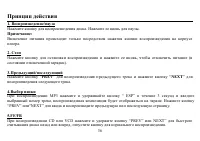
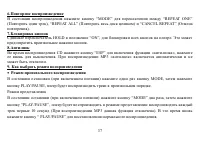
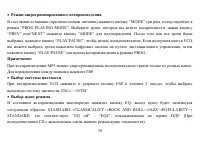
12 How to operate 1. Play/pause Press the button and the unit will begin to play the disk. Pressing it again will pause the playing. Note: · To power on the device press the PLAY button on the unit. The PLAY button on the wired control cannotpower on the device. 2. Stop Pressing the button will stop...
Page 15 - Audio output select
15 When Playing VCD with batteries, video output is shut off automatically. Keeping pressing EQ button for 3seconds to turn the video output on. 10. Volume control Press VOL+ or VOL- button to control volume. 11. Audio output select Press R/L button repeatedly to cycle audio output mode with Stereo ...
Page 16 - Remote control
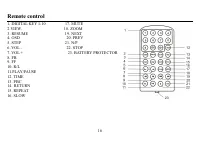
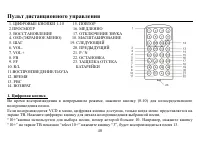
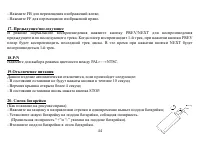
16 Remote control 1. DIGITAL KEY 1-10 17. MUTE2.VIEW. 18. ZOOM3. RESUME 19. NEXT4. OSD 20. PREV 5. STEP 21. N/P6. VOL - 22. STOP 7. VOL + 23. BATTERY PROTECTOR 8. FB9. FF10. R/L11.PLAY/PAUSE12. TIME13. PBC14. RETURN15. REPEAT16. SLOW
Page 21 - Handling compact discs; Cleaning; Cleaning the cabinet
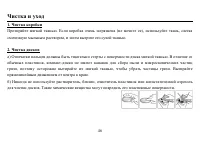
21 Handling compact discs · Dirty, scratched or warped discs may cause skip ping or noise. · Handle the disc only by the edges. To keep clean do not touch its surface. · Discs should be stored in their cases after use to avoid scratches. · Do not expose discs to direct sunlight, high humidity, high ...
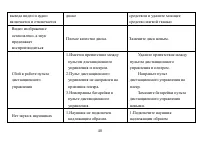
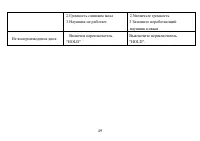
Page 22 - Troubleshooting guide
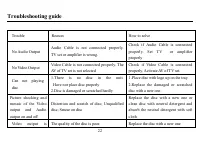
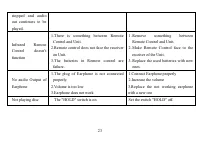
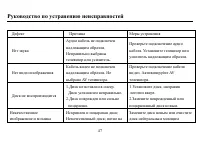
22 Troubleshooting guide Trouble Reason How to solve No Audio Output Audio Cable is not connected properly.TV set or amplifier is wrong. Check if Audio Cable is connectedproperly. Set T V or amplifierproperly No Video Output Video Cable is not connected properly. TheAV of TV set is not selected Chec...
Page 24 - Specification; Notes
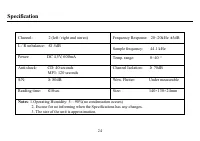
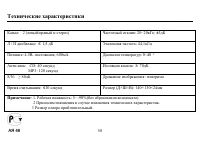
24 Specification Channel: 2 (left / right and stereo) Frequency Response: 20~20kHz ± 3dB L / R unbalance: 1.5dB Sample frequency: 44.1 kHz Power: DC 4.5V, 600mA Temp. range: 0~40 º Anti-shock: CD: 40 seconds MP3: 120 seconds Channel Isolation: 70dB S/N: 80dB Wow. Flutter: Under measurable Reading ti...