Page 2 - Table of contents
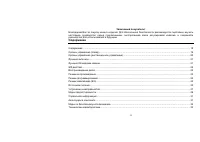
2 Dear customer! Thank you for purchasing our product. For safety, it is strongly recommended to read this manual carefully before connecting, operating and/or adjusting the product and keep the manual for reference in the future. Table of contents Table of contents.....................................
Page 5 - To avoid maloperation, the player has a lock button function:
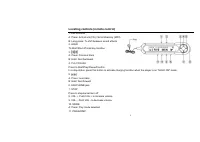
5 A. Press: File number display/Folder name display/ID3 display selection B. Hold (from STOP status): enter programming function Anti-shock operation A. Press ESP/DIR/EQ (electronic shockproof) key during audio CD playback and the player will activate ESP protection function. CD may have better soun...
Page 6 - LCD screen
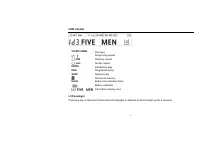
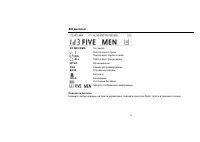
6 LCD screen CD MP3 WMA Disc type Single song repeat DIR Directory repeat ALL All disc repeat INTRO Introductive play PRG Programmed play SHUF Random play Anti-shock memory HOLD Button lock indication mark Battery indication Information display zone LCD backlight Press any key on Remote Control and ...
Page 7 - DIR
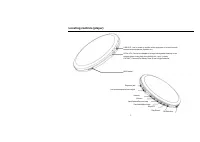
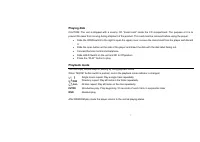
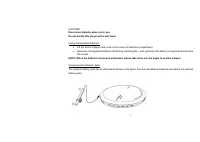
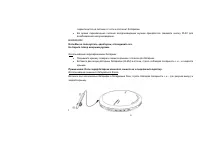
7 Playing disk CAUTION: The unit is shipped with a dummy CD “transit card” inside the CD compartment. The purpose of it is to prevent the laser from moving during shipment of the product. This card must be removed before using the player. • Slide the OPEN switch to the right to open the upper cover,...
Page 8 - Program mode; EQ mode; Notes for using specified adapter
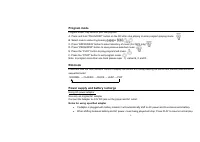
8 Program mode Program mode: Play tracks in your own playlists. A. Press and hold “PROG/DISP” button on the RC after stop playing to enter program playing mode. B. Select music number by pressing or . C. Press “ESP/DIR/EQ” button to select directory of music (For MP3 only). D. Press “PROG/DISP” butt...
Page 9 - Using rechargeable batteries:
9 CAUTION! Disconnect Adapter when not in use. Do not handle this player with a wet hand. Using rechargeable batteries: • Lift the cover of player and remove the covers of batteries compartment. • Insert two rechargeable batteries (Ni-MH) by matching the + and -polarity in the battery compartments a...
Page 11 - Troubleshooting guide; No Power On
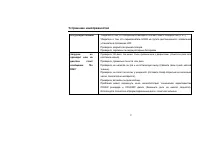
11 Troubleshooting guide No Power On Check whether the batteries have been inserted in proper polarity (+ and -). Check whether the HOLD switch on remote and unit is ON (Switch to OFF position) Check whether the player door is opened. Check whether the rechargeable batteries are not charged. Loading...
Page 12 - Precautions
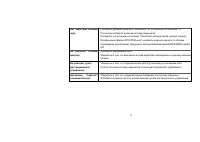
12 AC adapter does not work. Be sure that the power supply voltage of the area where this player will be used meets the required voltage. C h e c k w h e t h e r t h e p l u g i s c o n n e c t e d t o t h e proper jack on the player. Remote control does not work. Check whether the HOLD switch is ON...
Page 13 - On Safety On Handling Disc; before operating it any further.; On Player; will not operate properly.; On Headphones and Earphones; hazardous situations.; Preventing hearing damage
13 On Safety On Handling Disc • Should any solid objects or liquid fall into the console, unplug it and have it checked by qualified personnel before operating it any further. • Do not put objects in the DC IN 4.5Vjack(External Power output). • Use only the adapter provided with the player. On Playe...
Page 14 - Consideration for others
14 Consideration for others Keep the volume at a moderate level. This will allow you to hear outside sound and to be considerate of the people around you. Notes: • During playback, CDs damaged with dirt or a scratch may make a pop sound, clipping sound, or cut off. • Tracks with damaged or corrupted...
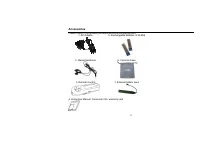
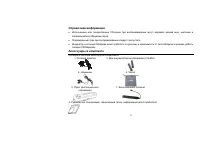
Page 15 - Accessories; Please check if the following accessories are accompanied with:
15 Accessories Please check if the following accessories are accompanied with: 1. AC Adaptor 5. Rechargeable batteries (2 Ni-MH) 2. Stereo Earphone 6. Carrying Case 3. Remote Control 7. External battery pack 4. Instruction Manual, Consumer info, warranty card
Page 16 - Important safeguards; CAUTION
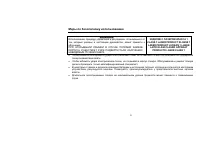
16 Important safeguards CAUTION Use of controls, adjustments or performance of procedures other than those specified herein may result in hazardous radiation exposure. CAUTION-INVISIBLE LASER RADIATION WHEN OPEN AND INTER LOCKS DEFEATED, AVOID EXPOSURE TO BEAM. CLASS 1 LASER PRODUCT KLASSE 1 LASER P...
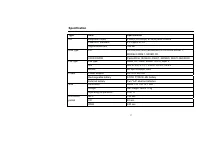
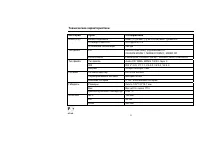
Page 17 - Specification; Type Item
17 Specification Type Item Specification Earphone output 8 mW(L)+8 mW(R) at 32( Ω ) MAX.Volume LINE OUT standard 2.0 Vpp+0.2/-1.0 CD Signal/Noise ratio >85 dB CD CD-DA(8cm/12cm),Enhanced CD CD-ROM MODE 1, MODE2 FORM 1, MIXED CD Disk type CD-R/CD/RW PacketWrite, ISO9600 JOLIET, ROMEO, MULTI-SESSIO...
Page 25 - PLAY
25 . • . PLAY . ! , . . : • . • (Ni-MH) , + -, : , . , + - ( . ), . !
Page 27 - HOLD
27 , (+ -). , HOLD OFF. , . , . 'No DISC' CD- . . ( ). , . , . ( , ). , . ( , ). , . - CD-RW CD-R/RW . ( ). .