HP Scanjet Enterprise Flow 5000 s5 - User Manual
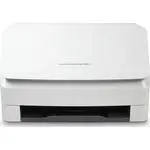
Installation Manual The guide covers the setup of HP ScanJet Pro and Enterprise Flow series scanners, emphasizing proper environmental conditions like a dust-free, well-ventilated space (10–80% humidity, 59–86°F/15–30°C) to ensure reliable operation. It details physical installation–including unboxing, power setup (using only the provided cable at 100–240V AC), and connection methods–such as USB or wireless networking for compatible models like N4000 snw1/N7000 snw1. Safety warnings highlight proper electrical connections to prevent damage, while software installation instructions direct users to HP’s support site to download drivers tailored to their scanner model and OS.
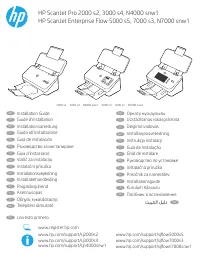
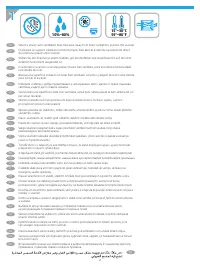
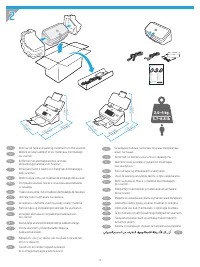














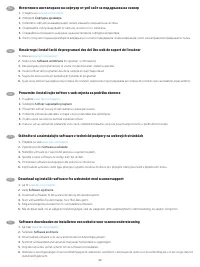
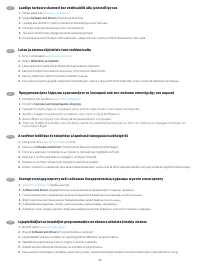
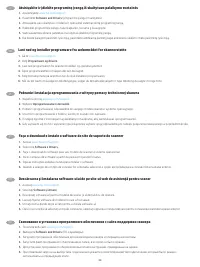
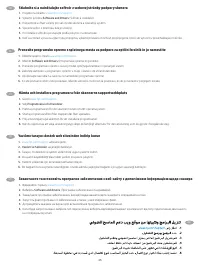

Table of Contents:
- Page 1 – Installation Guide Overview
- Page 2 – Environmental Requirements for Scanner Placement
- Page 3 – Unboxing and Physical Specifications
- Page 4 – Power Connection Requirements
- Page 5 – Electrical Safety Instructions
- Page 6 – Powering On Procedure
- Page 7 – USB Connection Instructions
- Page 8 – USB Connection Timing for Software Installation
- Page 9 – Connection Methods and Wireless Setup Guidance
- Page 10 – Wireless Network Configuration
- Page 11 – Wireless Setup Precautions
- Page 12 – Wireless Setup Guidance with Cable Avoidance
- Page 13 – Wireless Connection Troubleshooting
- Page 14 – Wireless Network Configuration Methods
- Page 15 – Wireless Network Verification
- Page 16 – Multilingual Wireless Connection Procedures
- Page 17 – Wired Network Connection Setup
- Page 18 – LAN Cable Connection Procedure
- Page 19 – Wired LAN Connection Details
- Page 20 – Wired Network Connection Procedures
- Page 21 – Scanner Software Download and Installation
- Page 22 – Multilingual Software Installation Guide
- Page 23 – Software and Driver Installation Steps
- Page 24 – Multilingual Software Installation Procedure
- Page 25 – Software Installation Process
- Page 26 – Additional Information Resources
- Page 27 – Safety and Technical Specifications
- Page 28 – Regulatory and Trademark Information
HP ScanJet Pro 2000 s2, 3000 s4, N4000 snw1
HP ScanJet Enterprise Flow 5000 s5, 7000 s3, N7000 snw1
2000 s2 3000 s4 N4000 snw1 5000 s5 7000 s3 N7000 snw1
www.register.hp.com
www.hp.com/support/sj2000s2
www.hp.com/support/sj3000s4
www.hp.com/support/sjn4000snw1
www.hp.com/support/sjflow5000s5
www.hp.com/support/sjflow7000s3
www.hp.com/support/sjflown7000snw1
Installation Guide
EN
Guide d’installation
FR
Installationsanleitung
DE
Guida all’installazione
IT
Guía de instalación
ES
Ръководство за инсталиране
BG
Guia d’instal·lació
CA
Vodič za instalaciju
HR
Instalační příručka
CS
Installationsvejledning
DA
Installatiehandleiding
NL
Paigaldusjuhend
ET
Asennusopas
FI
Οδηγός εγκατάστασης
EL
Telepítési útmutató
HU
Орнату нұсқаулығы
KK
Uzstādīšanas rokasgrāmata
LV
Diegimo vadovas
LT
Installasjonsveiledning
NO
Instrukcja instalacji
PL
Guia de instalação
PT
Ghid de instalare
RO
Руководство по установке
RU
Inštalačná príručka
SK
Priročnik za namestitev
SL
Installationsguide
SV
Kurulum Kılavuzu
TR
Посібник зі встановлення
UK
AR
Lea esto primero
ES
"Loading the manual" means you need to wait until the file loads and becomes available for online reading. Some manuals are very large, and the time they take to appear depends on your internet speed.
Was this manual helpful?
About this manual
- Brand
- HP
- Model
- Scanjet Enterprise Flow 5000 s5
- Document type
- User Manual
- Category
- Scanner
- Language(s)
- German, English, Spanish, French, Italian, Dutch, Polish, Russian, Swedish
- Pages
- 28
- File size
- 3.8 MB
- Format
Summary
Cover page for the installation guide, listing compatible models, device line drawings, and links to installation guides.
Requirements for scanner placement, including ensuring a sturdy, well-ventilated, dust-free area away from direct sunlight, along with specified humidity and temperature conditions.
Instructions for unboxing the scanner, diagrams of box contents, dimensions, weight, and guidance on removing packing material.


