Page 3 - For assistance with this product please visit; Read and save these instructions.
ENG LISH PRO TH2000 Series This manual covers the following models:TH2110D : For 1-Heat / 1-Cool systems TH2210D : For 2-Heat / 1-Cool heat pump systems (Remove thermostat from wallplate and turn over to find model number.) Need Help? For assistance with this product please visit http://yourhome.hon...
Page 4 - ENG; Overview; Table of contents
Operating Manual ENG LISH Overview Thermostat features ............................. 1Quick start ............................................ 2Quick reference to controls .................. 3Quick reference to display .................... 4 Programming & Operation Setting the clock ...............
Page 5 - Features; About your new thermostat
PRO TH2000 Series 1 ENG LISH Your new Honeywell thermostat has been designed to give you many years of reliableservice and easy-to-use, push-button climate control. Features • Backlit display is easy to read • Displays ambient (measured) temperature at all times • One-touch access to setpoint temper...
Page 6 - Your thermostat is pre-programmed with Energy Star; This thermostat is ready to go
Operating Manual 2 ENG LISH Simply perform the three steps below and the thermostat is in operation: n Set the clock .................................................................................................. See page 5 o Select whether to heat or cool ...........................................
Page 7 - Quick reference to controls
PRO TH2000 Series 3 ENG LISH Quick reference to controls System switch (see page 6) • Cool : System is in Cooling mode. • Off : System is off. • Heat : System is in Heating mode. • Em Heat : System is in Emergency Heat mode. Fan Switch (see page 7) • On : Fan runs continuously. • Auto : Fan runs onl...
Page 8 - Quick reference to display screen
Operating Manual 4 ENG LISH Quick reference to display screen * When Heat On or Cool On is flashing, compressor protection is engaged (see page 13). ** Applies to TH2210D model only. Temperature The ambient (measured) temperature is normally displayed. To view the setpoint temperature, press either ...
Page 9 - Set; NOTE; Set the clock
PRO TH2000 Series 5 ENG LISH n Press the Set button. Set Time will flash on the screen. o Press the or button to set the time. p Press the Set button again. Set Day will flash on the screen. q Press the or button to select the day of the week. r Press the Run button to save the changes & exit. (...
Page 10 - System switch
Operating Manual 6 ENG LISH System switch Use the SYSTEM switch to place the system in one of the following modes:• Cool : System is in Cooling mode. • Off : System is off. • Heat : System is in Heating mode. • Em Heat : System is in Emergency Heat mode. Only auxiliary heating can be activated. The ...
Page 11 - Fan switch
PRO TH2000 Series 7 ENG LISH Fan switch Use the FAN switch to select the fan operation. • Auto : The fan runs only when heating or cooling is activated (commonly used setting). • On : The fan runs continuously. Use this setting for improved air circulation or formore efficient air cleaning.
Page 12 - Press the; Run; Using the schedule; Wake; Starts when you wake up; Leave; Starts when you leave for work; Return; Starts when you return home; Sleep; Starts when you go to sleep
Operating Manual 8 ENG LISH Press the Run button to follow the programmed schedule. For maximum energy savings while maintaining comfort, you can program the schedule such that the temperature is at aneconomical level when you sleep or leave for work and at a comfortable level when you areawake and ...
Page 13 - The thermostat has been programmed with Energy Star; Energy Star settings
PRO TH2000 Series 9 ENG LISH The thermostat has been programmed with Energy Star ® settings. These settings can reduce your energy bills by 33%. See the next page if you wish to modify the settings. Energy Star settings Period Weekdays Weekends Start time Heat Cool Start time Heat Cool Wake 6:00 am ...
Page 14 - Modifying the schedule
Operating Manual 10 ENG LISH n Press the Set button 3 times until Set Schedule appears. The start time of the first period (Wake) of the week days (Mon-Fri) will flash. o Press the or button to set the time. p Press the Set button. The temperature setting for that period will flash. q To program the...
Page 15 - Temporary; will appear on the; button if you wish to cancel the temporary setting; Temporary override of schedule
PRO TH2000 Series 11 ENG LISH To temporarily ignore the schedule, press or until the desiredtemperature is displayed. The word Temporary will appear on the screen. The new temperature will be used until the next periodbegins. NOTE : Pressing or once will display the setpoint temperature. To change t...
Page 16 - Permanent override of schedule
Operating Manual 12 ENG LISH To permanently ignore the schedule, press or until the desiredtemperature is displayed. Then, press the Hold button to maintain the new temperature indefinitely. The word Hold will appear on the screen. Press the Run button if you wish to cancel the override and resume t...
Page 17 - Example; Cool On; Heat On; flashes on the screen. When the safe wait time has; Built-in compressor protection
PRO TH2000 Series 13 ENG LISH Adaptive Intelligent Recovery™ allows the thermostat to “learn” how long your furnace or airconditioner takes to reach the set temperature. Simply program the desired times and desiredtemperatures into the schedule. The thermostat will determine when to activate heating...
Page 18 - nstall two fresh AAA batteries when the low-battery icon; Battery replacement
Operating Manual 14 ENG LISH NOTE : Batteries are optional (serving as backup power) only if your thermostat is connected to 24 VAC. I nstall two fresh AAA batteries when the low-battery icon flashes on the screen. The icon appears for 60 days before thebatteries are depleted.Replace batteries once ...
Page 19 - In case of difficulty
PRO TH2000 Series 15 ENG LISH In case of difficulty Screen is blank. • Check circuit breaker and reset if necessary.• Ensure the heating/cooling system is powered up.• Ensure the furnace door is properly closed.• Ensure two fresh AAA alkaline batteries are correctly installed. Temperature settings c...
Page 20 - Customer assistance; For assistance with this product, please visit
Operating Manual 16 ENG LISH Customer assistance For assistance with this product, please visit http://yourhome.honeywell.com . Or call Honeywell Customer Care toll-free at 1-800-468-1502 . To save time, please note your model number anddate code before calling.
Page 21 - -year limited warranty
PRO TH2000 Series 17 ENG LISH Honeywell warrants this product, excluding battery, to be free from defects in the workmanship ormaterials, under normal use and service, for a period of two (2) years from the date of purchase by theconsumer. If at any time during the warranty period the product is det...
Page 23 - FRANÇAIS; : Pour systèmes à 1 étage de chauffage / 1 étage de refroidissement; Pour obtenir de l’aide sur ce produit, veuillez consulter le; Veuillez lire le mode d’emploi et le conserver en lieu sûr.; MISE EN GARDE : RISQUE DE DOMMAGE MATÉRIEL
FRANÇAIS Série PRO TH2000 Le présent mode d’emploi porte sur les modèles suivants :TH2110D : Pour systèmes à 1 étage de chauffage / 1 étage de refroidissement TH2210D : Pour thermopompes à 2 étages de chauffage / 1 étage de refroidissement (Retirer le thermostat de la plaque murale et le retourner p...
Page 24 - Aperçu; Table des matières
Mode d’emploi FRANÇAIS Aperçu Caractéristiques du thermostat ............ 1Démarrage rapide ................................ 2Un coup d’oeil rapide sur les contrôles 3Un coup d’oeil rapide sur l’affichage .... 4 Programmation et fonctionnement Réglage de l’horloge ............................ 5Sélec...
Page 25 - Caractéristiques; Adaptive Intelligent Recovery; À propos du thermostat
Série PRO TH2000 1 FRANÇAIS Votre nouveau thermostat Honeywell a été conçu pour vous procurer de nombreusesannées de service fiable et assurer la régulation de la température ambiante avec facilité,par simple bouton-poussoir. Caractéristiques • Affichage rétroéclairé est facile à lire • Affiche la t...
Page 26 - Votre thermostat est prêt à fonctionner!
Mode d’emploi 2 FRANÇAIS Il suffit de faire les trois étapes suivantes et votre thermostat est en marche : n Régler l’horloge ......................................................................................... Voir la page 5 o Sélectionner le chauffage ou le refroidissement ......................
Page 27 - Coup d’oeil rapide sur les contrôles
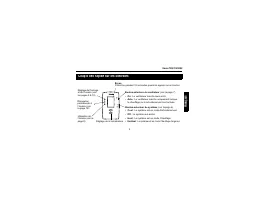
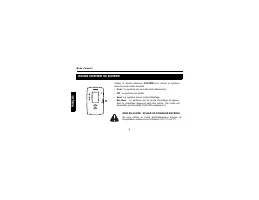
Série PRO TH2000 3 FRANÇAIS Coup d’oeil rapide sur les contrôles Bouton-sélecteur du système (voir la page 6) • Cool : Le système est en mode Refroidissement. • Off : Le système est arrêté. • Heat : Le système est en mode Chauffage. • Em Heat : Le système est en mode Chauffage d’urgence. Bouton-séle...
Page 28 - Coup d’oeil rapide sur l’affichage
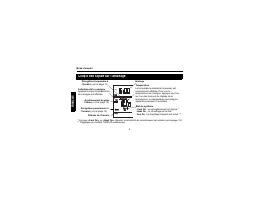
Mode d’emploi 4 FRANÇAIS Coup d’oeil rapide sur l’affichage * Lorsque « Cool On » ou « Heat On » clignote, la protection du compresseur est activée (voir la page 13). ** S’applique au modèle TH2210D uniquement. Température La température ambiante (mesurée) est normalement affichée. Pour voir la temp...
Page 29 - NOTA; Réglage de l’horloge
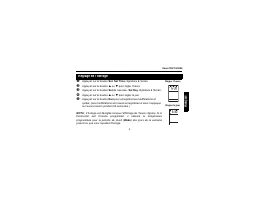
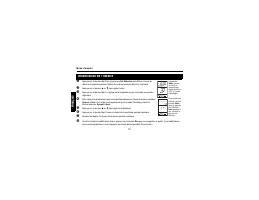
Série PRO TH2000 5 FRANÇAIS n Appuyer sur le bouton Set . Set Time clignotera à l’écran. o Appuyer sur le bouton ou pour régler l’heure. p Appuyer sur le bouton Set de nouveau. Set Day clignotera à l’écran. q Appuyer sur le bouton ou pour régler le jour. r Appuyer sur le bouton Run pour enregistrer ...
Page 30 - Bouton-sélecteur du système
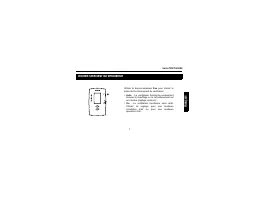
Mode d’emploi 6 FRANÇAIS Bouton-sélecteur du système Utiliser le bouton-sélecteur SYSTEM pour placer le système dans l’un des modes suivants :• Cool : Le système est en mode Refroidissement. • Off : Le système est arrêté. • Heat : Le système est en mode Chauffage. • Em Heat : Le système est en mode ...
Page 31 - Bouton-sélecteur du ventilateur
Série PRO TH2000 7 FRANÇAIS Bouton-sélecteur du ventilateur Utiliser le bouton-sélecteur Fan pour choisir le mode de fonctionnement du ventilateur. • Auto : Le ventilateur fonctionne uniquement lorsque le chauffage ou le refroidissement esten marche (réglage commun). • On : Le ventilateur fonctionne...
Page 32 - Utilisation de l’horaire
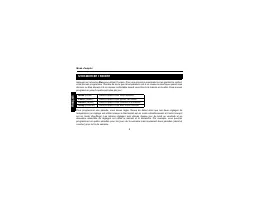
Mode d’emploi 8 FRANÇAIS Appuyer sur le bouton Run pour utiliser l’horaire. Pour une économie maximale tout en gardant le confort, vous pouvez programmer l’horaire de sorte que la température soit à un niveau économique quand vousdormez ou êtes absent et à un niveau confortable quand vous êtes à la ...
Page 33 - Réglages de Energy Star
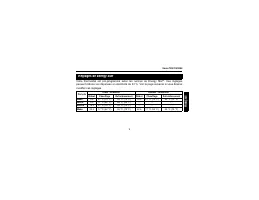
Série PRO TH2000 9 FRANÇAIS Votre thermostat est pré-programmé selon les normes de Energy Star ® . Ces réglages peuvent réduire vos dépenses en électricité de 33 %. Voir la page suivante si vous désirezmodifier ces réglages. Réglages de Energy Star Période lundi - vendredi samedi - dimanche Début Ch...
Page 34 - Modification de l’horaire
Mode d’emploi 10 FRANÇAIS n Appuyer sur le bouton Set 3 fois jusqu’à que Set Schedule soit affiché. L’heure du début de la première période (Wake) du lundi au vendredi (Mon-Fri) clignotera. o Appuyer sur le bouton ou pour régler l’heure. p Appuyer sur le bouton Set . Le réglage de la température pou...
Page 35 - s’affichera. La nouvelle température sera utilisée; si vous désirez annuler la dérogation; Dérogation temporaire à l’horaire
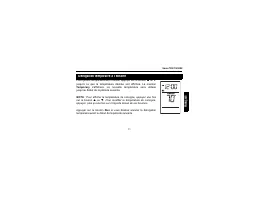
Série PRO TH2000 11 FRANÇAIS Pour ignorer temporairement l’horaire, appuyer sur le bouton ou jusqu’à ce que la température désirée soit affichée. La mention Temporary s’affichera. La nouvelle température sera utilisée jusqu’au début de la période suivante. NOTA : Pour afficher la température de cons...
Page 36 - Dérogation permanente à l’horaire
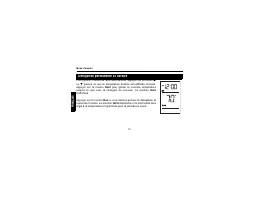
Mode d’emploi 12 FRANÇAIS Pour ignorer l’horaire de façon permanente, appuyer sur le bouton ou jusqu’à ce que la température désirée soit affichée. Ensuite,appuyer sur le bouton Hold pour garder la nouvelle température jusqu’à ce que vous la changiez de nouveau. La mention Hold s’affichera. Appuyer ...
Page 37 - ou; Protection intégrée du compresseur
Série PRO TH2000 13 FRANÇAIS Adaptive Intelligent Recovery ™ permet au thermostat « d’apprendre » combien de temps il faut au système de chauffage ou de refroidissement pour atteindre la température programmée. Il suffit deprogrammer les heures désirées et les températures désirées dans l’horaire. L...
Page 38 - Remplacement des piles
Mode d’emploi 14 FRANÇAIS NOTA : Les piles sont facultatives (servant d’alimentation de secours en cas de panne de courant) lorsque le thermostat est raccordé au 24 V c.a. Installer deux piles AAA neuves lorsque l’icône de piles faibles clignote.L’icône reste affichée pendant 60 jours, jusqu’à l’épu...
Page 39 - En cas de difficulté
Série PRO TH2000 15 FRANÇAIS En cas de difficulté Rien n’apparaît à l’écran. • Vérifier si le disjoncteur est déclenché. Le ré-enclencher au besoin.• S’assurer que le système de chauffage/refroidissement est alimenté.• S’assurer que la porte de la fournaise est bien fermée.• S’assurer que deux piles...
Page 40 - Service à la clientèle
Mode d’emploi 16 FRANÇAIS Service à la clientèle Pour obtenir de l’aide sur ce produit, veuillezconsulter le site http://yourhome.honeywell.com . ou vous adresser aux Services à la clientèle deHoneywell en composant le 1 800 468-1502 . Pour gagner du temps, veuillez prendre en note lenuméro de modèl...
Page 41 - Garantie limitée de 2 ans
Série PRO TH2000 17 FRANÇAIS Honeywell garantit ce produit, à l’exception de la pile, contre tout vice de fabrication ou de matière dans lamesure où il en est fait une utilisation et un entretien convenables, et ce, pour deux (2) ans à partir de ladate d’achat par le consommateur. En cas de défectuo...
Page 43 - : para sistemas con 1 etapa de calefacción / 1 etapa de enfriamiento; llamando sin cargo al; Estas instrucciones deben leerse y conservarse; ADVERTENCIA: PELIGRO DE DAÑAR EL EQUIPO
ESP AÑOL Serie PRO TH2000 Este manual incluye los siguientes modelos:TH2110D : para sistemas con 1 etapa de calefacción / 1 etapa de enfriamiento TH2210D : para termobombas con 2 etapas de calefacción / 1 etapa de enfriamiento (Retirar el termostato de la placa mural y darlo vuelta para ver el númer...
Page 44 - ESP; Generalidades; Índice
Manual de Uso ESP AÑOL Generalidades Características del termostato.............. 1Puesta en marcha rápida ..................... 2Referencia rápida para los controles.... 3Referencia rápida para la pantalla........ 4 Programación y funcionamiento Ajuste del reloj .......................................
Page 45 - Características; Información sobre el termostato
Serie PRO TH2000 1 ESP AÑOL Este termostato ha sido diseñado para brindar muchos años de funcionamiento fiable y parapermitir un control climático fácil de usar con sólo apretar un botón. Características • Pantalla con luz de fondo de lectura fácil. • Indica la temperatura ambiente (medida) en todo ...
Page 46 - Los ajustes de Energy Star; ¡El termostato está listo para funcionar!
Manual de Uso 2 ESP AÑOL Basta con llevar a cabo las tres etapas siguientes para que el termostato esté en marcha: n Ajustar el reloj.....................................................................................................página 5 o Seleccionar calefacción o enfriamiento ...................
Page 47 - Referencia rápida para los controles
Serie PRO TH2000 3 ESP AÑOL Referencia rápida para los controles Botón selector del sistema (ver la página 6). • Cool : el sistema está en modo Enfriamiento. • Off : el sistema está apagado. • Heat : el sistema está en modo Calefacción. • Em Heat : el sistema está en modo Calefacción de urgencia. Bo...
Page 48 - Referencia rápida para la pantalla
Manual de Uso 4 ESP AÑOL Referencia rápida para la pantalla * Cuando “Heat On” o “Cool On” parpadean, la protección del compresor está activada (ver la página 13** Sólo para el modelo TH2210D . Temperatura Se indica normalmente la temperatura ambiente (medida). Para ver la temperatura del punto de a...
Page 49 - Ajuste del reloj
Serie PRO TH2000 5 ESP AÑOL n Presionar el botón Set . En la pantalla aparecerá Set Time . o Presionar el botón o para ajustar la hora. p Presionar el botón Set otra vez. En la pantalla aparecerá Set Day . q Presionar el botón o para ajustar el día. r Presionar el botón Run para salvaguardar las mod...
Page 50 - Botón selector del sistema
Manual de Uso 6 ESP AÑOL Botón selector del sistema Utilizar el botón selector SYSTEM para poner el termostato en uno de los modos siguientes:• Cool : el sistema está en modo Enfriamiento. • Off : el sistema está apagado. • Heat : el sistema está en modo Calefacción. • Em Heat : el sistema está en m...
Page 51 - Botón selector del ventilador
Serie PRO TH2000 7 ESP AÑOL Botón selector del ventilador Utilizar el botón selector Fan para elegir el modo de funcionamiento del ventilador. • Auto : el ventilador funciona únicamente cuando la calefacción o el enfriamiento están en marcha(ajuste común). • On : el ventilador funciona continuamente...
Page 52 - Presionar el botón; Uso del horario
Manual de Uso 8 ESP AÑOL Presionar el botón Run para usar el horario. Para obtener una economía máxima conservando el confort, se puede programar el horario de manera que la temperatura esté en el nivel deEconomía durante la noche y en un nivel confortable cuando los habitantes de la casa estándespi...
Page 53 - Ajustes de Energy Star
Serie PRO TH2000 9 ESP AÑOL Los ajustes de Energy Star ® están preprogramados en el termostato. Estos ajustes pueden reducir el gasto de electricidad en un 33%. Referirse a la página siguiente si se deseamodificarlos. Ajustes de Energy Star lunes - viernes sábado - domingo Comienzo Calefacción Enfri...
Page 54 - Modificación del horario
Manual de Uso 10 ESP AÑOL n Presionar el botón Set (3 veces) hasta que aparezca Set Schedule . La hora de inicio del primer período ( Wake ) de lunes a viernes parpadeará. o Presionar el botón o para ajustar la hora. p Presionar el botón Set . El ajuste de la temperatura para el período en cuestión ...
Page 55 - . La nueva temperatura se utilizará hasta el; si se desea anular la cancelación temporal; Cancelación temporal del horario
Serie PRO TH2000 11 ESP AÑOL Para ignorar temporalmente el horario, presionar el botón o hasta que la temperatura deseada aparezca en pantalla. Apareceráel mensaje Temporary . La nueva temperatura se utilizará hasta el principio del período siguiente. NOTA : para visualizar la temperatura del punto ...
Page 56 - Cancelación permanente del horario
Manual de Uso 12 ESP AÑOL Para ignorar el horario de manera permanente, presionar el botón o hasta que la temperatura deseada aparezca. Presionar luego elbotón Hold para conservar la nueva temperatura hasta que se la desee cambiar nuevamente. Aparecerá el mensaje Hold . Presionar el botón Run si se ...
Page 57 - Protección del compresor incorporada
Serie PRO TH2000 13 ESP AÑOL Adaptive Intelligent Recovery ™ permite al termostato «aprender» el tiempo que necesita el sistema de calefacción o de enfriamiento para llegar a la temperatura programada. Es suficienteprogramar las horas y las temepraturas deseadas en el horario. El termostato determin...
Page 58 - Reemplazo de laa pilas
Manual de Uso 14 ESP AÑOL NOTA : las baterías son opcionales (sirven de alimentación de urgencia en caso de corte de corriente) cuando el termostato está conectado a 24 V C.A. Instalar dos pilas AAA nuevas cuando el ícono de reemplazo de pilasparpadee. El ícono permanecerá durante 60 días, hasta que...
Page 59 - En caso de inconvenientes
Serie PRO TH2000 15 ESP AÑOL En caso de inconvenientes No aparece nada en la pantalla. • Verificar el interruptor automático y reconectarlo si fuera necesario. • Verificar que el sistema de calefacción/enfriamiento esté conectado.• Verificar que la puerta del calefactor esté bien cerrada.• Verificar...
Page 60 - Asistencia al cliente
Manual de Uso 16 ESP AÑOL Asistencia al cliente Para obtener asistencia relacionada con esteproducto, se recomienda visitar el sitio http://yourhome.honeywell.com . O comunicarse con el número gratuito del servicio deasistencia al cliente, llamando al 1-800-468-1502 . Para ahorrar tiempo, se recomie...
Page 61 - Garantía limitada de 2 años
Serie PRO TH2000 17 ESP AÑOL Honeywell garantiza este producto, a excepción de la batería, por el término de dos (2) años contracualquier defecto de fabricación o de los materiales, a partir de la fecha de compra por parte delconsumidor, en condiciones normales de uso y servicio. Si en cualquier mom...
Page 64 - Automation and Control Systems; Solutions d’automatisation et de contrôle
Automation and Control Systems Solutions d’automatisation et de contrôle Sistemas para automatización y control Honeywell International Inc.1985 Douglas Drive NorthGolden Valley, MN 55422http://yourhome.honeywell.com Honeywell Limited-Honeywell Limitée35 Dynamic DriveScarborough, Ontario M1V 4Z9 69-...










 Honeywell TH106 User Manual
 Honeywell TH115-AF-GA Manual
 Honeywell TH1000 Manual
 Honeywell TH1100DH Manual
 Honeywell TH1100DV Manual
 Honeywell TH1100DV1000 User Manual
 Honeywell TH2110DV1008 Installation Manual
 Honeywell TH3110D1008 User Manual
 Honeywell TH3110U2008 Manual
 Honeywell TH4110D Manual
 Honeywell TH5000 Manual
 Honeywell TH5110D Manual