Page 3 - TABLE OF CONTENTS
3 TABLE OF CONTENTS 801710 DRYING PROCESS, STEP BY STEP INTRODUCTION TROUBLE- SHOOTING PREPARING THE DRYER BEFORE FIRST USE MISCELLANE- OUS 4 SAFETY PRECAUTIONS 12 DESCRIPTION OF THE DRYER 13 Technical information14 Control unit 16 INSTALLATION AND CONNECTION 16 Selecting the room19 Adjusting the dr...
Page 4 - SAFETY PRECAUTIONS; Failure to observe the instructions for use; or inappropriate; Your dryer is intended solely for household use.; If the
4 SAFETY PRECAUTIONS 801710 Carefully read the instructions for use before using the dryer. Please, do not use the dryer without reading and understanding these instructions for use first. These instructions for use of a dryer are supplied with different types or models of dryers. Therefore, they ma...
Page 5 - damaged power cord; may only be
5 801710 Follow the instructions for correct installation of the Hisense dryer and connection to the power mains (see chapter »INSTALLATION AND CONNECTION«). All and any repairs or maintenance tasks on the dryer should only be done by trained experts. Unprofessional repair may result in an accident ...
Page 7 - Remove all objects such as lighters and matches from the
7 801710 The appliance may not be in contact with a wall or adjacent furniture. After installation, let the dryer rest still for 24 hours before using it. If the dryer has to be laid down on one of the sides during transport or servicing, place it with its left side, viewing from the appliance front...
Page 8 - Clean the dryer filters after each drying cycle.; If you have
8 801710 If the condensate tube is blocked or clogged, then tumble dryer operation is stopped (see chapter »PAUSING AND CHANGING THE PROGRAMME/Full condensate tank«). Before moving the dryer or before storing it in a non-heated room during the winter, the condensate tank has to be emptied. The final...
Page 9 - The dryer uses a heat pump system to heat the air.; When the dryer is started, compressor operation; The warranty does not cover; Prevent your children and pets from entering the dryer drum.
9 801710 After the drying process, unplug the dryer power cord from the power outlet. The dryer uses a heat pump system to heat the air. The system consists of a compressor and a heat exchanger. When the dryer is started, compressor operation (the sound of flowing liquid) or flow of refrigerant may ...
Page 10 - Activate the child lock.; See chapter »STEP 4: SELECTING; DANGER OF HOT SURFACE
10 801710 Activate the child lock. See chapter »STEP 4: SELECTING EXTRA FUNCTIONS/Child lock«. Do not let children younger than three years to come near the tumble dryer, unless they are under constant supervision. The dryer is made in compliance with all relevant safety standards. This dryer may be...
Page 11 - SAFETY; Only use the dryer to dry laundry that was washed with; do not dry
11 801710 Never stop the drying process before it is completed; if you do interrupt the cycle for any reason, be careful when removing the laundry from the drum as it is very hot. Quickly remove the laundry from the drum and spread it to allow it to cool down as quickly as possible. SAFETY Only use ...
Page 12 - DESCRIPTION OF THE DRYER
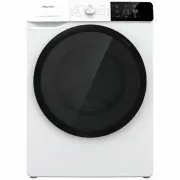
12 DESCRIPTION OF THE DRYER 801710 BACK 1 Power cord 2 Condensate discharge hose 3 Adjustable feet FRONT 1 Condensate tank 2 On/off button 3 Programme selector knob 4 Start/pause button 5 Control unit 6 Door7 Net filter 8 Air vent 9 Heat pump filter 10 Rating plate 2 3 1 3 6 4 5 1 10 7 8 2 9
Page 13 - TECHNICAL INFORMATION
13 801710 Rating plate The product includes fluorinated greenhouse gases. Refrigerant type: R134aAmount of refrigerant: 0.38 kgTotal GWP (global warming potential): 1430CO 2 equivalent: 0.544 t Hermetically sealed. TECHNICAL INFORMATION (DEPENDING ON THE MODEL) Rating plate with basic information ab...
Page 14 - CONTROL UNIT
14 CONTROL UNIT 801710 3 START/PAUSE BUTTON Use this button to start or stop the programme. Upon start-up or during pause, the button light will flash; when the programme is started and in progress, it will be lit continuously. 1 ON/OFF BUTTON Switching the dryer on and off. 2 PROGRAMME SELECTOR KNO...
Page 16 - INSTALLATION AND CONNECTION; SELECTING THE ROOM
16 10 cm 10 cm 5 cm 801710 The dryer may not be in contact with a wall or adjacent furniture. For optimum dryer operation, we recommend observing the clearance from the walls as indicated in the figure. In case of failure to heed the required minimum clearance, the dryer may overheat. Vents on the b...
Page 19 - ADJUSTING THE DRYER FEET
19 801710 Floor on which the dryer is placed must have a concrete base. It should be clean and dry; otherwise, the dryer may slide. Also clean the adjustable feet. The dryer must stand level and stable on a solid base. Incorrect levelling of the dryer with the adjustable legs may cause vibration, ap...
Page 20 - DRAINING THE CONDENSATE
20 max 80 cm 801710 DRAINING THE CONDENSATE The moisture from the laundry is extracted in the condenser unit and accumulated in the condensate tank. During the drying process, an indicator light (symbol (9) is lit on the display unit) warns when the condensate tank is full and needs to be emptied. T...
Page 21 - CONNECTING TO THE POWER MAINS
21 CONNECTING TO THE POWER MAINS 2 h 801710 After installation, the dryer should stand still for two hours before it is connected to the power mains; this allows the dryer to stabilize. Connect the dryer to a grounded power outlet. After installation, the wall outlet should be freely accessible. The...
Page 22 - MOVING AND TRANSPORT AFTER INSTALLATION
22 801710 MOVING AND TRANSPORT AFTER INSTALLATION After every drying cycle, a small amount of condensed water will remain in the dryer. Switch on the dryer and choose one of the programmes, then let the appliance operate for approximately half a minute. This will pump out the remaining water and pre...
Page 24 - STEP 1: HEED THE LABELS ON THE LAUNDRY
24 801710 DRYING PROCESS, STEP BY STEP (1 - 6) STEP 1: HEED THE LABELS ON THE LAUNDRY Normal wash;Sensitive laundry Max. washing temp. 95°C 95 95 Max. washing temp. 60°C 60 60 Max. washing temp. 40°C 40 40 Max. washing temp. 30°C 30 30 Hand wash only Do not wash Bleaching Bleaching in cool water c1 ...
Page 26 - DRYING IN A BASKET
26 801710 DRYING IN A BASKET (DEPENDING ON THE MODEL) Before the first drying cycle, remove the basket and all packaging from the drum. Laundry may only be dried in the basket when using the timed drying programme. (The basket is available for purchase as an optional accessory at the service centre....
Page 27 - SWITCHING ON THE DRYER
27 801710 SWITCHING ON THE DRYER Connect the dryer to the power mains by plugging in the power cord.Press the (1) ON /OFF button to switch on the dryer (figure 1). With some models, the dryer drum is lit as well (figure 2). (The light in the dryer drum is not suitable for any other use.) The light i...
Page 28 - LOADING THE DRYER
28 801710 LOADING THE DRYER Open the dryer door by pulling the left side of the door towards you (figure 1).Insert the laundry into the drum (after making sure the drum is empty) (figure 2).Close the dryer door (figure 3). Do not insert laundry into the dryer if it has not been wrung or spun (recomm...
Page 29 - STEP 3: CHOOSING THE DRYING PROGRAMME
29 801710 STEP 3: CHOOSING THE DRYING PROGRAMME Choose the programme by rotating the programme selector knob (2) to the left or to the right (depending on the type of laundry and the desired level of dryness). See PROGRAMME TABLE. The programme selector knob (2) will not rotate automatically during ...
Page 30 - PROGRAMME TABLE
30 801710 PROGRAMME TABLE ProgrammeDryness levels Max. load Programme description Cotton Storage(Cupboard dry) 9 kg Use this programme for thicker non-sensitive cotton laundry. After drying, it will be dry and ready to be stored in the cupboard. Standard* 9 kg Use this programme for thicker non-sens...
Page 32 - HALF LOAD; STEP 4: SELECTING EXTRA FUNCTIONS
32 801710 EXTRA DRY Press on the EXTRA DRY position to adjust the dryness level – the dryer the laundry, the longer the drying cycle. This setting can be adjusted before the start of the drying process. After the drying programme, this setting is not stored. HALF LOAD Press the HALF LOAD position to...
Page 35 - CHILD LOCK
35 801710 Some functions are not available and cannot be selected with certain programmes; an acoustic signal and a flashing light will indicate such cases (see EXTRA FUNCTION TABLE). After disconnecting the dryer from the power mains, all settings will be reset to their default factory values, exce...
Page 36 - EXTRA FUNCTION TABLE
36 801710 EXTRA FUNCTION TABLE Programi HALF LOAD EXTRA DRY START DELAY ANTI CREASE Cotton Storage (Cupboard dry) • • • • Standard • • • • Easy Iron (Moist for ironing) • • • • Mix (Mixed laundry/Synthetics) Storage (Cupboard dry) • • • Easy Iron (Moist for ironing) • • • Wool Delicates • • • Air Re...
Page 37 - STEP 5: STARTING THE DRYING PROGRAMME; STEP 6: END OF THE DRYING PROGRAMME
37 801710 STEP 5: STARTING THE DRYING PROGRAMME Press the button (3) START /PAUSE. 3 STEP 6: END OF THE DRYING PROGRAMME At the end of the drying programme, »End« will appear on the display unit , the two red indicator lights will light up, and the (3) START/PAUSE button light and ANTI CREASE (10a) ...
Page 40 - MAINTENANCE & CLEANING
40 801710 1 Net filter 2 Heat pump filter 3 Condensate tank The dryer may never be operated without the filters in place or with damaged filters, as excessive amount of accumulated fibres from the fabric could cause malfunction or failure of the dryer. MAINTENANCE & CLEANING Before cleaning, mak...
Page 41 - CLEANING THE NET FILTER IN THE DOOR
41 801710 CLEANING THE NET FILTER IN THE DOOR Clean the net filter after each drying cycle. Make sure you do not pinch your fingers with the filter cover. 1 Open the filter housing. 2 Pull out the net filter. 3 Gently scrape the filter to remove the lint, i.e. the lining of fibres and threads, with ...
Page 42 - CLEANING THE HEAT PUMP FILTER
42 801710 CLEANING THE HEAT PUMP FILTER During cleaning, some water may be spilled. It is therefore recommended to place an absorbent cloth on the floor. 1 Open the outer cover. Hold the levers on the inside cover and rotate them upwards. Remove the inside cover. 2 Use the handle to pull out the hea...
Page 43 - CLEANING OF THE HEAT EXCHANGER
43 801710 CLEANING OF THE HEAT EXCHANGER Do not touch the inner metal parts of the heat exchanger with bare hands. Danger of injury on sharp parts. Use appropriate protection gloves when cleaning the heat exchanger. Incorrect cleaning of the metal fins of the heat exchanger can permanently damage th...
Page 44 - EMPTYING THE CONDENSATE TANK
44 801710 EMPTYING THE CONDENSATE TANK Empty the condensate tank after each drying cycle. If the condensate tank is full, the drying programme will be paused automatically.Symbol (9) will light up on the display unit, indicating that the condensate tank should be emptied. Water from the condensate t...
Page 45 - CLEANING THE DRYER
45 801710 CLEANING THE DRYER Always disconnect the dryer from the power mains before cleaning. Clean the dryer exterior using a soft damp cotton cloth. Do not use any solvents or cleaning agents that could damage the dryer (please observe the recommendations and warnings provided by the manufacturer...
Page 46 - TROUBLESHOOTING
46 801710 The warranty does not cover the errors or failures resulting from disturbances from the environment (lightning strike, power grid failures, natural disasters etc.). TROUBLESHOOTING WHAT TO DO ...? Disturbances from the environment (e.g. the power grid) may result in various error reports (...
Page 47 - TROUBLESHOOTING TABLE
47 801710 TROUBLESHOOTING TABLE Problem/error Cause What to do? The machine will not start. • The main switch is not switched on. • Check whether the main switch is on. • There is no voltage in the power outlet. • Check the fuse.• Check if the power cord plug is correctly inserted into the power out...
Page 49 - Sounds
49 801710 Problem/error Indication on the display unit and description of error What to do? E4 System overheating Clean the filter. See chapter »CLEANING AND MAINTENANCE/Cleaning the net filter in the door« or call a service technician. E6, E7, E8 Control unit failure Disconnect the tumble dryer fro...
Page 50 - SERVICING; Before calling a service technician
50 801710 SERVICING Before calling a service technician When you contact a service centre, please state your dryer's type (1), code/ID (2), model number (3), and serial number (4). Type, code/ID, model, and serial number are indicated on the rating (type) plate located on the front side of the dryer...
Page 52 - DISPOSAL
52 DISPOSAL 801710 Packaging is made of environmentally friendly materials that can be recycled, disposed of, or destroyed without any hazard to the environment. To this end, packaging materials are labelled appropriately. The symbol on the product or its packaging indicates that the product should ...
Page 53 - TYPICAL CONSUMPTION TABLE; STANDARD TESTS
53 801710 TYPICAL CONSUMPTION TABLE The table lists the values for drying time and power consumption for drying of a test batch of laundry with various spinning rpm in the washing machine. SPK A Load Spinning [rpm] Electric energy consumption [kWh] Drying time [min] A+++ Programme 9 kg Cotton Standa...
Page 54 - LOW STANDBY MODE
54 801710 LOW STANDBY MODE If you do not run a programme or do anything else after switching on the dryer, the dryer will switch off automatically after 5 minutes to save energy. Indicator light on the (3) START/PAUSE button will flash. The display will be reactivated if you rotate the programme sel...