Page 3 - CONTENTS
820685 3 4 SAFETY PRECAUTIONS 10 WASHING MACHINE DESCRIPTION 11 Technical specifications12 Control unit 14 INSTALLATION AND CONNECTION 14 Removing the blocking rods15 Moving and transport after installation16 Selecting the room16 Adjusting the washing machine feet18 Connecting to water supply19 Aqua...
Page 4 - If the washing machine is used for professional,; SAFETY PRECAUTIONS
820685 4 Carefully read the instructions for use before using the washing machine. Please, do not use the washing machine without reading and understanding these instructions or use first. These instructions for use of a washing machine are supplied with different types or models of washing machines...
Page 5 - a damaged power; cord may only be
820685 5 Follow the instructions for correct installation of the Hisense washing machine and connection to the water and power mains (see chapter »INSTALLATION AND CONNECTION«). Connection to water and power supply has to be executed by an adequately trained technician or expert. Any repair and main...
Page 6 - To connect the washing machine to water supply,; make
820685 6 Do not connect the washing machine to an electrical outlet intended for an electric shaver or hair dryer. Do not install the washing machine in a room where the temperature can drop to below 5°C , as washing machine parts may be damaged in case of water freezing. Place the washing machine o...
Page 8 - No silver ions are released during the washing programme.; The warranty does not cover; Keep the detergent and conditioner out of reach of children.; Activate the child lock.; See chapter »CHOOSING THE
820685 8 No silver ions are released during the washing programme. The washing machine is not intended for use by persons (including children) with physical or mental impairments, or persons with lacking experience and knowledge. These persons should be instructed about the use of the washing machin...
Page 10 - WASHING MACHINE DESCRIPTION
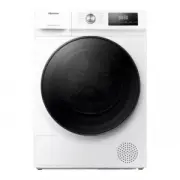
820685 10 BACK 1 Water supply hose 2 Power cord 3 Water discharge hose 4 Adjustable feet FRONT 1 Control unit 2 Start/pause button 3 Programme selector knob 4 On/off/reset button 5 Dispenser tray 6 Door7 Rating plate 8 Pump filter WASHING MACHINE DESCRIPTION 3 4 2 5 6 8 7 1 4 2 1 3
Page 11 - TECHNICAL SPECIFICATIONS
820685 11 Rating plate TECHNICAL SPECIFICATIONS (DEPENDING ON THE MODEL) Rating plate with basic information about the washing machine is fitted on the front wall of the washing machine door opening (see chapter »WASHING MACHINE DESCRIPTION«). Maximum load See rating plate Width 600 mm 600 mm Height...
Page 12 - CONTROL UNIT
820685 12 2 PROGRAMME SELECTOR KNOB CONTROL UNIT 3 START/PAUSE BUTTON Use this button to start or pause a programme. Upon start-up or during pause, the button backlight will flash; when the programme is started and in progress, it will be lit continuously. 1 ON/OFF/RESET BUTTON Use this button to tu...
Page 14 - INSTALLATION AND CONNECTION; REMOVING THE BLOCKING RODS
820685 14 1 Move the hoses and undo the screws on the back of the washing machine.Remove the two angular pieces. 2 Slide the angular pieces onto the grove in the blocking rod; before doing so, rotate the right angular piece to the opposite side. 3 Use the angular pieces to rotate the blocking rods b...
Page 15 - MOVING AND TRANSPORT AFTER INSTALLATION
820685 15 MOVING AND TRANSPORT AFTER INSTALLATION If you wish to move the washing machine after it has been installed, the angular pieces and at least one blocking rods have to be re-installed to prevent vibration damage to the washing machine during transport (see chapter »INSTALLATION AND CONNECTI...
Page 16 - SELECTING THE ROOM; ADJUSTING THE WASHING MACHINE FEET
820685 16 Incorrect levelling of the washing machine with the adjustable legs may cause vibration, appliance sliding across the room, and loud operation. Incorrect levelling of the washing machine is not subject to warranty. Sometimes, unusual or louder noise may appear during appliance operation; t...
Page 17 - Washing machine installation clearances
820685 17 Before connecting the washing machine to the power mains, wait for at least 2 hours until it reaches room temperature. Opening the washing machine door (bird's-eye view) See chapter »WASHING MACHINE DESCRIPTION/Technical information«). a = Washing machine depthb = Depth with door open The ...
Page 18 - CONNECTING TO WATER SUPPLY
820685 18 For normal washing machine operation, the pressure in the water mains should be between 0.05 and 0.8 MPa (0,5 - 8 bar). Minimum dynamic water pressure can be determined by measuring the water flow. In 15 seconds, 3 litres of water should flow from a fully open tap. If your model has connec...
Page 22 - CONNECTING THE APPLIANCE TO THE POWER MAINS
820685 22 Before connecting the washing machine to the power mains, wait for at least 2 hours until it reaches room temperature. Connect the washing machine to a grounded power outlet. After installation, the wall outlet should be freely accessible. The outlet should be fitted with an earth contact ...
Page 24 - STEP 1: HEED THE LABELS ON THE LAUNDRY
820685 24 WASHING PROCESS, STEP BY STEP (1–7) STEP 1: HEED THE LABELS ON THE LAUNDRY Normal wash;Sensitive laundry Max. washing temp. 95°C 95 95 Max. washing temp. 60°C 60 60 Max. washing temp. 40°C 40 40 Max. washing temp. 30°C 30 30 Hand wash only Do not wash Bleaching Bleaching in cool water c1 B...
Page 25 - STEP 2: PREPARING THE WASHING PROCESS
820685 25 STEP 2: PREPARING THE WASHING PROCESS 1. Sort the laundry by type of fabric, colour, soiling, and allowed washing temperature (see PROGRAMME TABLE). 2. Wash the laundry that sheds a lot of fibre or lint separately from other laundry.3. Close the buttons and zippers, tie any ribbons, and tu...
Page 26 - SWITCHING ON THE WASHING MACHINE; LOADING THE WASHING MACHINE
820685 26 SWITCHING ON THE WASHING MACHINE Use the power cord to connect the washing machine to power mains, and connect the washing machine to water supply. Press the (1) ON /OFF/RESET button to switch on the washing machine (figures 1 and 2). LOADING THE WASHING MACHINE Open the washing machine do...
Page 27 - STEP 3: CHOOSING THE WASHING PROGRAMME
820685 27 During operation, the programme selector knob (2) will not rotate automatically. Washing programmes are comprehensive programmes that include all washing stages, including softening and spinning (this does not apply to Partial programmes). Partial programmes are independent programmes. Use...
Page 28 - PROGRAMME TABLE
820685 28 PROGRAMME TABLE Programme Max. load Recommended amount Programme description Cotton 20°C - 90°C40°C NORMAL * MAX (9 kg HWGE9014/ 8 kg HWGE8014) Washing programme for normally or heavily soiled laundry, white or coloured. The temperature can be set separately; therefore, observe the instruc...
Page 31 - WASHING MODE; STEP 4: CHOOSING THE SETTINGS
820685 31 4 4a 4b WASHING MODE NORMAL CARE (basic/default setting) POWER SAVE (4a) (This mode will save energy; washing time will be longer, and water consumption will be lower.) TIME SAVE (4b) (This mode will save time as programme duration will be shorter, but it will use more water.)We recommend ...
Page 32 - SPIN
820685 32 SPIN (SPINNING RATE/DRAIN/PUMP STOP) For changing the spinning rate, only draining, and stop pump (7). With preset or selected spinning rate, (7a) will be lit on the display unit. If you select draining without spinning, the symbol (7b) will appear on the display unit. If you select »Pump ...
Page 33 - CHILD LOCK
820685 33 CHILD LOCK A safety feature. To activate the child lock, simultaneously press the (7) SPIN (SPINNING RATE/DRAIN/PUMP STOP) and (10) START DELAY positions and hold them for at least three seconds. The selection will be confirmed by an acoustic signal and by a signal light (the symbol (9) wi...
Page 34 - START DELAY
820685 34 START DELAY Use this function to start the washing cycle after a certain amount of time has elapsed. Press the (10) START DELAY position. -:-- will appear on the display (10a). If, for example, you choose a programme with a duration of 2:39, the time will be indicated on the display unit, ...
Page 35 - STEP 5: SELECTING ADDITIONAL FUNCTIONS; WATER EXTRA
820685 35 STEP 5: SELECTING ADDITIONAL FUNCTIONS Activate/deactivate the functions by pressing the desired function (before pressing the (3) START/PAUSE button). Some settings cannot be selected with certain programmes. Such functions will not be lit on the display unit, and when the corresponding b...
Page 36 - FUNCTION TABLE; TIME OPTIMIZATION DURING THE PROGRAMME PROGRESS
820685 36 FUNCTION TABLE Programmes Temp. [°C] NORMAL CARE (basic/default setting) POWER SAVE TIME SAVE WATER EXTRA (HIGH WATER LEVEL) PREWASH PUMP STOP SPIN (SETTING THE SPINNING RATE) Cotton 40°C NORMAL 90 • • • • • • • 60 • • • • • • • 40 • • • • • • • 30 • • • • • • • 20 • • • • • • Mix(Mixed la...
Page 37 - STEP 6: STARTING THE WASHING PROGRAMME
820685 37 STEP 6: STARTING THE WASHING PROGRAMME Press the (3) START /PAUSE button. 3 TIME REMAINING TO THE END OF THE PROGRAMME or START DELAY time (if set) will appear on the display.Symbols will be lit on the selected functions.After pressing the (3) START/PAUSE button, the spinning rate can be a...
Page 38 - STEP 7: CHANGE OF WASHING PROGRAMME OR
820685 38 STEP 7: CHANGE OF WASHING PROGRAMME OR MANUAL (PHYSICAL) CANCELLATION 1 To stop and cancel a washing programme, press the (1) ON/OFF/ RESET button and hold it for more than 3 seconds. 2 The washing programme is temporarily paused when the time remaining until programme completion is flashi...
Page 39 - STEP 8: END OF THE WASHING PROGRAMME
820685 39 STEP 8: END OF THE WASHING PROGRAMME The washing machine will indicate the end of the washing programme with an acoustic signal and »End« will appear on the display until the washing machine switches into low standby mode or switches off. After 5 minutes, the »End« sign will no longer be d...
Page 41 - ADDING/REMOVING LAUNDRY DURING WASHING MACHINE OPERATION; ERRORS
820685 41 ADDING/REMOVING LAUNDRY DURING WASHING MACHINE OPERATION After a certain period of time, the washing machine door can be opened if the water level and temperature are below a predefined threshold.If the conditions below are met, then the electronic door lock is released and the washing mac...
Page 43 - MAINTENANCE & CLEANING; CLEANING THE DISPENSER TRAY
820685 43 Do not wash the dispenser tray in a dishwasher. 1 To remove the dispenser tray from the housing, press the small tab. 2 Clean the dispenser tray under running water using a brush, and dry it. Also, remove any detergent residue from the bottom of the housing. 3 If required, remove and clean...
Page 45 - CLEANING THE PUMP FILTER
820685 45 Clean the pump filter and the in-wall water trap whenever the symbol (8) appears on the display unit. The pump filter must be occasionally cleaned, especially after washing very fleecy, woolly, or very old laundry. CLEANING THE PUMP FILTER During cleaning, some water may be spilled. It is ...
Page 46 - CLEANING THE WASHING MACHINE EXTERIOR
820685 46 CLEANING THE WASHING MACHINE EXTERIOR Always disconnect the washing machine from the power mains before cleaning. Clean the washing machine exterior and display unit using a soft damp cotton cloth and water. Do not use any solvents or cleaning agents that could damage the washing machine (...
Page 47 - TROUBLESHOOTING
820685 47 The warranty does not cover the errors or failures resulting from disturbances from the environment (lightning strike, power grid failures, natural disasters etc.). TROUBLESHOOTING WHAT TO DO ...? The washing machine shall automatically control the operation of particular functions during ...
Page 48 - TROUBLESHOOTING AND ERROR TABLE
820685 48 TROUBLESHOOTING AND ERROR TABLE Problem/error Indication on the display unit and problem description What to do? E0 Incorrect settings Restart the programme. If the error reoccurs, call a service technician. E1 Temperature sensor error. Inlet water too cold. Repeat the washing programme.If...
Page 52 - SERVICING; Before calling a service technician
820685 52 SERVICING Before calling a service technician When you contact a service centre, please state your washing machine's type (1), code/ID (2), model number (3), and serial number (4). Type, code/ID, model, and serial number are indicated on the rating (type) plate located on the front side of...
Page 56 - STAIN REMOVAL TIPS
820685 56 STAIN REMOVAL TIPS Before using special-purpose stain removers, try using the natural methods that do not harm the environment on less stubborn stains. However, prompt action is required! Soak the stain with an absorbent sponge or a paper towel; then, rinse with cold (lukewarm) water – but...
Page 58 - DISPOSAL
820685 58 Packaging is made of environmentally friendly materials that can be recycled, disposed of, or destroyed without any hazard to the environment. To this end, packaging materials are labelled appropriately. The symbol on the product or its packaging indicates that the product should not be tr...
Page 60 - INFORMATION FOR TEST INSTITUTE
820685 60 INFORMATION FOR TEST INSTITUTE ENERGY LABELLING (9 KG) Australian standard AS/NZS 2040-1:2005 + A1:2007, A2:2009, A3:2010AS/NZS 2040-2:2005 + A1:2012AS/NZS 6400:2005 + A1:2006, A2:2006, A3:2006, A4:2010, A5:2011, A6:2013 Washing program Cotton 40 degree, 1400 rpm, 9 kg cotton Connection Co...
Page 61 - LOADING PROCEDURE FOR STANDARD TEST (9 KG)
820685 61 LOADING PROCEDURE FOR STANDARD TEST (9 KG) Detergent, PBIS and Anti-Sudsing Agent (18 g) must be added via the detergent compartment. When loading the machine for testing according to AS/NZS 2040:2005 it shall be loaded according to the table below. Garments are placed on top of each other...
Page 63 - LOADING PROCEDURE FOR STANDARD TEST (8 KG)
820685 63 LOADING PROCEDURE FOR STANDARD TEST (8 KG) Detergent, PBIS and Anti-Sudsing Agent (16 g) must be added via the detergent compartment. When loading the machine for testing according to AS/NZS 2040:2005 it shall be loaded according to the table below. Garments are placed on top of each other...
Page 64 - LOW STANDBY MODE
820685 64 LOW STANDBY MODE If you do not run any program or choose any settings after switching on the washing machine ( ON / OFF/RESET button (1)), the display unit will be switched off after 5 minutes and switched to stand-by mode in order to save energy. The display unit will be reactivated if yo...