Graco 2M06T - User Manual
Graco 2M06T – User Manual, read for free online in PDF format. We hope this helps you resolve any issues you may have. If you have further questions, please contact us through the contact form.



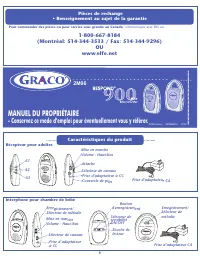
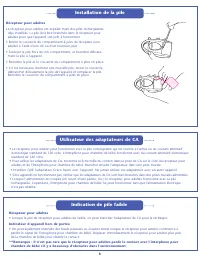
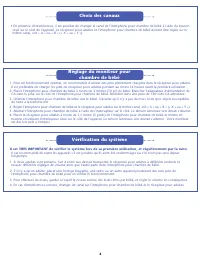
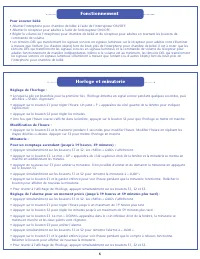
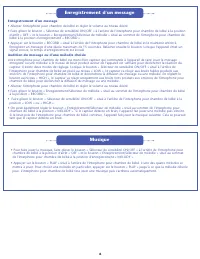
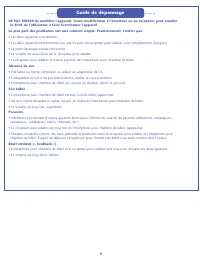

Table of Contents:
- Page 3 – Low Battery; Parent Unit; Battery Installation
- Page 4 – Selecting Channels
- Page 5 – Operation; To Listen To Baby; Clock and Timer
- Page 6 – Music; • Turn the Nursery Unit on and set to the desired sound level.; • Turn the Nursery Unit on and set to the desired sound level.; To Record a Message
- Page 7 – TroubleShooting
- Page 9 – MANUEL DU PROPRIÉTAIRE; - Conservez ce mode d’emploi pour éventuellement vous y référer.; Caractéristiques du produit; Récepteur pour adultes; Pièces de rechange; OU; Pour commander des pièces ou pour service sous grantie au Canada,; communiquez avec Elfe au:
- Page 10 – peut causer des blessures corporelles sérieuses ou même la mort.; Ne pas recouvrir l’interphone pour chambre; MISE EN GARDE; • Réorienter ou déplacer l’antenne réceptrice.
- Page 11 – Indication de pile faible; • Retirer le couvercle du compartiment à piles du récepteur pour; Installation de la pile
- Page 12 – de nuire à la transmission.; Choix des canaux
- Page 13 – Fonctionnement; Pour écouter bébé; Horloge et minuterie; Réglage de l’horloge :
- Page 14 – Musique; à la position « RECORD ».; Enregistrement d’un message
- Page 15 – Absence de son; • Pile faible ou morte remplacer ou utiliser un adaptateur de CA.; Son faible; • L’interphone pour chambre de bébé est trop loin du bébé rapprocher.; Parasites; Guide de dépannage
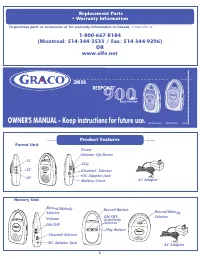
OWNER'S MANUAL - Keep instructions for future use.
72˚ F
2M06
POWER
2:
10
PM
POWER
Product Features
POWER
POWER
PM
OFF
A
C
H
A
N
N
E
L
B
-
+
6V
D
C
VOL
Power
Volume: Up/Down
Channel Selector
Clip
DC Adapter Jack
AC Adapter
Battery Cover
1
Parent Unit
AC Adapter
Nursery Unit
OFF
A
C
H
A
N
N
E
L
B
-
+
6V
D
C
VOL
Channel Selector
Volume
ON/OFF
DC Adapter Jack
Record/Melody
Selector
POWER
©2005 Graco ISPM008CA
10/05
S
3
S
2
S
1
S1
S2
S3
RECORD
PLAY
OFF LOW HIGH
MELODY
RECORD
OFF
Record Button
ON/OFF
Sensitivity
Selector
Play Button
Record/Melody
Selector
Replacement Parts
• Warranty Information
1-800-667-8184
(Montreal: 514-344-3533 / Fax: 514-344-9296)
OR
www.elfe.net
To purchase parts or accessories or for warranty information in Canada,
contact Elfe at:
"Loading the manual" means you need to wait until the file loads and becomes available for online reading. Some manuals are very large, and the time they take to appear depends on your internet speed.
Summary
Low Battery Parent Unit The Parent Unit is shipped with rechargeable batteries already installed. The battery must be plugged into the Parent Unit beforethe unit will be ready for use. • Remove the battery door cover on the Parent Unit with a key or flat blade screw driver. • Lift the battery out of...
• In case you are experiencing some interference, the channel on the Nursery Unit can be changed by switching the channel button on the side of the unit. The Parent Unit and Nursery Unit must both be set to the same channel, either channel “A”or “B” (“X” or “Y”). 1. For optimum operation, it is best...
Operation To Listen To Baby • Turn on Nursery Unit using the ON/OFF switch. • Turn on Parent Unit using the ON/OFF switch. • Adjust the volume on the Nursery Unit and Parent Unit by turning the Volume Up/Down knob. • The Sound Lights on the Parent Unit will illuminate as your child (or other objects...





