Goldair GCPF170 - User Manual
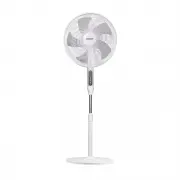
Goldair GCPF170 Fan – User Manual, read for free online in PDF format. We hope this helps you resolve any issues you may have. If you have further questions, please contact us through the contact form.


Table of Contents:
- Page 3 – General Care and Safety Guide
- Page 5 – Keep batteries out of reach of; If swallowed, go straight to a; Dispose of used batteries; DANGER IF
- Page 6 – Components; Never operate the fan without all components assembled
- Page 7 – Assembly
- Page 8 – Keep all objects at least 1 metre from the front, sides and rear; Operating your Fan
- Page 11 – Pairing APP to Device; New Zealand Products; Hold down “POWER” for around 5 seconds or until the; Quick Connection; Turn your phone’s Bluetooth ON
- Page 13 – PROOF OF PURCHASE; Cleaning
- Page 14 – One Year Warranty
Operating Instructions
Model: GCPF170
40cm Electronic Pedestal Fan with Wifi
"Loading the manual" means you need to wait until the file loads and becomes available for online reading. Some manuals are very large, and the time they take to appear depends on your internet speed.
Summary
General Care and Safety Guide Thank you for choosing this Goldair product. This Goldair appliance has been designedand manufactured to high standards of engineering and with proper use and care, asdescribed in this leaflet, will give you years of useful service. Please read theseinstructions careful...
General Care and Safety Guide The remote control supplied with this device uses a CR2032 coin type battery.DANGER IF SWALLOWEDKeep batteries out of reach of children. Swallowing may lead to serious injury or death in as little as 2 hours due to internal burns.If swallowed, go straight to a hospital ...
Components 1. Front Grill 2. Grill Ring 3. Fasten Nut For Fan Blades 4. Fan Blades 5. Fasten Nut For Back Grill 6. Back Grill 7. Motor Shaft 8. Motor Shaft Pin 9. Fan Head 10. Connection Pole 11. Control Box12. Locknut For Control Box13. Locknut For Adjusting14. Grill Ring Screw15. Control Panel16. ...


