Goldair GCPF150 - User Manual
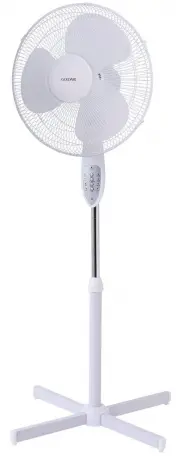
Goldair GCPF150 Fan – User Manual, read for free online in PDF format. We hope this helps you resolve any issues you may have. If you have further questions, please contact us through the contact form.


Table of Contents:
- Page 2 – General care and safety guide
- Page 3 – Cleaning
- Page 4 – Components
- Page 5 – Assembling your Fan
- Page 6 – Operating your Fan
- Page 7 – One year Warranty; IMPORTANT: Please retain this Warranty card
Operating Instructions
40CM Pedestal Fan
With Remote
Item: GCPF150
"Loading the manual" means you need to wait until the file loads and becomes available for online reading. Some manuals are very large, and the time they take to appear depends on your internet speed.
Summary
General care and safety guide Thank you for choosing this GOLDAIR Fan. This GOLDAIR appliance has been designed and manufactured to high standards of engineering and with proper use and care, as described in this leaflet, will give you years of useful service. Please read these instructions carefull...
Cleaning To avoid risk of electric shock, before cleaning, you MUST ALWAYS switch off and unplug the Fan before cleaning. Use only a soft, damp cloth to gently wipe the Fan and dry well. To access the fan blade , remove the front guard and securing screw. DO NOT immerse the Fan in water and never al...
Components 1.Front Grill 2.Blade Cap 3.Blade 4.Plastic Mounting Nut 5.Rear Grille 6.Motor Shaft 7.Oscillating Knob 8.Motor Housing 9.Neck Screw 10.Switch Box 11.Set Screw 12.Inner Tube 13.Height Adjustment Collar 14.Outer Tube 15.Base Decorative Cap 16.Screw 17.Cross Bar A 18.Cross Bar B 19.Screw


