Goldair GCHV115 - User Manual
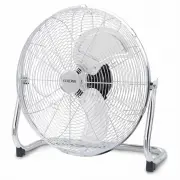
Goldair GCHV115 Fan – User Manual, read for free online in PDF format. We hope this helps you resolve any issues you may have. If you have further questions, please contact us through the contact form.


Table of Contents:
- Page 3 – General Care and Safety Guide; Always unplug appliance when not in use.
- Page 4 – TECHNICAL SPECIFICATION; as this may cause an electric shock, fire or damage to the appliance.
- Page 5 – Operating your Fan
- Page 6 – Fan control switch
- Page 7 – PROOF OF PURCHASE; Cleaning
- Page 8 – One Year Warranty
Operating Instructions
Item: GCHV115
45cm High Velocity Floor Fan
"Loading the manual" means you need to wait until the file loads and becomes available for online reading. Some manuals are very large, and the time they take to appear depends on your internet speed.
Summary
General Care and Safety Guide Thank you for choosing this Goldair product. This Goldair appliance has been designedand manufactured to high standards of engineering and with proper use and care, asdescribed in this leaflet, will give you years of useful service. Please read theseinstructions careful...
TECHNICAL SPECIFICATION Model: GCHV115 Supply: 220 - 240VAC 50Hz Wattage: 140W General Care and Safety Guide 19. Never place appliance close to radiant heat source.20. Never operate in areas where petrol, paint or other flammable liquids are used or stored. 21. Never use the appliance to dry clothes...
WARNING Keep all objects at least 1 metrefrom the front, sides and rear of the appliance Place the fan on a dry, level and sturdy surface. Plug the power cord into the socket, makingsure the speed control is at OFF position. Fan control switch The control switch positions are: • 0 = OFF • 1 = Low Sp...


