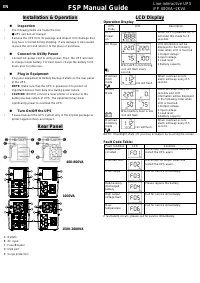
FSP FP 1000 - User Manual
FSP FP 1000 Uninterruptable Power Supply – User Manual, read for free online in PDF format. We hope this helps you resolve any issues you may have. If you have further questions, please contact us through the contact form.
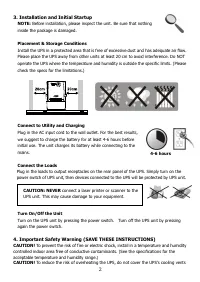
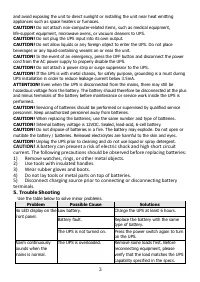
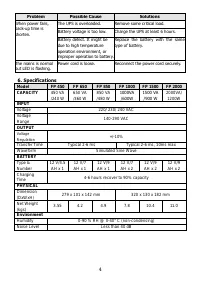
Table of Contents:
- Page 2 – Installation and Initial Startup
- Page 3 – Use the table below to solve minor problems.; Problem; Charge the UPS at least 6 hours.
- Page 4 – Voltage
1
1. Package Contents
You should have received the following items inside of package:
- UPS Unit
- Quick Guid
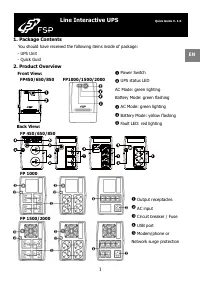
2. Product Overview
Front View:
FP450/650/850 FP1000/1500/2000
Back View:
FP 450/650/850
FP 1000
FP 1500/2000
Line Interactive UPS
Quick Guide V. 1.0
Power Switch
UPS status LED
AC Mode: green lighting
Battery Mode: green flashing
AC Mode: green lighting
Battery Mode: yellow flashing
Fault LED: red lighting
EN
Output receptacles
AC input
Circuit breaker / Fuse
USB port
Modem/phone or
Network surge protection
"Loading the manual" means you need to wait until the file loads and becomes available for online reading. Some manuals are very large, and the time they take to appear depends on your internet speed.
Summary
2 4-6 hours CAUTION: NEVER connect a laser printer or scanner to the UPS unit. This may cause damage to your equipment. 3. Installation and Initial Startup NOTE: Before installation, please inspect the unit. Be sure that nothing inside the package is damaged. Placement & Storage Conditions Insta...
3 and avoid exposing the unit to direct sunlight or installing the unit near heat emitting appliances such as space heaters or furnaces. CAUTION! Do not attach non-computer-related items, such as medical equipment, life-support equipment, microwave ovens, or vacuum cleaners to UPS. CAUTION! Do not p...
4 Problem Possible Cause Solutions When power fails, back-up time is shorten. The UPS is overloaded. Remove some critical load. Battery voltage is too low. Charge the UPS at least 6 hours. Battery defect. It might be due to high temperature operation environment, or improper operation to battery. Re...