Friedrich KCS16A30A - User Manual

A user manual for Friedrich’s smart HVAC systems, including models like Kuhl, Kuhl Q, and Wallmaster, covers wireless setup via their proprietary "FRIEDRICH CONNECT" mobile app. The guide highlights essential topics such as Wi-Fi configuration–including scanning for 2.4 GHz networks, app authentication, and location permissions–and remote control features, including adjusting temperature settings through the app’s interface. It emphasizes compatibility with home Wi-Fi networks and visual confirmation of successful connections.


Table of Contents:
- Page 1 – Wi-Fi Setup and Device Discovery
- Page 2 – Connecting Mobile Device to HVAC Unit
- Page 3 – Connecting Device to Home Wi-Fi Network
- Page 4 – Controlling HVAC Unit via Mobile App
Let's Get Started!
1. Check for a
2.4 Ghz
connection and make sure
the device is connected to
that network.
2. Download the
Friedrich
Connect
App on your
smartphone.
3. Sign into the app or
create a account.
4. Verify the profile, check
and confirm that the
TIME
ZONE
is populated correctly.
5. Enter the Friedrich
connect app and press
"+ add". The app will
automatically show the
next screen. Prepare your
device by following steps
one and two in the app.
After your unit is in connect
mode please press the Wifi
Discovery button in the app.
NOTE:
I Phone users will
need to turn on and allow
location services for the Friedrich Connect
App.
Wi-Fi Setup Guide
FRIEDRICH CONNECT
Kuhl Kuhl Q Wallmaster
"Loading the manual" means you need to wait until the file loads and becomes available for online reading. Some manuals are very large, and the time they take to appear depends on your internet speed.
Was this manual helpful?
About this manual
- Brand
- Friedrich
- Model
- KCS16A30A
- Document type
- User Manual
- Category
- Air Conditioner
- Language(s)
- English
- Pages
- 4
- File size
- 2.7 MB
- Format
Summary
Initial steps for setting up the Friedrich CONNECT app, including checking 2.4 GHz Wi-Fi connection, signing in, verifying time zone, and using WiFi Discovery.
Step-by-step instructions for establishing a Wi-Fi connection between a mobile device and a Friedrich air conditioning unit via the menu interface.
Procedure for connecting a Friedrich device to a home Wi-Fi network by selecting the network, entering credentials, and confirming successful association.
Ask a question
Related manuals
Popular Friedrich Air Conditioners
More Friedrich Air Conditioners models
 Friedrich CCF12B10A User Manual
 Friedrich KCQ10A10B User Manual
 Friedrich KCS12A10A User Manual
 Friedrich UCT10B10A User Manual
- Friedrich UCT10B30A User Manual
- Friedrich UCT12B10A User Manual
 Friedrich UCT12B30A User Manual
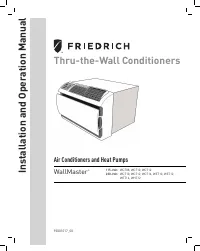 Friedrich WCT08A10A User Manual
- Friedrich WCT10A10A User Manual
- Friedrich WET10A33A User Manual
- Friedrich WET16A33A User Manual
 Friedrich ZCP08SA User Manual
- Friedrich ZCP10SA User Manual
 Friedrich ZCP12DB User Manual
- Friedrich ZCP12SA User Manual