Page 3 - Refer to your ‘Quick start guide’ for information on:
This user guide is an accompaniment to your ‘Quick start guide’ which is included with your oven. For operating instructions, and to get going with your new oven see your ‘Quick start guide’. If you no longer have your ‘Quick start guide’, you can download it from our local website, listed on the ba...
Page 5 - Contents; SAVE THESE INSTRUCTIONS
3 Contents Safety and warnings 5 Cooking guide 14 Oven functions 17 Cooking charts 22 Automatic cooking 30 Using the meat probe 34 User preference settings 36 Sabbath setting 38 Care and cleaning 40 Using the Self Clean function 45 Troubleshooting 49 Alert codes 54 Warranty and service 56 Important!...
Page 7 - Safety and warnings; Electrical Shock Hazard
5 Safety and warnings Your oven has been carefully designed to operate safely during normal cooking procedures. Please keep the following safety instructions in mind when you are using it: WARNING! Electrical Shock Hazard Turn the oven off at the wall before replacing the oven lamp.Failure to follow...
Page 8 - Hot Surface Hazard
6 Safety and warnings WARNING! Hot Surface Hazard Accessible parts may become hot when in use. To avoid burns and scalds, keep children away. Use oven mitts or other protection when handling hot surfaces such as oven shelves or dishes. Use care when opening the oven door. Let hot air or steam escape...
Page 9 - Cut Hazard
7 Safety and warnings WARNING! Cut Hazard Take care - some edges are sharp.Failure to use caution could result in injury or cuts.
Page 10 - Important safety instructions
8 Safety and warnings Important safety instructions To reduce the risk of fire, electrical shock, injury to persons or damage when using the oven, follow the important safety instructions listed below: Read all the instructions before using the oven. Use the oven only for its intended purpose as des...
Page 11 - Children of less than 8 years old must be kept
9 Safety and warnings Important safety instructions Children of less than 8 years old must be kept away from the appliance unless continuously supervised. This appliance can be used by children aged from 8 years and above, and persons with reduced physical, sensory or mental capabilities or lack of ...
Page 12 - Use only dry oven mitts or potholders. Moist or
10 Safety and warnings Important safety instructions Use only dry oven mitts or potholders. Moist or damp potholders on hot surfaces could result in burns from steam. Do not let potholders touch hot areas or heating elements. Do not use a towel or a bulky cloth for a potholder. It could catch fire. ...
Page 15 - Do not install or operate the appliance if it is
13 Safety and warnings Important safety instructions Do not install or operate the appliance if it is damaged or not working properly. If you receive a damaged product, contact your dealer or installer immediately. Use only bakeware approved for oven use. Follow the bakeware manufacturer’s instructi...
Page 16 - Cooking guide
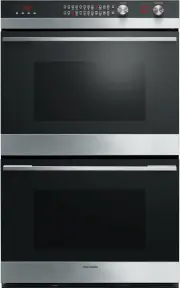
14 Congratulations on your new purchase. Your Fisher & Paykel oven has a number of features to make cooking a great experience for you: a wide choice of oven functions a convenient Self-Clean function – see ‘Using the Self Clean function’ intuitive controls and displays illuminated halos around ...
Page 19 - Oven functions; Bake; Fan Bake; Fan Bake
17 Oven functions upper outer and lower elements Heat comes from both the upper and lower elements. The fan is not used in this function. Ideal for cakes and foods that require baking for a long time or at low temperatures. This function is not suitable for multi-shelf cooking. Ideal for moist foods...
Page 20 - Grill; Fan Forced
18 Oven functions upper inner element Intense radiant heat is delivered from the inner top element. There are 9 steps between ‘Lo’ and ‘Hi’ (100% power). Preheating is not essential although some people prefer to allow the element to heat for a few minutes before they place food under the grill. The...
Page 21 - Maxi Grill
19 Oven functions upper inner and outer elements Intense radiant heat is delivered from both top elements. There are 9 steps between ‘Lo’ and ‘Hi’ (100% power). Preheating is not essential although some people prefer to allow the element to heat for a few minutes before they place food under the gri...
Page 22 - Pastry Bake
20 Oven functions fan plus lower element The fan circulates heat from the lower element throughout the oven. Excellent for cooking pizza as it crisps the base beautifully without overcooking the topping. Ideal for foods such as sweet and savoury pastry foods and delicate foods that require some top ...
Page 23 - Warm; Tips for dehydrating fruit; Tips for proofing bread
21 Oven functions this is not a cooking function Provides a constant low heat of less than 90°C. Use to keep cooked food hot, or to warm plates and serving dishes. To reheat food from cold, use another oven function to heat the food piping hot and only then change to Warm, as this function alone wil...
Page 24 - Cooking Charts; Baked goods
22 Cooking Charts The recommendations in the following charts are guidelines. A lot of factors affect the exact time and temperature required for baking, roasting and grilling. Follow the instructions in your recipe or on packaging and be prepared to adjust the oven settings and cook times to achiev...
Page 25 - Temp °C
23 Cooking Charts Fan Forced Time (min) Temp °C Shelf (single; multi) Baked goods Biscuits 13-18 175-180 4; 6 & 3 Chewy chocolate chip biscuits 15-20 170-180 4; 6 & 3 Vanilla cake 30-40 170-175 3 Squares/Slices 25-30 170-180 4 Shortbread 22-30 150-155 4 Cake - butter/choc 45-55 170-175 3 Cak...
Page 30 - Fan Grill
28 Cooking Charts Fan Grill Time (min) Temp °C Shelf Beef Minced - burgers 15-20 220-225 6 Minced - meatballs 10-15 190-210 6 Lamb Chops - medium 15-20 200-225 6 Chops - well done 20-25 200-225 6 Rack - medium 20-30 200-210 6 Pork Chops - well done 20-25 190-210 6 Ham steak 15-20 220-225 6 Bacon 10-...
Page 31 - Roasting meat
29 Cooking Charts Roasting meat We recommend you use the cooking probe to accurately judge when meat is cooked to your preference. ‘Time per pound/450 g’ is a rough guide and should only be used to estimate when the meat will be ready. Cooking with Roast , Fan Bake , and Fan Grill will take less tim...
Page 32 - Automatic cooking
30 Automatic cooking You can set the oven(s) to automatically turn on later, cook for a preset time (cooking time), then automatically turn off at a preset stop time. See the example and instructions below (steps 1 to 7). If you start cooking manually and only want the oven to turn off automatically...
Page 33 - Select function and temperature
31 Automatic cooking 3 Check the clock shows the correct time of day. N O I T C N U F E R U T A R E P M E T 5a Press the right scrollbutton to set the cooking time. Make sure you allow for preheat time in your calculation. 5b Press the select button to confirm. The display will be steadily lit. 4a P...
Page 34 - Set the stop time
32 Automatic cooking Set the stop time 6a Press the right scroll button to scroll to the stop time indicator. 6b Press the select button to confirm. The display will flash. 7a Press the right scroll button to set the time you would like your food to be ready by (ie the stop time). 7b Press the selec...
Page 36 - Using the meat probe; Roast
34 Using the meat probe Using the meat probe Use your meat probe to accurately judge when your meat is perfectly cooked. You can use the probe with any function. Double oven models only: you can use the meat probe in either oven. Press the UPPER or LOWER selector button to select the oven you wish t...
Page 37 - Tips for using the meat probe; To cancel the meat probe at any stage
35 Using the meat probe Tips for using the meat probe You can still use the timer when the meat probe is in use. You cannot use the meat probe with Automatic cooking. The internal temperature of the meat will continue to rise by 2-8°C after you have removed it from the oven, so allow for this in you...
Page 38 - User preference settings; How to change preference settings
36 User preference settings You can set your oven to: display the temperature in degrees Celsius or Fahrenheit give audio feedback (tones and beeps) or operate quietly display time as 12-hr or 24-hr operate with the display off have its lights on or off during cooking operate in Sabbath setting (see...
Page 39 - Setting; TEMPERATURE SCALE
37 User preference settings 5 Press the right scroll button to scroll through the options for that particular setting. Refer to the table below. 6a Press the select button to save the new option . 6b For all options except ‘Display off ’ : press the cancel button to quit the user preference menu. Se...
Page 40 - Sabbath setting; While your oven is in Sabbath setting; How to set Sabbath setting
38 Sabbath setting This setting is designed for religious faiths that observe a ‘no work’ requirement on the Sabbath. While your oven is in Sabbath setting The display, dial halos and indicators will be unlit, the buttons will be unresponsive. No tones or beeps will sound. No alert codes or temperat...
Page 41 - To quit Sabbath setting
39 Sabbath setting 7 Press the select button to activate. The display, indicators and dial halos will be unlit and unresponsive, but the oven will be on until the time set elapses or you quit Sabbath setting. To quit Sabbath setting Press and hold the cancel button until the time of day appears in t...
Page 42 - Removing and replacing the sliding shelves and side racks; Mounting slots; Care and cleaning
40 Removing and replacing the sliding shelves and side racks 1 To remove a sliding shelf, grip it by its two front corners (making sure you are gripping the wire shelf and the sliding frame together), tilt upwards and pull it out of the oven. 2 To remove the side racks, gently push the retaining wir...
Page 43 - Changing the oven light bulbs
41 Care and cleaning Plate glass cover Retainer clip Sockets for the pins Pins Replacement bulb Changing the oven light bulbs The oven is illuminated by three 12 volt/20 watt halogen bulbs. These have a very long life, but if you should need to replace one, use only a replacement bulb purchased from...
Page 44 - Manual cleaning; ALWAYS; Never use a steam cleaner.
42 Manual cleaning Care and cleaning ALWAYS NEVER Before any manual cleaning or maintenance, first wait for the oven to cool down to a safe temperature to touch, then turn its power supply off at the wall. Read these cleaning instructions and the ‘Safety and warnings’ section before you start cleani...
Page 47 - Using the Self Clean function; Self Clean; Light Self Clean
45 Using the Self Clean function During the pyrolytic Self Clean cycle the extremely high temperature burns off and breaks down grime and grease deposits. All that is left is a small amount of grey ash that you can easily remove. There is a choice of Self Clean cycles: - Self Clean ( 5 hours ) (for ...
Page 48 - To start a Self Clean cycle
46 Using the Self Clean function To start a Self Clean cycle 1a Remove oven shelves, side racks and all other accessories, bakeware, and utensils. 1b Wipe up any spills. Failure to do so may discolour the oven surfaces. 1c Check the inner glass pane of the oven door. If it has soiling on it (eg stai...
Page 49 - During the Self Clean cycle
47 Using the Self Clean function 3 Select the Self Clean function. The display will flash 0 : 00 4 Press the right scroll button once for the Self Clean cycle - the display will flash 5 : 00 (5 hours), or Press the right scroll button a second time for the Light Self Clean cycle - the display will f...
Page 50 - When a Self Clean cycle has finished
48 Using the Self Clean function When a Self Clean cycle has finished The oven will: emit a long tone automatically turn off automatically unlock the door. In a few seconds, the display will show the time of day. You need to: 1 wait for the oven to cool down completely 2 remove the grey ash with a s...
Page 51 - Troubleshooting; Troubleshooting chart; Problem; General; The oven does not work.
49 Troubleshooting Troubleshooting chart If there is a problem, check the chart below to see if you can fix it. If the problem cannot be fixed or persists, call your Authorised Repairer or Customer Care. Problem Possible causes What to do General The oven does not work. No power. Check that the main...
Page 53 - During
51 Troubleshooting Problem Possible causes What to do General The displays work, and the function and temperature dials halos come on but the oven does not heat up. The oven is in ‘Demo’ mode. Call Customer Care. The automatic cooking indicators do not light up OR The meat probe indicator does not l...
Page 54 - Self Clean function; The display shows
52 Troubleshooting Problem Possible causes What to do Self Clean function During a Self Cleancycle, the oven is louderthan usual. This is normal: the oven’s cooling fans operate at their highest speed. The display shows - - The meat probe mode has been selected but the meat probe is not plugged in t...
Page 56 - Alert codes; What to do if an alert code is displayed; OR
54 Alert codes If there is a problem, the oven will: automatically suspend all oven functions beep five times display an alert code. Important! Do not turn off the mains power supply to the oven (wall switch) if you get an alert code, unless the instructions in the chart following specifically instr...
Page 57 - Alert code
55 Alert codes Alert code Possible causes What to do The oven has overheated. 1 Allow the oven to cool down. 2 Once the oven has cooled down and the door has unlocked, the alert code will disappear. You can now use the oven again. A Door lock error: the door cannot be locked after you have started a...
Page 58 - Warranty and service; Product details
56 Warranty and service Before you call for service or assistance ... Check the things you can do yourself. Refer to the installation instructions and your user guide and check that: 1 your product is correctly installed. 2 you are familiar with its normal operation. If after checking these points y...