Fisher & Paykel OB60SL11DCPX1 - Manual
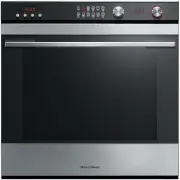
Fisher & Paykel OB60SL11DCPX1 Oven – Manual, read for free online in PDF format. We hope this helps you resolve any issues you may have. If you have further questions, please contact us through the contact form.


E
R
U
T
A
R
E
P
M
E
T
N
O
I
T
C
N
U
F
YOUR OVEN
OB60SL11DCPX1
OB60SL11DEPX1
SETTING THE CLOCK
THE CONTROL PANEL
FIRST USE
1 REMOVE ALL CABLE TIES & PACKAGING
HOLDING THE SHELVING IN PLACE
2 REMOVE SHELVES FROM THE OVEN
Keep this document handy for easy reference.
For detailed information on the other features of your oven, see your ‘User guide’.
Before using your oven, make sure you read the full ‘User guide’, with special attention to the ‘Safety and warnings’ section.
For contact information or if you require service, assistance or replacement parts, see the end of this document or your ‘Service & warranty’
booklet.
NZ AU GB IE
QUICK START GUIDE
Built-in oven
1
Control panel
2
Oven vent louvres
3
Step down oven wire shelf
4
Oven light
5
Telescopic sliding shelf (x2)
6
Side rack
7
Oven wire shelf
8
Oven door and handle
9
Oven seal
Accessories:
10
Meat probe
11
Grill rack
12
Smokeless grill tray
13
Deep Roasting dish
14
Flat baking tray
11
10
12
13
14
2
3
4
5
6
7
8
1
9
Your oven comes with one wire shelf, two telescopic sliding shelves and a drop down wire shelf.
The following shows you how to remove and reposition the shelves to your preferred position
We recommend you then condition the oven.
You set the clock within the user preference menu. To learn more about the user preference menu, refer to your User guide.
Note: If you do not wish to set the time initially when the oven is first switched on at the wall, press the cancel
button to exit the clock setting.
If you want to set the clock later, follow the steps under ‘To change the time’.
To change the time
(within the user preference menu)
When the oven is first switched on at the wall
1
Remove all the shelving, taking special care with the telescopic
sliding shelves.
2
To remove a telescopic sliding shelf, grip it at the front (making
sure you are gripping the wire shelf and the sliding frame
together), lift upwards and pull it out of the oven.
For your safety, the wire shelf and telescopic sliding frame are
built together as one unit and are not separable.
Locking the control panel
To lock, press and hold the select
button for 2 seconds.
To unlock, press and hold the
cancel
button for 2 seconds.
Function indicators
(see ‘Oven functions’)
Function dial
Temperature
indicator
Temperature
dial
Function halo
Temperature
halo
Control lock indicator (see
‘Locking the control panel’)
if lit
:
Control panel is locked
Timer indicator
(see ‘Using the
timer’)
if lit
:
Timer is
counting down
Door lock indicator
if lit
:
Door is open when Self
Clean function selected.
See ‘Using the Self Clean
function’ in User guide.
Rotisserie indicator
(see ‘Using the
Rotisserie’) in the
User guide
if lit
:
Rotisserie is
in use
Cooking time indicator (see ‘Automatic cooking’) in User guide
if lit
:
Automatic cooking time is set
Meat probe indicator
(see ‘Using the meat probe’) in User guide
if lit
:
Meat probe is in use
(display will alternate between probe set
temperature and internal temperature
of the meat)
Stop time indicator
(see ‘Automatic cooking’) in User guide
if lit
:
Automatic stop time is set
Display
Scroll
Select
Cancel
1
Press and hold the left and right scroll
buttons together for 3 seconds
to enter the user preference menu.
The display will either show
12 H
r
or
24
H
r
2
Press the select
button to confirm.
The display will flash.
3
Follow steps 2-5 left to set the time.
At step 2a, you also now have the
ability to scroll between
24 H
r
,
12 H
r
and
OFF
(turns the
display off ).
Refer to the User guide to learn more
about this feature.
3
Press the left and right scroll
buttons to set the time.
1
The display will flash
24 H
r.
4
Press the select
button to
confirm.
2a
Press the right scroll
button to scroll
between
24 H
r
and
12 H
r
2b
Press the select
button to confirm.
continued over
"Loading the manual" means you need to wait until the file loads and becomes available for online reading. Some manuals are very large, and the time they take to appear depends on your internet speed.