Epson XP 6100 - Troubleshooting Guide

Epson XP 6100 – Troubleshooting Guide, read for free online in PDF format. We hope this helps you resolve any issues you may have. If you have further questions, please contact us through the contact form.



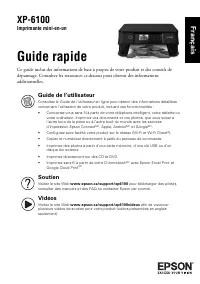
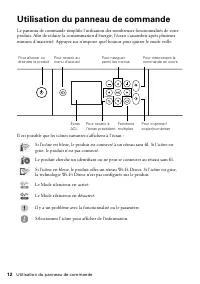
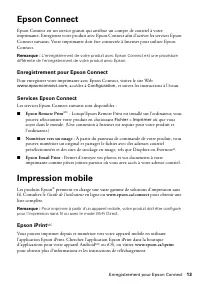
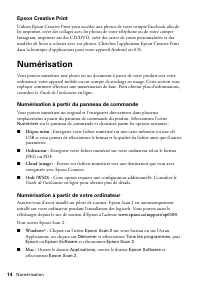
Table of Contents:
- Page 2 – Using the Control Panel
- Page 3 – Epson Connect; Registering for Epson Connect; Epson Connect Services; Epson Remote Print; Mobile Printing; Epson iPrintTM
- Page 4 – Epson Creative Print; Scanning; Scanning from the Control Panel; Scanning from the Computer; Windows
- Page 5 – Scanning to the Cloud; Solving Network Problems
- Page 6 – Notices; Declaration of Conformity
- Page 8 – Copyright Notice
- Page 11 – Guide rapide; Soutien; Français
- Page 12 – Utilisation du panneau de commande
- Page 13 – Enregistrement pour Epson Connect; Services Epson Connect; Numériser vers un nuage :; Impression mobile; Epson iPrint
- Page 14 – Numérisation; Numérisation à partir du panneau de commande; Numérisation à partir de votre ordinateur
- Page 15 – Numérisation vers le nuage; Résolution des problèmes de réseau
- Page 16 – Avis; Déclaration de conformité
- Page 19 – Avis sur les droits d’auteur
XP-6100
Small-in-One
®
Printer
Quick Guide
This guide includes basic information about your product and troubleshooting tips. See
the resources below for additional information.
User’s Guide
See the online
User’s Guide
for detailed information on using your product, including
these features:
•
Connect wirelessly from your smartphone, tablet, or computer. Print documents
and photos from across the room or around the world with Epson Connect
TM
,
Apple, Android
TM
, and Google
TM
printing services.
•
Easily set up networking—Wi-Fi and Wi-Fi Direct
®
.
•
Copy and scan directly from the control panel.
•
Print photos from a memory card, USB flash drive, or external hard drive.
•
Print directly on CDs and DVDs.
•
Print wirelessly from your Chromebook
TM
with Epson Email Print and Google
Cloud Print
TM
.
Support
Visit
www.epson.com/support/xp6100
(U.S.) or
www.epson.ca/support/xp6100
(Canada) to download drivers, view manuals, see
FAQs, or e-mail Epson.
Videos
Visit
www.epson.com/support/xp6100videos
(U.S.) or
www.epson.ca/support/xp6100videos
(Canada) to view a variety of support
videos for your product.
English
"Loading the manual" means you need to wait until the file loads and becomes available for online reading. Some manuals are very large, and the time they take to appear depends on your internet speed.
Was this manual helpful?
About this manual
- Brand
- Epson
- Model
- XP 6100
- Document type
- Troubleshooting Guide
- Language(s)
- English, French
- Pages
- 20
- File size
- 409.8 KB
- Format
Other Manuals for Epson XP 6100
Summary
2 Using the Control Panel Using the Control Panel The control panel allows you to use all the features of your product. To save energy, the screen goes dark after several minutes of inactivity. Press any button to wake it up. You may see the following icons on the screen: If the icon is blue, the pr...
Registering for Epson Connect 3 Epson Connect Epson Connect is a free service that gives your printer an email account. Register your product with Epson Connect to enable the Epson Connect services below. Your printer must be connected to the Internet to use Epson Connect. Note: Registering your pro...
4 Scanning Epson Creative Print Use Epson Creative Print to access and print your Facebook photos, create collages with photos from Instagram and your phone, print onto CD/DVDs, create custom greeting cards, and turn photos into coloring book templates. Search for the Epson Creative Print app on the...
Ask a question
Related manuals
Popular Epson Other
 Epson PictureMate Flash - PM 280 - PictureMate Flash Compact Photo Printer User Manual
 Epson TM-T70II Troubleshooting Guide
 Epson U925 - TM B/W Dot-matrix Printer User Manual
 Epson RR 70W User Manual
 Epson 9890 Manual
 Epson 206636 - PocketJet 3 Plus User Manual
 Epson Printer TM-H5000II User Manual
 Epson TM-T88V User Manual