Epson OT CH60 - User Manual
Epson OT CH60 – User Manual, read for free online in PDF format. We hope this helps you resolve any issues you may have. If you have further questions, please contact us through the contact form.


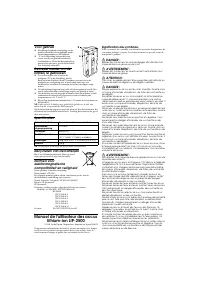
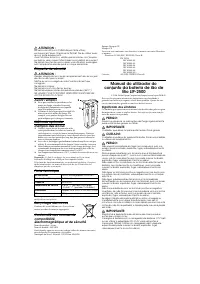


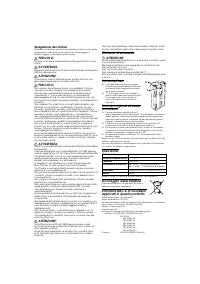
Table of Contents:
- Page 2 – Bedienungsanleitung für; Symbolschlüssel; Sicherheitsaufkleber
- Page 3 – Technische Daten; Gebruiksaanwijzing; Verklaring van symbolen; Veiligheidsetiket
- Page 4 – Vóór gebruik; Specificaties; Recycleren van de batterijen; Manuel de l'utilisateur des accus; Signification des symboles
- Page 5 – Étiquette de sécurité; Fiche technique; Recyclage des accus; Manual do utilizador do; Significado dos símbolos
- Page 6 – Especificações; Reciclagem das baterias; Manual del Usuario del Paquete; Clave de los símbolos
- Page 7 – Especificaciones; Manuale per l'utente della
- Page 8 – Spiegazione dei simboli; Etichetta di sicurezza; Specifiche; Riciclaggio delle batterie
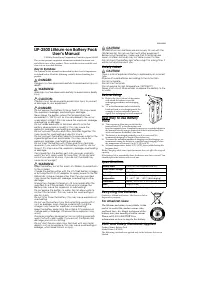
LIP-2500 Lithium-ion Battery Pack
User’s Manual
© 2004 by Seiko Epson Corporation, Printed in Japan 2004.02
This section presents important information intended to ensure safe
and effective use of this product. Please read this section carefully and
store it in an accessible location.
Key to Symbols
The symbols in this manual are identified by their level of importance,
as defined below. Read the following carefully before handling the
product.
DANGER:
Dangers must be observed carefully to avoid serious injury or
death.
WARNING:
Warnings must be observed carefully to avoid serious bodily
injury.
CAUTION:
Cautions must be observed to avoid minor injury to yourself
or damage to your equipment.
DANGER:
Do not expose the battery to fire or heat it. This may cause
fire, explosion, leakage, overheating or damage.
Never leave the battery where the temperature may
exceed 60°C (140°F)
such as in a car parked in the sun or
under direct sunlight. This may cause fire, explosion, leakage,
overheating or damage.
Do not solder lead wires or terminals directly onto the
battery, disassemble or modify it. This may cause fire,
explosion, leakage, overheating or damage.
Do not connect the plus and minus terminals together. This
may cause fire, overheating or electric shock.
Do not connect the battery directly to a power outlet or the
cigarette lighter of an automobile. This may cause fire,
explosion, leakage, overheating or damage.
Do not insert the battery with its plus and minus terminals
reversed. If you cannot insert the battery smoothly, do not
force it. This may cause fire, explosion, leakage, overheating
or damage.
If any liquid from the battery gets into your eyes, promptly
wash it out with clean water for more than 10 minutes and
consult your doctor at once. If you do not, the liquid may
cause loss of eyesight.
WARNING:
Keep the battery out of the reach of children to avoid harm
to the children.
Charge the battery either with the OT-CH60 battery charger
or by using the PS-10 AC adapter to supply power to the TM-
P60 printer. Using a charger other than the one specified
may cause fire, explosion, leakage, overheating or other
damage.
Unplug the charger if charging is still incomplete after the
specified time it should take. Continuing to charge the
battery may cause fire, explosion or overheating.
Do not expose the battery to water. Do not allow water to
contact the terminals. This may cause fire, overheating or
electric shock.
Do not hit or throw the battery. This may cause explosion or
overheating.
Do not use the battery if you find something wrong with it
such as leakage, color change or deformity. Using the
charger may cause fire, explosion or overheating.
Keep the battery away from fire or flame if it produces a
strange odor or leakage. Otherwise fire or explosion may
occur.
Should any battery liquid get on skin or clothing, promptly
wash it off with clean water. If you do not, the liquid may
damage your skin or clothing.
Do not short the plus and minus terminals with any metal
objects such as a necklace. This may cause overheating or
leakage, which lead to burn or injury.
CAUTION:
LIP-2500 lithium-ion batteries are exclusively for use with the
TM-P60 printer. Do not use them with other equipment.
Before using the battery, make sure that its terminals are
clean. Unclean terminals may not allow current to flow.
Do not touch the battery right after using it for a long time. It
will be hot and may burn you.
Safety Label
CAUTION:
There is a risk of explosion if battery is replaced by an incorrect
type.
Dispose of used batteries according to the instructions.
Do not incinerate.
Do not short terminals.
Do not expose to high temperature (140°F/60°C)
Never short-circuit, disassemble, or expose the battery to fire
or water.
Before Using
❏
Refer to the
User’s Manual
of the printer
with which the battery is used for
recharging procedures and recharging
time.
❏
"A" in the illustration can be switched by
hand and used as a recharging mark. For
example, it can be switched to green to
signify that recharging has been completed.
Best Way to Use Battery
Pack
❏
Take care not to allow dust or dirt into the
terminal holes ("B" in the illustration) and
keep the terminals clean. Completely remove any accumulated dust in
the terminal holes by using a pointed stick that is not too hard; then
attach and remove the battery a few times.
❏
The battery is discharged gradually even if it is not used. We
recommend charging it a couple of days before use.
❏
To ensure the maximum number of chargings and dischargings, we
recommend storing the battery in a cool place and charging it when
the temperature is between 10 to 30
°C
(50 to 86
°F
).
❏
At lower temperatures, below 10
°C
(50
°F
), the available battery life
becomes short.
Note:
Charging while some capacity remains does not affect the original
capacity.
If the battery life is remarkably short, the battery may have expired. You
should replace the battery with a new one.
Specifications
Note:
Design and specifications are subject to change without notice.
Recycling the Batteries
Contains a lithium-ion battery. Must be recycled or
disposed of properly.
For American Users:
The lithium-ion battery is recyclable. At the
end of its useful life, under various state
and local laws, it is illegal to dispose of this
battery into your municipal waste stream.
Please call 1-800-8-BATTERY for
information on how to recycle this battery.
EMC and Safety Standards Applied
Product Name: Battery Pack
Model Name: LIP-2500
The following standards are applied only to the batteries that are so
labeled.
Battery used
Lithium-ion rechargeable battery
Mean output voltage
DC 7.4 V
Capacity
2200 mAh
Operating
temperature
0 ~ 45°C (32 ~ 113°F) ( charging)
-10 ~ 60°C (50 ~ 140°F) (discharging)
Dimensions
Approx. 38.4 × 20.7 × 70.8 mm (W × H × D)
Mass
105 g (0.23 lb)
B
A
404890403
"Loading the manual" means you need to wait until the file loads and becomes available for online reading. Some manuals are very large, and the time they take to appear depends on your internet speed.
Summary
North America: Safety: UL2054 or UL60950Europe: CE Marking CE Marking The battery conforms to the following Directives and Norms: Directive 89/336/EEC EN 55022 Class B EN 55024 IEC 61000-4-2IEC 61000-4-3IEC 61000-4-4IEC 61000-4-5IEC 61000-4-6IEC 61000-4-11 Oceania: AS/NZS CISPR22 Class B Bedienungsa...
Technische Daten Hinweis: Änderungen an Design und technischen Daten ohne Vorankündigung vorbehalten. Wiederverwertung/Entsorgung der Batterien Enthält eine Lithium-Ionen-Batterie. Muss ordnungsgemäß der Wiederverwertung zugeführt oder entsorgt werden. Geltende EMC- und Sicherheitsnormen Produktname...
Vóór gebruik ❏ Raadpleeg de gebruiksaanwijzing van de printer waarin de batterij gebruikt wordt voor laadprocedures en de laadduur. ❏ "A" in de afbeelding kan met de hand verzet worden en gebruikt worden als laadmerkteken. U kunt het bijvoorbeeld op groen zetten om aan te geven dat het laden...




