Epson C11CG36201 - Manual
Epson C11CG36201 – Manual, read for free online in PDF format. We hope this helps you resolve any issues you may have. If you have further questions, please contact us through the contact form.


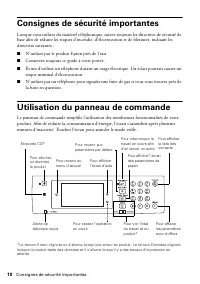
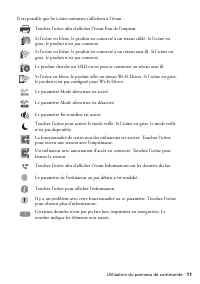
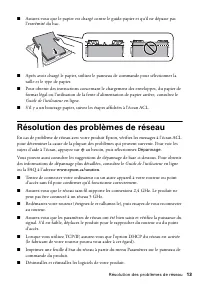
Table of Contents:
- Page 2 – Important Safety Instructions; Using the Control Panel
- Page 3 – Mobile Printing
- Page 4 – Loading Paper
- Page 5 – Solving Network Problems; Notices; Declaration of Conformity
- Page 7 – Copyright Notice
- Page 9 – Guide rapide; Soutien; Vidéos; Français
- Page 10 – Consignes de sécurité importantes; Utilisation du panneau de commande
- Page 12 – Impression mobile; Chargement du papier
- Page 13 – Résolution des problèmes de réseau
- Page 14 – Avis; Déclaration de conformité
- Page 16 – Avis sur les droits d’auteur
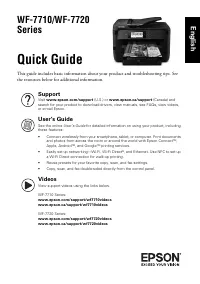
WF-7710/WF-7720
Series
Quick Guide
This guide includes basic information about your product and troubleshooting tips. See
the resources below for additional information.
Support
Visit
www.epson.com/support
(U.S.) or
www.epson.ca/support
(Canada) and
search for your product to download drivers, view manuals, see FAQs, view videos,
or e-mail Epson.
User’s Guide
See the online
User’s Guide
for detailed information on using your product, including
these features:
•
Connect wirelessly from your smartphone, tablet, or computer. Print documents
and photos from across the room or around the world with Epson Connect
TM
,
Apple, Android
TM
, and Google
TM
printing services.
•
Easily set up networking—Wi-Fi, Wi-Fi Direct
®
, and Ethernet. Use NFC to set up
a Wi-Fi Direct connection for walk-up printing.
•
Reuse presets for your favorite copy, scan, and fax settings.
•
Copy, scan, and fax double-sided directly from the control panel.
Videos
View support videos using the links below.
WF-7710 Series:
www.epson.com/support/wf7710videos
www.epson.ca/support/wf7710videos
WF-7720 Series:
www.epson.com/support/wf7720videos
www.epson.ca/support/wf7720videos
English
"Loading the manual" means you need to wait until the file loads and becomes available for online reading. Some manuals are very large, and the time they take to appear depends on your internet speed.
Summary
2 Important Safety Instructions Important Safety Instructions When using telephone equipment, you should always follow basic safety precautions to reduce the risk of fire, electric shock, and personal injury, including the following: ■ Do not use the Epson product near water. ■ Always keep this guid...
Mobile Printing 3 Mobile Printing Epson ® products support a variety of wireless printing solutions. Check your online User’s Guide or www.epson.com/connect (U.S) or www.epson.ca/connect (Canada) for a complete list. Note: To print from a mobile device, your product must be set up for wireless print...
4 Loading Paper Loading Paper Epson offers a wide array of high-quality papers, making it easy to maximize the impact of your documents, photos, presentations, and other projects. For a list of compatible paper types, see the online User’s Guide . ■ Load Epson Premium Presentation Paper Matte or any...




