Emerson P150 - User Manual
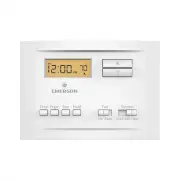
Emerson P150 Thermostat – User Manual, read for free online in PDF format. We hope this helps you resolve any issues you may have. If you have further questions, please contact us through the contact form.


Table of Contents:
- Page 2 – GUIDE CONTENTS; WARNING
- Page 3 – Check package contents
- Page 5 – REMOVING OLD THERMOSTAT; changing the temperature on your old thermostat.; or
- Page 6 – Remove the old thermostat cover; released by using a screwdriver.; CAUTION
- Page 7 – Terminal labeling reference chart
- Page 8 – Identify jumper wire
- Page 9 – Remove old thermostat base
- Page 10 – thermostat base to the wall, if necessary.
- Page 11 – Connect wires to corresponding terminal blocks; Set switch and advanced wiring
- Page 14 – high speed, followed by cold air circulation
- Page 16 – PROGRAMMING YOUR THERMOSTAT; and press until the cover snaps onto the base.; The thermostat buttons and switches; HOLD button. Press HOLD to bypass the
- Page 18 – Indicates day of the week.; “HOLD” is displayed when the thermostat is in the HOLD mode.
- Page 20 – Operating features
- Page 22 – Programming your thermostat; vacant or during periods of low activity.
- Page 23 – to get an idea of how the thermostat can be programmed.
- Page 24 – SAMPLE
- Page 26 – Entering your program
- Page 29 – Check Your Programming; Enter cooling program
- Page 31 – thermostat by pressing,
- Page 36 – other reproductive harm.
Model # P150
Made in China
37-7579B
Single-Stage Thermostat
with
scheduling
Install Guide
"Loading the manual" means you need to wait until the file loads and becomes available for online reading. Some manuals are very large, and the time they take to appear depends on your internet speed.
Was this manual helpful?
About this manual
- Brand
- Emerson
- Model
- P150
- Document type
- User Manual
- Category
- Thermostat
- Language(s)
- English
- Pages
- 36
- File size
- 2.7 MB
- Format
Summary
2 GUIDE CONTENTS Preparations ................................................. 3Thermostat details ........................................ 4Removal of your old thermostat.................... 5Mounting and wiring your new thermostat .. 10Checking thermostat operation................... 12 Programmi...
3 1. PREPARATIONS 1.1 Check package contents This package should contain the following items:• Thermostat• Mounting screws and wall anchors (x2)• 2 AAA batteries• Terminal wire label stickers• Installation instructions 1.2 Gather tools Required tools:□ Flat-head Screwdriver □ Small pliers (needle-no...
5 3. REMOVING OLD THERMOSTAT 3.1 Turn off power To prevent electrical shock and/or equipment damage, disconnect electrical power to the system at the main fuse or circuit breaker box, or by flipping a switch at the air handler. Do not restore power until installation is complete. WARNING ! To ensure ...
Ask a question
Related manuals
More Emerson Thermostats models
 Emerson 1E78-144 User Manual
 Emerson 1F75P-21NP User Manual
 Emerson 1F78-151 User Manual
 Emerson 1F80-361 User Manual
 Emerson 1F83C-11NP User Manual
 Emerson 1F83C-11PR User Manual
 Emerson 1F83H-21PR User Manual
 Emerson 1F85U-42NP User Manual
 Emerson 1F85U-42PR User Manual
 Emerson 1F86-344 User Manual
 Emerson 1F95-1277 User Manual
 Emerson 1F95EZ-0671 User Manual
 Emerson 1F97-1277 User Manual
 Emerson ST25 User Manual
 Emerson ST55 User Manual
 Emerson ST75 User Manual


