Emerson 1F85U-42PR - User Manual
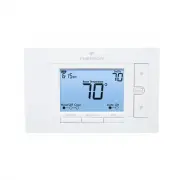
A user manual for Emerson’s 1F85U-42PR smart thermostat outlines its core functionality, covering setup, wiring, and operational controls. Key areas include installation procedures–such as terminal designation for cooling, heating, and compressor stages–and safety guidelines to ensure proper handling. The document also details advanced settings in the installer menu, like adjusting cycle rates, temperature limits, and system diagnostics, alongside basic user interactions such as time scheduling, temperature overrides, and troubleshooting common issues like failed heating or cooling responses.


Table of Contents:
- Page 1 – Wiring, Installation, and Specifications
- Page 2 – Installer Menu and System Operation
- Page 3 – Thermostat Operation and Controls
- Page 4 – Energy-Saving Schedules and Troubleshooting
PART NO.
37-7554B-EN
1535
1F85U-42PR
(Programmable)
Installation and Operating Instructions
80
Series
TM
Universal Thermostat
Battery Powered or Hardwired with Common
white-rodgers.com
emersonclimate.com
Thermostat Applications
Maximum
Stages
Heat/ Cool
Conventional Gas, Oil, Electric
(mV and
24
V), Heat only, Cool only or
Heat/Cool Systems
2/2
Heat Pump (Air Source or Geothermal)
with Aux. Heat
4/2
Thermostat Installation
2-4
Wiring
2
Installer Menu
3-4
Test Equipment
4
Using the Thermostat
5-7
Thermostat Overview
5
User Menu
6
Thermostat Operation
6
Thermostat Schedule
7
Troubleshooting
7-8
Homeowner Help Line
8
INDEX
MERCURY NOTICE:
This product does not contain
mercury. However, this product may replace a product
that contains mercury. Mercury and products containing
mercury must not be discarded in household trash.
Refer to www.thermostat-recycle.org for information
on disposing of products containing mercury.
Electrical Rating:
Battery Power .....................................
mV
to
30
VAC, NEC Class II,
50/60
Hz
Input-Hardwire ....................................
20
to
30
VAC, NEC Class II,
50
/
60
Hz
Terminal Load ..........................................
1.5
A per terminal,
2.5
A maximum all terminals combined
Setpoint Range ........................................
45°
to
99°
F (
7°
to
37° C)
Rated Differentials (@
6
°F/ Hr): Fast
Med
Slow
Heat (Conventional Gas / Oil / Elect) .....
0.5°F 0.75°F 1.9°F
Cool (Central Air) .................................
0
.
9°F 1.2°F 1.7°F
Heat Pump (Heat and Cool) ................
0
.
9°F 1.2°F 1.7°F
Heat Pump Aux. ..................................
0.5°F 0.75°F 1.9°F
Operating Ambient ..................................
32°F to +105°F (0° to +41°C)
Display Temperature Range ....................... 32°F to +99°F (0 to 37°C)
Operating Humidity .................................
90
% non-condensing maximum
Shipping Temperature Range ...................
-20
°F to +
150
°F
(-29° to +65°C)
Thermostat Dimensions ...........................
3-3/4” H x 6” W x 1-1/8” D
SPECIFICATIONS
Optional Accessory: Wall Cover-Up Plate
F61-2663
,
6-3/4
” W x
4-1/2
” H
Terminal Designations
Terminal Function
RC
Power (
24
V) - Cooling
RH
Power (
24
V) - Heating
O/B
6 (not shown) -
3
wire zone valve
Reversing Valve or output for
3
wire zone valves
Configurable as “O” or “B” Reversing Valve or 3 wire
zone heat (power close)
Y
1
st Stage Compressor
G
Fan Relay
W/E
1st
Stage Heat (conventional);
1st
Stage Auxiliary Heat (heat pump)
Can operate as Emergency Heat only
(See Installer Menu
#15)
C
Common wire for
24V
(optional with batteries)
L
Heat Pump Malfunction / Diagnostic terminal
(input signal requires common)
Y2
2
nd Stage compressor
W
2
2
nd Stage Heat (Conventional)
2
nd Stage Auxiliary Heat (Heat Pump)
Can operate as
1
st Stage Auxiliary Heat
(See Installer Menu #
15
)
WIRING
Refer to equipment manufacturer’s instructions for specific system wiring information. After wiring, see
INSTALLER MENU for proper thermostat configuration. Wiring table shown are for typical systems and
describe the thermostat terminal functions. Wiring will change when dedicated emergency heat is on
(See Installer menu #
15).
THERMOSTAT INSTALLATION
Precautions
• Do not exceed the specification ratings.
• All wiring must conform to local and national electrical codes and ordinances.
• This control is a precision instrument, and should be handled carefully. Rough handing or
distorting components could cause the control to malfunction.
WARNING
!
Do not use on circuits exceeding specified voltage.
Higher voltage will damage control and could
cause shock or fire hazard.
Do not short out terminals on gas valve or primary
control to test. Short or incorrect wiring will burn
out thermostat and could cause personal injury
and/or property damage.
CAUTION
!
To prevent electrical shock and/or equipment
damage, disconnect electrical power to system,
at main fuse or circuit breaker box,until
installation is complete.
Leveling Thermostat
Leveling is for appearance only and
will not affect thermostat operation.
CAUTION
!
To prevent compressor and/or property damage, if the outdoor temperature is below
50°
F,
DO NOT operate the cooling system.
Do not allow the compressor to run unless the compressor oil heaters have been operational
for
6
hours and the system has not been operational for at least
5
minutes.
2
"Loading the manual" means you need to wait until the file loads and becomes available for online reading. Some manuals are very large, and the time they take to appear depends on your internet speed.
Was this manual helpful?
About this manual
- Brand
- Emerson
- Model
- 1F85U-42PR
- Document type
- User Manual
- Category
- Thermostat
- Language(s)
- English
- Pages
- 4
- File size
- 1 MB
- Format
Summary
Details regarding wiring procedures, terminal designations for cooling, heating, and compressor stages, product specifications, and safety precautions for installation.
Instructions for accessing the installer menu to set outdoor/indoor equipment settings, heat and cool cycle rates, compressor lockout, system operations, and testing functions, including diagrams of wiring and battery location.
Guidance on using thermostat button functions, display indicators, user menu settings, and methods for setting time, holding temperatures, and overriding the schedule.
Ask a question
Related manuals
More Emerson Thermostats models
 Emerson 1E78-144 User Manual
 Emerson 1F75P-21NP User Manual
 Emerson 1F78-151 User Manual
 Emerson 1F80-361 User Manual
 Emerson 1F83C-11NP User Manual
 Emerson 1F83C-11PR User Manual
 Emerson 1F83H-21PR User Manual
 Emerson 1F85U-42NP User Manual
 Emerson 1F86-344 User Manual
 Emerson 1F95-1277 User Manual
 Emerson 1F95EZ-0671 User Manual
 Emerson 1F97-1277 User Manual
 Emerson P150 User Manual
 Emerson ST25 User Manual
 Emerson ST55 User Manual
 Emerson ST75 User Manual


