Page 2 - Electromagnetic Compatibility Requirements.; PRODUCT LABEL
2 Dear Customer, Thank you for having purchased and given your preference to our product. The safety precautions and recommendations reported below are for your own safety and that of others. They will also provide ameans by which to make full use of the features offered by yourappliance. Please kee...
Page 3 - BEFORE USING FOR THE FIRST TIME
3 BEFORE USING FOR THE FIRST TIME • Read the instructions carefully before installing and using the appliance.• After unpacking the appliance, make sure it is not damaged. In case of doubt, do not use the appliance and contact your supplier or a qualified engineer. • Remove all packaging and do not ...
Page 4 - IMPORTANT SAFEGUARDS & RECOMMENDATIONS; OFF
4 IMPORTANT SAFEGUARDS & RECOMMENDATIONS • Do not carry out any cleaning or maintenance without first disconnecting the appliance from the electrical supply. • During and after use of the hob, certain parts will become hot. Do not touch hot parts. • After use always ensure that the controls are ...
Page 5 - FEATURES AND TECHNICAL DATA; Electrical insulation Class I; COOKING ZONES
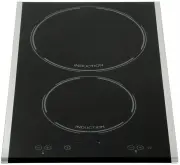
5 FEATURES AND TECHNICAL DATA 1 Electrical insulation Class I COOKING ZONES 1. Induction cooking zone Ø 140 mm - 1400 W 2. Induction cooking zone Ø 210 mm - 2200 W (3000 W with Booster function) TOUCH-CONTROL DESCRIPTION 3. ON/OFF key 4. Front zone (1) keys (increasing and decreasing power) 5. Rear ...
Page 6 - USE OF INDUCTION HOB; FL
6 USE OF INDUCTION HOB Notes: – Each selection (by pressing one of the keys) is indicated by an acoustic signal (beep). – User interface initial calibration: this feature is for the keyboard calibration, to adapt the sensibility of the keys to the final mechanical, environmental and user conditions....
Page 7 - THERMAL PROTECTION; OVERHEATING OF COOKING ZONE; OVERHEATING OF INDUCTION GENERATOR; Let the cooking zone cool down
7 THERMAL PROTECTION The induction cooktop is fitted with safety devices to protect the electronic system and each cooking zone from overheating. OVERHEATING OF COOKING ZONE – Cooking zone OFF: the cooking zone display shows “ H ” and “ C ” alternat- ing or just “ C ” blinking. – Cooking zone ON: th...
Page 8 - INDUCTION COOKING SYSTEM; COOKWARE FOR INDUCTION COOKING; Induction Cooking Zone
8 The ceramic cooktop is fitted with induction cooking zones. These zones, shown by painted disks on the ceramic surface, are controlled by a touch control system. INDUCTION COOKING SYSTEM When your induction hob is switched on and a cooking zone has been selected, the electronic circuits produce in...
Page 9 - Switching ON; ON; Switching OFF
9 HOW TO TURN THE TOUCH CONTROL ON AND OFF Switching ON Press the key and keep it pressed until the touch control is lighted. The displays of the cooking zones read “ 0 ”. Notes: – If the safety key-lock protection is active, the touch control can be turned ON only after having deactivated this prot...
Page 10 - POWER IGNITION AND ADJUSTMENT; AFTERHEAT IN COOKING ZONE/S
10 OR Cooking zone power level Front zone Watt power Rear zone Watt power 1 75 W 100 W 2 150 W 200 W 3 300 W 300 W 4 400 W 500 W 5 500 W 700 W 6 600 W 900 W 7 800 W 1100 W 8 1000 W 1600 W 9 1400 W 2200 W POWER IGNITION AND ADJUSTMENT OF A COOKING ZONE To turn ON a cooking zone the touch control must...
Page 11 - This function is available for the rear; INDUCTION HEATERS POWER
11 BOOSTER FUNCTION REAR COOKING ZONE ONLY This function allows the cooking zone to operate at the Booster maximum power (above the nominal power) for maximum 10 minutes; it could be used, for exam- ple, to rapidly heat up large amount of water. This function is available for the rear cooking zone o...
Page 16 - CLEANING AND MAINTENANCE; CLEANING THE CERAMIC HOB; Before you begin cleaning make sure that the hob is switched off.; nently pit the surface of the hob if left to burn on it.; SIDE STAINLESS STEEL TRIMS
16 CLEANING AND MAINTENANCE 3 CLEANING THE CERAMIC HOB Before you begin cleaning make sure that the hob is switched off. • Remove spillages and other types of incrustations.• Dust or food particles can be removed with a damp cloth.• If you use a detergent, please make sure that it is not abrasive or...
Page 18 - INSTALLATION; cause personal injury of damage.
18 INSTALLATION 4 Fig. 4.1 CAUTION: • This appliance shall only be serviced by authorized personnel.• This appliance is to be installed only by an authorised person according to the cur- rent local regulations and in observation of the manufacturer’s instructions. • Incorrect installation, for which...
Page 20 - FASTENING THE COOKTOP
20 FASTENING THE COOKTOP Each cooktop is supplied with a set of tabs and screws to fasten it on units with a work- ing surface from 3 to 4 cm deep. The kit includes 4 tabs A and 4 self-threading screws B (fig. 4.4). • Cut the unit.• Turn the hob upside down and rest the glass side on a cloth.• Sprea...
Page 21 - ure to comply with this rule.; ELECTRICAL CONNECTION; ELECTRICAL REQUIREMENTS
21 IMPORTANT: Installation must be carried out according to the manufacturer’s instructions. Incorrect installation may cause harm and damage to people, ani- mals or property, for which the manufacturer accepts no responsibility.Before carrying out any work on the electrical section of the appliance...
Page 22 - CONNECTING OF THE POWER SUPPLY CABLE; FEEDER CABLE SECTION “Type H05RR-F”; WARNING: If the power supply cable
22 CONNECTING OF THE POWER SUPPLY CABLE • Unhook the terminal board cover by inserting a screwdriver into the two hooks A (fig. 5.1). • Open the cable gland by unscrewing screw F (fig. 5.3), unscrew the terminal screws and remove the cable. • The new supply cable, of suitable type and section, is co...