Page 3 - DellTM PowerEdgeTM; Getting Started
Dell™ PowerEdge™ T300 Systems Getting Started With Your System
Page 5 - System Features
Getting Started With Your System 3 System Features This section describes the major hardware and software features of your system. It also provides information about other documents you may need when setting up your system and how to obtain technical assistance. Major hardware and software features ...
Page 7 - Supported Operating Systems
Getting Started With Your System 5 • System diagnostics for evaluating system components and devices. For information about using the system diagnostics, see “Running the System Diagnostics” in your Hardware Owner’s Manual . • Video drivers for displaying many popular application programs in high-re...
Page 8 - Other Information You May Need
6 Getting Started With Your System • Red Hat Enterprise Linux ES (version 5) (x86_64) • SUSE ® Linux Enterprise Server 9 (x86_64) NOTE: SUSE ® Linux Enterprise Server 9, prior to SP4, does not support SATA optical devices. Installation must be performed using other methods such as a USB CDROM. • SUS...
Page 9 - Obtaining Technical Assistance; Installation and Configuration; Unpacking the System
Getting Started With Your System 7 Obtaining Technical Assistance If you do not understand a procedure in this guide or if the system does not perform as expected, see your Hardware Owner’s Manual . Dell Enterprise Training and Certification is available; see www.dell.com/training for more informati...
Page 10 - Connecting the Keyboard, Mouse, and Monitor
8 Getting Started With Your System Connecting the Keyboard, Mouse, and Monitor Connect the keyboard, mouse, and monitor (optional). The connectors on the back of your system have icons indicating which cable to plug into each connector. Be sure to tighten the screws (if any) on the monitor's cable c...
Page 11 - Turning on the System; Complete the 0perating System Setup
Getting Started With Your System 9 Turning on the System Turn on the system and monitor (optional). Press the power button on the system and the monitor. The power indicators should light. Adjust the monitor’s controls until the displayed image is satisfactory. Complete the 0perating System Setup If...
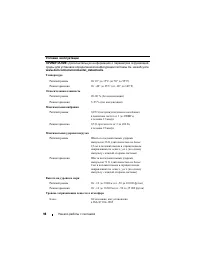
Page 12 - Technical Specifications
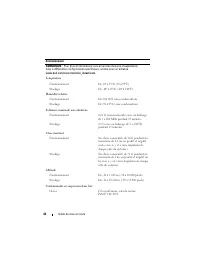
10 Getting Started With Your System Technical Specifications Processor Processor type One single-core Intel ® Celeron ® 445 processor or One dual-core Intel ® Core™2 Duo E6305/E6405 processor or One quad-core Intel ® Xeon ® X3323/X3353/X3363 processor Expansion Buses Bus type PCIe, PCI-X Expansion s...
Page 17 - Systémy DellTM; Začínáme
Page 18 - Poznámky, upozornění a varování
Poznámky, upozornění a varování POZNÁMKA: POZNÁMKA označuje důležitou informaci, s jejíž pomocí lépe využijete svůj počítač. UPOZORNĚNÍ: UPOZORNĚNÍ poukazuje na možnost poškození hardwaru nebo ztráty dat a poskytuje návod, jak se danému problému vyhnout. POZOR: VAROVÁNÍ označuje hrozící nebezpečí po...
Page 19 - Systémové funkce
Začínáme se systémem 17 Systémové funkce V této části jsou popsány hlavní hardwarové a softwarové funkce vašeho systému. Jsou v ní obsaženy i informace o doplňujících dokumentech, které můžete potřebovat při instalaci systému, a informace k odborné pomoci. Hlavní hardwarové a softwarové funkce systé...
Page 21 - Podporované operační systémy
Začínáme se systémem 19 • Diagnostika systému pro hodnocení součástí systému a zařízení. Informace o používání diagnostiky systému naleznete v části „Spuštění diagnostiky systému“ v Příručce majitele hardwaru . • Ovladače videa pro zobrazování mnoha populárních aplikací v režimu vysokého rozlišení. ...
Page 22 - Další užitečné informace
20 Začínáme se systémem • Red Hat Enterprise Linux ES (verze 5) (x86) • Red Hat Enterprise Linux ES (verze 5) (x86_64) • SUSE ® Linux Enterprise Server 9 (x86_64) POZNÁMKA: Systém SUSE ® Linux Enterprise Server 9 bez aktualizace SP4 nebo novější nepodporuje optická zařízení SATA. Instalaci je třeba ...
Page 23 - Odborná pomoc; Instalace a konfigurace; Rozbalení systému
Začínáme se systémem 21 Odborná pomoc Nerozumíte-li některému z postupů popsaných v této příručce nebo nepracuje-li počítač podle očekávání, nahlédněte do Příručky majitele hardwaru . Společnosti Dell rovněž nabízí školení a certifikaci (Dell Enterprise Training and Certification). Další informace n...
Page 24 - Připojení klávesnice, myši a monitoru
22 Začínáme se systémem Připojení klávesnice, myši a monitoru Připojte klávesnici, myš a monitor (volitelný). Konektory na zadní straně počítače mají ikony znázorňující, který kabel se má připojit ke kterému konektoru. Zajistěte, aby šrouby na konektoru kabelu monitoru byly dobře dotaženy (je-li jim...
Page 25 - Zapnutí systému; Dokončení instalace operačního systému
Začínáme se systémem 23 Poté zasuňte druhý konec kabelu do uzemněné elektrické zásuvky nebo jej připojte k samostatnému zdroji napájení, například ke zdroji nepřerušitelného napájení (UPS) nebo jednotce rozvaděče (PDU). Zapnutí systému Zapněte systém a monitor (volitelný). Stiskněte vypínač na systé...
Page 26 - Technické specifikace
24 Začínáme se systémem Technické specifikace Procesor Typ procesoru Jeden procesor Intel ® Celeron ® 445 nebo Jeden dvoujádrový procesor Intel ® Core™2 Duo E6305/E6405 nebo Jeden čtyřjádrový procesor Intel ® Xeon ® X3323/X3353/X3363 Rozšiřovací sběrnice Typ sběrnice PCIe, PCI-X Rozšiřovací sloty PC...
Page 31 - Systèmes DellTM; Guide de mise
Systèmes Dell™ PowerEdge™ T300 Guide de mise en route
Page 32 - Remarques, avis et précautions
Remarques, avis et précautions REMARQUE : Une REMARQUE indique des informations importantes qui peuvent vous aider à mieux utiliser votre ordinateur. AVIS : Un AVIS vous avertit d'un risque de dommage matériel ou de perte de données et vous indique comment éviter le problème. PRÉCAUTION : Une PRÉCAU...
Page 33 - Caractéristiques du système
Guide de mise en route 31 Caractéristiques du système Cette section décrit les principales caractéristiques matérielles et logicielles du système. Elle contient également des informations sur d'autres documents pouvant être utiles à la configuration du système et indique comment obtenir une assistan...
Page 36 - Systèmes d'exploitation pris en charge
34 Guide de mise en route Systèmes d'exploitation pris en charge Le système prend en charge les systèmes d'exploitation suivants : • Microsoft ® Windows Server ® 2003 R2, éditions Standard et Enterprise (32 bits, x86) • Microsoft Windows Server 2003 R2, éditions Standard et Enterprise 64 bits • Micr...
Page 37 - Autres informations utiles
Guide de mise en route 35 Autres informations utiles PRÉCAUTION : Le document Product Information Guide (Guide d'information sur le produit) contient d'importantes informations se rapportant à la sécurité et aux réglementations. Les informations sur la garantie se trouvent soit dans ce document, soi...
Page 38 - Obtention d'une assistance technique; Installation et configuration; Déballage du système
36 Guide de mise en route Obtention d'une assistance technique Si vous ne comprenez pas une procédure décrite dans ce guide ou si le système ne réagit pas comme prévu, reportez-vous au document Hardware Owner's Manual (Manuel du propriétaire). Des formations et certifications Dell Enterprise sont di...
Page 39 - Connexion du clavier, de la souris et du moniteur
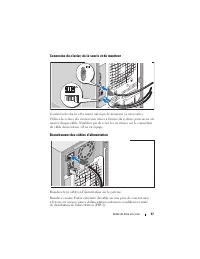
Guide de mise en route 37 Connexion du clavier, de la souris et du moniteur Connectez le clavier et la souris, ainsi que le moniteur (si nécessaire). Utilisez les icônes des connecteurs situés à l'arrière du système pour savoir où insérer chaque câble. N'oubliez pas de serrer les vis situées sur le ...
Page 40 - Mise sous tension du système
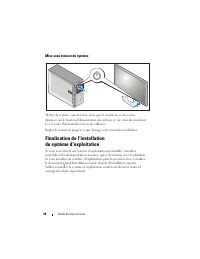
38 Guide de mise en route Mise sous tension du système Mettez le système sous tension, ainsi que le moniteur, si nécessaire. Appuyez sur le bouton d'alimentation du système et sur celui du moniteur. Les voyants d'alimentation doivent s'allumer. Réglez le moniteur jusqu'à ce que l'image soit correcte...
Page 41 - Spécifications techniques
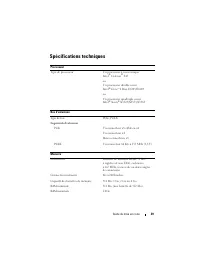
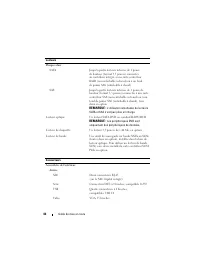
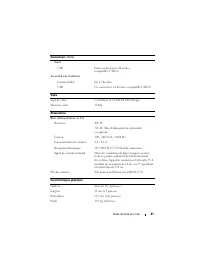
Guide de mise en route 39 Spécifications techniques Processeur Type de processeur Un processeur à coeur unique Intel ® Celeron ® 445 ou Un processeur double coeur Intel ® Core™2 Duo E6305/E6405 ou Un processeur quadruple coeur Intel ® Xeon ® X3323/X3353/X3363 Bus d'extension Type de bus PCIe, PCI-X ...
Page 45 - Erste Schritte
Dell™ PowerEdge™ T300 Systeme Erste Schritte mit dem System
Page 46 - Anmerkungen, Hinweise und Vorsichtshinweise
Anmerkungen, Hinweise und Vorsichtshinweise ANMERKUNG: Eine ANMERKUNG macht auf wichtige Informationen aufmerksam, die die Arbeit mit dem Computer erleichtern. HINWEIS: Ein HINWEIS warnt vor möglichen Beschädigungen der Hardware oder vor Datenverlust und zeigt auf, wie derartige Probleme vermieden w...
Page 47 - Systemmerkmale
Erste Schritte mit dem System 45 Systemmerkmale In diesem Kapitel sind die wesentlichen Hardware- und Softwaremerkmale des Systems beschrieben. Ferner erhalten Sie Informationen über weitere nützliche Dokumente, die zur Einrichtung des Systems benötigt werden. Hier erfahren Sie auch, wie Sie technis...
Page 50 - Unterstützte Betriebssysteme
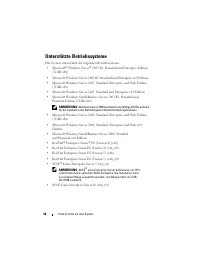
48 Erste Schritte mit dem System Unterstützte Betriebssysteme Das System unterstützt die folgenden Betriebssysteme: • Microsoft ® Windows Server ® 2003 R2, Standard und Enterprise Edition (32-Bit x86) • Microsoft Windows Server 2003 R2 Standard und Enterprise x64 Edition • Microsoft Windows Server 2...
Page 51 - Weitere nützliche Informationen
Erste Schritte mit dem System 49 Weitere nützliche Informationen VORSICHT: Das Produktinformationshandbuch enthält wichtige Informationen zu Sicherheits- und Betriebsbestimmungen. Garantiebestimmungen können als separates Dokument beigelegt sein. • Im Hardware-Benutzerhandbuch erhalten Sie Informati...
Page 52 - Technische Unterstützung; Installation und Konfiguration; Auspacken des Systems
50 Erste Schritte mit dem System Technische Unterstützung Falls Sie einen Vorgang in diesem Handbuch nicht nachvollziehen können oder das System sich nicht wie erwartet verhält, nehmen Sie das Hardware- Benutzerhandbuch zur Hand. Dell bietet Schulungen und Zertifizierungen für Unternehmen an. Weiter...
Page 53 - Anschließen von Tastatur, Maus und Bildschirm
Erste Schritte mit dem System 51 Anschließen von Tastatur, Maus und Bildschirm Schließen Sie die Tastatur, die Maus und den Bildschirm (optional) an. Die Anschlüsse auf der Rückseite des Systems sind mit Symbolen gekennzeichnet, mit denen sich die entsprechenden Kabel zuordnen lassen. Denken Sie dar...
Page 54 - Einschalten des Systems; Einrichten des Betriebssystems
52 Erste Schritte mit dem System Einschalten des Systems Schalten Sie das System und den Bildschirm (optional) ein. Drücken Sie den Netzschalter am System und am Bildschirm. Daraufhin sollten die Betriebsanzeigen aufleuchten. Stellen Sie den Monitor ein, bis die Anzeige zufriedenstellend ist. Einric...
Page 55 - Technische Daten
Erste Schritte mit dem System 53 Technische Daten Prozessor Prozessortyp Ein Single-Core Intel ® Celeron ® 445-Prozessor oder Ein Dual-Core Intel ® Core™2 Duo E6305/E6405-Prozessor oder Ein Quad-Core Intel ® Xeon ® X3323/X3353/X3363-Prozessor Erweiterungsbusse Bustyp PCIe, PCI-X Erweiterungssteckplä...
Page 59 - Τα πρώτα βήματα
Dell™ PowerEdge™ Συστήµατα T300 Τα πρώτα βήµατα µε το σύστηµά σας
Page 60 - Σημειώσεις, ειδοποιήσεις και προσοχές
Σηµειώσεις, ειδοποιήσεις και προσοχές ΣΗΜΕΙΩΣΗ: Η ένδειξη ΣΗΜΕΙΩΣΗ υποδεικνύει σηµαντικές πληροφορίες που σας βοηθούν να χρησιµοποιήσετε πιο σωστά τον υπολογιστή σας. ΕΙ∆ΟΠΟΙΗΣΗ: Η ένδειξη ΕΙ∆ΟΠΟΙΗΣΗ υποδεικνύει είτε πιθανή βλάβη του υλικού είτε απώλεια δεδοµένων και σας πληροφορεί πώς να αποφύγετε ...
Page 61 - Χαρακτηριστικά συστήματος
Τα πρώτα βήµατα µε το σύστηµά σας 59 Χαρακτηριστικά συστήµατος Η ενότητα αυτή περιγράφει τα κύρια χαρακτηριστικά λογισµικού και υλικού του συστήµατός σας. Παρέχει επίσης πληροφορίες σχετικά µε άλλα έγγραφα που ενδέχεται να χρειαστείτε για τη ρύθµιση του συστήµατός σας και σχετικά µε τον τρόπο λήψης ...
Page 66 - Λήψη τεχνικής βοήθειας; Εγκατάσταση και ρύθμιση παραμέτρων; Άνοιγμα της συσκευασίας του συστήματος
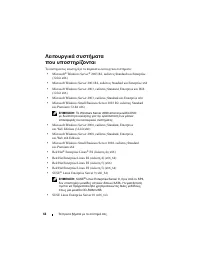
64 Τα πρώτα βήµατα µε το σύστηµά σας Λήψη τεχνικής βοήθειας Εάν δεν κατανοείτε µια διαδικασία του οδηγού αυτού ή αν το σύστηµα δεν λειτουργεί µε τον αναµενόµενο τρόπο, ανατρέξτε στο Εγχειρίδιο κατόχου υλικού . Είναι διαθέσιµη η Επιχειρηµατική εκπαίδευση και πιστοποίηση της Dell. Για περισσότερες πλη...
Page 67 - Σύνδεση πληκτρολογίου, ποντικιού και οθόνης
Τα πρώτα βήµατα µε το σύστηµά σας 65 Σύνδεση πληκτρολογίου, ποντικιού και οθόνης Συνδέστε το πληκτρολόγιο, το ποντίκι και την οθόνη (προαιρετικά). Οι συζευκτήρες στο πίσω µέρος του συστήµατος έχουν εικονίδια τα οποία υποδεικνύουν το καλώδιο που συνδέεται σε κάθε συζευκτήρα. Πρέπει να σφίξετε τις βίδ...
Page 68 - Ενεργοποίηση του συστήματος
66 Τα πρώτα βήµατα µε το σύστηµά σας Ενεργοποίηση του συστήµατος Ενεργοποιήστε το σύστηµα και την οθόνη (προαιρετικά). Πιέστε το κουµπί λειτουργίας στο σύστηµα και την οθόνη. Θα πρέπει να ανάψουν οι ενδείξεις λειτουργίας. Ρυθµίστε τα κουµπιά ελέγχου της οθόνης ώσπου η εικόνα που εµφανίζεται να σας ι...
Page 69 - Τεχνικές προδιαγραφές
Τα πρώτα βήµατα µε το σύστηµά σας 67 Τεχνικές προδιαγραφές Επεξεργαστής Τύπος επεξεργαστή Ένας επεξεργαστής µονού πυρήνα Intel ® Celeron ® 445 ήΈνας επεξεργαστής διπλού πυρήνα Intel ® Core™2 Duo E6305/E6405 ήΈνας επεξεργαστής τετραπλού πυρήνα Intel ® Xeon ® X3323/X3353/X3363 ∆ίαυλοι επέκτασης Τύπος ...
Page 73 - Rozpoczęcie pracy
Dell™ PowerEdge™ Systemy T300 Rozpoczęcie pracy z systemem
Page 74 - Uwagi, ostrzeżenia i przestrogi
Uwagi, ostrzeżenia i przestrogi UWAGA: UWAGA oznacza ważną informację, która pomoże lepiej wykorzystać komputer. OSTRZEŻENIE: OSTRZEŻENIE wskazuje na możliwość uszkodzenia sprzętu lub utraty danych i informuje o sposobie uniknięcia problemu. PRZESTROGA: PRZESTROGA wskazuje na możliwość zaistnienia s...
Page 75 - Funkcje systemu
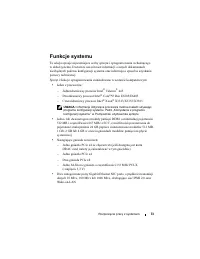
Rozpoczęcie pracy z systemem 73 Funkcje systemu Ta sekcja opisuje najważniejsze cechy sprzętu i oprogramowania wchodzącego w skład systemu. Dostarcza ona również informacji o innych dokumentach niezbędnych podczas konfiguracji systemu oraz informuje o sposobie uzyskania pomocy technicznej. Sprzęt i ...
Page 78 - Obsługiwane systemy operacyjne
76 Rozpoczęcie pracy z systemem Obsługiwane systemy operacyjne Na tym komputerze możliwe jest zainstalowanie następujących systemów operacyjnych: • Microsoft ® Windows Server ® 2003 R2, wersje Standard oraz Enterprise (32 bity x86) • Microsoft Windows Server 2003 R2, wersje Standard oraz Enterprise ...
Page 79 - Inne przydatne informacje
Rozpoczęcie pracy z systemem 77 Inne przydatne informacje PRZESTROGA: Przewodnik z informacjami o produkcie zawiera ważne wskazówki dotyczące bezpieczeństwa oraz przepisy prawne. Informacje dotyczące gwarancji mogą być zamieszczone w tym dokumencie lub dostarczone jako oddzielny dokument. • Podręczn...
Page 80 - Uzyskiwanie pomocy technicznej; Instalacja i konfiguracja; Rozpakowanie zestawu komputerowego
78 Rozpoczęcie pracy z systemem Uzyskiwanie pomocy technicznej Jeżeli nie rozumiesz procedur opisanych w tym podręczniku lub jeśli system nie działa zgodnie z oczekiwaniami, zapoznaj się z Podręcznikiem użytkownika sprzętu . Dostępne są również szkolenia i certyfikaty firmy Dell Enterprise – proszę ...
Page 81 - Podłączanie klawiatury, myszy i monitora
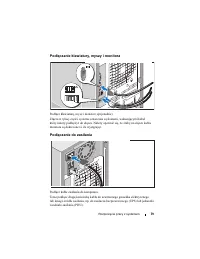
Rozpoczęcie pracy z systemem 79 Podłączanie klawiatury, myszy i monitora Podłącz klawiaturę, mysz i monitor (opcjonalnie). Złącza w tylnej części systemu oznaczone są ikonami, wskazującymi kabel który należy podłączyć do złącza. Należy upewnić się, że śruby na złączu kabla monitora są dokręcone (o i...
Page 82 - Włączanie komputera; Skonfiguruj system operacyjny
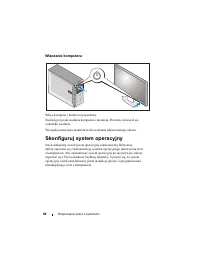
80 Rozpoczęcie pracy z systemem Włączanie komputera Włącz komputer i monitor (opcjonalnie). Naciśnij przyciski zasilania komputera i monitora. Powinny zaświecić się wskaźniki zasilania. Wyreguluj ustawienia monitora aż do uzyskania odpowiedniego obrazu. Skonfiguruj system operacyjny Jeżeli zakupiony...
Page 83 - Parametry techniczne
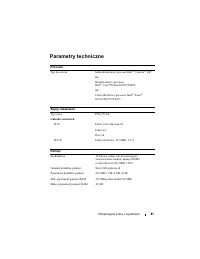
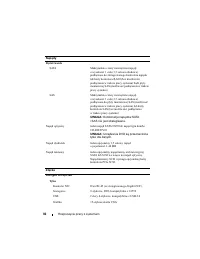
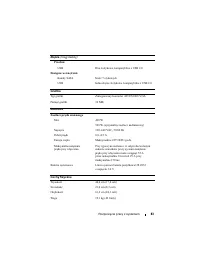
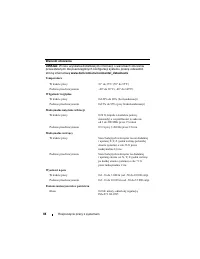
Rozpoczęcie pracy z systemem 81 Parametry techniczne Procesor Typ procesora Jednordzeniowey procesor Intel ® Celeron ® 445 lub Dwurdzeniowy procesor Intel ® Core™2 Duo E6305/E6405 lub Czterordzeniowy procesor Intel ® Xeon ® X3323/X3353/X3363 Szyny rozszerzeń Typ szyny PCIe, PCI-X Gniazda rozszerzeń ...
Page 87 - Системы DellTM; Начало работы
Системы Dell™ PowerEdge™ T300 Начало работы с системой
Page 89 - Компоненты системы
Начало работы с системой 87 Компоненты системы В этом разделе описываются основные компоненты аппаратного и программного обеспечения системы. Кроме того, в нем содержится информация о других документах, которые могут быть полезны при настройке системы, и о порядке получения технической поддержки. Ни...
Page 93 - Прочая полезная информация
Начало работы с системой 91 Прочая полезная информация ПРЕДУПРЕЖДЕНИЕ: В документе Product Information Guide (Информационное руководство по продуктам) приведена важная информация о безопасности, а также нормативная информация. Гарантийная информация может включаться в состав данного документа или в ...
Page 94 - Получение технической поддержки; Установка и конфигурирование; Распаковка системы
92 Начало работы с системой Получение технической поддержки В случае непонимания приведенной в настоящем руководстве процедуры или если система не работает должным образом, см. документ Hardware Owner’s Manual (Руководство пользователя оборудования). С программой обучения и сертификации корпорации D...
Page 95 - Подключение клавиатуры, мыши и монитора
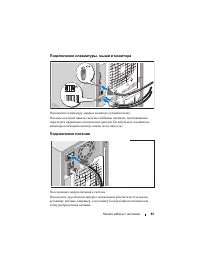
Начало работы с системой 93 Подключение клавиатуры, мыши и монитора Подключите клавиатуру, мышь и монитор (дополнительно). Разъемы на задней панели системы снабжены значками, позволяющими определить правильное подключение кабелей. На кабельном соединителе монитора необходимо затянуть винты (если они...
Page 96 - Включение системы
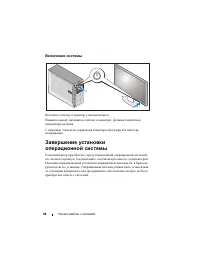
94 Начало работы с системой Включение системы Включите систему и монитор (дополнительно). Нажмите кнопку питания на системе и мониторе. Должны засветиться индикаторы питания. С помощью элементов управления монитора отрегулируйте качество изображения. Завершение установки операционной системы Если ко...
Page 97 - Спецификации
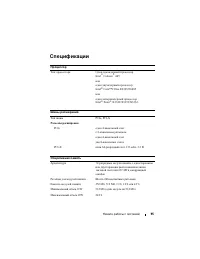
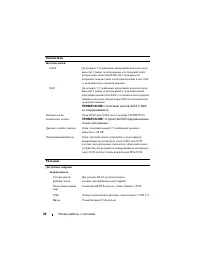
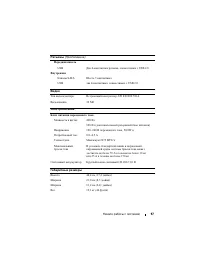
Начало работы с системой 95 Спецификации Процессор Тип процессора Один одноядерный процессор Intel ® Celeron ® 445 илиодин двухядерный процессор Intel ® Core™2 Duo E6305/E6405 илиодин четырехядерный процессор Intel ® Xeon ® X3323/X3353/X3363. Шины расширения Тип шины PCIe, PCI-X Разъемы расширения P...
Page 101 - Sistemas DellTM; Procedimientos iniciales
Sistemas Dell™ PowerEdge™ T300 Procedimientos iniciales con el sistema
Page 102 - Notas, avisos y precauciones
Notas, avisos y precauciones NOTA: Una NOTA proporciona información importante que le ayudará a utilizar mejor el ordenador. AVISO: un AVISO indica la posibilidad de daños en el hardware o la pérdida de datos, e informa de cómo evitar el problema. PRECAUCIÓN: Un mensaje de PRECAUCIÓN indica el riesg...
Page 103 - Componentes del sistema
Procedimientos iniciales con el sistema 101 Componentes del sistema En esta sección se describen los principales componentes de hardware y software del sistema. También se ofrece información acerca de otros documentos que puede necesitar para instalar el sistema y sobre cómo obtener asistencia técni...
Page 106 - Sistemas operativos admitidos
104 Procedimientos iniciales con el sistema Sistemas operativos admitidos El sistema admite los sistemas operativos siguientes: • Microsoft ® Windows Server ® 2003 R2, Standard Edition y Enterprise Edition (x86 de 32 bits) • Microsoft Windows Server 2003 R2, Standard Edition y Enterprise x64 Edition...
Page 107 - Otra información útil
Procedimientos iniciales con el sistema 105 Otra información útil PRECAUCIÓN: La Guía de información del producto contiene información importante sobre seguridad y normativas. La información sobre la garantía puede estar incluida en este documento o constar en un documento aparte. • En el Manual del...
Page 108 - Obtención de asistencia técnica; Instalación y configuración; Desembalaje del sistema
106 Procedimientos iniciales con el sistema Obtención de asistencia técnica Si no comprende algún procedimiento descrito en esta guía o si el sistema no funciona del modo esperado, consulte el Manual del propietario del hardware . Tiene a su disposición el servicio de formación y certificación Dell ...
Page 109 - Conexión del teclado, el ratón y el monitor
Procedimientos iniciales con el sistema 107 Conexión del teclado, el ratón y el monitor Conecte el teclado, el ratón y el monitor (opcional). Los conectores de la parte posterior del sistema cuentan con iconos que indican qué cable debe enchufarse en cada conector. Asegúrese de apretar los tornillos...
Page 110 - Encendido del sistema
108 Procedimientos iniciales con el sistema Encendido del sistema Encienda el sistema y el monitor (opcional). Presione el botón de encendido del sistema y del monitor. Los indicadores luminosos de alimentación deberían encenderse. Ajuste los controles del monitor hasta que la imagen mostrada sea sa...
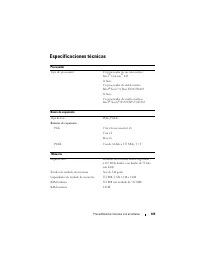
Page 111 - Especificaciones técnicas
Procedimientos iniciales con el sistema 109 Especificaciones técnicas Procesador Tipo de procesador Un procesador de un solo núcleo Intel ® Celeron ® 445 O bien: Un procesador de doble núcleo Intel ® Core™2 Duo E6305/E6405 O bien: Un procesador de cuatro núcleos Intel ® Xeon ® X3323/X3353/X3363 Buse...
Page 115 - הרעה
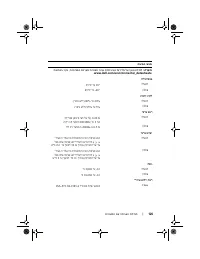
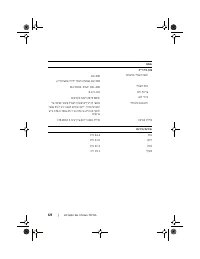
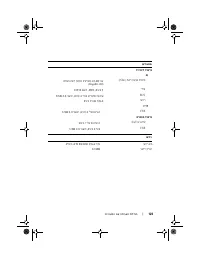
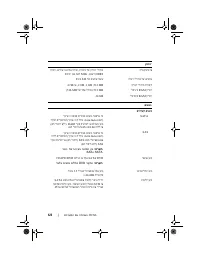
תליחת הדובעה םע תכרעמה | 126 יאנת הביבס הרעה : עדימל ףסונ לע תודידמ תויתביבס רובע תורוצת תכרעמ תויפיצפס , רקב תבותכב www.dell.com/environmental_datasheets . הרוטרפמט הלעפה 10° דע 35°C ןוסחא -40° דע 65°C תוחל תיסחי הלעפה 20% דע 80% ) אלל יוביע ( ןוסחא 5% דע 95% ) אלל יוביע ( טטר יברמ הלעפה 0.26 G ) ל...
Page 120 - רוביח
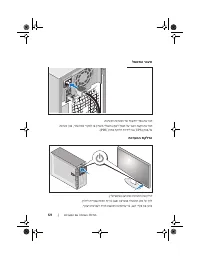
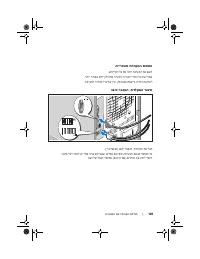
121 | תליחת הדובעה םע תכרעמה רוביח למשחה רבח תא ילבכ למשחה לש תכרעמה תכרעמל . רבח תא הצקה ינשה לש לבכה עקשל ילמשח קראומ וא רוקמל חתמ רחא , ןוגכ תכרעמ לא - קספ ) UPS ( וא תדיחיל לח תקו חתמ ) PDU .( תקלדה תכרעמה קלדה תא תכרעמה תאו גצה ) ילנויצפוא .( ץחל לע גתמ הלעפהה תכרעמב גצבו . תורונ חתמה תורומא קו...
Page 122 - הארתה
119 | תליחת הדובעה םע תכרעמה • דועית יבגל םיביכר םירחא תשכרש דרפנב קפסמ עדימ לע תעיבק הרוצתה הנקתההו לש םיביכר םיילנויצפוא הלא . • םיתעל רוצמ םיפ תכרעמל םינוכדע םיראתמה תא םייונישה ועצובש תכרעמב , תונכותב ו / וא דועיתב . הרעה : תבותכב םישדח םינוכדע םימייק םא דימת קודב support.dell.com , םינוכדעה תא ...
Page 123 - עדימ
תליחת הדובעה םע תכרעמה | 118 • Microsoft Windows Server 2008 , תורודהמ Standard , Enterprise , ו - Web ) 32 תויביס x 86 ( • Microsoft Windows Server 2008 , רודהמ תו Standard , Enterprise , ו - Web x64 • Microsoft Windows Small Business Server 2008 , תורודהמ Standard ו - Premium x64 • Red Hat ® Enter...
Page 124 - תוכרעמ
117 | תליחת הדובעה םע תכרעמה תונכותה תואבה תולולכ תכרעמב : • תינכות System Setup ) תרדגה תכרעמ ( הגצהל יונישו םיריהמ לש יטרפ תרוצת תכרעמה . עדימל ףסונ לע תינכות וז , האר " Using the System Setup Program " ) שומיש תינכותב System Setu p ( ךירדמב הרמוחה שמתשמל . • תונוכת החטבא תורפושמ , ללוכ תמ...
Page 128 - תליחת
תוכרעמ Dell™ PowerEdge™ T300 תליחת הדובעה םע תכרעמה





















 Dell PowerEdge SC430 User Manual
 Dell PowerEdge SC1430 User Manual
 Dell PowerEdge T105 User Manual
 Dell PowerEdge T110 User Manual
 Dell PowerEdge T320 Quick Guide
 Dell PowerEdge T420 Quick Guide
 Dell PowerEdge T430 User Manual
 Dell PowerEdge T605 User Manual