Cougar RGB - User Manual
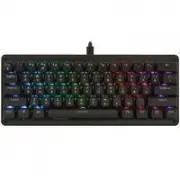
A user manual for the Cougar Puri Mini RGB gaming keyboard covers its advanced customization features, including programmable function keys, macro recording capabilities, and a variety of lighting effects like Rainbow or Breathing modes. The guide also highlights key operational aspects such as light control via dedicated key combinations and system requirements for compatibility. While it briefly touches on hardware specifications like mechanical switches and anti-ghosting, the document’s primary focus remains on user configuration and creative customization rather than technical installation or troubleshooting details.


Laser
Cross
Pulse
Firework
Ripple 2
1. Press FN and TAB key simultaneously to start recording.
The keyboard will flash with white light to show that it’s ready to record.
2. Type in the keys you want to record.
3. Press FN and TAB key simultaneously to stop the recording.
The keyboard will quickly flash with white light to show that it has stopped recording.
4. Press a key you want to save your macro.
HOW TO RECORD MACRO ?
Wave
Ripple 1
Static
Radar
Reactive
14 LIGHT EFFECTS
Raninbow
Color Cycle
Breathing
Twinkle
1 . 同 時 按 下 F n + T A B 鍵 , 鍵 盤 將 閃 爍 白 燈 , 代 表 已 開 啟 錄 製 模 式 。
2 . 依 序 點 擊 欲 錄 製 的 按 鍵 。
3 . 同 時 按 下 F n + T A B 鍵 , 鍵 盤 將 快 速 閃 爍 白 燈 , 即 停 止 錄 製 模 式 。
4 . 點 擊 欲 儲 存 巨 集 的 按 鍵 , 即 完 成 巨 集 設 定 。
1 . 同 时 按 下 F n + T A B 键 , 键 盘 将 闪 烁 白 灯 , 代 表 已 开 启 录 制 模 式 。
2 . 依 序 点 击 欲 录 制 的 按 键 。
3 . 同 时 按 下 F n + T A B 键 , 键 盘 将 快 速 闪 烁 白 灯 , 即 停 止 录 制 模 式 。
4 . 点 击 欲 储 存 巨 集 的 按 键 , 即 完 成 巨 集 设 定 。
如 何 錄 製 巨 集 ? / 如 何 录 制 巨 集 ?
1 4 組 背 光 模 式 / 1 4 组 背 光 模 式
w w w . c o u g a r g a m i n g . c o m
Default
預 設 / 预 设
FN + D / F / G / < / > / ?
Function Keys
Custom Profiles Keys
Media Control Keys
Custom Lighting Options Keys
Win-Lock Key
FN + WIN
FN + ESC / F1 / F2 / F3 / F4 / F5 / F6 / F7 / F8 / F9 / F10 / F11 / F12
FN + Q / W / E
FN + X / C / V / B / N / M
M
C
Macro Recording
Reset Key
FN + TAB
FN + ESC
重 置 鍵 / 重 置 键
功 能 鍵 / 功 能 键
長 按 E S C 鍵 2 秒 , 閃 爍 3 次 白 光 後 即 回 歸 出 廠 設 定 。
长 按 E S C 键 2 秒 , 闪 烁 3 次 白 光 后 即 回 归 出 厂 设 定 。
巨 集 錄 製 鍵 / 巨 集 录 制 键
設 定 檔 鍵 / 设 定 档 键
自 定 義 燈 光 選 項 鍵 / 自 定 义 灯 光 选 项 键
1 4 組 背 光 模 式 / 1 4 组 背 光 模 式
多 媒 體 鍵 / 多 媒 体 键
P r e s s a n d h o l d t h e F N a n d E S C k e y s f o r 2 s e c o n d s ,
t h e w h i t e l i g h t w i l l fl a s h 3 t i m e s .
燈 效 方 向 / 灯 效 方 向
Only for the specific effects
只 有 特 定 的 燈 效 模 式 可 以 切 換 方 向 。
只 有 特 定 的 灯 效 模 式 可 以 切 换 方 向 。
Direction
FN + C
C
燈 效 速 度 / 灯 效 速 度
4 speed options
4 階 速 度 , 循 環 切 換
4 阶 速 度 , 循 环 切 换
Speed
FN + X
X
燈 效 / 灯 效
1 4 l i g h t e f f e c t s
Effects
FN + B
B
Colors
+
FN
V
燈 光 顏 色
灯 光 颜 色
燈 效 方 向
灯 效 方 向
Direction
C
+
FN
Colors
+
FN
V
燈 光 顏 色
灯 光 颜 色
Colors
+
FN
V
燈 光 顏 色
灯 光 颜 色
Colors
+
FN
V
燈 光 顏 色
灯 光 颜 色
Colors
+
FN
V
燈 光 顏 色
灯 光 颜 色
燈 效 方 向
灯 效 方 向
Direction
C
+
FN
Colors
+
FN
V
燈 光 顏 色
灯 光 颜 色
燈 效 方 向
灯 效 方 向
Direction
C
+
FN
Colors
+
FN
V
燈 光 顏 色
灯 光 颜 色
燈 效 方 向
灯 效 方 向
Direction
C
+
FN
Colors
+
FN
V
燈 光 顏 色
灯 光 颜 色
Colors
+
FN
V
燈 光 顏 色
灯 光 颜 色
Colors
+
FN
V
燈 光 顏 色
灯 光 颜 色
Colors
+
FN
V
燈 光 顏 色
灯 光 颜 色
Colors
+
FN
V
燈 光 顏 色
灯 光 颜 色
Colors
+
FN
V
燈 光 顏 色
灯 光 颜 色
Colors
+
FN
V
燈 光 顏 色
灯 光 颜 色
燈 光 顏 色 / 灯 光 颜 色
彩 色 → 紅 → 橙 → 黃 → 綠 → 青 → 藍 → 紫 → 白
彩 色 → 红 → 橙 → 黄 → 绿 → 青 → 蓝 → 紫 → 白
Colors
FN + V
V
Rainbow
→
Red
→
Orange
→
Yellow
→
Green
→
Cyan
→
Blue
→
Purple
→
White
Brightness
FN + N / M
M
N
亮 度 / 亮 度
5 階 亮 度 可 調 整 / 5 阶 亮 度 可 调 整
5 b r i g h t n e s s o p t i o n s
The light will flash 2 times when it is up to 100% brightness.
切 換 到 1 0 0 % 亮 度 時 , 如 持 續 按 壓 燈 光 會 閃 爍 2 下 提 示 已 經 最 亮 。
切 换 到 1 0 0 % 亮 度 时 , 如 持 续 按 压 灯 光 会 闪 烁 2 下 提 示 已 经 最 亮 。
波 浪
雷 達 模 式
呼 吸
霓 虹
繁 星 模 式
恆 亮 / 恒 亮
漣 漪 / 涟 漪
跑 馬 燈 / 跑 马 灯
觸 發 / 触 发
雷 射 / 激 光
十 字
脈 衝 / 脉 冲
煙 火 / 烟 火
漣 漪 / 涟 漪
PURI MINI
RGB
C O M P A C T 6 0 % R G B M E C H A N I C A L G A M I N G K E Y B O A R D
Auto Mode
自 動 / 自 动
Auto Mode
自 動 / 自 动
Press FN key and specific keys with functional
icon to activate settings or effects.
FN 鍵搭配其他帶有功能圖示的按鍵能啟用快捷功能。
FN 键搭配其他带有功能图示的按键能启用快捷功能。
3 組 自 定 義 設 定 檔 , 可 儲 存 巨 集 及 燈 光 設 定 。
3 组 自 定 义 设 定 档 , 可 储 存 巨 集 及 灯 光 设 定 。
S w i t c h a n d s a v e 3 p r o fi l e s t h r o u g h p r o fi l e k e y s ,
i n c l u d i n g R G B e f f c e c t s a n d m a c r o s s e t t i n g s .
+
x1
FN
B
+
x4
FN
B
+
x5
FN
B
+
x6
FN
B
+
x7
FN
B
+
x8
FN
B
+
x9
FN
B
+
x10
FN
B
+
x11
FN
B
+
x12
FN
B
+
x13
FN
B
+
x2
FN
B
+
x3
FN
B
Manual Mode
手 動 / 手 动
TAB
MACRO
FN
+
"Loading the manual" means you need to wait until the file loads and becomes available for online reading. Some manuals are very large, and the time they take to appear depends on your internet speed.
Was this manual helpful?
About this manual
- Brand
- Cougar
- Model
- RGB
- Document type
- User Manual
- Category
- Keyboard
- Language(s)
- German, English, Spanish, French, Russian
- Pages
- 2
- File size
- 1 MB
- Format
Ask a question
Related manuals
More Cougar Keyboards models


Other Cougar appliances
 Cougar Airblader User Manual
 Cougar Armor User Manual
 Cougar Armor one User Manual
 Cougar Armor S User Manual
 Cougar Atlas User Manual
 Cougar BXM User Manual
 Cougar Dualblader User Manual
 Cougar GEX X2 User Manual
 Cougar Immersa Essential User Manual
 Cougar Phontum Essential User Manual
 Cougar STC User Manual
 Cougar STX User Manual
 Cougar STX650 User Manual
 Cougar STX750 User Manual
 Cougar VTE500 User Manual
 Cougar XTC User Manual