Page 2 - If you need to call Customer Service; Date of Purchase:
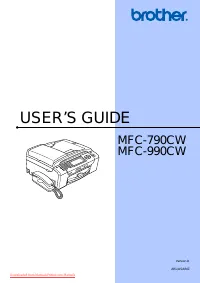
If you need to call Customer Service Please complete the following information for future reference: Model Number: MFC-790CW and MFC-990CW (Circle your model number) Serial Number: 1 Date of Purchase: Place of Purchase: 1 The serial number is on the back of the unit. Retain this User's Guide with yo...
Page 4 - Table of Contents; Section I; General Information; Loading paper and documents
ii Table of Contents Section I General 1 General Information 2 Using the documentation ....................................................................................... 2 Symbols and conventions used in the documentation .................................... 2 Accessing the Software User’s Guid...
Page 5 - Security features; Section II Fax; Sending a Fax
iii LCD screen.......................................................................................................... 29 LCD Contrast ................................................................................................. 29Setting the backlight brightness..................................
Page 6 - Telephone and External devices
iv Receive mode settings ........................................................................................ 46 Ring Delay ..................................................................................................... 46F/T Ring Time (Fax/Tel mode only) .....................................
Page 8 - Polling; Section III Copy; Making copies; Section IV Direct Photo Printing
vi 11 Polling 85 Polling overview ................................................................................................... 85Polling receive ..................................................................................................... 85 Setup to receive polling .....................
Page 9 - Printing photos from a camera
vii Print Images....................................................................................................... 103 View Photos................................................................................................. 103Print Index (Thumbnails) ..........................................
Page 10 - Section V Software; Software and Network features; Section VI Appendixes; Safety and Legal
viii Section V Software 16 Software and Network features 126 Section VI Appendixes A Safety and Legal 128 Choosing a location ........................................................................................... 128To use the machine safely ........................................................
Page 11 - Menu and Features
ix C Menu and Features 173 On-screen programming .................................................................................... 173 Menu table ................................................................................................... 173Memory storage.....................................
Page 13 - General
Section I General I General Information 2 Loading paper and documents 10 General setup 23 Security features 30 Downloaded from ManualsPrinter.com Manuals
Page 14 - Viewing Documentation
2 1 Using the documentation 1 Thank you for buying a Brother machine! Reading the documentation will help you make the most of your machine. Symbols and conventions used in the documentation 1 The following symbols and conventions are used throughout the documentation. Accessing the Software User’s ...
Page 15 - Note
General Information 3 1 c If the language screen appears, click your language. The CD-ROM Main Menu will appear. Note If this window does not appear, use Windows ® Explorer to run the start.exe program from the root directory of the Brother CD-ROM. d Click Documentation . e Click the documentation y...
Page 16 - How to find Scanning instructions
Chapter 1 4 Viewing Documentation (For Macintosh ® ) 1 a Turn on your Macintosh ® . Insert the Brother CD-ROM into your CD-ROM drive. The following window will appear. b Double-click the Documentation icon. c Double-click your language folder. d Double-click top.html to view the Software User's Guid...
Page 18 - Control panel overview
Chapter 1 6 Control panel overview 1 MFC-790CW 1 MFC-990CW 1 Note Most of the illustrations in this User’s Guide show the MFC-790CW. 1 Power Save Lets you put the machine into Power Save mode. 2 TAD keys: Digital TAD Turns the Telephone Answering Device (TAD) on or off. Will also flash if you have...
Page 20 - LCD screen indications
Chapter 1 8 4 Dial Pad Use these keys to dial telephone and fax numbers and as a keyboard for entering information into the machine. This function transfers to the touchscreen during some operations.The # key lets you temporarily switch the dialling mode during a telephone call from Pulse to Tone. (...
Page 21 - Basic Operations
General Information 9 1 9 New Fax(es) When Fax Preview is set to On , you can see how many new faxes you have received. 10 Voice messages in the machine’s memory Shows how many received voice messages are in the memory. 11 History Lets you view a list of outgoing calls and the caller ID history.Also...
Page 25 - How to load envelopes and postcards
Loading paper and documents 13 2 How to load envelopes and postcards 2 a Before loading, press the corners and sides of envelopes or postcards to make them as flat as possible. Note If envelopes or postcards are ‘double-feeding’, put one envelope or postcard in the paper tray at a time. b Put envelo...
Page 28 - Printable area
Chapter 2 16 Printable area 2 The printable area depends on the settings in the application you are using. The figures below show the unprintable areas on cut sheet paper and envelopes. The machine can print in the shaded areas of cut sheet paper when the Borderless print feature is available and tu...
Page 29 - Recommended print media; Brother paper
Loading paper and documents 17 2 Acceptable paper and other print media 2 The print quality can be affected by the type of paper you use in the machine. To get the best print quality for the settings you have chosen, always set the Paper Type to match the type of paper you load. You can use plain pa...
Page 31 - Choosing the right print media; Paper type and size for each operation
Loading paper and documents 19 2 Choosing the right print media 2 Paper type and size for each operation 2 Paper Type Paper Size Usage Fax Copy Photo Capture Printer Cut Sheet Letter 215.9 × 279.4 mm (8 1/2 × 11 in.) Yes Yes Yes Yes A4 210 × 297 mm (8.3 × 11.7 in.) Yes Yes Yes Yes Legal 215.9 × 355....
Page 32 - Paper weight, thickness and capacity
Chapter 2 20 Paper weight, thickness and capacity 2 1 Up to 100 sheets of 80 gsm paper. 2 For Photo 10 × 15 cm paper and Photo L paper, use the photo paper tray. (See Loading photo paper on page 14.) 3 BP71 (260 gsm) paper is especially designed for Brother inkjet machines. Paper Type Weight Thickne...
Page 33 - Loading documents; Using the ADF; Recommended environment; Using the scanner glass; Document Sizes Supported
Loading paper and documents 21 2 Loading documents 2 You can send a fax, make copies, and scan from the ADF (automatic document feeder) and from the scanner glass. Using the ADF 2 The ADF can hold up to 15 pages and feeds each sheet individually. Use standard 80 gsm paper and always fan the pages be...
Page 34 - How to load documents; Scannable area
Chapter 2 22 How to load documents 2 Note To use the scanner glass, the ADF must be empty. a Lift the document cover. b Using the document guidelines on the left and top, put the document face down in the upper left corner of the scanner glass. c Close the document cover. CAUTION If you are scanning...
Page 35 - Power Save mode; Power Save setting; General setup
23 3 3 Power Save mode 3 You can put the machine into Power Save mode by pressing the Power Save key. You can still receive telephone calls in Power Save mode (MFC-790CW only). For further information on receiving faxes in the Power Save condition, please see the table on page 24. The delayed faxes ...
Page 37 - Mode Timer; Paper settings
General setup 25 3 Mode Timer 3 The machine has four temporary mode keys on the control panel: Fax , Scan , Copy and Photo Capture . You can change the amount of time the machine takes after the last Scan, Copy or PhotoCapture operation before it returns to Fax mode. If you choose Off , the machine ...
Page 38 - Paper Size; Volume Settings
Chapter 3 26 Paper Size 3 You can use five sizes of paper for copying: Letter, Legal, A4, A5 and 10 × 15 cm (4 × 6 in.) and three sizes for printing faxes: Letter, Legal and A4. When you change the size of paper you load in the machine, you will need to change the paper size setting at the same time...
Page 39 - Beeper Volume
General setup 27 3 Beeper Volume 3 When the beeper is on, the machine will beep when you press a key, make a mistake or after you send or receive a fax. You can choose a range of volume levels, from High to Off . a Press MENU . b Press a or b to display General Setup . c Press General Setup . d Pres...
Page 40 - Sleep Mode
Chapter 3 28 Setting Daylight Savings Time 3 You can set the machine to change for daylight savings time. It will reset itself forward one hour in the Spring and backward one hour in the Autumn. Make sure you have set the correct date and time in the Date&Time setting. a Press MENU . b Press a o...
Page 41 - LCD screen; LCD Contrast
General setup 29 3 LCD screen 3 LCD Contrast 3 You can adjust the LCD contrast for a sharper and more vivid display. If you are having difficulty reading the LCD, try changing the contrast setting. a Press MENU . b Press a or b to display General Setup . c Press General Setup . d Press a or b to dis...
Page 42 - Memory Security
30 4 Memory Security 4 Memory Security lets you prevent unauthorized access to the machine. You will not be able to continue to schedule Delayed Faxes or Polling jobs. However, any pre-scheduled Delayed Faxes will be sent even if you turn on Memory Security, so they will not be lost. While Memory Se...
Page 43 - Turning on the memory security lock
Security features 31 4 Changing your memory security password 4 a Press MENU . b Press a or b to display Fax . c Press Fax . d Press a or b to display Miscellaneous . e Press Miscellaneous . f Press Mem Security . g Press Set Password . h Enter the registered 4-digit number for the current password ...
Page 45 - Section II
Section II Fax I I Sending a Fax 34 Receiving a Fax 43 Telephone and External devices 58 Dialling and storing numbers 70 Digital TAD 78 Printing Reports 83 Polling 85 Downloaded from ManualsPrinter.com Manuals
Page 46 - Entering Fax mode; Faxing from the ADF
34 5 Entering Fax mode 5 When you want to send a fax, or change fax send or receive settings, press the ( Fax ) key to illuminate it in blue. The LCD shows: Press d or c to scroll through the Fax key options. Some functions are only available when sending monochrome faxes. Fax Resolution (See page...
Page 47 - Faxing from the scanner glass; Colour fax transmission
Sending a Fax 35 5 Faxing from the scanner glass 5 You can use the scanner glass to fax pages of a book one at a time. The documents can be up to Letter or A4 size. You cannot send colour faxes with multiple pages. Note Since you can only scan one page at a time, it is easier to use the ADF if you a...
Page 48 - Cancelling a fax in progress
Chapter 5 36 How to preview an outgoing fax 5 You can preview a fax message before you send it. You must set the Real Time Transmission and Polling RX to off before you use this feature. (See Real time transmission on page 39 and Polling receive on page 85.) a Press ( Fax ). b Press d or c to displa...
Page 50 - Contrast
Chapter 5 38 Additional sending operations 5 Sending faxes using multiple settings 5 When you send a fax you can choose any combination of these settings: resolution, contrast, scan size, overseas mode, delayed fax timer, polling transmission and real time transmission. a Press ( Fax ). The LCD show...
Page 51 - Changing fax resolution; Real time transmission
Sending a Fax 39 5 Changing fax resolution 5 The quality of a fax can be improved by changing the fax resolution. a Press ( Fax ). b Press d or c to display Fax Resolution . c Press Fax Resolution . d Press the resolution you want. Note You can choose four different resolution settings for monochrom...
Page 52 - Overseas Mode
Chapter 5 40 Overseas Mode 5 If you are having difficulty sending a fax overseas due to possible interference on the telephone line, we recommend that you turn on the Overseas mode. After you send a fax using this feature, the feature will turn itself off. a Press ( Fax ). b Load your document. c Pr...
Page 53 - Sending a fax manually
Sending a Fax 41 5 Setting your changes as a new default 5 You can save the fax settings for Fax Resolution , Contrast , Glass ScanSize , Preview and Real Time TX you use most often by setting them as default. These settings will stay until you change them again. a Press ( Fax ). b Press d or c to c...
Page 54 - Out of Memory message
Chapter 5 42 Out of Memory message 5 If you get an Out of Memory message while scanning the first page of a fax, press Stop/Exit to cancel the fax. If you get an Out of Memory message while scanning a subsequent page, you will have the option to press Mono Start to send the pages scanned so far, or ...
Page 55 - Receiving a Fax
43 6 6 Receive modes 6 You must choose a receive mode depending on the external devices and telephone services you have on your line. Choose the Receive Mode 6 By default, your machine will automatically receive any faxes that are sent to it. The diagram below will help you choose the correct mode. ...
Page 57 - Using receive modes; Fax only
Receiving a Fax 45 6 Using receive modes 6 Some receive modes answer automatically ( Fax Only and Fax/Tel ). You may want to change the ring delay before using these modes. (See Ring Delay on page 46.) Fax only 6 Fax only mode will automatically answer every call as a fax call. Fax/Tel 6 Fax/Tel mod...
Page 58 - Receive mode settings
Chapter 6 46 Receive mode settings 6 Ring Delay 6 If toll saver is On , then the ring delay setting has no effect. See Setting toll saver on pages 81. a Press MENU . b Press a or b to display Fax . c Press Fax . d Press a or b to display Setup Receive . e Press Setup Receive . f Press a or b to disp...
Page 59 - Fax Detect; If Fax Detect is
Receiving a Fax 47 6 Fax Detect 6 If Fax Detect is On : 6 Fax Detect is turned On as default. The machine receives a fax call automatically, even if you answer the call. When you see Receiving on the LCD or when you hear “chirps” through the handset you are using, just replace the handset. Your mach...
Page 60 - Fax Forwarding; Fax Storage
Chapter 6 48 Memory Receive (Monochrome only) 6 You can only use one Memory Receive operation at a time: Fax Forwarding Fax Storage PC Fax Receive Off You can change your selection at any time. If received faxes are still in the machine’s memory when you change the Memory Receive operation, ...
Page 61 - PC Fax Receive; Changing the destination PC
Receiving a Fax 49 6 PC Fax Receive 6 If you turn on the PC-Fax Receive feature your machine will store received faxes in memory and send them to your PC automatically. You can then use your PC to view and store these faxes.Even if you have turned off your PC (at night or on the weekend, for example...
Page 63 - How to preview a received fax; Setting Fax Preview
Receiving a Fax 51 6 Fax Preview (Monochrome only) 6 How to preview a received fax 6 You can view received faxes on the LCD by pressing the Fax Preview button on the LCD. When the machine is in Ready mode, a popup message will appear on the LCD to alert you of new faxes. Setting Fax Preview 6 a Pres...
Page 64 - How to print a fax
Chapter 6 52 When the fax is displayed on the LCD, press More and the following buttons will appear on the LCD. Press the button you want to use to perform the operation. d Press Stop/Exit . How to print a fax 6 a Press Fax Preview . b Press the fax you want to view. c Press More . d Press (Print). ...
Page 65 - Turning off Fax Preview
Receiving a Fax 53 6 Turning off Fax Preview 6 a Press Fax Preview . b Press More . c Press Turn Off Fax Preview . d Press Yes to confirm. e If there are faxes stored in the memory, do one of the following: If you do not want to print the stored faxes, press Continue . The machine asks you to conf...
Page 66 - Out of Paper Reception; Remote Retrieval
Chapter 6 54 Out of Paper Reception 6 As soon as the paper tray becomes empty during fax reception, the LCD shows No Paper Fed and begins receiving faxes into the machine’s memory. Put some paper in the paper tray. (See Loading paper and other print media on page 10.) When a fax is in the memory, th...
Page 68 - Remote Fax commands
Chapter 6 56 Remote Fax commands 6 Follow the commands below to access features when you are away from the machine. When you call the machine and enter your remote access code (3 digits followed by l ), the system will give two short beeps and you must enter a remote command. Remote commands Operati...
Page 69 - Retrieving fax messages
Receiving a Fax 57 6 Retrieving fax messages 6 You can call your machine from any touch tone telephone and have your fax messages sent to a machine. Before you use this feature, you have to turn on Fax Storage. a Dial your fax number. b When your machine answers, enter your remote access code (3 dig...
Page 70 - Voice operations; Making a telephone call; Hold
58 7 Voice operations 7 Voice calls can be made either with the handset, the cordless handset (MFC-990CW), the speaker phone, an extension or external telephone, by dialling manually, or by using Quick Dial numbers. Note If you have a MFC-990CW, please also refer to the DECT™ Handset BCL-D70 User’s ...
Page 72 - FaxStream
Chapter 7 60 Telephone Service for Australia 7 Telstra ® FaxStream ® Duet ® (Distinctive Ring) 7 Telstra ® FaxStream ® Duet ® is an enhanced Public Switched Telephone Service (PSTS) offered by Telstra ® that allows you to have an additional number on one phone line, with its own distinctive ring pat...
Page 73 - How does Telstra
Telephone and External devices 61 7 How does Telstra ® FaxStream ® Duet ® Work? 7 Incoming calls to the voice number, will have the standard ring pattern of long, long tone, followed by a pause, repeated, while the new fax number will have a different ring pattern of three short bursts of ring, repe...
Page 74 - Caller ID; How Does the Caller ID Work?
Chapter 7 62 Caller ID 7 Caller ID is a telephone service that allows the subscriber to see a display of the caller’s phone number or name as the telephone rings. It is a fast way to screen your calls. You can respond quickly to calls you missed, because Caller IDs are received and stored in your ma...
Page 75 - FaxAbility; How Does FaxAbility Work?
Telephone and External devices 63 7 Telephone Service for New Zealand 7 FaxAbility 7 FaxAbility is a service offered by Telecom that allows you to have an additional number on one phone line, with its own distinctive ring pattern. This way, when you get an incoming call, you can identify the number ...
Page 76 - How to Turn FaxAbility OFF or ON
Chapter 7 64 How to Turn FaxAbility OFF or ON 7 The FaxAbility function is designed to accommodate the FaxAbility service provided by Telecom. To change the setting, repeat steps a - k ; Step h is where you can choose either On or Off . Call Waiting beeps caused by incoming calls on your main number...
Page 79 - Connections
Telephone and External devices 67 7 Improper Setup DO NOT connect a TAD elsewhere on the same telephone line. Connections 7 The external TAD must be connected as shown in the previous illustration. a Set your external TAD to one or two rings. (The machine's Ring Delay setting does not apply.) b Reco...
Page 80 - Using extension telephones; Using remote codes; Remote Activation code; Remote Deactivation code
Chapter 7 68 External and extension telephones 7 Connecting an external or extension telephone 7 You can connect a separate telephone to your machine as shown in the diagram below. 1 Extension telephone 2 External telephone When you are using an external or extension telephone, the LCD shows Ext. Te...
Page 81 - Changing the remote codes
Telephone and External devices 69 7 Changing the remote codes 7 If you want to use Remote Activation, you have to turn on the remote codes. The preset Remote Activation Code is l 5 1 ( l 9 1 for New Zealand). The preset Remote Deactivation Code is # 5 1 ( # 9 1 for New Zealand). If you want to, you ...
Page 82 - How to Dial; Manual dialling; Fax Redial; Dialling and storing numbers
70 8 How to Dial 8 Manual dialling 8 Press all of the digits of the fax or telephone number using the dial pad. Speed Dialling 8 a Press Speed Dial . b Press the number you want to call. You can also choose the number by alphabetical order by pressing on LCD. Note If the LCD shows Not Registered whe...
Page 83 - Outgoing Call history; Caller ID history
Dialling and storing numbers 71 8 Outgoing Call history 8 The last 30 numbers you called or sent a fax to will be stored in the outgoing call history. You can choose one of these numbers to telephone, to fax to, add to Speed Dial or delete from the history. a Press Redial or Redial/Pause . You can a...
Page 84 - Storing numbers; Storing a pause; Storing Speed Dial numbers
Chapter 8 72 Storing numbers 8 You can set up your machine to do the following types of easy dialling: Speed Dial and Groups for broadcasting faxes. When you dial a Quick Dial number, the LCD shows the name, if you stored it, or the number. Note If you lose electrical power, the Quick Dial numbers t...
Page 87 - Changing a Group name
Dialling and storing numbers 75 8 Setting up groups for broadcasting 8 Groups, which can be stored in Speed Dial location, allow you to send the same fax message to many fax numbers by pressing only a Speed Dial , the 2-digit location, Send a fax and Mono Start . First, you'll need to store each fax...
Page 88 - Deleting a Group
Chapter 8 76 Deleting a Group 8 a Press Speed Dial . b Press More . c Press Delete . d Press a or b to display the Group you want to delete. e Press the Group Name. f Press OK . g Press Stop/Exit . Deleting a number from a Group 8 a Press Speed Dial . b Press More . c Press Change . d Press a or b t...
Page 90 - Setting up the TAD; Recording your OGM; Digital TAD
78 9 TAD-Mode for internal TAD 9 The TAD feature will store up to 99 incoming messages. Messages are stored in the order in which they are received. Voice messages can be up to 3 minutes in length, and can also be picked up remotely (see Using your Remote Access Code on page 55). The number of messa...
Page 91 - Listening to your OGM; Activating TAD mode
Digital TAD 79 9 Listening to your OGM 9 a Press MENU . b Press a or b to display Fax . c Press Fax . d Press a or b to display Setup TAD . e Press Setup TAD . f Press OGM . g Press TAD Message or F/T Message . h Press Playing OGM . Adjust the volume by pressing d or c . i Press Stop/Exit . Erasing ...
Page 92 - Message indicator; Erasing incoming messages; To erase voice messages individually; To erase all of your messages
Chapter 9 80 Managing your messages 9 Message indicator 9 The light flashes if there are any new messages waiting for you. The LCD displays the total number of voice and fax messages stored in the TAD memory. Fax messages are only stored when Fax Storage or Fax Preview is turned on. See Memory Recei...
Page 95 - Fax reports; Printing Reports
83 10 10 Fax reports 10 You need to set up the Transmission Verification Report and Journal Period using the MENU button. Transmission Verification Report 10 You can use the Transmission Verification Report as proof that you sent a fax. This report lists the time and date of transmission and whether...
Page 96 - How to print a report
Chapter 10 84 Fax Journal (activity report) 10 You can set the machine to print a journal at specific intervals (every 50 faxes, 6, 12 or 24 hours, 2 or 7 days). If you set the interval to Off , you can still print the report by following the steps on How to print a report on page 84. The factory se...
Page 97 - Setup to receive polling
85 11 11 Polling overview 11 Polling lets you set up your machine so other people can receive faxes from you, but they pay for the call. It also lets you call somebody else’s fax machine and receive a fax from it, so you pay for the call. The polling feature needs to be set up on both machines for t...
Page 99 - Setup for polled transmit
Polling 87 11 Polled transmit (Monochrome only) 11 Polled transmit lets you set up your machine to wait with a document so another fax machine can call and retrieve it. The document will be stored and can be retrieved by any other fax machine until you delete it from the memory. (See Checking and ca...
Page 101 - Section III; Copy
Section III Copy I I I Making copies 90 Downloaded from ManualsPrinter.com Manuals
Page 102 - How to copy; Entering Copy mode; Making a single copy; Making multiple copies; Stop copying
90 12 How to copy 12 Entering Copy mode 12 When you want to make a copy, press ( Copy ) to illuminate it in blue. The LCD shows: 1 No. of Copies Press the number box directly and enter the number you want. Also you can enter the number of copies by pressing or on the screen (as shown above). Press d...
Page 103 - Copy settings
Making copies 91 12 Copy settings 12 You can change the copy settings temporarily for the next multiple copies. The machine returns to its default settings after 1 minute, or if the Mode Timer returns the machine to Fax mode. (See Mode Timer on page 25.) If you have finished choosing settings, press...
Page 106 - Sorting copies using the ADF; Paper Options
Chapter 12 94 Sorting copies using the ADF 12 You can sort multiple copies. Pages will be stacked in the order 321, 321, 321, and so on. a Press ( Copy ). b Load your document. c Enter the number of copies you want. d Press d or c to display Stack/Sort . e Press Stack/Sort . f Press Sort . g If you ...
Page 107 - Book Copy; Watermark Copy
Making copies 95 12 Paper Size 12 If copying on paper other than A4 size, you will need to change the paper size setting. You can copy only on Letter, Legal, A4, A5 or Photo 10 cm × 15 cm paper. a Press ( Copy ). b Load your document. c Enter the number of copies you want. d Press d or c to display ...
Page 109 - Retrieving your favourite setting; Rename your favourite setting
Making copies 97 12 Retrieving your favourite setting 12 When you are ready to use one of your favourite set of settings, you can recall it. a Press ( Copy ). b Press Favorite . c Press the favourite setting you want to retrieve. Rename your favourite setting 12 After you stored your favorite settin...
Page 111 - Section IV; Direct Photo Printing
Section IV Direct Photo Printing I V Printing photos from a memory card or USB Flash memory drive 100 Printing photos from a camera 116 Wireless photo printing (MFC-990CW only) 120 Downloaded from ManualsPrinter.com Manuals
Page 114 - Getting started; Entering PhotoCapture mode
Chapter 13 102 Getting started 13 Firmly put a memory card or USB Flash memory drive into the correct slot. 1 USB Flash memory drive 2 CompactFlash ® 3 SD, SDHC 4 Memory Stick ® , Memory Stick Pro™ 5 xD-Picture Card™ CAUTION The USB direct interface supports only a USB Flash memory drive, a PictBrid...
Page 115 - Print Images
Printing photos from a memory card or USB Flash memory drive 103 13 Print Images 13 View Photos 13 You can preview your photos on the LCD before you print them. If your photos are large files there may be a delay before each photo is displayed on the LCD. a Make sure you have put a memory card or US...
Page 116 - Printing Photos
Chapter 13 104 c Press Index Sheet and choose 6 Images/Line or 5 Images/Line . Print time for 5 Images/Line will be slower than 6 Images/Line , but the quality is better. d Do one of the following: Press Print Setting to change the paper type or the paper size you are using. If you do not want t...
Page 117 - Enhance Photos
Printing photos from a memory card or USB Flash memory drive 105 13 Enhance Photos 13 You can edit and add effects to your photos and view them on the LCD before printing. Note The Enhance Photos feature is supported by technology from Reallusion, Inc. a Make sure you have put a memory card or USB F...
Page 119 - PhotoCapture CenterTM print settings
Printing photos from a memory card or USB Flash memory drive 107 13 PhotoCapture Center™ print settings 13 You can change the print settings temporarily for the next print. The machine returns to its default settings after 3 minutes, or if the Mode Timer returns the machine to Fax mode. (See Mode Ti...
Page 120 - Print Speed and Quality; Paper options
Chapter 13 108 Print Speed and Quality 13 a Press Print Setting . b Press a or b to display Print Quality . c Press Print Quality . d Press Normal or Photo . e If you do not want to change additional settings, press . Press Colour Start to print. Paper options 13 Paper Type 13 a Press Print Setting ...
Page 121 - Paper and print size; Brightness
Printing photos from a memory card or USB Flash memory drive 109 13 Paper and print size 13 a Press Print Setting . b Press a or b to display Paper Size . c Press Paper Size . d Press the paper size you are using, 10x15cm , 13x18cm , A4 or Letter . Do one of the following: If you chose Letter or A...
Page 122 - Colour Enhancement
Chapter 13 110 Colour Enhancement 13 You can turn on the colour enhancement feature to print more vivid images. Printing time will be slower. a Press Print Setting . b Press a or b to display Color Enhance . c Press Color Enhance . d Do one of the following: If you want to customize the White Bala...
Page 123 - Cropping; Borderless printing; Date Print
Printing photos from a memory card or USB Flash memory drive 111 13 Cropping 13 If your photo is too long or wide to fit the available space on your chosen layout, part of the image will automatically be cropped. The factory setting is On . If you want to print the whole image, turn this setting to ...
Page 124 - Entering Scan mode
Chapter 13 112 Setting your changes as a new default 13 You can save the print settings you use most often by setting them as the default settings. These settings will stay until you change them again. a Press your new setting.Repeat this step for each setting you want to change. b After changing th...
Page 126 - How to change the file name; How to set a new default
Chapter 13 114 How to change the file name 13 You can change the file name. a Press ( Scan ). b Press Scan to Media . c Press d or c to display File Name . d Press File Name . Press to delete characters. Then enter the new file name (up to 6 characters). (See Entering Text on page 195.) e Press OK ....
Page 128 - PictBridge requirements
116 14 Printing photos directly from a PictBridge camera 14 Your Brother machine supports the PictBridge standard, allowing you to connect to and print photos directly from any PictBridge compatible digital camera. If your camera is using the USB Mass Storage standard, you can also print photos from...
Page 129 - Printing Images
Printing photos from a camera 117 14 Printing Images 14 Note Remove any memory cards or USB Flash memory drive from the machine before connecting a digital camera. a Make sure that your camera is turned off. Connect your camera to the USB direct interface (1) on the machine using a USB cable. 1 USB ...
Page 132 - wireless
120 15 Printing photos with Bluetooth ® wireless technology 15 Your Brother machine supports Bluetooth ® wireless technology for printing photos. Bluetooth ® wireless technology enables short range wireless communication between your machine and Bluetooth ® wireless technology enabled devices for pr...
Page 133 - Set up your machine; Enable your Bluetooth; Pass key; Communication Mode
Wireless photo printing (MFC-990CW only) 121 15 Set up your machine 15 Enable your Bluetooth ® wireless technology 15 You can set Bluetooth ® wireless technology to On or Off. a Press MENU . b Press a or b to display Bluetooth . c Press Bluetooth . d Press a or b to display Turn On/Off . e Press Tur...
Page 134 - Print settings; Print Quality
Chapter 15 122 Device Address 15 The device address is the ID number which identifies your machine, and it cannot be edited. Device Name 15 You can name your machine to distinguish from other Bluetooth ® wireless technology enabled devices. a Press MENU . b Press a or b to display Bluetooth . c Pres...
Page 137 - Section V; Software
Section V Software V Software and Network features 126 Downloaded from ManualsPrinter.com Manuals
Page 139 - Section VI; Appendixes
Section VI Appendixes V I Safety and Legal 128 Troubleshooting and Routine Maintenance 142 Menu and Features 173 Specifications 196 Glossary 214 Downloaded from ManualsPrinter.com Manuals
Page 140 - Choosing a location
128 A Choosing a location A Put your machine on a flat, stable surface that is free of vibration and shocks, such as a desk. Put the machine near a telephone socket and a standard grounded electrical socket. Choose a location where the temperature remains between 10 ° C and 35 ° C. WARNING DO NOT pu...
Page 141 - To use the machine safely
Safety and Legal 129 A To use the machine safely A Please keep these instructions for later reference and read them before attempting any maintenance. WARNING There are high voltage electrodes inside the machine. Before you clean the inside of the machine, make sure you have unplugged the telephone ...
Page 145 - IMPORTANT-For Your Safety; Disconnect device; LAN connection; Radio interference
Safety and Legal 133 A IMPORTANT-For Your Safety A To ensure safe operation the two-pin plug or the three-pin plug supplied must be inserted only into a standard two-pin power point or three-pin power point which is effectively grounded through the normal household wiring. Extension cords used with ...
Page 146 - Important Information for Australia; Important safety instructions
134 Important Information for Australia A Important safety instructions A 1 Read all of these instructions. 2 Save them for later reference. 3 Follow all warnings and instructions marked on the product. 4 Unplug this product from the wall socket before cleaning the outside of the machine and the sca...
Page 147 - Important Information for New Zealand; Important Safety Instructions
Safety and Legal 135 A 16 Unplug this product from the electrical socket and refer servicing to Authorized Service Personnel under the following conditions: When the power cord is damaged or frayed. If liquid has been spilled into the product. If the product has been exposed to rain or water. ...
Page 150 - Important Information for Some Countries
138 Important Information for Some Countries A Important Safety Instructions A 1 Read all of these instructions. 2 Save them for later reference. 3 Follow all warnings and instructions marked on the product. 4 Unplug this product from the wall outlet before cleaning the outside of the machine and th...
Page 152 - Legal limitations for copying
140 Legal limitations for copying A It is an offence to make reproductions of certain items or documents with the intent to commit fraud. This memorandum is intended to be a guide rather than a complete list. We suggest you check with relevant legal authorities if in doubt about a particular item or...
Page 153 - Trademarks
Safety and Legal 141 A Trademarks A The Brother logo is a registered trademark of Brother Industries, Ltd. Brother is a registered trademark of Brother Industries, Ltd. Multi-Function Link is a registered trademark of Brother International Corporation. © 2008 Brother Industries, Ltd. All rights rese...
Page 154 - Troubleshooting; If you are having difficulty with your machine; Printing
142 B Troubleshooting B If you think there is a problem with your machine, check the chart below and follow the troubleshooting tips. Most problems can be easily resolved by yourself. If you need additional help, the Brother Solutions Center offers the latest FAQs and troubleshooting tips. Visit us ...
Page 157 - Receiving Faxes; Sending Faxes
Troubleshooting and Routine Maintenance 145 B Receiving Faxes Difficulty Suggestions Cannot receive a fax. Check all line cord connections. Make sure the machine is in the correct receiving mode for your setup. (See Receive mode settings on page 46.) If you often have interference on the telephone l...
Page 158 - Handling Incoming Calls; Copying Difficulties; Scanning Difficulties
146 Handling Incoming Calls Difficulty Suggestions The machine ‘Hears’ a voice as a CNG Tone. If Fax Detect is set to On, your machine is more sensitive to sounds. It may mistakenly interpret certain voices or music on the line as a fax machine calling and respond with fax receiving tones. Deactivat...
Page 159 - Software Difficulties; PhotoCapture CenterTM Difficulties
Troubleshooting and Routine Maintenance 147 B Software Difficulties Difficulty Suggestions Cannot install software or print. Run the Repair MFL-Pro Suite program on the CD-ROM. This program will repair and reinstall the software. ‘Device Busy’ Make sure the machine is not showing an error message on...
Page 160 - Network Difficulties; Touchscreen Difficulties
148 Network Difficulties Difficulty Suggestions Cannot print over the Network. Make sure that your machine is powered on and is online and in Ready mode. Print a Network Configuration list (see Reports on page 84.) and check the current Network settings printed in this list. Reconnect the LAN cable ...
Page 161 - Dial Tone detection
Troubleshooting and Routine Maintenance 149 B Dial Tone detection B When you send a fax automatically, by default your machine will wait for a fixed amount of time before it starts to dial the number. By changing the Dial Tone setting to Detection you can make your machine dial as soon as it detects...
Page 162 - Error and Maintenance messages
150 Error and Maintenance messages B As with any sophisticated office product, errors may occur and consumable items may need to be replaced. If this happens, your machine identifies the error and shows an error message. The most common error and maintenance messages are shown below.You can correct ...
Page 167 - Error animation
Troubleshooting and Routine Maintenance 155 B Error animation B Error animations display step-by-step instructions when paper gets jammed. You can read the steps at your own pace by pressing c to see the next step and d to go backward. If you do not press a key after 1 minute the animation starts ru...
Page 168 - Transferring faxes to your PC
156 Transferring faxes to your PC B You can transfer the faxes from your machine's memory to your PC. a Press Stop/Exit to interrupt the error temporarily. b Make sure you have installed MFL-Pro Suite on your PC, and then turn on PC FAX Receiving on the PC. (For details see PC- FAX receiving for Win...
Page 169 - Document jam
Troubleshooting and Routine Maintenance 157 B Document jam B Documents can jam in the ADF unit if they are not inserted or fed properly, or if they are too long. Follow the steps below to clear a document jam. Document is jammed in the top of the ADF unit B a Take out any paper from the ADF that is ...
Page 170 - Printer jam or paper jam
158 Printer jam or paper jam B Take out the jammed paper depending on where it is jammed in the machine. a Pull the paper tray (1) out of the machine. b Pull out the jammed paper (1) and press Stop/Exit . c Reset the machine by lifting the scanner cover from the front of the machine and then closing...
Page 172 - Routine maintenance; Replacing the ink cartridges
160 Routine maintenance B Replacing the ink cartridges B Your machine is equipped with an ink dot counter. The ink dot counter automatically monitors the level of ink in each of the 4 cartridges. When the machine detects an ink cartridge is running out of ink, the machine will tell you with a messag...
Page 176 - Cleaning the scanner glass
164 Cleaning the scanner glass B a Lift the document cover (1). Clean the scanner glass (2) and the white plastic (3) with a soft lint-free cloth moistened with a non-flammable glass cleaner. b In the ADF unit, clean the white bar (1) and the glass strip (2) with a lint-free cloth moistened with a n...
Page 177 - Cleaning the print head
Troubleshooting and Routine Maintenance 165 B Cleaning the paper pick-up roller B a Pull the paper tray completely out of the machine. b Unplug the machine from the electrical socket and open the Jam Clear Cover (1) at the back of the machine. c Clean the Paper Pick-up Roller (1) with isopropyl alco...
Page 178 - Checking the print quality
166 Checking the print quality B If faded or streaked colours and text appear on your output, some of the nozzles may be clogged. You can check this by printing the Print Quality Check Sheet and looking at the nozzle check pattern. a Press . b Press Test Print . c Press Print Quality . d Press Colou...
Page 179 - Checking the print alignment; Checking the ink volume
Troubleshooting and Routine Maintenance 167 B Checking the print alignment B You may need to adjust the print alignment after transporting the machine, if your printed text becomes blurred or images become faded. a Press . b Press Test Print . c Press Alignment . d Press Mono Start or Colour Start ....
Page 181 - Machine Information; Checking the serial number
Troubleshooting and Routine Maintenance 169 B b Align the recessed arrows on the cradle with those on the machine, and then slide the cradle toward the front of the machine until it clicks into place. c Connect the curled handset cord to the machine. Machine Information B Checking the serial number ...
Page 185 - Mode and menu keys
173 C C On-screen programming C Your machine is designed to be easy to operate with LCD on-screen programming using the menu buttons on the Touchscreen. User-friendly programming helps you take full advantage of all the menu selections your machine has to offer. Since your programming is done on the...
Page 186 - Menu table
174 Menu table C The menu table will help you understand the menu selections and options that are found in the machine's programs. The factory settings are shown in Bold with an asterisk. MENU ( ) Level1 Level2 Level3 Options Descriptions Page General Setup Mode Timer — Off 0 Sec 30 Secs 1 Min 2 Min...
Page 207 - Inserting spaces
Menu and Features 195 C Entering Text C When you are setting certain menu selections, you may need to enter text into the machine. Press to choose numbers, letters or special characters. Up to four letters are assigned to each button on the LCD. By pressing the correct button repeatedly, you can acc...
Page 208 - Specifications
196 D General D Specifications D Printer Type Inkjet Print Method Mono: Colour: Piezo with 94 × 1 nozzle Piezo with 94 × 3 nozzles Memory Capacity 48 MB LCD (liquid crystal display) Touchscreen 4.2 in. (106.7 mm) Colour LCD Touchscreen active area: 4.0 in. (100.3 mm) Power Source AC 220 to 240V 50/6...
Page 210 - Print media
198 Print media D 1 Use only transparencies recommended for inkjet printing. 2 For glossy photo paper or transparencies, we recommend removing printed pages from the output paper tray immediately after they exit the machine to avoid smudging. 3 See Paper type and size for each operation on page 19. ...
Page 214 - Battery
202 Digital Cordless Handset (MFC-990CW only) D Cordless handset (BCL-D70) D Battery D Frequency 1.9 GHz Standard DECT™ Multi Handset Capability Up to 4 handsets Dimensions Weight (including battery) 149 g LCD (liquid crystal display) 16-Digit, 3-Line (+1-Line for Pict), Backlit (Orange) Charge Indi...
Page 216 - PhotoCapture CenterTM
204 PhotoCapture Center™ D 1 Memory cards, adapters and USB Flash memory drive are not included. 2 16MB to 2GB 3 4GB to 8GB 4 xD-Picture Card™ Conventional Card from 16MB to 512MBxD-Picture Card™ Type M from 256MB to 2GBxD-Picture Card™ Type M + 1GB and 2GB xD-Picture Card™ Type H from 256MB to 2GB ...
Page 217 - PictBridge
Specifications 205 D PictBridge D Compatibility Supports the Camera & Imaging Products Association PictBridge standard CIPA DC-001. VIsit http://www.cipa.jp/pictbridge for more information. Interface USB direct interface Downloaded from ManualsPrinter.com Manuals
Page 219 - Scanner
Specifications 207 D Scanner D 1 Windows ® XP in this User’s Guide includes Windows ® XP Home Edition, Windows ® XP Professional, and Windows ® XP Professional x64 Edition. 2 Maximum 1200 × 1200 dpi scanning when using the WIA Driver for Windows ® XP and Windows Vista ® (resolution up to 19200 × 192...
Page 220 - Printer
208 Printer D 1 Based on Brother standard pattern.A4 size in draft mode. 2 When you set the Borderless feature to On. 3 See Paper type and size for each operation on page 19. 4 When printing on A4 size paper. Printer Driver Windows ® 2000 Professional/XP/XP Professional x64 Edition/Windows Vista ® d...
Page 221 - Interfaces
Specifications 209 D Interfaces D 1 Your machine has a Hi-speed USB 2.0 interface. The machine can also be connected to a computer that has a USB 1.1 interface. 2 Third party USB ports are not supported for Macintosh ® . 3 See the Network User's Guide for detailed network specifications. USB A USB 2...
Page 222 - Computer requirements
210 Computer requirements D SUPPORTED OPERATING SYSTEMS AND SOFTWARE FUNCTIONS Computer Platform & Operating System Version Supported PC Software Functions PC Interface Processor Minimum Speed Minimum RAM Recommended RAM Hard Disk Space to install For Drivers For Applications Windows ® Operating...
Page 223 - Consumable items
Specifications 211 D Consumable items D Ink The machine uses individual Black, Yellow, Cyan and Magenta ink cartridges that are separate from the print head assembly. Service Life of Ink Cartridge The first time you install a set of ink cartridges the machine will use an amount of ink to fill the in...
Page 225 - Wireless one-push configuration
Specifications 213 D Wireless one-push configuration D If your wireless access point supports either SecureEasySetup™, Wi-Fi Protected Setup™ (PBC 1 ) or AOSS™, you can configure the machine easily without a computer. By pushing a button on the wireless LAN router / access point and the machine, you...
Page 226 - Glossary
214 E This is a comprehensive list of features and terms that appear in Brother manuals. Availability of these features depends on the model you purchased. Glossary E ADF (automatic document feeder) The document can be placed in the ADF and scanned one page at a time automatically. Auto Reduction Re...
Page 230 - Index
Index 218 F A Access codes, storing and dialling ...........76 ADF (automatic document feeder) .... 21 , 34 Answering machine (TAD) .......................66 connecting .............................................67 Apple ® Macintosh ® See Software User's Guide on the CD-ROM. .........................
Page 236 - Visit us on the World Wide Web
Visit us on the World Wide Web http://www.brother.com This machine is approved for use in the country of purchase only. Local Brother companies or theirdealers will only support machines purchased in their own countries. Downloaded from ManualsPrinter.com Manuals





 Brother MFC-290C User Manual
 Brother MFC-295CN User Manual
 Brother MFC-440CN User Manual
 Brother MFC-465CN User Manual
 Brother MFC-490CW User Manual
 Brother MFC-495CW User Manual
 Brother MFC-885CW User Manual
 Brother MFC-990CW User Manual
 Brother MFC-1810 User Manual
 Brother MFC-1810E User Manual
 Brother MFC-1811 User Manual
 Brother MFC-1910W User Manual