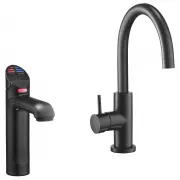
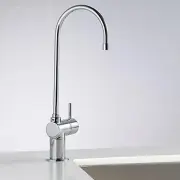
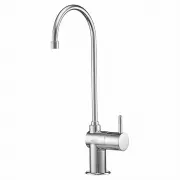
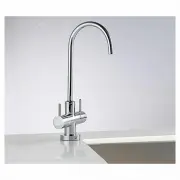
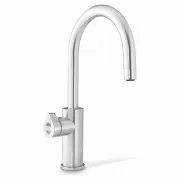
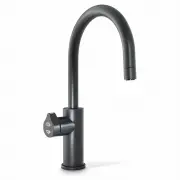
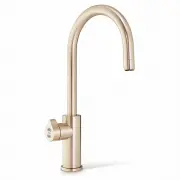
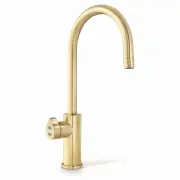
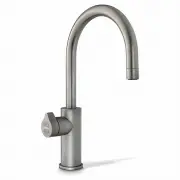
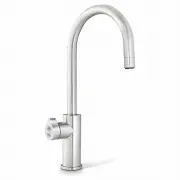
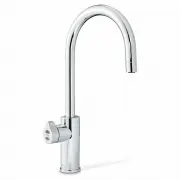
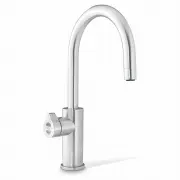
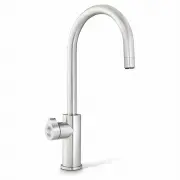
Page 2 - Safety Lock; Tap Safety; HydroTap Classic; To set the tap safety setting:; The Factory setting is set at YES; To deactivate the safety; Elite Tap
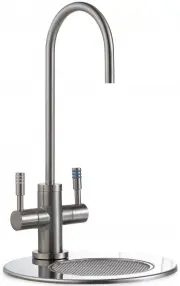
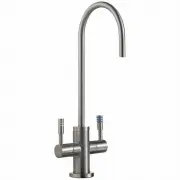
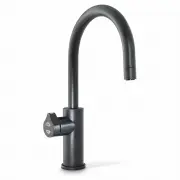
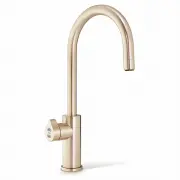
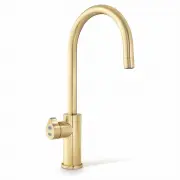
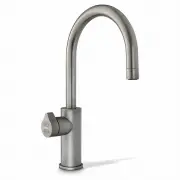
Page 2 of 24 801599 - HydroTap BC, BCHA, AIO, User Guide - July 2015 - V2.00 The safety lock feature is provided to prevent boiling water flowing if the hot lever is inadvertently operated. This function can be activated and deactivated from either the Tap or from the touch screen display (Located o...
Page 3 - Tap operation; Press or pull lever; To dispense chilled water:
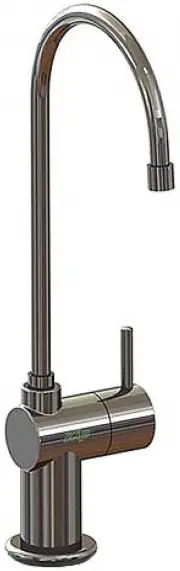
801599 - HydroTap BC, BCHA, AIO, User Guide - July 2015 - V2.00 Page 3 of 24 Arc/Cube Tap 3. Tap operation To dispense boiling water: (With the safety OFF) HydroTap Classic: Depressing the Red lever allows the dispensing of boiling water. Pulling forward the Red lever allows the tap to operate in a ...
Page 4 - Boiling Button; Tap functions
Page 4 of 24 801599 - HydroTap BC, BCHA, AIO, User Guide - July 2015 - V2.00 3. Tap operation Elite Tap: The Elite tap uses touch sensitive controls, to dispense Boiling and Chilled water. When operating the tap, ensure the touch surface is dry as moisture may interfere with the sensor touch control...
Page 5 - Rotary control; Select Button
801599 - HydroTap BC, BCHA, AIO, User Guide - July 2015 - V2.00 Page 5 of 24 3. Tap functions MixerTap: Lifting the handle up will decrease the flow rate and lowering the handle will increase the flow rate. Raise the handle all the way up to turn the tap off. When the handle is moved towards the BLU...
Page 6 - Safety Sensor Calibration; Turn the power OFF
Page 6 of 24 801599 - HydroTap BC, BCHA, AIO, User Guide - July 2015 - V2.00 All-In-One Tap: The top of the All-In-One tap is operated the same as a Classic HydroTap. The two levers are used for dispensing boiling and chilled water. The safety button operating in the same way as on the HydroTap. The...
Page 7 - Tap lights; Flashing warning light:; Blue Chilled Water Light:
801599 - HydroTap BC, BCHA, AIO, User Guide - July 2015 - V2.00 Page 7 of 24 Tap lights Warning: (All) Flashing warning light: When the indicator light flashes fast and continuous, a system fault has occurred. Check for details on the faults screen. If unable to rectify, call a qualified service age...
Page 8 - Filter Change light flashing slowly:; Filter Lights; Flashing filter lights:
Page 8 of 24 801599 - HydroTap BC, BCHA, AIO, User Guide - July 2015 - V2.00 Filter light: Classic & Elite Filter Light Off: This indicates the filter is operating within its normal specified lifespan. Filter Change light flashing slowly: The light will flash slowly when the filter is due for re...
Page 9 - LCD Screen
801599 - HydroTap BC, BCHA, AIO, User Guide - July 2015 - V2.00 Page 9 of 24 Zip HydroTap introduces a ‘TOUCH’ screen for easy setup and operation adjustment. Other possible messages in status window: Status** Information Notes Safety OFF Product is in normal operation mode - Safety ON Safety lock i...
Page 10 - LCD Screen Menu; Main Menu
Page 10 of 24 801599 - HydroTap BC, BCHA, AIO, User Guide - July 2015 - V2.00 3 LCD Screen Menu Main Menu Sub Menu Sub Menu Options Section Language • English • Deutsch A • Product Info • System Faults • Event Log • Product serial No. • Lists B Information Installation • Filter Flush • Filter Reset ...
Page 12 - C Install; Run at least 10 Litres; LCD Screen operation - Section C; ON
Page 12 of 24 801599 - HydroTap BC, BCHA, AIO, User Guide - July 2015 - V2.00 C Install Have a 10L bucket or similar container (not supplied) at the ready to hold a quantity of water that will be ejected while the Filter Flush Mode is in operation. Open the filter access door on the front of the Hyd...
Page 14 - Conduct calibration under normal light conditions; This section is reserved for service technicians only; In Australia call a licensed electrician, plumber,or Zip office on; D Service
Page 14 of 24 801599 - HydroTap BC, BCHA, AIO, User Guide - July 2015 - V2.00 LCD Screen operation - Section D 5 - Lux Sensor Calibration LCD Screen operation - Section C NOTE: Conduct calibration under normal light conditions 1. Press [MENU] button for main menu.2. Press [Install] button. 3. Press ...
Page 15 - E Security; To set a password; Enter a 4 digit password; LCD Screen operation - Section E; To change a password; Enter your old 4 digit password; LCD Screen operation - Section F
801599 - HydroTap BC, BCHA, AIO, User Guide - July 2015 - V2.00 Page 15 of 24 E Security The Zip HydroTap G4 allows the appliance coordinator to set up a password to protect against users changing the preferred system settings. To set a password 1. Press [MENU] button for main menu. 2. Press [Securi...
Page 16 - g I; nstructions; Set Temperature
Page 16 of 24 801599 - HydroTap BC, BCHA, AIO, User Guide - July 2015 - V2.00 G Settings 3. LCD Screen operation - Section G g I nstructions 1. Press [MENU] button for main menu.2. Press [Setting] button. 3. Press [Date/Time] button. 4. Select 12 hour mode or 24 hour mode. The selected mode will be ...
Page 17 - LCD Screen operation - Section G; ions; To edit the filter life:; Filter; To edit the filter usage:; The filter life may be set as a
801599 - HydroTap BC, BCHA, AIO, User Guide - July 2015 - V2.00 Page 17 of 24 1. Press [MENU] button for main menu.2. Press [Temperature] button. 3. To adjust the temperature, press the relevant temperature button and then use the up and down arrows. 3. LCD Screen operation - Section G t ions To edi...
Page 19 - Press Group 1 or Group 2 option; Individual days set screen; Any attempt, during OFF mode, to dispense water, will bring the unit
801599 - HydroTap BC, BCHA, AIO, User Guide - July 2015 - V2.00 Page 19 of 24 LCD Screen operation - Section G 1. Press Group 1 or Group 2 option 2. Press button to enable / disable group set. When the enable box is ticked, this allows each individual day to have an “On/Off” time. 3. Press [ON/OFF M...
Page 20 - To Enable or Disable the safety on the tap
Page 20 of 24 801599 - HydroTap BC, BCHA, AIO, User Guide - July 2015 - V2.00 Safety LCD Screen operation - Section G B C A * Note: When NO is selected the safety lock cannot be changed from it’s current setting. To change the safety settings, first select YES before making the change. B To set the ...
Page 21 - To change the Filter:; close will do. Use the bucket to catch the discharge.; Water Filter; • The filter percentage will show 0% on the Home screen.; Filter Maintenance; To edit the dispensing times:
801599 - HydroTap BC, BCHA, AIO, User Guide - July 2015 - V2.00 Page 21 of 24 To change the Filter: (See also Section C) • Open the door of the under sink unit.• Relieve system pressure via the filter flush stop cock, a quick open and close will do. Use the bucket to catch the discharge. • Grasp fil...
Page 22 - For best performance the unit should only be operated with a clean
Page 22 of 24 801599 - HydroTap BC, BCHA, AIO, User Guide - July 2015 - V2.00 Filter Maintenance Air Inlet Filter The Zip HydroTap air filter is conveniently located on the outside of the condenser. The filter screen is a sliding fit in the plastic housing on the left hands side of the under sink un...
Page 23 - Home Menu Icons; °C but may; BOILING
801599 - HydroTap BC, BCHA, AIO, User Guide - July 2015 - V2.00 Page 23 of 24 Home Menu Icons Safety switch is LOCKED. The HydroTap will not dispense any Boiling water.See page 20 for safety switch operation Safety switch is UNLOCKED. Boiling water may be dispensed. See page 3 for tap operation deta...
Page 24 - Head Office; Contact Details; Avoid using air bourne pesticides near the undersink unit.
Page 24 of 24 801599 - HydroTap BC, BCHA, AIO, User Guide - July 2015 - V2.00 The terms “Zip” and “HydroTap” are registered trade marks of Zip Heaters (Aust) Pty Ltd. Zip products described in this publication are manufactured under one or more of the following patents: AU675601, AU637412, AU635979,...