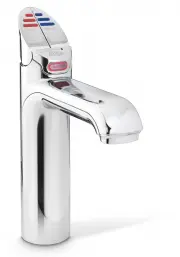
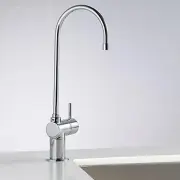
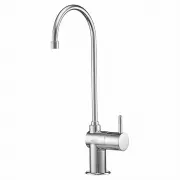
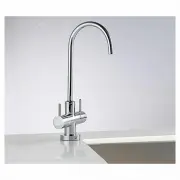
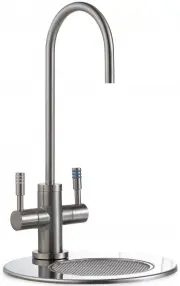
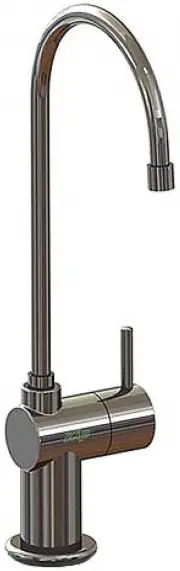
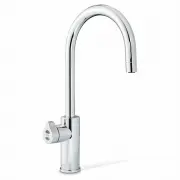
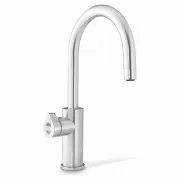
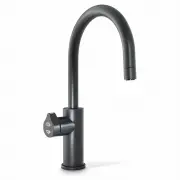
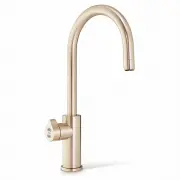
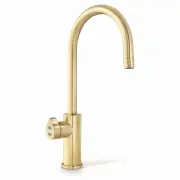
Page 2 - Tap operation; Press or pull lever; To dispense chilled water:; Chilled buttons
Page 2 of 20 802262 - Chilled HT User Guide - 7-15 - v2.00 3. Tap operation Press or pull lever To dispense chilled water: HydroTap Classic: Depressing the “Blue” lever allows the dispensing of chilled water.Pulling forward the Blue lever allows the tap to operate in a “no-touch” mode. Water will fl...
Page 3 - Tap functions
802262 - Chilled HT User Guide - 7-15 - v2.00 Page 3 of 20 Elite Tap: The Elite tap uses touch sensitive controls, in lieu of levers, to dispense Chilled water. Touching any of the chilled buttons allows the dispensing of chilled water. Chilled Button Chilled Button 3. Tap functions
Page 4 - Rotary control; Select Button
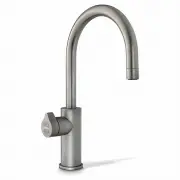
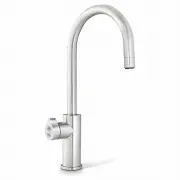
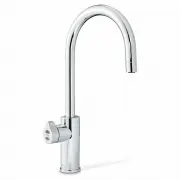
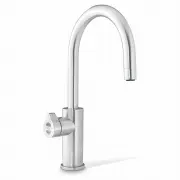
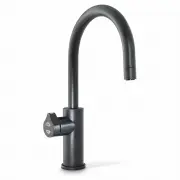
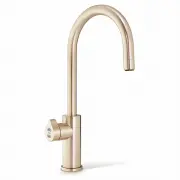
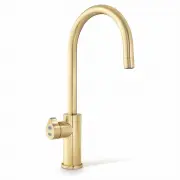
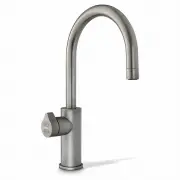
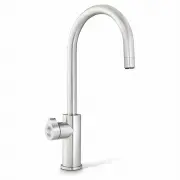
Page 4 of 20 802262 - Chilled HT User Guide - 7-15 - v2.00 3. Tap functions Rotary control Select Button Safety Lock ARC & CUBE Tap: On powerup, wait 30secs. for the unit to calibrate. The Arc/Cube control may be rotated in a forward or reverse direction to dispense Chilled water. The rotary con...
Page 5 - Chilled water Lights; Tap Lights; The safety button on all the Chilled Hydrotaps is non functional; Chilled Water Light:
802262 - Chilled HT User Guide - 7-15 - v2.00 Page 5 of 20 Chilled water Lights 3. Tap Lights Note: The safety button on all the Chilled Hydrotaps is non functional Chilled Water Light: (All) On all the time: This indicates that the temperature of the chilled water is within the set temperature rang...
Page 6 - Filter Light; Filter light
Page 6 of 20 802262 - Chilled HT User Guide - 7-15 - v2.00 Filter light: Filter Change Light Off: This indicates the filter is operating within its normal specified lifespan. Filter Change light flashing slowly: The light will flash slowly when the filter is due for replacement and the LCD will show...
Page 7 - LCD Screen
802262 - Chilled HT User Guide - 7-15 - v2.00 Page 7 of 20 Note: When selecting Menu options, the screen will revert to the main menu, if the screen remains inactive for a period, in excess of 10 seconds. Zip HydroTap introduces a ‘TOUCH’ screen for easy setup and operation adjustment. See page 19 f...
Page 8 - LCD Screen Menu; Main Menu
Page 8 of 20 802262 - Chilled HT User Guide - 7-15 - v2.00 3 LCD Screen Menu Main Menu Sub Menu Sub Menu Options Section Language • English • Deutsch A • Product Info • System Faults • Event Log • Product serial no. • Lists B Information Installation • Filter Flush • Filter Reset • Reset options • C...
Page 10 - C Install; Run at least 10 Ltrs of; LCD Screen operation - Section C; ON
Page 10 of 20 802262 - Chilled HT User Guide - 7-15 - v2.00 C Install Have a 10L bucket or similar container (not supplied) at the ready to hold a quantity of water that will be ejected while the Filter Flush Mode is in operation. Open the filter access door on the front of the HydroTap and the filt...
Page 11 - In Australia, call a licensed electrician, plumber or Zip office on; - Lux Sensor Calibration; Conduct calibration under normal light conditions; This section is reserved for service technicians only
802262 - Chilled HT User Guide - 7-15 - v2.00 Page 11 of 20 After replacing the filter, the counters should be reset D Service LCD Screen operation - Section D 2. - Filter Reset LCD Screen operation - Section C Note: In Australia, call a licensed electrician, plumber or Zip office on 1800-638-633, f...
Page 12 - E Security; To set a password; Enter a 4 digit password; To change a password; Enter your old 4 digit password; LCD Screen operation - Section E; Not yet available; LCD Screen operation - Section F
Page 12 of 20 802262 - Chilled HT User Guide - 7-15 - v2.00 E Security The Zip HydroTap G4 allows the appliance coordinator to set up a password to protect against users changing the preferred system settings. To set a password 1. Press the [MENU] button for main menu. 2. Press the [Security] button...
Page 13 - g I; nstructions; Set Temperature
802262 - Chilled HT User Guide - 7-15 - v2.00 Page 13 of 20 G Settings 3. LCD Screen operation - Section G g I nstructions Set Date / Time 1. Press the [MENU] button for main menu.2. Press the [Settings] button. 3. Press [Enable Password].4. Then enter your 4-digit password. You will need to enter y...
Page 14 - LCD Screen operation - Section G; ions; Filter; The filter life may be set as a; To edit the filter life:
Page 14 of 20 802262 - Chilled HT User Guide - 7-15 - v2.00 3. LCD Screen operation - Section G t ions Filter Zip HydroTap G4 allows the user to adjust filter life and edit filter usage. 1. Press [MENU] button for main menu. 2. Press [Setting] button. 3. Press [Filter] button. 4. Press [Filter Life]...
Page 16 - Press Group 1 or Group 2 option; Individual days set screen; Any attempt, during OFF mode, to dispense water, will bring the unit
Page 16 of 20 802262 - Chilled HT User Guide - 7-15 - v2.00 LCD Screen operation - Section G 1. Press Group 1 or Group 2 option 2. Press button to enable / disable group set. When the enable box is ticked, this allows each individual day to have an “On/Off” time. 3. Press [ON/OFF Modes] button, to s...
Page 17 - For best performance the unit should only be operated with a clean; Filter Maintenance; Air
802262 - Chilled HT User Guide - 7-15 - v2.00 Page 17 of 20 3. LCD Screen operation - Section G Dispense Times The ability to change the maximum dispensing time for the chilled water has been introduced. The default settings for the maximum dispensing times is 15 seconds. Here, the operator may chan...
Page 19 - Home Menu Icons; Chilled water temperature.; CHILLED; Cleaning; Avoid using air bourne pesticides near the undersink unit.
802262 - Chilled HT User Guide - 7-15 - v2.00 Page 19 of 20 Home Menu Icons Filter use. This icon displays the filter usage remaining from 100% (New filter) to 0% (end of life). When it reaches 0% the filter warning light on the tap head will flash slowly.The filter life can be adjusted by litres an...
Page 20 - Head Office; Contact Details
Page 20 of 20 802262 - Chilled HT User Guide - 7-15 - v2.00 The terms “Zip” and “HydroTap” are registered trade marks of Zip Heaters (Aust) Pty Ltd. Zip products described in this publication are manufactured under one or more of the following patents: AU675601, AU637412, AU635979, GB0422305, GB2065...