Page 2 - Table of contents
806835 v1.00 12.20 G5 User guide 2 Table of contents SECTION 1: SAFETY ....................................4 1.1 Explanation of symbols .......................................... 41.2 Before you start ..................................................... 4 SECTION 2: Using the HydroTap ................
Page 3 - register your product.; Register product
806835 v1.00 12.20 G5 User guide 3 • Navigate to the register product menu. • Scan the QR code and follow the on screen steps to register your product. [ ] [ ] Register product
Page 5 - SECTION 2: Using the HydroTap; Elite; See page 6
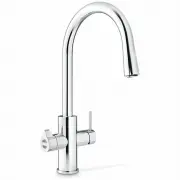
806835 v1.00 12.20 G5 User guide 5 SECTION 2: Using the HydroTap BOILING CHILLED TEMP FIL TER SAFE TY SAFETY BOILING CHILLED CHANGE FILTER SAFETY Touch-free Elite Classic Arc, Cube and Celsius HydroTap Mixer Taps Touch-Free Wave Classic Plus See page 6 See page 7 See page 9 See page 10 See page 11 S...
Page 6 - Controls
806835 v1.00 12.20 G5 User guide 6 SECTION 2: Using the HydroTap Controls Press to dispense Dispense options Press the icons to dispense water choice. Chilled Sparkling + Boiling ON Ready to dispense. FLASHING SLOWLY Water temperature not at set point. FLASHING QUICKLY System fault. Simply press to ...
Page 8 - continued; Dispense options; Chilled
806835 v1.00 12.20 G5 User guide 8 SECTION 2: Using the HydroTap 2.2 Touch-Free Wave continued Dispense options Sensor range 1 - 4cm.To dispense, hold hand within range of the sensors. Tap will not operate and light will flash if the sensors are touched or if your hand is too close. + Boiling Water ...
Page 9 - Lights
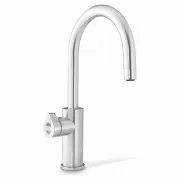
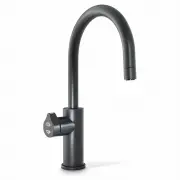
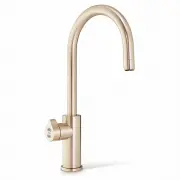
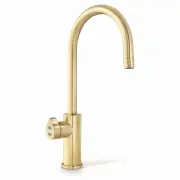
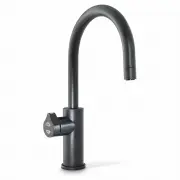
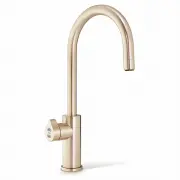
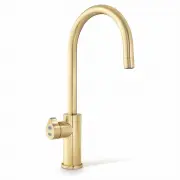
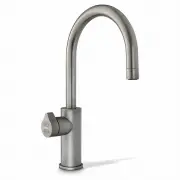
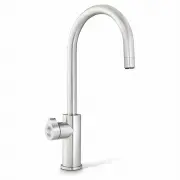
806835 v1.00 12.20 G5 User guide 9 SECTION 2: Using the HydroTap 2.3 Arc, Cube and Celsius SAFETY Controls Manual dispense Bottle fill(timed dispense) Safety To dispense boiling water, touch twice while flashing when safety lock is on. Indicator displays system status. Select touch to select water t...
Page 11 - BCS
806835 v1.00 12.20 G5 User guide 11 BOILING CHILLED TEMP FIL TER SAFE TY SECTION 2: Using the HydroTap 2.5 Elite BOILING CHILLED TEMP FIL TER SAFE TY Controls Touch to dispense chosen water type. Filter Temperature Safety lock ON Water at set temperature FLASHING SLOWLY Water not at set temp (wait)F...
Page 12 - mixed water
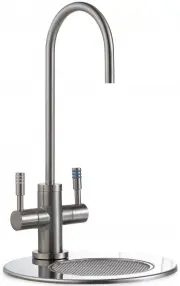
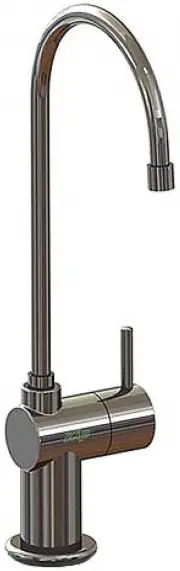
806835 v1.00 12.20 G5 User guide 12 SECTION 2: Using the HydroTap 2.6 HydroTap Mixer taps Controls mixed water Hot Cold Lift and rotate the lever to dispense mixed warm water.
Page 13 - Set the language - from the home screen
806835 v1.00 12.20 G5 User guide 13 SECTION 3: Command Centre Screen 3.1 How to use the Command Centre screen The Command Centre has a colour touch screen liquid crystal display.The display consists of icons, buttons and fields which can be changed by simply touching the buttons and icons.Navigate t...
Page 14 - OFF screen; SECTION 3: Command Centre Screen
806835 v1.00 12.20 G5 User guide 14 OFF screen Touch the power button to turn the Command Centre ON or OFF. The LCD screen visually shows OFF when it is non-operational. You will hear the sound of an internal “click” as the HydroTap Command Centre turns ON or OFF. SECTION 3: Command Centre Screen 3....
Page 15 - Filter life remaining; Energy saving settings
806835 v1.00 12.20 G5 User guide 15 SECTION 3: Command Centre Screen Filter life remaining A warning icon illuminated when the filter needs to be replaced. See page 35. 12:12 PM FILTER LIFE REMAINING Internal % External % EXT FILTER DISABLED ! ! REPLACE FILTER Energy saving settings Navigate the scr...
Page 19 - Filter flush; Flush line tap
806835 v1.00 12.20 G5 User guide 19 SECTION 3: Command Centre Screen Filter flush Use Filter flush during commissioning of a new installation, and after every filter change. See page 35 for filter change instructions. 3.5.1 Filter settings FILTER SETTINGS 12:12 PM Filter Reset Filter Life Filter Flu...
Page 20 - Flush 10 litres through.
806835 v1.00 12.20 G5 User guide 20 SECTION 3: Command Centre Screen Start flush. Flush 10 litres through. Stop flush , coil up flush line, close flush line tap.Return flush line to filter compartment and close door.Reset the filter counter (see page 21). Flush line tap closed
Page 21 - Filter reset; Filter life; Reset the filter counters after filter replacement and flush.
806835 v1.00 12.20 G5 User guide 21 SECTION 3: Command Centre Screen Filter reset FILTER RESET 12:12 PM External filter Internal filter This will reset the usage counters for the chosen item. Select an item and press reset to confirm. Filter life Select internal/external filter and edit the filter l...
Page 22 - Boiling / Chilled set point
806835 v1.00 12.20 G5 User guide 22 Chilled models Default set point: 5-9ºC Commercial, 6-10ºC Residential.Scroll to select alternatives. Boiling models Default set point: 98ºC Set point range: 68-100ºC. Operation: Within 1-2ºC of set point.Note: Boiling water delivery rate will be affected with a h...
Page 23 - Boiling calibration
806835 v1.00 12.20 G5 User guide 23 SECTION 3: Command Centre Screen Boiling calibration Take care during boiling calibration as hot steam may vent from the tap spout.On start-up, the HydroTap self-calibrates, or go to this menu to recalibrate.Calibration will take around 10 minutes. ! ! ! External ...
Page 24 - CO2 purge; After fitting a new CO2 cylinder, reset the CO2 counter.; CO2 reset
806835 v1.00 12.20 G5 User guide 24 CO2 purge Purge the gas lines when fitting a new CO2 gas cylinder.Press the green start icon. The purge runs for 30 seconds. Water may be dispensed before CO2 gas escapes from the tap. The purge process stops automatically. 3.5.3 CO2 settings 12:12 PM PURGE WATER ...
Page 25 - CO2 life
806835 v1.00 12.20 G5 User guide 25 CO2 life CO2 life may be adjusted by months or litres. The Home screen displays a warning when the CO2 level reaches 20% (see page 14).CO2 life defaults to grams absorbed. Months of use may also be selected to trigger a reminder to prepare a replacement CO2 cylind...
Page 27 - Periodic Pulse Reduced Cavitation Mode
806835 v1.00 12.20 G5 User guide 27 SECTION 3: Command Centre Screen 3.5.6 Quiet mode Lowering the fan speed can reduce noise. Increasing it may improve chilling performance.Residential models: 75% / 100% / Auto (default).Commercial models: 100% (default) / Auto. 3.5.7 Advanced settings 1 12:12 PM A...
Page 28 - Wave Tap Sensor Demister Mode; • Disabled: choose this option to conserve a small amount; Wave Tap Lock Mode; dispensed by activating the corresponding sensor.
806835 v1.00 12.20 G5 User guide 28 3.5.9 System restart SECTION 3: Command Centre Screen Touch the top circle, then the bottom circle to power down and restart the system. Use this function to remove the settings access password. 3.5.8 Advanced settings 2 (Wave Tap only) 12:12 PM ADVANCED SETTINGS ...
Page 29 - Boiling safety lock; tapped in order to dispense boiling water.; Hot isolation
806835 v1.00 12.20 G5 User guide 29 SECTION 3: Command Centre Screen 3.6 Safety & security 3.6.1 Boiling safety (Not applicable to Touch-Free Wave Tap) 12:12 PM BOILING SAFETY Boiling safety lock Use the safety button to dispense hot water Hot isolation (additional boiling safety) 3 slow safety ...
Page 32 - When sleeping; • Turn system OFF: boiling and chilled water will be OFF.
806835 v1.00 12.20 G5 User guide 32 SECTION 3: Command Centre Screen When sleeping Choose between the following modes: • Keep hot water at 68°C (default). Chilled water will be kept at setpoint, for chilled models. • Turn system OFF: boiling and chilled water will be OFF. The option that is in effec...
Page 34 - Filter Logs, System Faults, Recent Faults; View the reset and fault history.; About System; View the system information.
806835 v1.00 12.20 G5 User guide 34 Filter Logs, System Faults, Recent Faults View the reset and fault history. About System View the system information. 3.8 Info & logs INFO & LOGS 12:12 PM System Faults ! About System i Filter Logs ! Recent Faults ABOUT SYSTEM 12:12 PM Title Info Module: A...
Page 35 - Rotate
806835 v1.00 12.20 G5 User guide 35 SECTION 4: User maintenance 4.1 Changing the internal filter The tap and screen will indicate that a filter needs to be changed. Depending on local water quality conditions and usage, the filter may require changing before the filter change indication is shown. Yo...
Page 36 - SECTION 4: User maintenance; Push up
806835 v1.00 12.20 G5 User guide 36 Initiate the filter flush programme by scrolling through the menu screen (see page 19).Clean up and dispose of old cartridge and packaging.If the HydroTap is switched off for a long period of time (e.g. more than a weekend), run water through the chilled water out...
Page 37 - Remove and clean quarterly.
806835 v1.00 12.20 G5 User guide 37 SECTION 4: User maintenance 4.2 Air inlet filter maintenance Remove and clean quarterly. Rinse off with tap water. Gently dry with a cloth or towel.Maintain at least a 50mm air gap in front of the air inlet screen at all times. Take care to keep the air inlet clea...
Page 39 - Components
806835 v1.00 12.20 G5 User guide 39 4.4 CO2 cylinder and regulator ! ! Significant concentrations of CO2 gas can cause harm.To prevent leaks, read and use the instructions and safety documents provided with the replacement cylinder, together with these instructions. SECTION 4: User maintenance Compo...
Page 40 - Cylinder pressure; Set to; Universal G5 CO2 regulator
806835 v1.00 12.20 G5 User guide 40 II II I I I I I I I I II II II II III III III II II I I I I I I I I II II II II III III III III III II II II I I I I I I I I I I II II II I III III II II II I I I I I I I I I I II II II I III III II II II I I I I I I I I I I II II II I III III II II II I I I I I I...
Page 41 - Regulator; Test for leaks in these areas
806835 v1.00 12.20 G5 User guide 41 Regulator SECTION 4: User maintenance Turn off cylinder valve & regulator. 1 2 3 4 5 6 4.4.1 Changing the 2.64kg CO2 cylinder II II I I I I I I I I II II II II III III III II II I I I I I I I I II II II II III III III III III II II II I I I I I I I I I I II II...
Page 42 - Universal G5 regulator
806835 v1.00 12.20 G5 User guide 42 II II I I I I I I I I II II II II III III III II II I I I I I I I I II II II II III III III III III II II II I I I I I I I I I I II II II I III III II II II I I I I I I I I I I II II II I III III II II II I I I I I I I I I I II II II I III III II II II I I I I I I...
Page 43 - Non-adjustable regulator
806835 v1.00 12.20 G5 User guide 43 SECTION 4: User maintenance Non-adjustable regulator Turn off regulator. 1 2 4 6 Unstrap. Unscrew regulator connection. Replace cylinder and refit regulator. Strap in place. Turn ON regulator valve. Test for leaks in these areas Test for leaks by brushing with soa...
Page 44 - Zip Water UK; Trafalgar House
806835 v1.00 12.20 G5 User guide 44 Zip Water (Australia) Pty Ltd ABN 46 000 578 727 67 - 77 Allingham Street, Condell Park, NSW 2200 Postal: Locked Bag 80, Bankstown 1885, Australia (+612) 9796 3100 | Free Call (Aust): 1800 947 827 www.zipwater.com Zip Water UK Trafalgar House Rash’s Green, Dereham...