Page 2 - OVEN SAFETY; Your safety and the safety of others are very important.; DANGER; SAVE THESE INSTRUCTIONS
2 OVEN SAFETY You can be killed or seriously injured if you don't immediately You can be killed or seriously injured if you don't follow All safety messages will tell you what the potential hazard is, tell you how to reduce the chance of injury, and tell you what canhappen if the instructions are no...
Page 3 - OVEN USE; Product Description
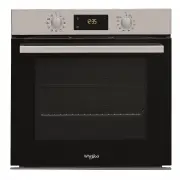
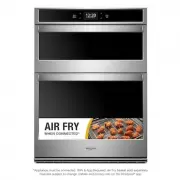
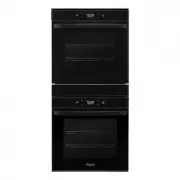
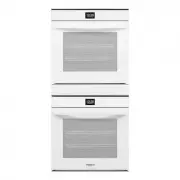
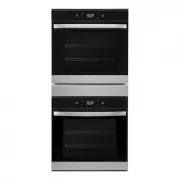
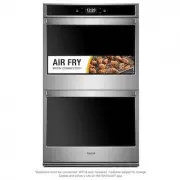
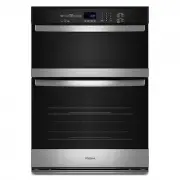
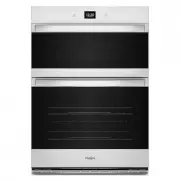
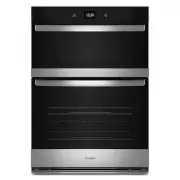
3 OVEN USE Product Description These instructions cover several different models. The range you have purchased may have some or all of the items listed. The locations and appearances of the features shown here may not match those of your model. Refer to this manual or the Frequently Asked Questions ...
Page 4 - Positioning Racks and Bakeware; Rack Positions; Touch Panel
4 Positioning Racks and Bakeware IMPORTANT: To avoid permanent damage to the porcelain finish, do not place food or bakeware directly on the oven door or bottom. Racks ■ Position racks before turning on the oven. ■ Do not position racks with bakeware on them. ■ Make sure racks are level. ■ Place foo...
Page 5 - How To Use The Touch Display; First Time Use; SELECT THE LANGUAGE; Display Navigation
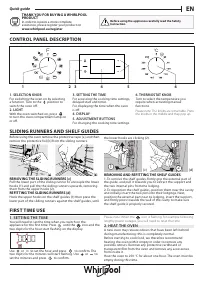
5 How To Use The Touch Display To go back to the previous screen: Tap . To confirm a setting or go to the next screen: Tap “SET” or “NEXT”. To scroll through a menu or a list: Simply swipe your finger across the display to scroll through the items or values. To select or confirm: Tap the screen to s...
Page 6 - SET THE POWER CONSUMPTION; Daily Use; SELECT A FUNCTION
6 4. SET THE POWER CONSUMPTION The oven is programmed to consume a level of electrical power that is compatible with a domestic network that has a rating of more than 3 kW (16 A): If your household uses a lower power, you will need to decrease this value (13 A). ■ Tap the value on the right to selec...
Page 7 - START THE FUNCTION
7 3. SET START / END TIME DELAY You can delay cooking before starting a function: The function will start or end at the time you select in advance. ■ Tap “DELAY” to set the start time or end time you require. ■ Once you have set the required delay, tap “START DELAY” to start the waiting time. ■ Plac...
Page 8 - COOKING MODES; Manual Cooking; WARNING
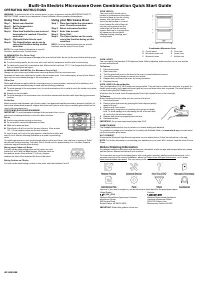
8 COOKING MODES Manual Cooking To set a Manual Cooking Function, follow these steps. 1. Press the Oven Power keypad. 2. Select the Cooking Modes option. 3. Select the desired cooking function from the list. See the following table for descriptions. 4. Follow the on-screen prompts to set the temperat...
Page 9 - Assisted Cooking; Browning setting recipes include:
9 Favorites The Favorites feature stores the oven mode and temperature for your favorite recipe. As you continue to utilize your Favorites tool, your product will refine and tailor suggestions towards your cooking cravings/needs. NOTE: A select set of Favorites and suggestions may be automatically s...
Page 10 - Settings; Preferences; Control Lock
10 Settings The Settings keypad allows you access to functions and customization options for your oven. These settings allow you to set the clock, turn the audible signals and prompts on and off, adjust the oven calibration, change the language, and more.Select the Settings keypad to view the Settin...
Page 11 - Sabbath Mode; To enable and activate Sabbath Mode:; Aluminum Foil; Traditional Cooking; Bakeware
11 Sabbath Mode The Sabbath Mode sets the oven to remain on in a bake setting until disabled.When the Sabbath Mode is activated, only the Bake cycle will operate. All other cooking and cleaning cycles are disabled. No tones will sound, and the displays will not indicate temperature changes. When the...
Page 12 - Preheating and Oven Temperature; Preheating; Baking and Roasting
12 Preheating and Oven Temperature Preheating When beginning a Bake cycle, the oven will begin preheating after Start is pressed. Remember to select the preheat icon in the upper right corner of temperature select screen to enable preheat. The oven will take approximately 6 minutes to reach 350°F (1...
Page 13 - Accessories
13 Accessories The number and the type of accessories may vary depending on which model is purchased.Other accessories can be purchased separately, see "Assistance or Service" section. Wire Shelf Drip Tray Baking Tray Use to cook food or as a support for pans, cake tins and other ovenproof i...
Page 14 - OVEN CARE; Self Cleaning Cycle; How the Cycle Works; To Delay Start Self Cleaning Cycle:
14 OVEN CARE Self Cleaning Cycle WARNING Burn Hazard Do not touch the oven during the Self-Cleaning cycle.Keep children away from oven during Self-Cleaning cycle.Failure to follow these instructions can result in burns. IMPORTANT: The health of some birds is extremely sensitive to the fumes given of...
Page 15 - General Cleaning; EXTERIOR PORCELAIN ENAMEL SURFACES; Oven Lights
15 General Cleaning IMPORTANT: Before cleaning, make sure all controls are off and the oven is cool. Always follow label instructions on cleaning products. For additional information, you can visit the Frequently Asked Questions (FAQs) section of our website at www.whirlpool.com . In Canada, refer t...
Page 16 - TROUBLESHOOTING
16 TROUBLESHOOTING First try the solutions suggested here. If you need further assistance or more recommendations that may help you avoid a service call, refer to the warranty, or visit producthelp.whirlpool.com . In Canada, visit www.whirlpool.ca . Contact us by mail with any questions or concerns ...
Page 17 - ASSISTANCE OR SERVICE; In Canada
17 ASSISTANCE OR SERVICE If you need service Please refer to the warranty. If you need replacement parts If you need to order replacement parts, we recommend that you use only factory specified parts. These factory specified parts will fit right and work right because they are made with the same pre...
Page 18 - SÉCURITÉ DU FOUR; Votre sécurité et celle des autres est très importante.; AVERTISSEMENT; CONSERVEZ CES INSTRUCTIONS; IMPORTANTES INSTRUCTIONS DE SÉCURITÉ

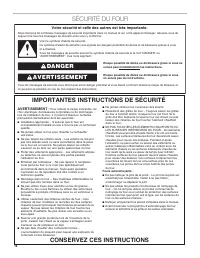
18 SÉCURITÉ DU FOUR Risque possible de décès ou de blessure grave si vous ne suivez pas immédiatement les instructions. Risque possible de décès ou de blessure grave si vous ne suivez pas les instructions. Tous les messages de sécurité vous diront quel est le danger potentiel et vous disent comment ...
Page 19 - UTILISATION DU FOUR; Description du produit
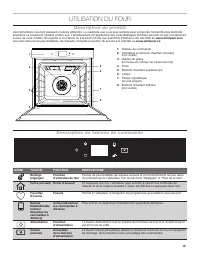
19 UTILISATION DU FOUR Description du produit Ces instructions couvrent plusieurs modèles différents. La cuisinière que vous avez achetée peut comporter l’ensemble des éléments énumérés ou seulement certains d’entre eux. L’emplacement et l’apparence des caractéristiques illustrées peuvent ne pas cor...
Page 20 - Positions de grille; Tableau tactile
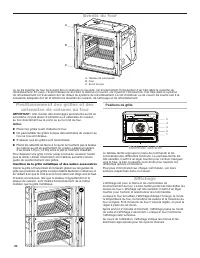
20 Positionnement des grilles et des ustensiles de cuisson au four IMPORTANT : Afin d’éviter des dommages permanents au fini en porcelaine, ne pas placer d’aliments ou d’ustensiles de cuisson au four directement sur la porte ou sur le fond du four. Grilles ■ Placer les grilles avant d’allumer le fou...
Page 21 - Comment utiliser l’écran tactile; Première utilisation; SÉLECTION DE LA LANGUE; Affichage du menu
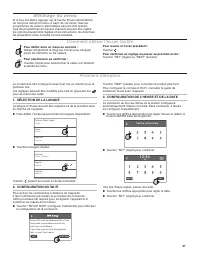
21 Comment utiliser l’écran tactile Pour revenir à l’écran précédent : Toucher . Pour confirmer un réglage ou passer au prochain écran : Toucher "SET" (régler) ou "NEXT" (suivant). Pour défiler dans un menu ou une liste : Glisser simplement le doigt sur l’écran pour naviguer parmi le...
Page 22 - RÉGLER LA CONSOMMATION D’ÉLECTRICITÉ; Utilisation quotidienne; SÉLECTIONNER UNE FONCTION
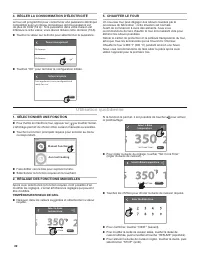
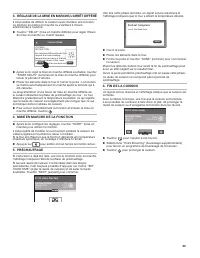
22 4. RÉGLER LA CONSOMMATION D’ÉLECTRICITÉ Le four est programmé pour consommer une puissance électrique compatible avec un réseau domestique dont la puissance est de plus de 3 kW (16 A) : Si la puissance dans votre maison est inférieure à cette valeur, vous devrez réduire cette dernière (13 A). ■ T...
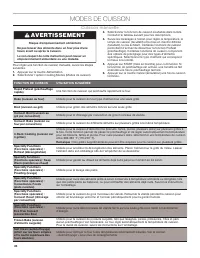
Page 24 - MODES DE CUISSON; Cuisson manuelle
24 MODES DE CUISSON Cuisson manuelle Pour régler une fonction de cuisson manuelle, suivre les étapes suivantes. 1. Appuyer sur la touche Alimentation. 2. Sélectionner l’option Cooking Modes (Modes de cuisson). 3. Sélectionner la fonction de cuisson souhaitée dans la liste. Consulter le tableau suiva...
Page 25 - Frozen Bake; Degré de cuisson; Les recettes avec brunissage incluent :
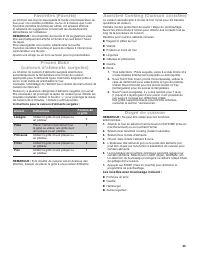
25 Favorites (Favoris) La fonction des favoris sauvegarde le mode et la température du four pour vos recettes préférées. Au fur et à mesure que l’outil Favorites (recettes favorites) est utilisé, cet appareil affinera et adaptera les suggestions concernant les envies/besoins alimentaires de l’utilis...
Page 26 - Info
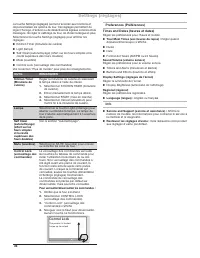
26 Settings (réglages) La touche Settings (réglages) permet d’accéder aux fonctions et de personnaliser les options du four. Ces réglages permettent de régler l’horloge, d’activer ou de désactiver les signaux sonores et les messages, de régler le calibrage du four, de choisir la langue et plus.Sélec...
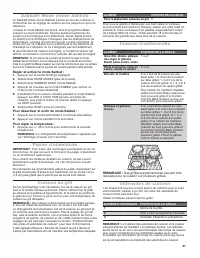
Page 27 - Papier d’aluminium; Cuisson traditionnelle; Ustensiles de cuisson
27 Sabbath Mode (mode Sabbat) Le Sabbath Mode (mode Sabbat) permet au four de continuer à fonctionner sur un réglage de cuisson au four jusqu’à ce qu’on le désactive.Lorsque le mode Sabbat est activé, seul le programme Bake (cuisson au four) fonctionne. Tous les autres programmes de cuisson et de ne...
Page 28 - Préchauffage; Cuisson et rôtissage au four
28 Préchauffage et température du four Préchauffage Au début d’un programme Bake (cuisson au four), le four commence par un préchauffage une fois que la touche Start (mise en marche) est enfoncée. Ne pas oublier de sélectionner l’icône de préchauffage dans le coin supérieur droit de l’écran de sélec...
Page 29 - Accessoires
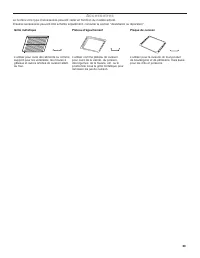
29 Accessoires Le nombre et le type d’accessoires peuvent varier en fonction du modèle acheté.D’autres accessoires peuvent être achetés séparément, consulter la section "Assistance ou réparation". Grille métallique Plateau d’égouttement Plaque de cuisson L’utiliser pour cuire des aliments ou...
Page 30 - ENTRETIEN DU FOUR; Programme d’autonettoyage; Préparation du four :; Mise en marche différée du programme d’autonettoyage :
30 ENTRETIEN DU FOUR Programme d’autonettoyage IMPORTANT : La santé de certains oiseaux est très sensible aux émanations qui surviennent durant le programme d’autonettoyage. L’exposition aux émanations peut entraîner la mort de certains oiseaux. Toujours déplacer les oiseaux dans une autre pièce fer...
Page 31 - Nettoyage général; Lampes du four
31 Nettoyage général IMPORTANT : Avant le nettoyage, s’assurer que toutes les commandes sont désactivées et que le four est froid. Toujours suivre les instructions figurant sur les étiquettes des produits de nettoyage. Pour plus de renseignements, consulter la section Foire aux questions (FAQ) de no...
Page 32 - DÉPANNAGE
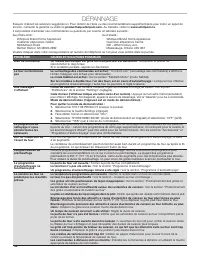
32 DÉPANNAGE Essayez d’abord les solutions suggérées ici. Pour obtenir de l’aide ou des recommandations supplémentaires pour éviter un appel de service, consulter la garantie ou visiter le producthelp.whirlpool.com . Au Canada, visiter le www.whirlpool.ca . Il est possible d’adresser ses commentaire...
Page 33 - ASSISTANCE OU DÉPANNAGE; Au Canada
33 ASSISTANCE OU DÉPANNAGE Si vous avez besoin d’un entretien Consultez la garantie. Si vous avez besoin de pièces de rechange Pour commander des pièces de rechange, nous vous recommandons d’utiliser seulement des pièces spécifiées par l’usine. Les pièces de rechange spécifiées par l’usine conviendr...
Page 34 - REMARQUES