Page 2 - WARNING; WARNING; CAUTION; ENVIRONMENTAL TIPS; ENVIRONMENT; Conditions of use; CONTENTS
2 CONTENTS Important safety instructions ........................................................3Product description ...........................................................................5WVE607WVE613WVES613WVE615WVE616WVE617WVEP618WVE645S..........................................................
Page 3 - IMPORTANT; Cooktop only; IMPORTANT SAFETY INSTRUCTIONS
3 CONTENTS Please read the user manual carefully and store in a handy place for later reference. TIPS & INFORMATION IMPORTANT Important – check for any damages or marks. • If you find the oven is damaged or marked, you must report it within 7 days if you wish to claim for damage/marks under the ...
Page 5 - PRODUCT DESCRIPTION
5 PRODUCT DESCRIPTION PRODUCT DESCRIPTION WVE613 & WVES613 oven/grill indicator light function selector oven/grill temperature selector ‘auto-off’ timer WVE615 oven indicator light function indicator light function selector electronic clock oven/grill temperature selector WVE616 function indicat...
Page 7 - Preparing your appliance for the first time; Setting the time of day; BEFORE FIRST USE
7 BEFORE FIRST USE Preparing your appliance for the first time • Please remove all internal boxes and bags from the oven before operation. • Please wipe out the oven interior prior to operation with warm soapy water and polish dry with a soft clean cloth. Do not close the oven door until the oven is...
Page 8 - INSTALLING YOUR OVEN ACCESSORIES; Side racks
8 INSTALLING OVEN ACCESSORIES OPERATION Catalytic liners (on selected models) TIPS & INFORMATION IMPORTANT Models which contain catalytic liners have 2 catalytic side liners (to be fitted by you) and a catalytic fan cover (already fitted). NOTE: If your model does not have catalytic liners, they...
Page 9 - Shelves and trays
9 INSTALLING OVEN ACCESSORIES Shelves and trays TIPS & INFORMATION IMPORTANT The shelves are designed so that they have maximum travel but cannot be accidentally pulled right out. The trays are designed the same way and fit straight into the side racks. To fit a shelf or tray to side racks: • Lo...
Page 11 - USING YOUR OVEN
11 USING YOUR OVEN USING YOUR OVEN Understanding your oven functions Your oven will have a selection of the following functions. Refer to “Description of your appliance” to confirm what functions are available to you. Large oven Rapid Heat/Fast Heat Up (FHU) Heat comes from the element surrounding t...
Page 12 - Pizza; Defrost
12 USING YOUR OVEN USING YOUR OVEN (CONTINUED) Pizza “Pizza” is a combination of “Base heat” and “Fan bake” and offers you the combined benefits of both functions. Heat comes from the element surrounding the fan as well as the clean heat element below the oven floor. The “Pizza” function is ideal fo...
Page 14 - Condensation and steam
14 USING YOUR OVEN WARNING CAUTION Once the food is cooked, turn the temperature selector back in an anti-clockwise direction. Do not force it right round in a clockwise direction as this will result in damage to the thermostat. NOTE: For multifunction ovens the desired cooking function must be sele...
Page 15 - Setting the time of day (after electrical connection)
15 USING YOUR OVEN General features The oven is equipped with an electronic clock that can be used to turn the oven on and off automatically. The ‘Cook time’ function automatically turns the oven off after a set amount of time. The ‘End time’ function is used to set the time of day you want the cook...
Page 16 - Setting the delayed start cooking time
16 USING YOUR OVEN Setting the cooking duration 1. Select the desired oven and . The oven indicator light will appear and the heating source will switch on. 2. Press until the indicator symbol begins flashing. 3. Set the cooking duration by using or symbols while the indicator symbol is flashing. 4....
Page 20 - Setting the minute minder
20 USING YOUR OVEN Setting the minute minder The minute minder can be used with the oven on or off. 1. Press button repeatedly until the “Minute minder” symbol appears flashing with the “Timer arrow” symbol . 2. Set the countdown time by pressing and symbols. 3. After 5 seconds from the last change,...
Page 21 - Roasting meat
21 USING YOUR OVEN Oven shelf location (excluding WVEP615) Your oven has seven positions for shelves. These are numbered from 1 (the lowest shelf position) to 7 (the highest shelf position). See diagram. To give maximum space above and below the shelves, load them in this way: • When cooking with 1 ...
Page 22 - COOKING GUIDE; Choosing the best oven settings
22 COOKING GUIDE OPERATION COOKING GUIDE Choosing the best oven settings The following table is intended as a guide and experience may show some variation in cooking times necessary to meet individual requirements. It may be necessary to change some cooking times and temperatures from your previous ...
Page 23 - Grilling hints; Grilling with separate grill underbench; Guide to better grilling; Fan grill (multifunction grill in oven models only); GRILLING GUIDE
23 GRILLING GUIDE OPERATION Grilling hints WARNING WARNING Always clean the grill/oven dish after every use. Excessive fat build up may cause a fire. As a method of cooking, grilling can be used to: • Enhance the flavours of vegetables, fish, poultry and meat. • Seal the surface of the food and reta...
Page 24 - Steam product description; STEAM COOKING GUIDE
24 STEAM COOKING (WVE617 model only) TIPS & INFORMATION IMPORTANT Cooking with steam is a great addition to straight ‘hot air’ cooking. Steam brings out all the natural flavours and goodness in the food, cooks evenly from surface to centre and retains more nutrients and vitamins. Steam assisted ...
Page 25 - Steam operating sequence; Emptying the water tank
25 STEAM COOKING Steam operating sequence 1. Open the water drawer in the control panel by pressing it. 2. Pour approximately 850mL of water into the drawer. Stop filling if alarm sounds and is displayed. 3. Close the water drawer. WARNING WARNING Take care when filling the water drawer. Spillage co...
Page 26 - DEALING WITH COOKING PROBLEMS
26 COOKING PROBLEMS DEALING WITH COOKING PROBLEMS PROBLEM CAUSES REMEDY Uneven cooking • Incorrect shelf position • Select shelf suitable for cooking function. See cooking function tables in cooking guide • Oven tray too large • Experiment with other trays or dishes • Trays not centralised • Centre ...
Page 27 - Get to know the oven with this ‘Simple Test Cake’; GETTING TO KNOW THE OVEN
27 GETTING TO KNOW THE OVEN Get to know the oven with this ‘Simple Test Cake’ Although we strive for a perfect performing oven, it’s possible that there will be some variation in colour when baking. Therefore, we suggest this simple, easy and delicious to make Simple Test Cake, it can help you under...
Page 28 - CARE AND CLEANING
28 CARE AND CLEANING WARNING WARNING Ensure the oven is electrically isolated before cleaning. This can be done by switching off the appliance via the powerpoint or isolating switch (if available), or the switchboard. Do not use steam cleaners, as this may cause moisture build up. WARNING CAUTION Do...
Page 29 - Removing the side racks; Removing and replacing the oven back light and
29 CARE AND CLEANING Removing the side racks (excluding model WEVP618) • Grasp the middle wire at the front. • Pull firmly inwards. • After cleaning in hot soapy water, reinstall the side racks by inserting the rear pins first. Removing catalytic liners (where fitted) TIPS & INFORMATION IMPORTAN...
Page 30 - Releasing the grill element; Cleaning the triple glazed oven door; Removing the oven door
30 CARE AND CLEANING Releasing the grill element WARNING WARNING Make sure the appliance is turned off before you remove or replace parts, to avoid the possibility of electric shock. Retaining wire models - The upper grill element is secured with a hanger clip which can be removed to help clean the ...
Page 31 - Removing oven door top trim; Cleaning the door glass panels; Removing bottom trim (on selected models)
31 CARE AND CLEANING • Lay the oven door with the outer side facing downwards on something soft and flat (for example a blanket on a kitchen table) to prevent scratches. Removing oven door top trim • Take hold of the grid embossed sections of the door trim at each end and press inwards to release th...
Page 32 - Re-assembling the top door trim
32 CARE AND CLEANING Re-assembling the top door trim • Take hold of the top door trim at each side and position it to the inside edge of the glass. • Push the trim down with its top edge over glass panel until the clip snaps in on each side of the trim. • Push the middle of the trim down to ensure i...
Page 33 - Cleaning the quad glazed oven door; Fitting the oven door
33 CARE AND CLEANING Cleaning the quad glazed oven door (on selected models) WARNING CAUTION Do not lift the door by the handle. Rough handling will cause glass to break. Removing the oven door TIPS & INFORMATION IMPORTANT Your oven is equipped with a door that can be disassembled in order to cl...
Page 34 - Re-assembling the quad glazed oven door
34 CARE AND CLEANING Cleaning the door glass panels WARNING CAUTION Do not to use harsh abrasives on the glass panes as the reflective surface plays a role in the function of the oven. Do not place glass in dishwasher. Hand wash only with a soft cloth and warm soapy water. When dry polish with a sof...
Page 35 - Cleaning the side open door (on selected models)
35 CARE AND CLEANING Fitting the oven door • Take hold of the oven door with a hand on each side and with the door at an angle of 30˚, position the recesses at the bottom of the door onto the hinge arms of the oven. Let the door slide down the hinge arms as far as it will go. • Open the door fully t...
Page 36 - Re-assembling the side open oven door; Removing the door glass panels
36 CARE AND CLEANING Cleaning the door glass panels WARNING CAUTION Do not to use harsh abrasives on the glass panes as the reflective surface plays a role in the function of the oven. Do not place glass in dishwasher. Hand wash only with a soft cloth and warm soapy water. When dry polish with a sof...
Page 37 - Before carrying out the Pyrolytic cleaning function; Pyrolytic Cleaning of the Oven Cavity
37 CARE AND CLEANING Before carrying out the Pyrolytic cleaning function WARNING WARNING • Clean large deposits, spills or grease from the oven cavity. • Please keep small children at a safe distance. The appliance becomes very hot. • Never clean non-stick baking trays and tins in the oven during th...
Page 38 - Cleaning procedure; Starting the Pyrolytic cleaning function; During Pyrolytic cleaning
38 CARE AND CLEANING WARNING CAUTION Do not turn off the mains power supply to the oven during the pyrolytic cleaning cycle. This could damage the appliance. Cleaning steam parts (WVE617 model only) After some time, the water tank can accumulate mineral deposits. To prevent this from occurring, empt...
Page 39 - Cleaning your ceramic hotplate; Cooking hints; Utensils; USING YOUR COOKTOP
39 USING YOUR COOKTOP Cleaning your ceramic hotplate 1. Remove all spilt food and fat with a razor blade scraper (supplied with the unit) while the ceramic glass is still warm, but not hot. Wipe clean with dishwashing detergent on a damp cloth. 2. If aluminium foil, plastic items or high sugar conte...
Page 40 - Cooktop; Faults; Data Plate; TROUBLESHOOTING
40 TROUBLESHOOTING Cooktop PROBLEM POSSIBLE CAUSE SOLUTION Heating elements not working • Power not switched on • Check cooktop is plugged in and power is on • Controls incorrectly set • Check correct knob turned for element • Household fuse blown • Replace household fuse. If the fuse continues to b...
Page 41 - Oven
41 TROUBLESHOOTING Oven PROBLEM POSSIBLE CAUSE Oven or grill not working • Time of day not set. • Power not turned on. • Controls are incorrectly set. • Oven is in ‘Demo’ mode, refer to Additional Functionality. • Household fuse has blown or power supply is off. NOTE: If the household fuse continues...
Page 42 - Rated power input; INSTALLING YOUR APPLIANCE
42 INSTALLATION WARNING WARNING To avoid any potential hazard, you must follow our instructions when you install your appliance. Failure to install the appliance correctly could invalidate any warranty or liability claims and lead to prosecution. • This appliance must be installed by an authorised p...
Page 43 - Hard wiring detail
43 INSTALLATION • If a powerpoint is fitted it must be accessible with the appliance installed, as the plug must be accessible after installation. • This appliance must be mounted on a flat surface for the full width and depth of the product. • To avoid overheating, the appliance must not be install...
Page 44 - Non-pyrolytic underbench ovens and side open door oven
44 INSTALLING YOUR APPLIANCE Non-pyrolytic underbench ovens and side open door oven Your underbench oven looks best when the control panel is directly under the benchtop. An upper infill panel may have to be added if the cooktop placed over the oven is too deep. Refer to cooktop installation instruc...
Page 45 - Separate grill underbench oven; Separate grill wall oven & duo oven
45 INSTALLATION Separate grill underbench oven Your underbench oven looks best when the control panel is directly under the benchtop. An upper infill panel may have to be added if the cooktop placed over the oven is too deep. Refer to cooktop installation instructions for required clearance between ...
Page 46 - Double oven; Combo oven – cooktop cut-out dimensions
46 INSTALLATION INSTALLING YOUR APPLIANCE Double oven GAS TYPE A B C Flush fit 600 1086 581min Proud fit 565 1078 560min C B A 561 596 mounting holes use 25mm long black installation screws supplied use 15mm long black installation screws supplied 450mm min. Combo oven – cooktop cut-out dimensions A...
Page 47 - Warranty; Important Notice
47 WARRANTY This document sets out the terms and conditions of the product warranties for Electrolux Appliances. It is an important document. Please keep it with your proof of purchase documents in a safe place for future reference should you require service for your Appliance. 1. In this warranty: ...
Page 48 - TOP SERVICE
AUSTRALIA phone: 1300 363 640fax: 1800 350 067 email: [email protected]web: westinghouse.com.au NEW ZEALAND phone: 0800 436 245fax: 0800 225 088 email: [email protected]web: westinghouse.co.nz For more information on all Westinghouse appliances, or for dimension and installation information, call in...
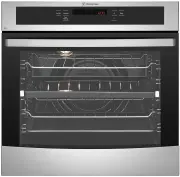


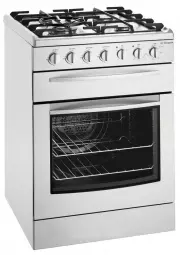 Westinghouse DSP635S
User Manual
Westinghouse DSP635S
User Manual
 Westinghouse DSP635W
User Manual
Westinghouse DSP635W
User Manual
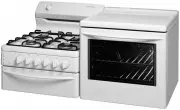 Westinghouse GEK1385RW
User Manual
Westinghouse GEK1385RW
User Manual
 Westinghouse GGR475S
User Manual
Westinghouse GGR475S
User Manual
 Westinghouse GGR475SLPG
User Manual
Westinghouse GGR475SLPG
User Manual
 Westinghouse GGR475WLPG
User Manual
Westinghouse GGR475WLPG
User Manual
 Westinghouse GOR474S
User Manual
Westinghouse GOR474S
User Manual
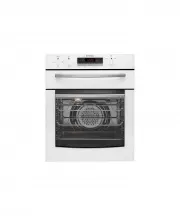 Westinghouse GOR474SLPG
User Manual
Westinghouse GOR474SLPG
User Manual
 Westinghouse GOR476S
User Manual
Westinghouse GOR476S
User Manual
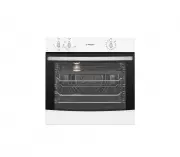 Westinghouse GOR476SLPG
User Manual
Westinghouse GOR476SLPG
User Manual
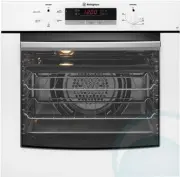 Westinghouse GOR476W
User Manual
Westinghouse GOR476W
User Manual
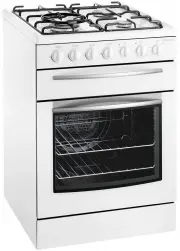 Westinghouse GSP625WLPG
User Manual
Westinghouse GSP625WLPG
User Manual
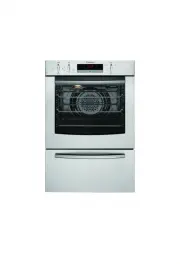 Westinghouse GXR650S
User Manual
Westinghouse GXR650S
User Manual
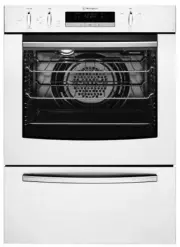 Westinghouse GXR650W
User Manual
Westinghouse GXR650W
User Manual
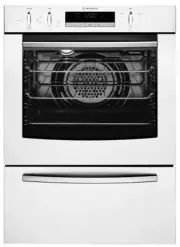 Westinghouse GXR650WLPG
User Manual
Westinghouse GXR650WLPG
User Manual
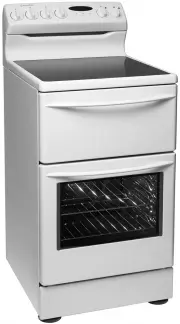 Westinghouse PAK557W
User Manual
Westinghouse PAK557W
User Manual
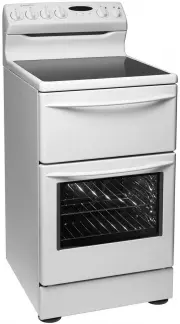 Westinghouse PAK804W
User Manual
Westinghouse PAK804W
User Manual
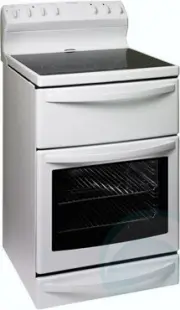 Westinghouse PAK806W
User Manual
Westinghouse PAK806W
User Manual
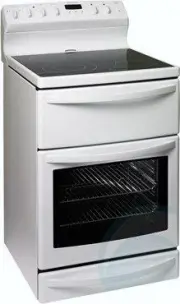 Westinghouse PAK808W
User Manual
Westinghouse PAK808W
User Manual
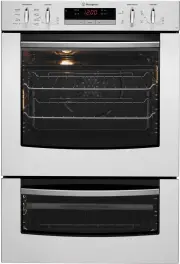 Westinghouse PDR790S
User Manual
Westinghouse PDR790S
User Manual