Page 2 - Conditions of use; CONTENTS
2 General warnings.................................................................................3Important safety instructions ....................................................... 4Before first use .................................................................................... 6Radio inte...
Page 3 - CAUTION; General safety; WARNING; GENERAL WARNINGS
3 CAUTION It is important to use your appliance safely. Check these safety points before using your appliance. General safety • Internally the appliance becomes hot when in operation. Always use microwave gloves to remove or put in accessories or ovenware. • During use the appliance becomes hot. Car...
Page 4 - IMPORTANT SAFETY INSTRUCTIONS; Installation
4 IMPORTANT SAFETY INSTRUCTIONS Installation WARNING Only a qualified person must install this appliance. • Remove all the packaging. • Do not install or use a damaged appliance. • Obey the installation instructions supplied with the appliance. • Always be careful when you move the appliance because...
Page 5 - Specifications
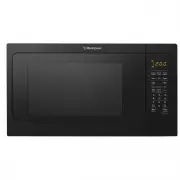
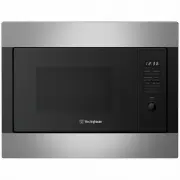
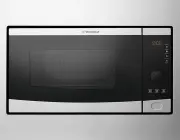
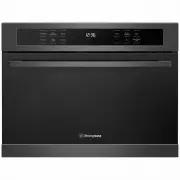
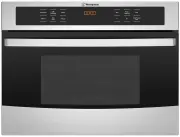
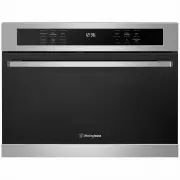
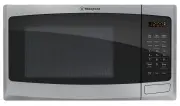
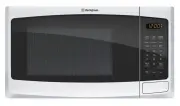
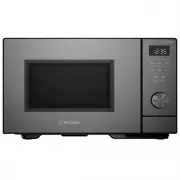
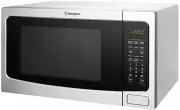
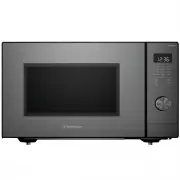
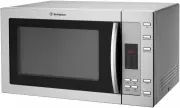
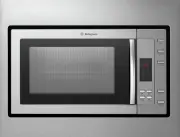
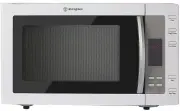
5 CAUTION Steam will escape, when opening lids or wrapping foil. Specifications Model: WMF4102WA / WMF4102SA / WMF4102BA WMF3122WA / WMF3122SA Rated Voltage: 230-240V~ 50Hz 230-240V~ 50Hz Rated Input Power (Microwave): 1450-1550W 1450-1550W Rated Output Power (Microwave): 1050-1100W 1000W Oven Capac...
Page 6 - Utensils guide; BEFORE FIRST USE; Radio Interference
6 NOTE: • If you have any questions about the grounding or electrical instructions, consult a qualified electrician or service person. • Neither the manufacturer nor the dealer can accept any liability for damage to the microwave or personal injury resulting from failure to observe the electrical co...
Page 7 - Initial cleaning; Setting the time; IMPORTANT; Setting the clock
7 • Round/oval dishes rather than square/oblong ones are recommend, as food in corners tends to overcook. • Narrow strips of aluminum foil may be used to prevent overcooking of exposed areas. But be careful don’t use too much and keep a distance of 1 inch (2.54cm) between foil and cavity. COOKWARE M...
Page 8 - PRODUCT DESCRIPTION; Accessories; CONTROL PANEL; Models
8 PRODUCT DESCRIPTION 1 Control panel 2 Turntable shaft 3 Turntable ring 4 Glass tray 5 Observation window 6 Oven door 7 Safety interlock system 1 5 6 4 3 2 7 Accessories Turntable set Glass cooking tray and roller guide. IMPORTANT Always use the turntable set to prepare food in the appliance. 1 Qui...
Page 9 - DAILY USE; General information about using the appliance
9 DAILY USE WARNING Refer to the safety chapters. CAUTION Do not let the appliance operate when there is no food in it. General information about using the appliance • After you deactivate the appliance, let the food stand for some minutes. • Remove the aluminium foil packaging, metal containers, et...
Page 10 - Suitable cookware and materials
10 DAILY USE (CONTINUED) COOKWARE / MATERIAL MICROWAVE DEFROSTING HEATING COOKING Ovenproof glass and porcelain (with no metal components, e.g. Pyrex, heat- proof glass) Non-ovenproof glass and porcelain 1) -- -- Glass and glass ceramic made of ovenproof / frost-proof material (e.g. Arcoflam), grill...
Page 11 - Power setting table
11 LEVEL 10 9 8 7 6 5 4 3 2 1 Power 100% 90% 80% 70% 60% 50% 40% 30% 20% 10% Display PL10 PL9 PL8 PL7 PL6 PL5 PL4 PL3 PL2 PL1 Power setting table One Touch Start 1. Instant cooking at 100% power level and 1 to 6 minutes cooking time can be started by pressing number pads 1 to 6. Press to increase th...
Page 12 - Auto menu table; Potato; Sensor Rehea; Preparing foods for Sensor Reheat:; Veggie
12 DAILY USE (CONTINUED) Auto menu table MENU BUTTON FOOD DISPLAY WEIGHT/ PORTION Custom Cook Bacon CC-1 2-6 SLICES Frozen roll/ Muffin-reheat CC-2 1-6 PIECES Beverage CC-3 1-2 CUP Chicken Pieces CC-4 250-1000g Oatmeal (with milk) CC-5 600g / 1200g Melt Butter / Margarine S-1 1-3 STICKS Chocolate S-...
Page 14 - ADDITIONAL FUNCTIONS; Timer; USING THE ACCESSORIES; Inserting the turntable set
14 ADDITIONAL FUNCTIONS Timer 1. Press , “00:00” and “Timer” will appear in the display. 2. Press the number pads to enter the time amount. The maximum amount of time that can be entered is 99 minutes, 99 seconds. 3. Press to confirm setting, timer indicator will flash, timer counts down. 4. When th...
Page 15 - HELPFUL HINTS AND TIPS; CARE AND CLEANING
15 Defrosting Always defrost roast with the fat side down. Do not defrost covered meat because this may cause cooking instead of defrosting. Always defrost whole poultry breast side down. Cooking Always remove chilled meat and poultry from the refrigerator at least 30 minutes before cooking. Let the...
Page 16 - TROUBLESHOOTING
16 TROUBLESHOOTING WARNING Refer to the safety chapters. PROBLEM POSSIBLE CAUSE REMEDY Oven will not start Electrical cord for oven is not plugged in. Plug into the outlet. Door is open. Close the door and try again. Wrong operation is set. Check instructions. Arcing or sparking Materials to be avoi...
Page 17 - INSTALLATION
17 CAUTION Do not block the air vents. If you do that, the appliance can overheat. CAUTION Do not connect the appliance to adapters or extension leads. This can cause overloading and risk of fire.• Put the appliance far away from steam, hot air and water splashes. • If the appliance is stored/ trans...
Page 18 - Electrical installation
18 Electrical installation WARNING Only a qualified person must do the electrical installation. IMPORTANT The manufacturer is not responsible if you do not follow the safety precautions from the chapter “Safety Instructions”.This appliance is supplied with a main cable and main plug. WARNING The mic...
Page 19 - Warranty; Important Notice
19 This document sets out the terms and conditions of the product warranties for Westinghouse Appliances. It is an important document. Please keep it with your proof of purchase documents in a safe place for future reference should there be a manufacturing defect in your Appliance. This warranty is ...
Page 20 - TOP SERVICE
AUSTRALIA phone: 1300 363 640fax: 1800 350 067 email: [email protected]web: westinghouse.com.au NEW ZEALAND phone: 0800 436 245fax: 0800 225 088 email: [email protected]web: westinghouse.co.nz For more information on all Westinghouse appliances, or for dimension and installation information, call in...