Westinghouse WMF2302WA - User Manual
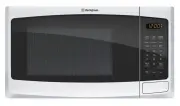
A user manual for Westinghouse freestanding microwave models WMF2302SA and WMF2302WA covers essential operational and safety guidance. Key areas include detailed safety instructions–such as child protection, electrical hazards, and proper installation–to ensure safe use and maintenance. The document also outlines cooking principles, compatible cookware guidelines, preset functions (defrosting, reheating, and specialized recipes), troubleshooting common issues like power failures or uneven heating, and setup requirements for correct placement and grounding. Technical specifications and accessories are referenced indirectly to support functionality.


Table of Contents:
- Page 1 – Product Identification and Support Information
- Page 2 – Introduction and Safety Symbol Definitions
- Page 3 – General Safety Warnings and Precautions
- Page 4 – Installation, Operation, and Disposal Safety
- Page 5 – Technical Specifications
- Page 6 – Pre-Use Setup and Electrical Safety
- Page 7 – Microwave Cooking Guidelines and Troubleshooting
- Page 8 – Appliance Components and Control Panel
- Page 9 – Daily Food Cooking and Defrosting Advice
- Page 10 – Cookware Suitability for Microwave Use
- Page 11 – Operating Functions and Power Level Selection
- Page 12 – Preset Cooking Functions and Memory
- Page 13 – Accessory Usage and Advanced Features
- Page 14 – Cooking Tips and Maintenance Instructions
- Page 15 – Troubleshooting Guide
- Page 16 – Installation Procedures and Clearance
- Page 17 – Electrical Installation Safety Guidelines
- Page 19 – Warranty Terms and Conditions
- Page 20 – Customer Service Contact Information
USER MANUAL
WMF2302SA, WMF2302WA
FREESTANDING MICROWAVE
"Loading the manual" means you need to wait until the file loads and becomes available for online reading. Some manuals are very large, and the time they take to appear depends on your internet speed.
Was this manual helpful?
Helpful for 3 of 3 readers
About this manual
- Brand
- Westinghouse
- Model
- WMF2302WA
- Document type
- User Manual
- Category
- Microwave
- Language(s)
- English
- Pages
- 20
- File size
- 566.8 KB
- Format
Summary
Identification details for the Westinghouse freestanding microwave models WMF2302SA and WMF2302WA, including model numbers and visual representation.
Customer welcome message, table of contents listing sections, warranty implications, and explanations for safety warning symbols (WARNING, CAUTION, IMPORTANT, ENVIRONMENT).
Safety precautions regarding children, hot surfaces, container use, electrical safety, and specific cautions related to maintenance and installation.
Ask a question
Related manuals
More Westinghouse Microwaves models
 Westinghouse WMB2522SC User Manual
 Westinghouse WMB2802SA User Manual
 Westinghouse WMB4425DSC User Manual
 Westinghouse WMB4425SA User Manual
 Westinghouse WMB4425SC User Manual
 Westinghouse WMF2302SA User Manual
 Westinghouse WMF2905GA User Manual
 Westinghouse WMF4102BA User Manual
 Westinghouse WMF4102SA User Manual
 Westinghouse WMF4505GA User Manual
 Westinghouse WMS281SB User Manual


