Page 2 - WARNING; WARNING; This symbol indicates information on how to avoid; ENVIRONMENTAL TIPS; Conditions of use; CONTENTS
CONTENTS 2 Important safety instructions ........................................ 3 Installation ............................................................... 4 Controls .................................................................. 8 Understanding the cooker .....................................
Page 3 - IMPORTANT SAFETY INSTRUCTIONS; Grill
SAFETY 3 IMPORTANT SAFETY INSTRUCTIONS Before you use the appliance, we recommend that you read through the relevant sections of this manual, which provides the description of your appliance and its functions.To avoid the risks that are always present when you use an appliance, it is important that ...
Page 4 - INSTALLATION; NOTE: Where connection is made to a multi-phase
INSTALLATION 4 INSTALLATION Plastic clip Plastic clip securing points WARNING WARNING This appliance must be installed by an authorised person in compliance with local municipal building codes and any other relevant statutory regulation. Wiring connections must be made in accordance with: New Zealan...
Page 5 - Installation dimensions; Installers responsibility
INSTALLATION 5 INSTALLATION 5mm Clearance min. 5mm Clearance min. 596mm WARNING CAUTION Installation dimensions WARNING WARNING Installers responsibility In ALL cases the anti-tilt bracket MUST be securely anchored to the floor with suitable fasteners, and the stability bolt fixed. The anti-tilt bra...
Page 6 - Step 3: Stability bolt; IMPORTANT; Setting the time
6 INSTALLATION INSTALLATION WARNING WARNING Step 3: Stability bolt 1. Remove oven door – to be done by qualified personnel only. (Refer to procedure). 2. Remove screws from kick panel. To remove kick panel lift kick panel upwards to release the two Location Tabs from the holes in the bottom of the p...
Page 7 - Fitting oven shelves
INSTALLATION 7 INSTALLATION WARNING WARNING Fitting oven shelves 1. Ensure shelf orientation is correct (refer to diagram below). 2. Slide oven shelves onto oven supports (side runners) at an angle until raised back of shelf is past the stop on oven supports (side runners). 3. Lower front of shelf a...
Page 8 - CONTROLS
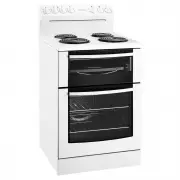
CONTROLS 8 CONTROLS 1 2 3 4 5 1. Hotplate Control Knobs • Adjusts temperature of hotplate. Can be rotated in either direction. 2. Hotplate Indicator Lamp • Comes on when you turn a hotplate on. 3. Temperature Control Knob • Sets temperature for baking. 4. Oven Indicator Lamp • Comes on when you oper...
Page 9 - NOTE: Clock time must be set before oven
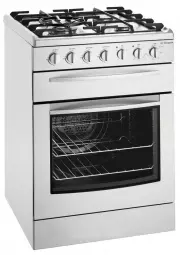
CONTROLS 9 CONTROLS 2 4 6 1 3 5 7 WLE625WA 1. Hotplate Control Knobs • Adjusts temperature of hotplate. Can be rotated in either direction. 2. Hotplate Indicator Lamp • Comes on when you turn a hotplate on. 3. Temperature Control Knob • Sets temperature for baking. 4. Oven Indicator Lamp • Comes on ...
Page 12 - UNDERSTANDING THE COOKER; Separate grill models
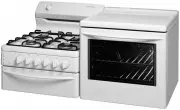
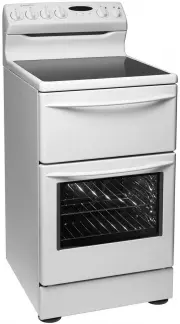
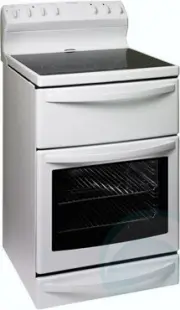
12 UNDERSTANDING THE COOKER UNDERSTANDING THE COOKER Separate grill models Control panel Grill dish and grill rack with removable side support racks (where fitted) Grill door Removable shelves Oven door Removable inner glass Kick panel Fan (Fan forced models only) Grill element Hotplate
Page 13 - Grill in oven models
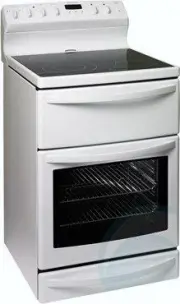
13 UNDERSTANDING THE COOKER UNDERSTANDING THE COOKER Grill in oven models Control panel Hotplate Grill dish and rack Oven door Removable inner glass Kick panel Storage or warmer drawer Removable shelves Fan (Fan forced models only) GPO
Page 14 - USING THE HOTPLATES; Radiant Hotplates; Utensils
14 USING THE HOTPLATES USING THE HOTPLATES GOOD BAD (moisture on hotplate) BAD (convex base) BAD (oversize) BAD (recessed base) BAD (undersize) BAD (no utensil) GOOD BAD (moisture on hotplate) BAD (convex base) BAD (oversize) BAD (recessed base) BAD (undersize) BAD (no utensil) GOOD BAD (moisture on...
Page 15 - UNDERSTANDING THE FUNCTIONS
15 UNDERSTANDING THE FUNCTIONS WARNING CAUTION Do not line the bottom of the oven with foil or place anything on bottom surface of oven liner as trapped heat will crack or craze oven liner. ALWAYS remove unnecessary trays or dishes from oven when baking or roasting. Preheating Oven 1. For best resul...
Page 16 - Fan Grilling
16 UNDERSTANDING THE FUNCTIONS UNDERSTANDING THE FUNCTIONS WARNING WARNING Always turn your grill off immediately after use, as fat left there may catch fire. Do not cover the grill rack with foil. The cooker is supplied with a grill tray that fits into the meat dish. When grilling, use one of the t...
Page 17 - FOOD; COOKING GUIDE FOR OVENS
17 COOKING GUIDE FOR OVENS FOOD BAKE FAN BAKE BASE HEAT GRILL FAN GRILL MAXI GRILL RAPID HEAT Baked Products Single trays R R A A 3 trays R A 2 trays R Scones/small cakes R R R R Muffins R R R Slices R R A R Cakes R A A Fruit Cakes R R A Egg Recipes Baked Custards R R Pavlova A A Meringues A R Pies ...
Page 18 - General Purpose Socket Outlets (If fitted); Warming Drawer
18 General Purpose Socket Outlets (If fitted) The socket outlet may be used for general applications. A 15A fuse mounted in the rear of the appliance protects the socket outlet. Switch GPO Warming Drawer The warming drawer may be used to warm crockery prior to use. Recommend warming times 30 minutes...
Page 19 - GET TO KNOW YOUR OVEN; Get to know your new oven with this
19 GET TO KNOW YOUR OVEN Get to know your new oven with this ‘Simple Test Cake’ Although we strive for a perfect performing oven, it’s possible that there will be some variation in colour when baking. Therefore, we suggest this simple, easy and delicious to make Simple Test Cake, it can help you und...
Page 20 - PROBLEM; HANDLING BAKING & GRILLING PROBLEMS
20 BAKING & GRILLING PROBLEMS PROBLEM CAUSES REMEDIES Uneven cooking • Incorrect shelf position. - Select shelf that puts food in the centre of the oven. • Oven tray too large. - Experiment with other trays or dishes. • Trays not centralised. - Centre trays. • Food has not been rotated. - Rotate...
Page 21 - OPERATING THE 3 BUTTON PROGRAMMABLE CLOCK; Selecting the timer
21 CLOCKS OPERATING THE 3 BUTTON PROGRAMMABLE CLOCK (Where supplied) TIPS & INFORMATION IMPORTANT Setting the time If you have purchased a model fitted with an electronic or programmable clock, you MUST set the time of day before you can operate your appliance. Your oven is equipped with a 3 but...
Page 22 - OPERATING THE 120 MINUTE MECHANICAL RINGER TIMER; To check or cancel settings
22 CLOCKS OPERATING THE 120 MINUTE MECHANICAL RINGER TIMER (Where supplied) To check or cancel settings • To check your settings, press the MODE button until the indicator you want is flashing. • To cancel “delayed start” press the mode button until a light flashes next to “end time” . Press and hol...
Page 23 - CLEANING AND CARING FOR THE COOKER; Cleaning Enamel and Glass Door Panels; Ceramic Hotplates
23 CLEANING AND CARING CLEANING AND CARING FOR THE COOKER WARNING WARNING Always make sure that the appliance is turned off before you clean it. All surfaces should be kept clean to reduce the risk of damage or fire. Cleaning Enamel and Glass Door Panels Keep it clean by wiping it regularly with a s...
Page 24 - CLEANING AND CARING FOR THE OVEN
24 CLEANING AND CARING CLEANING AND CARING FOR THE OVEN Removing the Oven Shelves Slide the oven shelves towards you until they reach the front stop. Tilt them up at the front and lift them clear. Wash the shelves in hot soapy water. For heavy baked-on-stains soaking of the shelves may be required. ...
Page 25 - Cleaning the oven door; To remove the inner door glass for cleaning
25 CLEANING AND CARING CLEANING AND CARING FOR THE COOKER Cleaning the oven door Cool air circulates through the door to lower the surface temperature on the outside of the oven door. WARNING CAUTION • Do not remove the outer oven door. This product has a removable inner glass insert for ease of cle...
Page 26 - Re-assembling the oven door inner glass; Safety warnings about cleaning; Door glass
26 CLEANING AND CARING CLEANING AND CARING FOR THE OVEN Re-assembling the oven door inner glass • When replacing the door inner glass, make sure the circle is positioned as shown in the image (where applicable). • Replace the top trim ensuring the clips snap back into position. • Fully open the door...
Page 27 - Removing the oven door
27 INSTALLATION INSTALLATION Removing the oven door (To be done by qualified personnel only)1. With door fully open, rotate the two stirrups to its rest position. Stirrup 2. Close the door until it stops against the stirrups. 3. Close the door further. 4. Lift the door slightly and evenly while cont...
Page 28 - Replacing the oven door; Procedure to assemble the door; Service fuse location – models with powerpoint only
28 INSTALLATION INSTALLATION Replacing the oven door (To be done by qualified personnel only)1. Hold door with both hands. 2. Locate both hinges into the frame slots at the same time. Procedure to assemble the door (to be done by personnel only) Procedure to assemble the door (to be done by qualifie...
Page 29 - SOLVING PROBLEMS
29 SOLVING PROBLEMS Faults If you have a problem with your oven and/or grill, please: • Check the points listed below before calling for service. You may be able to avoid a service call by fixing the problem yourself - and so continue cooking. NOTE: We may charge you for service even in the guarante...
Page 30 - Warranty; Important Notice
This document sets out the terms and conditions of the product warranties for Electrolux Appliances. It is an important document. Please keep it with your proof of purchase documents in a safe place for future reference should you require service for your Appliance. 1. In this warranty: (a) ‘accepta...
Page 31 - NOTES