Page 2 - ENVIRONMENTAL TIPS; INFORMATION ON DISPOSAL FOR USERS; CONTENTS
2 CONTENTS Important safety instructions .............................................................. 3Description of your appliance ............................................................. 5 WFE912SA .................................................................................. 5 WFE914S...
Page 3 - This symbol indicates never to do this; WARNING; GENERAL WARNINGS; IMPORTANT SAFETY INSTRUCTIONS; NSTALLATION, CLEANING AND SERVICING
3 SAFETY These warnings have been provided in the interest of safety. You MUST read them carefully before installing or using the appliance. The symbols you will see in this booklet have these meanings: WARNING This symbol indicates information concerning your personal safety TIPS & INFORMATION ...
Page 4 - OVEN; CHILD SAFETY
4 WARNING OVEN During use the appliance becomes hot. Care should be taken to avoid touching the hot surfaces inside the oven.Switch the appliance off before removing the oven light glass for globe replacement.To avoid an accident, ensure that oven shelves and fittings are always inserted into the ap...
Page 5 - Control Panel
5 OFF OFF OFF OFF H LO I OFF H LO I COOK BAKE H LO I H LO I H LO I H LO I MODEL WFE912SAGas hob, multi-function electric oven with electronic timer Removable wok trivet Removable cast iron trivetGas burner Control panel Oven door Oven function selector Oven temperature control Clock/Timer display Ga...
Page 8 - Ceramic hob touch controls
8 ON/OFF FUNCTION FAST HEAT UP MODEL WFE946SATouch control electric ceramic hob, programmable touch control electric oven Hob element controls Ceramic glass hob Oven control panel Oven door Storage compartment Stainless steel kick panel Triple ring cooking zone Multi-purpose double cooking zone Smal...
Page 9 - Control Panel - oven programmable controller
9 ON/OFF FUNCTION FAST HEAT UP MODEL WVE916SAProgrammable touch control electric oven Programmable controller Control Panel - oven programmable controller DESCRIPTION
Page 10 - SETTING THE TIME
10 OPERATION BEFORE OPERATING YOUR APPLIANCE FOR THE FIRST TIME TIPS & INFORMATION SETTING THE TIME If you have purchased a model fitted with an electronic or programmable timer, you MUST set the time of day before you can operate your appliance. PUSH BUTTON AND TOUCH CONTROL ELECTRONIC CLOCK MO...
Page 11 - INSTALLING YOUR OVEN ACCESSORIES; SIDE RACKS
11 INSTALLATION INSTALLING YOUR OVEN ACCESSORIES SIDE RACKS The side racks that come with your oven are fitted in the following manner • Insert the 2 rear pegs into the holes provided • Locate the front peg into the front access hole and push in firmly. CATALYTIC LINERS (ON SELECTED MODELS) Catalyti...
Page 12 - INSTALLING BURNERS AND TRIVETS; SHELVES AND TRAYS
12 INSTALLING BURNERS • The burner crown must be fitted correctly into the burner cup or damage will occur during operation. • To do this, ensure that the 2 ribs on either side of the spark plug hole are positioned into the 2 slots on the burner cup. • The burner cap is simply positioned over the to...
Page 13 - GETTING TO KNOW YOUR GAS COOKTOP; USING YOUR GAS HOTPLATES; NOTE: In the absence of electrical power, carry out the
13 GETTING TO KNOW YOUR GAS COOKTOP Trivets Burner cap Burner crown USAGE USING YOUR GAS HOTPLATES LIGHTING BURNERSElectronic ignition These hobs are fitted with mains powered electronic ignition. When the appliance has been connected and the power is on, depressing any knob will release sparks to a...
Page 14 - CERAMIC HOTPLATES MODEL WFE946; GETTING TO KNOW YOUR CERAMIC COOKTOP
14 USAGE CERAMIC HOTPLATES MODEL WFE946 The cooktop is made from ceramic glass, a tough, durable material that withstands heating and cooling without breaking. It is strong enough to hold the heaviest utensils. However, it must be remembered that as it is GLASS, it may break. Treat it accordingly! S...
Page 15 - CERAMIC COOKTOP CONTROLS; FUNCTION; ICONS; DISPLAY
15 USAGE CERAMIC COOKTOP CONTROLS 1. ON/OFF WITH POWER INDICATOR 2. LOCK WITH PILOT LIGHT3. TRIPLE RING COOKING ZONE4. DISPLAY5. ZONE INDICATOR6. HEAT SETTING SELECTION7. TIMER SETTING SELECTION8. TIMER DISPLAY9. MULTIPURPOSE COOKING ZONE The appliance is operated using Touch Control sensor fields. ...
Page 16 - SWITCHING THE CERAMIC COOKTOP ON AND OFF; USING YOUR CERAMIC COOKTOP; SETTING THE HEAT SETTING
16 OPERATION CONTROL PANEL DISPLAY Switch on Touch for 2 seconds / Switch off Touch for 2 seconds / none CONTROL PANEL DISPLAY To increase Touch to To decrease Touch to To switch off Touch and at the same time TRIPLE COOKING ZONE CONTROL PANEL INDICATOR LIGHT To switch on the middle ring Touch for 1...
Page 17 - USING THE CHILD SAFETY DEVICE
17 OPERATION USING YOUR CERAMIC COOKTOP USING THE CHILD SAFETY DEVICE The child safety device prevents unintentional use of the appliance. SWITCHING ON THE CHILD SAFETY DEVICE STEP CONTROL PANEL DISPLAY 1. Switch the appliance on (Do not set a heat setting) 2. Touch for 4 seconds The child safety de...
Page 19 - Control panel; HEAT SETTING; SWITCHES OFF AFTER; hours
19 USING YOUR CERAMIC COOKTOP AUTOMATIC SWITCH OFFCooking surface • If after switching on the cooking surface, a heat setting is not set for a cooking zone within approx. 10 seconds, the cooking surface automatically switches itself off. • If one or more sensor fields are covered by objects (a pan, ...
Page 20 - USING YOUR OVEN
20 USAGE USING YOUR OVEN UNDERSTANDING YOUR OVEN FUNCTIONS The following lists the oven functions available with the programmable controller (models WFE916, WFE946 & WVE916). Multifunction models (WFE914 & WFE912) have all oven functions except for Fan Assist, Pizza and Fast Heat Up. RAPID H...
Page 21 - NOTE: If you are using water in cooking, this will turn
21 USING YOUR OVEN USAGE Function 7 The “Defrost” function uses low temperature air that is circulated by the fans. You can defrost (thaw) your food before you cook it. You can also use “Defrost” to raise your yeast dough and to dry fruit, vegetables and herbs. FAN GRILL Function 8 “Fan Grill” offer...
Page 22 - PREHEATING YOUR OVEN WITH “RAPID HEAT”
22 OPERATING THE PUSH BUTTON & TOUCH CONTROL CLOCK MODELS WFE912 & WFE914 ONLY GENERAL FEATURES Your touch control clock has the following features: • Timer – allows you to set a countdown time that will beep when the set time has elapsed. • Cooking duration – You can set a cooking duration....
Page 23 - NOTE: Do not forget to add preheating time if necessary.
23 USING YOUR OVEN USAGE SETTING THE COOKING DURATION 1. Check the clock displays the correct time of day. 2. Select the desired oven function and temperature. The oven indicator light will glow and the heating source will come on. 3. Press “mode“ until the “cook time” indicator I begins flashing. 4...
Page 24 - NOTE: The temperature can only be adjusted when the
24 USAGE USING YOUR OVEN SETTING THE TIME OF DAY After the appliance has been electrically connected the “set clock” symbol will flash on the clock display. 1. To set the time of day in hours and minutes press the – or +. 5 seconds after the last change the “timer arrow” will disappear, confirming t...
Page 26 - COOKING TEST; GET TO KNOW YOUR NEW OVEN WITH THIS ‘SIMPLE TEST CAKE’
26 OPERATION COOKING TEST GET TO KNOW YOUR NEW OVEN WITH THIS ‘SIMPLE TEST CAKE’ Although we strive for a perfect performing oven, it’s possible that there will be some variation in colour when baking. Therefore, we suggest this simple, easy and delicious to make Simple Test Cake, it can help you un...
Page 27 - COOKING GUIDE; OVEN SHELF LOCATION
27 COOKING GUIDE COOKING • For best baking results preheat oven for 30 minutes • Select the correct shelf location for food being cooked. • The grill tray can be used in the oven as a baking dish, except in oven shelf location 1. • Make sure dishes will fit into the oven before you switch it on. • K...
Page 28 - CHOOSING THE BEST OVEN SETTINGS
28 COOKING COOKING GUIDE CHOOSING THE BEST OVEN SETTINGS The following table is intended as a guide and experience may show some variation in cooking times necessary to meet individual requirements. We recommend that you preheat your oven for 30 minutes. MODES WITHOUT OVEN FAN FOOD TEMPERATURE C OVE...
Page 29 - Excessive fat build up may cause a fire.
29 COOKING GUIDE COOKING ROASTING MEAT 1. Place the meat in the oven and set the temperature between 180°C and 200°C. (It is recommended to wrap your meats in an oven roasting bag or foil to prevent fats and oils from splattering, making it easier to clean your oven.) 2. Use the grill/oven dish and ...
Page 30 - PROBLEM; • Incorrect tin size.; DEALING WITH COOKING PROBLEMS
30 COOKING PROBLEMS PROBLEM CAUSES REMEDIES Uneven cooking: • Incorrect shelf position.• Oven tray too large.• Trays not centralised.• Air flow in oven uneven.• Grill dish affecting thermostat. – Select shelf that puts food in the centre of the oven.– Experiment with other trays or dishes.– Centre t...
Page 31 - NOTE: Make sure you follow the polish or brushing lines; NOTE: Items with high sugar content not only include jam; CLEANING YOUR APPLIANCE
31 CLEANING WARNING • Always make sure that the oven is electrically isolated before cleaning. This can be done by the functional switch nearby • Do not line the bottom of the oven with foil or cookware • Do not use steam cleaners STAINLESS STEEL WARNING • The oven door trim, the control panel and t...
Page 32 - CLEANING YOUR OVEN ACCESSORIES; REMOVING THE TRAYS AND SHELVES FROM YOUR APPLIANCE
32 CLEANING YOUR OVEN ACCESSORIES REMOVING THE TRAYS AND SHELVES FROM YOUR APPLIANCE • Slide the dish and grill tray towards you until they reach the front stop. • Tilt them up at the front to clear the side supports, taking care not to spill the contents. • Lift them clear. • Wash the tray and shel...
Page 33 - CLEANING YOUR OVEN DOOR; CHANGING THE LIGHT GLOBE
33 CLEANING CLEANING YOUR OVEN DOOR WARNING • DO NOT use the oven without the inner and middle door glass fitted. • NEVER spray any caustic cleaners on any surface of the door or damage to the surface coatings will result. • DO NOT use metal utensils, scrapers, scourers, or abrasive cleaners to clea...
Page 34 - REMOVING THE CATALYTIC LINERS; CATALYTIC LINERS
34 OPERATION The catalytic liners are coated with a specially formulated enamel coating, over a base of regular enamel. This enamel coating has a rough surface which is also porous. During normal cooking, fats and other food spatter is partially absorbed into the surface and then oxidised away. This...
Page 35 - FAULTS; SOLVING PROBLEMS; FURTHER INFORMATION; flow for more than 5 seconds when attempting to light the burner.
35 STORAGE FAULTS If there is a problem with the oven and/or grill, please:• Check the points listed below before calling for service. It may be possible to avoid a call by fixing the problem yourself – and so continue cooking. NOTE: We may charge for service even in the guarantee period if your pro...
Page 36 - INSTALLATION OF THE APPLIANCE; CABINET REQUIREMENTS; INSTALLING SPLASHBACK (MODELS WITH HOB ONLY)
36 PROBLEMS INSTALLATION OF THE APPLIANCE CABINET REQUIREMENTS Models WFE912, WFE914, WFE916, & WFE946 are designed to fit into a 900mm wide gap between standard kitchen cabinets. The appliance integrates with the kitchen cabinets by matching the height, depth and kick panel. The cooker may also...
Page 37 - The floor mounted type installation uses the appliance as; FLOOR MOUNTED INSTALLATION
37 INSTALLATION INSTALLATION OF THE APPLIANCE The floor mounted type installation uses the appliance as supplied, and can be fitted in between cabinets, with cabinets on one side or without adjacent cabinets. There is no clearance requirement to adjacent side cabinets.To ensure cooker stability, the...
Page 38 - INSTALLATION OF ANTI-TILT BRACKETS AND HOOK
38 INSTALLATION INSTALLATION OF ANTI-TILT BRACKETS AND HOOK • T he anti-tilt brackets must be secured to the floor at rear of cavity with an appropriate fastener according to dimensions in diagram • The hook is to be secured to the back wall in the location shown above with an appropriate fastener c...
Page 39 - TO REMOVE THE APPLIANCE KICK PANEL; SLOT IN CONVERSION
39 INSTALLATION SLOT-IN INSTALLATION INSTALLATION OF THE APPLIANCE TO REMOVE THE APPLIANCE KICK PANEL • Remove all loose parts ie. Burner crowns & caps, trivets, oven shelves • Carefully lay down the appliance onto one side onto foam packaging and remove the screws as shown from each corner brac...
Page 40 - INSTALLATION OF ANTI-TILT BRACKETS AND STOPS
40 INSTALLATION INSTALLATION OF THE APPLIANCE INSTALLATION OF ANTI-TILT BRACKETS AND STOPS • The brackets are to be secured to the back wall with appropriate fasteners. • The bottom edge of the the brackets rest on the horizontal support surface. • Two stops are to be screwed to the plinth in locati...
Page 41 - BUILT-IN INSTALLATION; CABINET CONSTRUCTION FOR BUILT IN OVEN; Flush mount option
41 900mm 864mm Cupboard door Cupboard door 580mm minimum Infill panel Infill panel INSTALLATION BUILT-IN INSTALLATION CABINET CONSTRUCTION FOR BUILT IN OVEN For the best integration within a kitchen, install this appliance in a cupboard that gives a flush fit with the surrounding cupboard fronts. A ...
Page 42 - NOTE: The appliance must be fixed into position when
42 INSTALLATION INSTALLATION OF THE APPLIANCE NOTE: The appliance must be fixed into position when installed by fitting 2 screws provided through mounting holes into cabinet.If a power point is fitted it must be accessible with the appliance installed. UNDERBENCH INSTALLATION Your underbench oven lo...
Page 43 - WIRING REQUIREMENTS; For New Zealand Only:
43 INSTALLATION WIRING REQUIREMENTS The cooker MUST be installed in compliance with:• wiring connections in AS/NZS 3000 Wiring Rules • local regulations, municipal building codes and other statutory regulations For New Zealand Only: The cooking range must be connected to the supply by a supply cord ...
Page 44 - GAS CONNECTION; GAS PRESSURES
44 ELECTRICAL & GAS CONNECTION LOCATIONS INSTALLING THE GAS COOKER GAS TYPE NATURAL GAS UNIVERSAL LPG Supply pressure at inlet to appliance regulator (if fitted) 1.13 (kPa)Minimum 2.75*(kPa) Operating pressure at appliance test point 1.00 (kPa) 2.75 (kPa) *If the regulator is placed upstream of ...
Page 46 - TESTING THE OPERATION OF THE GAS COOKER; CHECKING GAS SUPPLY
46 TESTING THE OPERATION OF THE GAS COOKER NOTE: You MUST test the cooker after installation, before you hand it over to the customer. You MUST have a manometer and a connecting tube. CHECKING GAS SUPPLY 1. Check the manometer zero point is correct.2. Connect the manometer to the cooker pressure tes...
Page 47 - Warranty; Important Notice
47 INSTALLATION This document sets out the terms and conditions of the product warranties for Electrolux Appliances. It is an important document. Please keep it with your proof of purchase documents in a safe place for future reference should you require service for your Appliance. 1. In this warran...
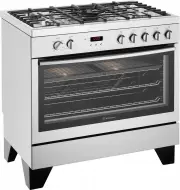


 Westinghouse DSP635S
User Manual
Westinghouse DSP635S
User Manual
 Westinghouse DSP635W
User Manual
Westinghouse DSP635W
User Manual
 Westinghouse GEK1385RW
User Manual
Westinghouse GEK1385RW
User Manual
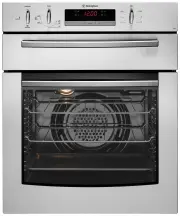 Westinghouse GGR475S
User Manual
Westinghouse GGR475S
User Manual
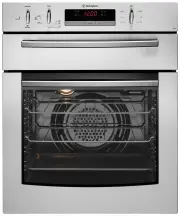 Westinghouse GGR475SLPG
User Manual
Westinghouse GGR475SLPG
User Manual
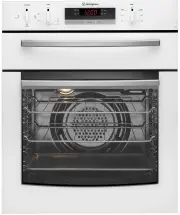 Westinghouse GGR475WLPG
User Manual
Westinghouse GGR475WLPG
User Manual
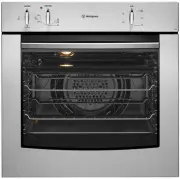 Westinghouse GOR474S
User Manual
Westinghouse GOR474S
User Manual
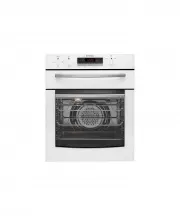 Westinghouse GOR474SLPG
User Manual
Westinghouse GOR474SLPG
User Manual
 Westinghouse GOR476S
User Manual
Westinghouse GOR476S
User Manual
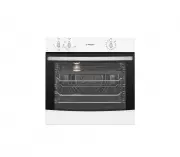 Westinghouse GOR476SLPG
User Manual
Westinghouse GOR476SLPG
User Manual
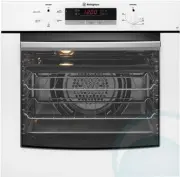 Westinghouse GOR476W
User Manual
Westinghouse GOR476W
User Manual
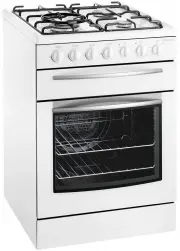 Westinghouse GSP625WLPG
User Manual
Westinghouse GSP625WLPG
User Manual
 Westinghouse GXR650S
User Manual
Westinghouse GXR650S
User Manual
 Westinghouse GXR650W
User Manual
Westinghouse GXR650W
User Manual
 Westinghouse GXR650WLPG
User Manual
Westinghouse GXR650WLPG
User Manual
 Westinghouse PAK557W
User Manual
Westinghouse PAK557W
User Manual
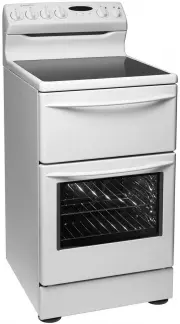 Westinghouse PAK804W
User Manual
Westinghouse PAK804W
User Manual
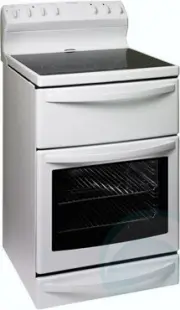 Westinghouse PAK806W
User Manual
Westinghouse PAK806W
User Manual
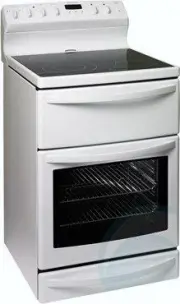 Westinghouse PAK808W
User Manual
Westinghouse PAK808W
User Manual
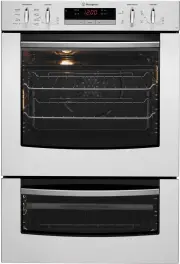 Westinghouse PDR790S
User Manual
Westinghouse PDR790S
User Manual