Page 2 - International Safety Symbols; Danger
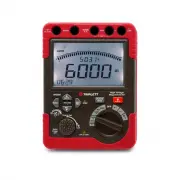
Introduction Congratulations on your purchase of the Triplett MG600 High Voltage Megohmeter/Insulation Tester. This meter provides four Insulation Resistance test ranges plus Continuity, AC/DC Voltage, Polarization Index and Dielectric Absorption Ratio measurements. Safety International Safety Symbo...
Page 4 - Safety Category Information
If the equipment is used in a manner not specified by the manufacturer, the protection provided by the equipment may be impaired. Do not use the Insulation resistance tester near explosive gas, vapor or dust. When using the test leads, keep fingers away from the lead contacts. Keep fingers behind th...
Page 6 - Insulation Resistance Testing; DANGER; PRESS TO TEST Knob; PRESS TO TEST
14. Function Indicator Insulation Resistance Testing CAUTIONS: Ensure that no electrical charge exists on the circuit under test. Insulated gloves should be worn while testing. Use extreme caution to avoid touching the tips of the test leads or the circuit under test when the PRESS TO TEST button is...
Page 7 - Emergency Stop; STOP; Insulation Resistance Test; Manual Test; icon will
Emergency Stop To stop a test at any time, press the STOP button or rotate the PRESS TO TEST knob in a counter-clockwise direction. The STOP button also clears the display and beeper after a discharge is complete. Insulation Resistance Test Manual Test 1. Connect the Black Earth test lead to the Ear...
Page 8 - Locked Test; Timed Insulation Test
Locked Test 1. Repeat steps 1 to 3 as above. 2. Press and turn the PRESS TO TEST button to the lock position to run the test. The buzzer will beep during the test. 3. Read the measured value on the LCD display. 4. Rotate the PRESS TO TEST button to the PRESS TO TEST position to end the test and disc...
Page 9 - Insulation Resistance Measurement Considerations; The Resistance of an insulator is determined by applying a test
Polarization Index (PI) The polarization index Test calculates the ratio of the resistance measurement after 10 minutes to the resistance measurement after 1 minute: Results are determined by the type, age and condition of the insulation material tested. Established standards and test procedures sho...
Page 10 - Use of the Guard Terminal; . In order to prevent
Notes: The insulation resistance of a device may not be stable therefore the readings supplied by the meter may vary. An audible beep will be heard while a test is in progress, this is normal. Measurements taken on a capacitive load may take some time to complete. Insulation Resistance tests output ...
Page 11 - Data Hold; Press the backlight button to switch on the LCD display backlight.; Auto Power Off; Disconnect the test leads from the unit.; Press the BATT button. The “
Data Hold 1. Press the HOLD button to freeze the displayed reading on the LCD display. The HOLD display icon will switch ON in this mode. 2. Press the HOLD button again to return the meter to the normal operation mode. The HOLD display icon will switch OFF. Backlight 1. Press the backlight button to...
Page 12 - not use this mode to check
AC/DC Voltage and Resistance Testing AC/DC Voltage Measurements 1. Connect the red test lead to the V terminal and the black test lead to the COM input terminal. 2. Set the Function Selector Switch to the “ ” VAC or the “ ” VDC position. 3. Connect the test leads to the circuit under test. 4. Note t...
Page 14 - Maintenance; Battery Replacement; WARNING
4. To exit MAX/MIN mode entirely, press and hold the MAX/MIN button for at least 2 seconds. Maintenance Battery Replacement WARNING : To avoid electric shock, disconnect all of the test leads from the unit before replacing the batteries. Operating Caution Do not mix old and new batteries. Make sure ...
Page 15 - Power Adaptor; Ensure that the meter is; Cleaning and Care; Moisture in the terminals can affect the reading. Keep the
Power Adaptor 1. The power adaptor input terminal is located at the top left of the tester. 2. Ensure that the meter is powered off before inserting the power adaptor into the input terminal. 3. It is highly recommended that all of the batteries be removed from the meter before using the power adapt...
Page 17 - Insulation Resistance Measurement Specifications; above the
Insulation Resistance Measurement Specifications Test Voltages 500V 1000V 2500V 5000V * 0.005~6.000MΩ 0.005~6.000MΩ 0.05~60.00MΩ 0.05~60.00MΩ Measurement 6.01~60.00MΩ 6.01~60.00MΩ 60.1~600.0MΩ 60.1~600.0MΩ Range 60.1~600.0MΩ 60.1~600.0MΩ 0.61~6.00GΩ 0.61~6.00GΩ (Auto-ranging) 0.61~6.00GΩ 0.61~6.00GΩ...
Page 18 - VDC; Low Resistance Measurement and Continuity Specifications; Continuity Buzzer; Warranty
AC/DC Voltage Specifications Range Resolution Accuracy 0.5 to 600 VAC (40 to 400Hz) ±1% of rdg + 5d (40 to 60 Hz) 0.1V ±2.5% of rdg + 10d (61 to 400 Hz) 0.5 to 600 VDC ±1% of reading + 5 digits Low Resistance Measurement and Continuity Specifications Range Resolution Accuracy 0.1 to 600 0.1 ±1.5% rd...