Page 2 - Table of Contents
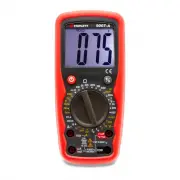
1. Introduction2. Safety Rules and Warnings3. International Symbols4. Product Features5. Specifications Table of Contents Page 1 6. Front Panel7. Measurement Procedures8. Test Lead Holders and Stand9. Maintenance10. Accessories 1: INTRODUCTION The Triplett 9007 is a ruggedized 3 ½ digit (2000 count)...
Page 14 - : INTERNATIONAL SYMBOLS
Page 13 3: INTERNATIONAL SYMBOLS The following International Symbols may be used in this manual and on the case of the meter to identify, caution, or warn the user of important product limitations or important operational procedures that must be followed to ensure safe usage of the product. Low Batt...
Page 18 - DC Voltage; All ranges are 10M
Page 17 Note: a) The following accuracy specifications are valid at 23 degrees C, +/- 5 degrees C, Relative Humidity less than 75%b) The specifications are in the form “ +/- (x % of reading + LSD)” where LSD is “Least Significant Digit”. DC Voltage ± (0.8% rdg + 2 digit) Input Impedance: All ranges ...
Page 19 - AC Voltage; DC Current; Overload Protection:
Page 18 AC Voltage 200.0mV 2.000V 20.00V 200.0V 700V ± (1.2% rdg + 5 digits) ± (1.0% rdg + 3 digits) Input Impedance: All ranges are 10M Ω Frequency: 50Hz to 400Hz Overload Protection: 200mV Range: 250V AC/DC rms. Other VAC ranges: 1000VDC, 700VAC rms Display: Average Value (RMS of Sine Wave) DC Cur...
Page 20 - AC Current; (below 200mA range); Resistance
Page 19 AC Current Range Resolution Accuracy 2.000mA 1µA ± (1.2% rdg + 3 digits) 200.0mA 100µA ± (2.0% rdg + 3 digits) 20.00A 10mA ± (3% rdg + 10 digits) Overload Protection: 0.2A / 250V fuse (below 200mA range) 20A /250V fuse (20A range) Limit measurement time on 20A range to 30 seconds for inputs ...
Page 21 - Capacitance; Diode Test and Continuity Beeper
Page 20 Overload Protection: All ranges 250V DC or AC RMS. * On 200M Ohm range, it is normal for the meter to display 10 LSD with the test leads shorted together. To obtain an accurate reading, subtract 10 LSD from the displayed value. Capacitance 2.000nF 20.00nF 200.0nF 2.000uF Overload Protection:...
Page 23 - : MEASUREMENT PROCEDURES; Do not use the meter when the low battery symbol is displayed.
Page 22 7: MEASUREMENT PROCEDURES WARNING! Do not use the meter when the low battery symbol is displayed. This may cause the meter to produce inaccurate readings, and lead the user to believe that no hazard exists, when, in fact, dangerous voltages or currents are present. 7.1 LCD Backlight The 9005...
Page 26 - Do not rotate the RANGE switch with the input applied to the meter.
Page 25 7.4 AC Voltage Measurement: WARNING! If the magnitude of the voltage to be measured is unknown, always start by setting the meter to the highest range, and then to lower ranges, until a satisfactory reading is obtained. Do not rotate the RANGE switch with the input applied to the meter. If t...
Page 29 - uA mA; IN SERIES; 0 A
Page 28 7.5.3 If the red test lead is inserted into the uA mA jack, set the RANGE switch to the 200m A position. Connect the test leads IN SERIES with the circuit to be measured. Read the value of the current on the LCD. 7.5.4 If the display indicates overrange, i.e. “1- - -”, disconnect the test pr...
Page 31 - If the red test lead is inserted into the; RANGE switch to the
Page 30 7.6.3 If the red test lead is inserted into the uA mA jack, set the RANGE switch to the 200m A~ position. Connect the test leads IN SERIES with the circuit to be measured. Read the value of the current on the LCD. 7.6.4 If the display indicates overrange, i.e. “1- - -”, disconnect the test p...
Page 32 - ” position that is
Page 31 7.7 Resistance Measurement: WARNING! Do not apply voltage or current to the meter when it is set to any of the “ Ω ” ranges. 7.7.1 Connect the black test lead to the COM jack, and the red test lead to the VOLT / DIODE / OHM / CAP “V Ω CAP” jack. 7.7.2 Set the RANGE switch to the Ohms “ Ω ” p...
Page 34 - Connect the black test lead to the; COM; jack and the red test; CAP”; “ ” range.
Page 33 7.8 Continuity Beeper: WARNING! Do not apply voltage or current to the meter when it is set to the Diode Test / Continuity Beeper “ ” range. 7.8.1 Connect the black test lead to the COM jack and the red test lead to the VOLT / DIODE / OHM / CAP “V Ω CAP” jack. 7.8.2 Set the RANGE switch to t...
Page 40 - to remove the battery cover screws.
Page 39 9.1 Replacing Battery: 9.1.1 Remove the test leads from the meter. 9.1.2 Remove 1 screw from the top of the battery compartment cover. Flip the Stand out and remove the screw from the bottom of the battery compartment cover. The cover is sealed and may fit tightly. A small screwdriver insert...
Page 42 - The Triplett Model 9007 package contains the following items:
Page 41 10: ACCESSORIES 10.1 The Triplett Model 9007 package contains the following items: 10.1.1 The Model 9007 DMM 10.1.2 Test leads for the 9007 (Triplett PN 79-808) 10.1.3 Instruction Manual (Triplett PN 84-885) 10.2 Several different carrying cases may be used for the 9007. Contact a Triplett r...
Page 43 - Triplett Product Return Instructions; Triplett / Jewell Instruments
Triplett Product Return Instructions In the unlikely event that you must return your Triplett equipment for repair, the following steps must be taken. 1) Call 1-800-TRIPLETT to obtain a Return Material Authorization (RMA) number from Customer Service. 2) Enclose a copy of the original sales receipt ...
Page 44 - Triplett Three Year Limited Warranty
Triplett Three Year Limited Warranty Triplett warrants instruments and test equipment manufactured by it to be free from defective material or workmanship and agrees to repair or replace such products which, under normal use and service, disclose the defect to be the fault of our manufacturing, with...