Page 2 - Warning
1 ) The appliance is not to be used by persons (including children) with reduced physical, sensory or mental capabilities, or lack of experience and knowledge, unless they have been given supervision or instruction. children being supervised not to play with the appliance. 2 ) WARNING: If the surfac...
Page 8 - Congratulations
5 in a safe way and understand the hazards involved. • Children shall not play with the appliance. Cleaning and user maintenance shall not be made by children without supervision . • WARNING: Unattended cooking on a hob with fat or oil can be dangerous and may result in fire.NEVER try to extinguish ...
Page 9 - Product Overview; Top View
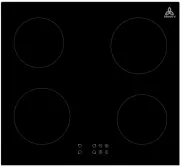
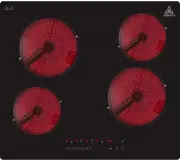
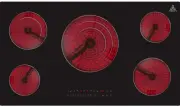
Product Overview Top View 1. max. 1800 W zone2. max. 1 4 00 W zone 3. max. 1800 W zone4. max. 1 4 00 W zone 5. Glass plate6. Control panel 6
Page 10 - Control Panel; Product Information
Control Panel Product Information The microcomputer ceramic hob can meet different kinds of cuisine demandsbecause of resistance wire heating, micro-computerized control and multi-powerselection, really the optimal choice for modern families.The ceramic hob centers on customers and adopts personaliz...
Page 12 - Using your Induction Hob; To start cooking
Make sure that the base of your pan is smooth, sits flat against the glass, and isthe same size as the cooking zone. Always centre your pan on the cooking zone. Always lift pans off the ceramic hob – do not slide, or they may scratch the glass. Using your Induction Hob To start cooking 1. Touch the ...
Page 13 - If the display flashes; When you have finished cooking
3. Touching the heating zone selection control ,and a indicator next to the key will flash 。 4. Select a heat setting by touching the “-“ or “+” control.• If you don’t choose a heat setting within 1 minute, the Induction hob will automaticallyswitch off. You will need to start again atstep 1. • You ...
Page 14 - Locking the Controls
2. Turn the cooking zone off by scrolling down to”0” or touching”-“ and”+” control together. Make sure the display shows”0” 3. Turn the whole cooktop off by touching the ON/OFF control. 4. Beware of hot surfaces H will show which cooking zone is hot to touch. It will disappear when the surface has c...
Page 15 - Over-Temperature Protection
To unlock the controls 1. Make sure the induction hob is turned on.2. Touch and hold the “—” and “ + ” control for a while. 3. You can now start using your induction hob. When the hob is in the lock mode,all the controls are disable except theON/OFF , you can always turn the induction hob off with t...
Page 16 - Using the Timer; Using the Timer as a Minute Minder
Using the Timer You can use the timer in two different ways:• You can use it as a minute minder. In this case, the timer will not turn any cooking zone off when the set time is up. • You can set it to turn one or more cooking zones off after the set time is up.• You can set the timer up to 99 minute...
Page 17 - Setting the timer to turn one or more cooking zones off; If the timer is set on one zone:
5. set the time by touching the ”-“ or ”+” control (e.g.9), now the timer you set is 95 minutes. 6. When the time is set, it will begin to count down immediately. The display will show the remainingtime. 7. Buzzer will bips for 30 seconds and the timer indicator shows “- - “ when the setting timefin...
Page 19 - If the timer is set on more than one zone:
1. When you set the time for several cooking zones simultaneously, decimal dots of the relevant cooking zones are on. The minute display shows the min. timer.The dot of the corresponding zone flashes. 2. Once the countdown timer expires, the corresponding zone will switch off. Then it will show the ...
Page 20 - Cooking Guidelines; Cooking Tips
Cooking Guidelines Cooking Tips • When food comes to the boil, reduce the power setting.• Using a lid will reduce cooking times and save energy by retaining the heat.• Minimise the amount of liquid or fat to reduce cooking times.• Start cooking on a high setting and reduce the setting when the food ...
Page 21 - Heat Settings
5. Stir-fry the vegetables. When they are hot but still crisp, turn the cooking zone to a lower setting, return the meat to the pan and add your sauce. 6. Stir the ingredients gently to make sure they are heated through.7. Serve immediately. Heat Settings The settings below are guidelines only. The ...
Page 22 - Care and Cleaning
Care and Cleaning What? How? Important! Everyday soiling onglass (fingerprints, marks, stains left by food or non-sugaryspillovers on the glass) 1. Switch the power to the cooktop off. 2. Apply a cooktop cleaner while the glass is still warm(but not hot!) 3. Rinse and wipe dry with a clean cloth or ...
Page 23 - Hints and Tips
Hints and Tips Problem Possible causes What to do The induction hob cannot be turned on. No power. Make sure the induction hob is connected to the power supplyand that it is switched on. Check whether there is a power outage in your home or area. Ifyou’ve checked everything and the problem persists,...
Page 24 - Failure Display and Inspection
The induction hob or a cooking zone hasturned itself off unexpectedly, a tone sounds and an errorcode is displayed (typically alternating with one or two digitsin the cooking timer display). Technical fault. Please note down the error letters and numbers, switchthe power to the induction hob off at ...
Page 25 - Technical Specification; Cooking Hob; Supply Voltage
Technical Specification Cooking Hob TRI64-64N05T Cooking Zones 4 Zones Supply Voltage 220-240V~ /380-415V 2N~ Installed Electric Power 6400W Product Size L×W×H(mm) 590 × 520 × 66 Building-in Dimensions A×B (mm) 560 × 490 Weight and Dimensions are approximate. Because we continually strive toimprove ...
Page 26 - Installation; Selection of installation equipment
Installation Selection of installation equipment Cut out the work surface according to the sizes shown in the drawing.For the purpose of installation and use, a minimum of 5 cm space shall bepreserved around the hole.Be sure the thickness of the work surface is at least 30mm. Please selectheat-resis...
Page 27 - Before you install the hob, make sure that
A(mm) B(mm) C(mm) D E 760 50 mini 20 mini Air intake Air exit 5mm Before you install the hob, make sure that • the work surface is square and level, and no structural members interfere with space requirements • the work surface is made of a heat-resistant material• if the hob is installed above an o...
Page 28 - When you have installed the hob, make sure that
• there is adequate flow of fresh air from outside the cabinetry to the base of the hob • if the hob is installed above a drawer or cupboard space, a thermal protection barrier is installed below the base of the hob • the isolating switch is easily accessible by the customer When you have installed ...
Page 30 - Cautions; Connecting the hob to the mains power supply
2 7 The power supply should be connected in compliance with the relevantstandard,or a single-pole circuit breaker.the method of connection is shownbelow. Cautions 1. The induction hotplate must be installed by qualified personnel or technicians. We have professionals at your service. Please never co...