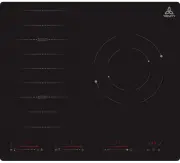
Page 2 - MODEL TR; Congratulations on the purchase of your new
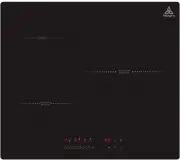
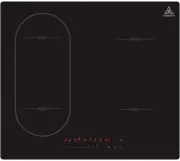
P a g e | 2 INSTRUCTION MANUAL 60 cm Hybrid Cooktop MODEL TR C I 60 3 Congratulations on the purchase of your new Hybrid Hob! We recommend that you spend some time to read this Instruction / Installation Manual in order to fully understand how to install and operate it correctly. For installation, p...
Page 3 - CONTENTS
P a g e | 3 ONLINE: TRINITYAPPLIANCES.COM.AU CONTENTS 1. PACKAGE ................................................................................................................................................................. 4 1.1 IMPORTANT - CHECK FOR ANY DAMAGE OR MARKS ............................
Page 4 - PACKAGE; product can be returned to the courier.; ybrid
P a g e | 4 ONLINE: TRINITYAPPLIANCES.COM.AU 1. PACKAGE When unpacking the appliance, please check that the following items are contained within the package: • 1 Hob • 1 Instruction manual • 4 Fixing screws • 4 Fixing brackets • 1 Sealing strip 1.1 IMPORTANT - CHECK FOR ANY DAMAGE OR MARKS Please th...
Page 5 - you start using the
P a g e | 5 ONLINE: TRINITYAPPLIANCES.COM.AU 2. SAFETY WARNINGS 2.1 IMPORTANT INFORMATION Your safety is important to us. Please read this manual thoroughly before you start using the Hybrid Cooktop. The safety precautions instructions reduce the risk of fire, electric shock and injury when correctl...
Page 8 - TOP; Heating Zone Power
P a g e | 8 ONLINE: TRINITYAPPLIANCES.COM.AU 3. PRODUCT OVERVIEW 3.1 TOP VIEW Heating Zone Power Heating Zone Max. Power (220V~ ) 20 00/2 3 0 0W (Booster) 1 5 00/ 20 00W (Booster) 230 0/ 115 0W (Inner ring) 5800W Total Rating Power
Page 9 - Reference
P a g e | 9 ONLINE: TRINITYAPPLIANCES.COM.AU 3.2 CONTROL PANEL/USER INTERFACE Reference Description A ON/OFF key B C Timer control keys &Timer setting indicator D Power slider regulating key E F Child lock key Pause key D E F Boost control key G Dual circuit control key H Timer setting indicator...
Page 10 - Over-Temperature Protection; Hybrid; Detection of Small Articles; Hybrid; Power level; Hybrid; Iron pot
P a g e | 10 ONLINE: TRINITYAPPLIANCES.COM.AU 3.3 A WORD ON HYBRID COOKING Hybrid cooking is a safe, advanced, efficient, and economical cooking technology. It works by electromagnetic vibrations generating heat directly in the pan, rather than indirectly through heating the glass surface. The glass...
Page 11 - SELECTION OF INSTALLATION EQUIPMENT
P a g e | 11 ONLINE: TRINITYAPPLIANCES.COM.AU Before using your New Ceramic Hob:Read this guide, taking special note of the 'Safety Warnings' section.Remove any protective film that may still be on your Ceramic hob. Before using your New Ceramic Hob:Read this guide, taking special note of the 'Safet...
Page 13 - Cut out worktop to supplied dimensions shown(fig.1) with suitable; base of; Stretch out the supplied seal along the underside edge of the; Before locating the fixing brackets; not apply force onto the controls protruding from the hob.
P a g e | 13 ONLINE: TRINITYAPPLIANCES.COM.AU When you have installed the hob, make sure that: SILICONE SILICONE Cut out worktop to supplied dimensions shown(fig.1) with suitable equipment. Seal the cut edge of the worktop using silicone PTFE and allow to dry prior to fitting the hob. the power supp...
Page 14 - CAUTIONS
P a g e | 14 ONLINE: TRINITYAPPLIANCES.COM.AU fig . 3 fig . 4 Do not use adhesive to fix the hob into the worktop.Once the seal is fitted position the hob into the cutout in the worktop. Spply gentle downwards pressure onto the hob to push it into the worktop ensuring a good seal around the outer edge(fi...
Page 15 - This appliance requires a 32 Amp Miniature Circuit Breaker.
P a g e | 15 ONLINE: TRINITYAPPLIANCES.COM.AU 4.4 CONNECTING THE HOB TO THE MAIN POWER SUPPLY This hob must be connected to the mains power supply only by a suitably qualified person. Before connecting the hob to the mains power supply, check that:1. The domestic wiring system is suitable for the po...
Page 16 - Do not use cookware with jagged edges or a curved base.; expected.Pot less than 140 mm could be undetected by the hob. Always
P a g e | 16 ONLINE: TRINITYAPPLIANCES.COM.AU 5. USING YOUR COOKTOP Before using your new Hybrid Hob Do not use cookware with jagged edges or a curved base. Make sure that the base of your pan is smooth, sits flat against the glass, and is the same size as the cooking zone. Use pans whose diameter i...
Page 17 - USING TOUCH CONTROLS
P a g e | 17 ONLINE: TRINITYAPPLIANCES.COM.AU • The controls respond to touch, so you don’t need to apply any pressure. • Use the ball of your finger, not the tip. • You will hear a “beep” buzzer sound each time a touch is registered. • Make sure the controls are always clean, dry, and that there is...
Page 18 - CHILD; Touch and hold the keylock control for a while; To lock the controls; Touch the child lock key; To unlock the controls; you have not placed a pan on the correct cooking zone or,; HEN
P a g e | 18 ONLINE: TRINITYAPPLIANCES.COM.AU • If you do not choose a heat setting within 20 seconds, Hybrid hob will automatically switch off. You will need to start again at step 1 . • You can modify the heat setting at any time during cooking. 5. 5 CHILD LOCK FUNCTION • You can lock the controls...
Page 19 - Using the Timer as a; or , you can; USING THE TIMER; You can use the timer in two different ways:
P a g e | 19 ONLINE: TRINITYAPPLIANCES.COM.AU • You can use it as a minute minder. In this case, the timer will not turn any cooking zone off when the set time is up. • You can set it to turn one cooking zone off after the set time is up. • You can set the timer for up to 99 minutes. Using the Timer...
Page 20 - remaining time of switch off timer.; Using Cooking; process if you’re interrupted.; FLEXIBLE AREA; zone to
P a g e | 20 ONLINE: TRINITYAPPLIANCES.COM.AU 5. When cooking timer expires, the corresponding cooking zone will be switch off automatically. Other cooking zone will keep operating if they are turned on previously. 6. When using “the timer as an alarm” and “the timer to switch off the zones ” togeth...
Page 21 - Using the Boost function; Actived the boost function; Touching the relevant zone boost control key; Cancel the Boost function; The function can work in any cooking zone.
P a g e | 2 1 ONLINE: TRINITYAPPLIANCES.COM.AU ,the zone indicator show“P.” and 5. 9 Using the Boost function Actived the boost function Touching the relevant zone boost control key the power reach Max. Cancel the Boost function Touching the slider regulating key(E) to cancel the Boost function, the...
Page 22 - TROUBLESHOOTING; induction; The above are the judgment and inspection of common failures.; please contact the supplier.
P a g e | 2 2 ONLINE: TRINITYAPPLIANCES.COM.AU 6 . TROUBLESHOOTING Before calling the customer services, please check that the appliance is correctly connected, any of the following cases are not covered by the warranty: Damage caused by improper use, storage or maintenance Damage caused by unau...
Page 23 - SPECIFICATIONS; RCI; DISPOSAL
P a g e | 2 3 ONLINE: TRINITYAPPLIANCES.COM.AU 7 . TECHNICAL SPECIFICATIONS Cooktop model T RCI 60 3 Cooking Zones 3 Zones Supply Voltage 220-240V~ Installed Electric Power 58 00W(2 3 0 V ~) Product Size L×W×H (mm) 59 0 X5 2 0X 58 Building-in Dimensions A×B (mm) 56 5 X49 5 Weight and Dimensions are ...
Page 24 - keep
P a g e | 2 4 ONLINE: TRINITYAPPLIANCES.COM.AU 9. CUSTOMER CARE • Please be advised that without the proof of purchase, your warranty may not be valid, keep the receipt . For your convenience, please record: STORE NAME/CONTACT DETAILS: .............................................… PURCHASE DATE: .....