Page 3 - Country Restriction
FCC RF Radiation Exposure Statement This equipment complies with FCC RF radiation exposure limits set forth for an uncontrolled environment. This device and its antenna must not be co-located or operating in conjunction with any other antenna or transmitter. “To comply with FCC RF exposure complianc...
Page 4 - DECLARATION OF CONFORMITY; For the following equipment:; 50Mbps Wireless N ADSL2+ Modem Router; Directive; Yang Hongliang
TP-LINK TECHNOLOGIES CO., LTD TP-LINK TECHNOLOGIES CO., LTD. South Building, No.5 Keyuan Road, Central Zone, Science & Technology Park, Nanshan, Shenzhen, P. R. China DECLARATION OF CONFORMITY For the following equipment: Product Description: 150Mbps Wireless N ADSL2+ Modem Router Model No.: TD-...
Page 5 - CONTENTS
CONTENTS Package Contents .................................................................................................... 1 Chapter 1. Introduction ......................................................................................... 2 1.1 Product Overview .....................................
Page 7 - 50Mbps Wireless N ADSL2+ Modem Router User Guide; Package Contents
TD-W8951ND 150Mbps Wireless N ADSL2+ Modem Router User Guide 1 Package Contents The following contents should be found in your package: ¾ One TD-W8951ND 150Mbps Wireless N ADSL2+ Modem Router ¾ One Power Adapter for TD-W8951ND 150Mbps Wireless N ADSL2+ Modem Router ¾ Quick Installation Guide ¾ One R...
Page 8 - Chapter 1. Introduction; Product Overview; ADSL
TD-W8951ND 150Mbps Wireless N ADSL2+ Modem Router User Guide Chapter 1. Introduction Thank you for choosing the TD-W8951ND 150Mbps Wireless N ADSL2+ Modem Router . 1.1 Product Overview The device is designed to provide a simple and cost-effective ADSL Internet connection for a private Ethernet or IE...
Page 10 - Chapter 2. Hardware Installation; The Front Panel; Name
TD-W8951ND 150Mbps Wireless N ADSL2+ Modem Router User Guide Chapter 2. Hardware Installation 2.1 The Front Panel Figure 2-1 The LEDs locate on the front panel. They indicate the device’s working status. For details, please refer to LED Explanation. LED Explanation: Name Status Indication On Power i...
Page 11 - : The Power plug is where you will connect the power adapter.
TD-W8951ND 150Mbps Wireless N ADSL2+ Modem Router User Guide 2.2 The Back Panel Figure 2-2 ¾ POWER : The Power plug is where you will connect the power adapter. ¾ ON/OFF : The switch for the power. ¾ RESET : There are two ways to reset the Router's factory defaults. Method one : With the Router powe...
Page 12 - Installation Environment; Method two
TD-W8951ND 150Mbps Wireless N ADSL2+ Modem Router User Guide 2.3 Installation Environment ¾ The Product should not be located where it will be exposed to moisture or excessive heat. ¾ Place the Router in a location where it can be connected to the various devices as well as to a power source. ¾ Make...
Page 14 - Chapter 3. Quick Installation Guide; Click the; Start; menu on your desktop, right click; My Network Places; Right click; Local Area Connection
TD-W8951ND 150Mbps Wireless N ADSL2+ Modem Router User Guide Chapter 3. Quick Installation Guide 3.1 Configure PC After you directly connect your PC to the TD-W8951ND or connect your adapter to a Hub/Switch which has connected to the Router, you need to configure your PC’s IP address. Follow the ste...
Page 15 - Select; General; , and then click the; Properties
TD-W8951ND 150Mbps Wireless N ADSL2+ Modem Router User Guide Figure 3-2 Step 3: Select General tab, highlight Internet Protocol (TCP/IP) , and then click the Properties button. Figure 3-3 9
Page 16 - Configure the IP address as Figure 3-4 shows. After that, click; Obtain an IP address; ” and “; Obtain DNS server address automatically; ” in the screen above.
TD-W8951ND 150Mbps Wireless N ADSL2+ Modem Router User Guide Step 4: Configure the IP address as Figure 3-4 shows. After that, click OK . Figure 3-4 ) Note: You can c onfigure the PC to get an IP address automatically, select “ Obtain an IP address automatically ” and “ Obtain DNS server address aut...
Page 18 - Select the; Quick Start; Configure the time for the Router, and then click the; NEXT; Select the connection type to connect to the ISP (We select; NEXT
TD-W8951ND 150Mbps Wireless N ADSL2+ Modem Router User Guide Figure 3-7 Step 1: Select the Quick Start tab, then click RUN WIZARD , and you will see the next screen. Click the NEXT button. Figure 3-8 Step 2: Configure the time for the Router, and then click the NEXT button. Figure 3-9 Step 3: Select...
Page 19 - Configure the following options provided by your ISP:
TD-W8951ND 150Mbps Wireless N ADSL2+ Modem Router User Guide Figure 3-10 Step 4: Configure the following options provided by your ISP: Username , Password , VPI , VCI and Connection Type . Then click NEXT . Figure 3-11 Step 5: Configure the rules for the WLAN, and click NEXT . 13
Page 20 - Click; to finish the Quick Start.
TD-W8951ND 150Mbps Wireless N ADSL2+ Modem Router User Guide Figure 3-12 ) Note: If the Access Point is activated, the wireless function will be available even without the external antenna because of an additional printed antenna. To adopt the wireless security protection measures, please refer to S...
Page 21 - Chapter 4. Software Configuration; Choose “
TD-W8951ND 150Mbps Wireless N ADSL2+ Modem Router User Guide Chapter 4. Software Configuration This User Guide recommends using the “Quick Installation Guide” for first-time installation. For advanced users, if you want to know more about this device and make use of its functions adequately, maybe y...
Page 22 - Click the other submenus; System Log; or; Statistics; in Figure 4-2, and you will be able to view the; Status; ” menu, and you will be able to query the logs of the Router.
TD-W8951ND 150Mbps Wireless N ADSL2+ Modem Router User Guide Figure 4-2 ) Note: Click the other submenus System Log or Statistics in Figure 4-2, and you will be able to view the system log and traffic statistics about the Router. 4.1.2 System Log Choose “ Status → System Log ” menu, and you will be ...
Page 26 - Interface Setup
TD-W8951ND 150Mbps Wireless N ADSL2+ Modem Router User Guide 4.3 Interface Setup Choose “ Interface Setup ”, you can see the next submenus: Internet , LAN and Wireless . Figure 4-5 Click any of them, and you will be able to configure the corresponding function. 4.3.1 Internet Choose “ Interface Setu...
Page 28 - If you want to use a designed VC, you should activate it.; IP
TD-W8951ND 150Mbps Wireless N ADSL2+ Modem Router User Guide • Virtual Circuit: Select the VC number you want to setup, PVC0~PVC7. • Status: If you want to use a designed VC, you should activate it. • VPI: Identifies the virtual path between endpoints in an ATM network. The valid range is from 0 to ...
Page 32 - After you finish the Internet configuration, please click; SAVE; to make the settings take effect.; Interface Setup
TD-W8951ND 150Mbps Wireless N ADSL2+ Modem Router User Guide ¾ Static/Dynamic IP Address: For PPPoA/PPPoE connection, you need to specify the public IP address for this ADSL Router. The IP address can be either dynamically (via DHCP) or given IP address provided by your ISP. For Static IP, you need ...
Page 35 - If; Use Auto Discovered DNS Server Only; is selected in DNS Relay, this router will accept the; Use User Discovered DNS Server Only; is selected in; Relay; If you select; Disabled; , the DHCP function will not take effect.
TD-W8951ND 150Mbps Wireless N ADSL2+ Modem Router User Guide • Current Pool Summary: Click the button, then you can view the IP addresses that the DHCP Server gives out. ) Note: If Use Auto Discovered DNS Server Only is selected in DNS Relay, this router will accept the first received DNS assignment...
Page 37 - These are the settings of the access point. You can configure the; Fragmentation Threshold:; This value specifies the maximum size for a packet before; Wireless mode
TD-W8951ND 150Mbps Wireless N ADSL2+ Modem Router User Guide ¾ Access point Settings: These are the settings of the access point. You can configure the rules to allow wireless-equipped computers and other devices to communicate with a wireless network. • Access point: Select Activated to allow wirel...
Page 47 - Advanced Setup; ” menu, and you will see the routing information in the next; ADD ROUTE; This parameter specifies the IP network address of the final
TD-W8951ND 150Mbps Wireless N ADSL2+ Modem Router User Guide Figure 4-25 ¾ Firewall: Select this option can automatically detect and block Denial of Service (DoS) attacks, such as Ping of Death, SYN Flood, Port Scan and Land Attack. ¾ SPI: If you enable SPI, all traffics initiated from WAN would be ...
Page 48 - Enter the subnet mask for this destination.; It can be single IP or multiple IPs. We select Multiple to explain.
TD-W8951ND 150Mbps Wireless N ADSL2+ Modem Router User Guide ¾ IP Subnet Mask: Enter the subnet mask for this destination. ¾ Gateway IP Address: Enter the IP address of the gateway. The gateway is an immediate neighbor of your ADSL Router that will forward the packet to the destination. On the LAN, ...
Page 50 - For VCs with single IP, select; Single
TD-W8951ND 150Mbps Wireless N ADSL2+ Modem Router User Guide Figure 4-30 ¾ Rule Index: The Virtual server rule index for this VC. You can specify 10 rules in maximum. All the VCs with single IP will use the same Virtual Server rules. ¾ Application: The Virtual servers can be used for setting up publ...
Page 51 - is only available for VCs with Multiple IPs.
TD-W8951ND 150Mbps Wireless N ADSL2+ Modem Router User Guide Click the BACK button to return to the previous screen. Click the CANCEL button to cancel the configuration which is made just now. 4.4.3.3. IP Address Mapping Select Multiple for numbers of IPs in Figure 4-28, and choose “ Advanced Setup ...
Page 53 - Click the button to view the configurations of QoS.
TD-W8951ND 150Mbps Wireless N ADSL2+ Modem Router User Guide Figure 4-32 ¾ QoS: Select this option to Activate/Deactivate the IP QoS on different types (IP ToS and DiffServ). ¾ Summary: Click the button to view the configurations of QoS. ¾ Rule: Configure the rules for QoS. If the traffic complies w...
Page 55 - ”, you can activate the VLAN function in the next screen.; ) Assign VLAN PVID for each Interface; Assign VLAN PVID for each Interface; in Figure 4-33, you can assign the PVID for each
TD-W8951ND 150Mbps Wireless N ADSL2+ Modem Router User Guide 4.4.5 VLAN Choose “ Advanced Setup → VLAN ”, you can activate the VLAN function in the next screen. Virtual LAN (VLAN) is a group of devices on one or more LANs that are configured so that they can communicate as if they were attached to t...
Page 56 - Define VLAN Group; in Figure 4-33, you can define VLAN groups in the next screen (shown
TD-W8951ND 150Mbps Wireless N ADSL2+ Modem Router User Guide Figure 4-34 ¾ PVID: Each physical port has a default VID called PVID (Port VID). PVID is assigned to untagged frames or priority tagged frames (frames with null (0) VID) received on this port. 2) Define VLAN Group Click Define VLAN Group i...
Page 58 - Select the ADSL operation mode which your ADSL connection uses.; Access Management; Access Management
TD-W8951ND 150Mbps Wireless N ADSL2+ Modem Router User Guide Figure 4-36 ¾ ADSL Mode: Select the ADSL operation mode which your ADSL connection uses. ¾ ADSL Type: Select the ADSL operation type which your ADSL connection uses. 4.5 Access Management Choose “ Access Management ”, you can see the next ...
Page 60 - Select the filter type for the configuration below.
TD-W8951ND 150Mbps Wireless N ADSL2+ Modem Router User Guide Figure 4-39 ¾ Filter Type Selection: Select the filter type for the configuration below. ¾ IP/MAC Filter Set Index: Select the Set index for the IP Filter entry. This index can match with six IP / MAC Filter Rule Indexes. ¾ Interface: Sele...
Page 61 - You should set the; IP/MAC Filter Set Index; and; IP/MAC Filter Rule Index; together to appoint the
TD-W8951ND 150Mbps Wireless N ADSL2+ Modem Router User Guide ¾ Direction: Select the direction for this IP Filter rule. There are three filtering directions: Both, Incoming, Outgoing. ) Note: Incoming means that IP traffic which is coming into the router, and the Outgoing means that IP traffic which...
Page 62 - If you want to make the rule take effect, please select; Yes; to active the rule.
TD-W8951ND 150Mbps Wireless N ADSL2+ Modem Router User Guide Select the “IP” as the Rule Type on the Filter screen, then you can configure the specific rule for the example. Step 2: Select the IP/MAC Filter Set Index and IP/MAC Filter Rule Index for the rule, then select the Interface “PVC0”, and se...
Page 63 - to view the information about the rule.
TD-W8951ND 150Mbps Wireless N ADSL2+ Modem Router User Guide ) Note: After you complete the IP filter rules for the example, the Filter list will show as follows. You can enter the IP / MAC Filter Set Index to view the information about the rule. Other operations for the entries as shown in Figure 4...
Page 65 - IP / MAC Filter Set Index
TD-W8951ND 150Mbps Wireless N ADSL2+ Modem Router User Guide Select the “MAC” as the Rule Type on the Filter screen (show in Figure 4-40). , Then you can configure the specific rule for the example. Step 2: Select the IP/MAC Filter Set Index and IP/MAC Filter Rule Index for the rule, then select the...
Page 71 - to make the new password take effect.; Maintenance
TD-W8951ND 150Mbps Wireless N ADSL2+ Modem Router User Guide ¾ Periodic Inform: Activate or deactivate the function. If Activated, the information will be informed to ACS server periodically. ¾ Interval: Enter the interval time here. 4.6 Maintenance Choose “ Maintenance ”, you can see the next subme...
Page 72 - NTP Server automatically; as the Synchronize time, you only need to set the time zone.; Clock; PC’s Clock; as the Synchronize time, you don’t need to set any items.
TD-W8951ND 150Mbps Wireless N ADSL2+ Modem Router User Guide The system time is the time used by the device for scheduling services. There are three methods to configure the time. You can manually set the time or connect to a NTP (Network Time Protocol) server. If a NTP server is set, you will only ...
Page 73 - Manually; ”, you can upgrade the firmware of the Router in the screen; Browse; to find the local hard drive and locate the firmware or romfile
TD-W8951ND 150Mbps Wireless N ADSL2+ Modem Router User Guide Figure 4-50 3) Manually Select Manually as the Synchronize time, you need to set the date and time corresponding to the current time. Figure 4-51 4.6.3 Firmware Choose “ Maintenance → Firmware ”, you can upgrade the firmware of the Router ...
Page 74 - button to locate the update file.
TD-W8951ND 150Mbps Wireless N ADSL2+ Modem Router User Guide Figure 4-52 To upgrade the router's firmware, follow these instructions below: Step 1: Type the path and file name of the update file into the “New Firmware Location” field. Or click the Browse button to locate the update file. Step 2: Cli...
Page 75 - “New Romfile Location” field.; UPGRADE; button to complete.
TD-W8951ND 150Mbps Wireless N ADSL2+ Modem Router User Guide Figure 4-53 Step 2: Save the file as the appointed file (shown in Figure 4-54). TD-W8951ND Figure 4-54 To restore the Router’s settings: Step 1: Click the Browse button to locate the update file for the device, or enter the exact path in “...
Page 76 - ”, you can select to restart the device with current settings or; ”, you can view the test results for the connectivity of the
TD-W8951ND 150Mbps Wireless N ADSL2+ Modem Router User Guide 4.6.4 SysRestart Choose “ Maintenance → SysRestart ”, you can select to restart the device with current settings or restore to factory default settings in the screen (shown in Figure 4-55). Figure 4-55 4.6.5 Diagnostics Choose “ Maintenanc...
Page 77 - Help
TD-W8951ND 150Mbps Wireless N ADSL2+ Modem Router User Guide Figure 4-56 4.7 Help Choose “ Help ”, you can view the help information for configuration of any function. 71
Page 79 - Appendix A: Specifications
TD-W8951ND 150Mbps Wireless N ADSL2+ Modem Router User Guide Appendix A: Specifications General Standards and Protocols ANSI T1.413, ITU G.992.1, ITU G.992.2, ITU G.992.3, ITU G.992.5, IEEE 802.11b, IEEE 802.11g, IEEE 802.11n, IEEE 802.3, IEEE 802.3u, TCP/IP, PPPoA, PPPoE, SNTP, HTTP, DHCP, ICMP, NA...


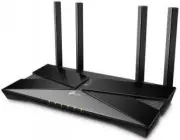 TP-Link Archer AX10
User Manual
TP-Link Archer AX10
User Manual
 TP-Link ARCHER AX11000
User Manual
TP-Link ARCHER AX11000
User Manual
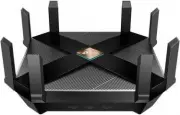 TP-Link Archer AX6000
User Manual
TP-Link Archer AX6000
User Manual
 TP-Link ARCHER AX73 AX5400 (ARCHER-AX73)
User Manual
TP-Link ARCHER AX73 AX5400 (ARCHER-AX73)
User Manual
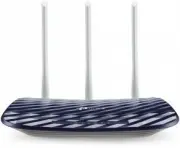 TP-Link Archer C20 v5.0
User Manual
TP-Link Archer C20 v5.0
User Manual
 TP-Link ARCHER GX90 AX6600
User Manual
TP-Link ARCHER GX90 AX6600
User Manual
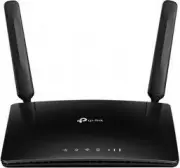 TP-Link Archer MR400
User Manual
TP-Link Archer MR400
User Manual
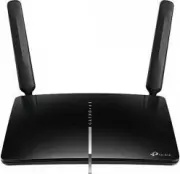 TP-Link Archer MR600
User Manual
TP-Link Archer MR600
User Manual
 TP-Link CPE210 N300, 10/100BASE-TX White
User Manual
TP-Link CPE210 N300, 10/100BASE-TX White
User Manual
 TP-Link CPE510 N300, 10/100BASE-TX White
User Manual
TP-Link CPE510 N300, 10/100BASE-TX White
User Manual
 TP-Link Deco E3
User Manual
TP-Link Deco E3
User Manual
 TP-Link Deco E4
User Manual
TP-Link Deco E4
User Manual
 TP-Link Deco E4 (2-Pack)
User Manual
TP-Link Deco E4 (2-Pack)
User Manual
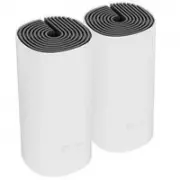 TP-Link Deco E4 +
User Manual
TP-Link Deco E4 +
User Manual
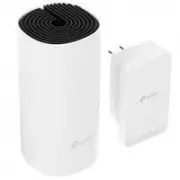 TP-Link Deco M3
User Manual
TP-Link Deco M3
User Manual
 TP-Link Deco M4
User Manual
TP-Link Deco M4
User Manual
 TP-Link Deco M4 AC1200 (3-PK)
User Manual
TP-Link Deco M4 AC1200 (3-PK)
User Manual
 TP-Link Deco M5
User Manual
TP-Link Deco M5
User Manual
 TP-Link DECO M9 1 pcs AC2200
User Manual
TP-Link DECO M9 1 pcs AC2200
User Manual
 TP-Link Deco M9 Plus
User Manual
TP-Link Deco M9 Plus
User Manual