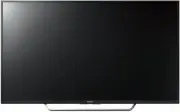
Page 2 - Table of Contents
2 GB Table of Contents Safety Information . . . . . . . . . . . . . . . . . . . . . 2Precautions . . . . . . . . . . . . . . . . . . . . . . . . . . . 5 Parts and Controls . . . . . . . . . . . . . . . . . . . 6 Controls and Indicators . . . . . . . . . . . . . . . . . 6 Using Remote Control . . . ....
Page 4 - Prohibited Usage; About LCD TV Temperature
4 GB AC power cord (mains lead) Handle the AC power cord (mains lead) and outlet (mains socket) as follows in order to avoid any risk of fire, electric shock or damage and/or injuries: The shape of AC power plug (mains plug), which is supplied with the TV set, varies depending on the region. Be su...
Page 5 - TRA
5 GB Viewing the TV • View the TV in moderate light, as viewing the TV in poor light or during long period of time, strains your eyes. • When using headphones, adjust the volume so as to avoid excessive levels, as hearing damage may result. LCD Screen • Although the LCD screen is made with high-prec...
Page 6 - Parts and Controls; Remote Control sensor*; Controls and Indicators
6 GB Parts and Controls Remote Control sensor* 1 / Light sensor* 1 / Illumination LED The illumination LED lights up or blinks according to the status of the TV. • White When turning on the TV/picture off mode/software update, etc. • Cyan When connecting with a mobile device wirelessly. • Pink* 2 ...
Page 7 - Using Remote Control; SYNC MENU; Number buttons; Colour buttons; NETFLIX; Remote Control Parts Description
7 GB Using Remote Control The remote control shape, location, availability and function of remote control button may vary depending on your region/country/TV model. / (Input select/Text hold) In TV mode: Display and select the input source.In Text mode: Hold the current page. (TV standby) Turn...
Page 9 - Connection Diagram
9 GB Connection Diagram For more information on connections, refer to the Help Guide (page 2). *2 *1 *4 *1 *5 *1 *1 *3 DVD player with component output VCR/Video game equipment/DVD player/Camcorder Home Audio System with ARC/HDMI Device HDMI Device Cable/Antenna Headphone/Home Audio System/Subwoofer...
Page 10 - HOME; VIDEO IN 1; Picture Quality
10 GB AUDIO OUT* 5 / • To listen to the TV's sound through the connected equipment, press HOME . Select [Settings] [Sound] [Headphone/Audio out] and then select the desired item. USB 1/2, USB 3 (HDD REC)* 6 • Connecting a large USB device may interfere with other connected devices beside i...
Page 11 - Installing the TV to the Wall; To Sony Dealers and Contractors:
11 GB Installing the TV to the Wall This TV’s instruction manual only shows the steps on preparing the installation of the TV before installing to the wall. To Customers: For product protection and safety reasons, Sony strongly recommends that installation of your TV be performed by Sony dealers or ...
Page 13 - Standard mounting
13 GB 2 Attach the Attachment parts for Wall-Mount Bracket. Check the Attachment parts by referring to “1” of the Wall-Mount Bracket Installation Guide. Note • If using an electric screwdriver, set the torque at approximately 1.5 N·m {15 kgf·cm}.• Be sure to store the unused parts in a safe place fo...
Page 14 - Connect necessary cables to the TV.
14 GB 3 Connect necessary cables to the TV. Note • You cannot access to any terminal after installing the TV to the wall. 4 Detach the Table-Top Stand from the TV. 5 Install the TV to the Base. Refer to “5” of Installation Guide and “Installing the TV to the Wall” of Operating Instructions supplied ...
Page 15 - Troubleshooting; Troubles and Solutions; Some programmes cannot be tuned.; The TV surrounds become warm.
15 GB Troubleshooting In order to keep your TV software up-to-date, it is necessary to download the latest software information via the digital broadcasting system or internet and to update the software. Select [Update Now] to start a software update. The illumination LED flashes white while the sof...
Page 16 - The illumination LED is turned on.; Specifications; System
16 GB The illumination LED is turned on. If you do not wish to light up the illumination LED, you can turn it off.Press HOME , then select [Settings] [Illumination LED] [Off]. Cannot connect to a wireless router by WPS (Wi-Fi Protected Setup). If you use WEP security, select [Easy] [Wi-Fi]...
Page 17 - Others
17 GB (Two channel linear PCM, Dolby Digital, Dolby Digital Plus, DTS) DIGITAL AUDIO OUT (OPTICAL) Digital optical jack (Two channel linear PCM, Dolby Digital, DTS) AUDIO OUT / (Stereo mini jack) Headphone, Audio output, Subwoofer 1, 2, 3 (HDD REC)* 1 USB device port. ( 3 USB HDD device for REC fe...
Page 20 - Customer Support and Contact:; Help Guide; Printed in Malaysia
Customer Support and Contact: Help Guide 4-585-026- 11 (1) Printed in Malaysia ©2016 Sony Corporation