Page 2 - WARNING
2 GB Do not install the appliance in a confined space, such as a bookcase or built-in cabinet. To reduce the risk of fire, do not cover the ventilation opening of the appliance with newspapers, tablecloths, curtains, etc.Do not expose the appliance to naked flame sources (for example, lighted candle...
Page 3 - separate collection systems)
3 GB Disposal of Old Electrical & Electronic Equipment (Applicable in the European Union and other European countries with separate collection systems) This symbol on the product or on its packaging indicates that this product shall not be treated as household waste. Instead it shall be handed o...
Page 4 - Compatible iPod/iPhone models; Copyrights and Trademarks
4 GB This system incorporates Dolby* Digital and the DTS** Digital Surround System.* Manufactured under license from Dolby Laboratories.Dolby, and the double-D symbol are trademarks of Dolby Laboratories. ** For DTS patents, see http:// patents.dts.com. Manufactured under license from DTS Licensing ...
Page 6 - Table of Contents; Connecting to a 4K TV and 4K
6 GB Table of Contents About these operating instructions ........................... 5 Listening Listening to sound from a TV, Blu-ray Disc™ player, cable/satellite box, etc. .................. 7 Listening to music from a BLUETOOTH device .............. 7 Sound Adjustment Enjoying sound effects (Sp...
Page 7 - Press INPUT repeatedly.; Press PAIRING on the system.; Listening
7 GB List e n in g Listening to sound from a TV, Blu-ray Disc™ player, cable/satellite box, etc. Press INPUT repeatedly. When you press INPUT once, the current device appears on the front display, then each time you press INPUT, the device changes cyclically as follows. [TV] [HDMI 1] [HDMI 2] ...
Page 8 - Compatible remote devices
8 GB • Once the BLUETOOTH connection is established, an indication recommending which application to download will be displayed, according to what equipment you have connected. Following the instructions displayed, an application called “SongPal,” which will enable you to operate this system, can be...
Page 10 - Sound Adjustment; Selecting the sound field
10 GB Enjoying sound effects (Sports mode, etc.) You can easily enjoy pre-programmed sound fields that are tailored to different kinds of sound sources. Press SOUND FIELD repeatedly until the desired sound field appears on the front panel display. * DSEE stands for Digital Sound Enhancement Engine, ...
Page 11 - Setting the Night mode
11 GB Sound A d just men t Sounds are played back enhanced with sound effects and clarity of dialog. Press NIGHT to display [N. ON]. To inactivate the Night mode, press NIGHT to display [N. OFF]. The Voice mode helps make dialogs clearer. Press VOICE repeatedly to display the desired type. Setting t...
Page 12 - Press; BLUETOOTH Functions
12 GB Controlling the system using a smartphone or tablet device (SongPal) “SongPal” is the application to operate the system with your smartphone or tablet, etc.“SongPal” is available from either Google Play or App Store.This function is enabled by setting [BT PWR] to [ON] (page 17). The default se...
Page 14 - Connecting to a 4K TV and 4K devices
14 GB Connecting to a 4K TV and 4K devices To view copyright-protected 4K content, connect the devices via an HDCP 2.2-compatible HDMI jack on each end. Copyright-protected 4K content can be viewed only by a connection via HDCP 2.2-compatible HDMI jacks. Refer to the TV’s operating instructions as t...
Page 16 - Using the setup display; Press MENU to turn on the menu on the front panel display.; Settings and Adjustments; Menu list
16 GB Using the setup display You can set the following items with the menu.Your settings are retained even if you disconnect the AC power cord (mains lead). 1 Press MENU to turn on the menu on the front panel display. 2 Press BACK/ (select)/ENTER repeatedly to select the item and press ENTER to...
Page 19 - System Power Off; Other Functions
19 GB O ther Funct ions Using the Control for HDMI function By using the Control for HDMI function, and connecting a device that is compatible with the Control for HDMI function via an HDMI cable (High Speed type), operation is simplified with the features below.The Control for HDMI function is enab...
Page 24 - Press LINK on the subwoofer.
24 GB Installing the subwoofer horizontally (HT-CT380/CT381 only) Place the subwoofer on the right side with the “SONY” logo facing front. Linking the system (Link to the subwoofer) Set up the wireless subwoofer connection again. 1 Press MENU. 2 Select [WS] with (select), then press ENTER. 3 Sel...
Page 25 - Precautions; Additional Information
25 GB Addi tional I n fo rmat ion Precautions On safety • Should any solid object or liquid fall into the system, unplug the system and have it checked by qualified personnel before operating it any further. • Do not climb on the Bar Speaker and subwoofer, as you may fall down and injure yourself, o...
Page 26 - Troubleshooting; General
26 GB Troubleshooting If you experience any of the following difficulties while using the system, use this troubleshooting guide to help remedy the problem before requesting repairs. Should any problem persist, consult your nearest Sony dealer. The power does not turn on. Check that the AC power c...
Page 27 - BLUETOOTH device
27 GB Addi tional I n fo rmat ion Make sure the input source is selected correctly. You should try other input sources by pressing the INPUT button on the remote control several times (page 7). Check that all the cables and cords of the system and the connected device are firmly inserted. No sou...
Page 28 - Subwoofer wireless sound
28 GB radiation is nearby, move the device away from this system. No sound is output from the connected BLUETOOTH device. Make sure that the BLUETOOTH indicator (blue) is lit (page 31). Bring this system and the BLUETOOTH device closer together. If a device that generates electromagnetic radia...
Page 29 - Remote control
29 GB Addi tional I n fo rmat ion Switch the wireless LAN frequency of any nearby Wi-Fi router or personal computer to 5 GHz band. Switch the TV, Blu-ray Disc player, etc. from wireless LAN to wired LAN. The remote control does not function. Point the remote control at the center of the front ...
Page 30 - Reset
30 GB Sensors of the TV do not work properly. The Bar Speaker may block some sensors (such as the brightness sensor) and the remote control receiver of your TV, or the “emitter for 3D glasses (infrared transmission)” of a 3D TV that supports the infrared 3D glass system or the wireless communicati...
Page 31 - Guide to parts and controls; Front and top panels; Remote control sensor; Bar Speaker
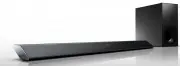
31 GB Addi tional I n fo rmat ion Guide to parts and controls For more information, refer to the pages indicated in parentheses. Front and top panels Remote control sensor Front panel display / (on/standby) button INPUT button (page 7, 21) PAIRING button (page 7) VOLUME +/– buttons ...
Page 32 - Rear panel; For update only; ANALOG IN jack
32 GB Rear panel AC power cord (mains lead) UPDATE port (HT-CT780 only) For update only ANALOG IN jack DIGITAL IN (TV) jack HDMI IN 3 jack HDMI IN 1 jack HT-CT780 is compatible with HDCP 2.2. HDMI IN 2 jack HDMI OUT (ARC) jack HT-CT780 is compatible with HDCP 2.2.
Page 33 - Subwoofer
33 GB Addi tional I n fo rmat ion On/standby indicator / (on/standby) button LINK button (page 24) AC power cord (mains lead) Subwoofer
Page 35 - Supported audio formats
35 GB Addi tional I n fo rmat ion Supported audio formats Audio formats supported by this system are as follows.• Dolby Digital• Dolby Digital Plus*• Dolby TrueHD*• DTS• DTS96/24• DTS-HD Master Audio*• DTS-HD High Resolution Audio*• DTS-HD Low Bit Rate*• Linear PCM 2ch 48 kHz or less• Linear PCM Max...
Page 36 - Video formats supported by the system
36 GB Input/Output (HDMI Repeater block) * YCbCr 4:2:0/Supported 8-bit only ** Supported 8-bit only Video formats supported by the system File 2D 3D Frame packing Side-by-Side (Half) Over-Under (Top-and-Bottom) 4096 × 2160p @ 59.94/60 Hz * 4096 × 2160p @ 50 Hz * 4096 × 2160p @ 23.98/...
Page 37 - Specifications; Amplifier section
37 GB Addi tional I n fo rmat ion Specifications Amplifier section POWER OUTPUT (rated) Front L + Front R:50 W + 50 W (at 4 ohms, 1 kHz, 1% THD) POWER OUTPUT (reference) SA-CT380/CT381:Front L/Front R: 100 Watts (per channel at 4 ohms, 1 kHz)SA-CT780:Front L/Front R: 105 Watts (per channel at 4 ohms...
Page 41 - CONTENT SERVICE
41 GB Addi tional I n fo rmat ion available, or will operate without interruption or modification. USE OF SOFTWARE WITH COPYRIGHTED MATERIALS The SOFTWARE may be capable of being used by you to view, store, process and/or use content created by you and/or third parties. Such content may be protected...
Page 43 - EQUITABLE REMEDIES
43 GB Addi tional I n fo rmat ion shall constitute part of, the SOFTWARE for purposes of this EULA. By acceptance of this EULA, you consent to such update/modification. ENTIRE AGREEMENT, WAIVER, SEVERABILITY This EULA and SONY’s privacy policy, each as amended and modified from time to time, togethe...
Page 44 - Printed in Malaysia
©2015 Sony Corporation Printed in Malaysia 4-565-123- 23 (1)