Page 2 - Instructions; General safety instructions
Instructions 4 1 Instructions 1.1 General safety instructions Risk of personal injury • During use the appliance and its accessible parts become very hot. • Never touch the heating elements during use. • Protect your hands by wearing heat-proof gloves during use. • Never try to put out a fire or fla...
Page 3 - Risk of damaging the appliance
Instructions 5 EN • Do not insert pointed metal objects (cutlery or utensils) into the slots in the appliance. • Do not pour water directly onto very hot trays. • Do not use or store flammable materials near the appliance or directly underneath the hob. • Metallic objects such as knives, forks, spoo...
Page 4 - Installation
Instructions 6 • Never leave the appliance unattended during cooking operations where fats or oils could be released, as these could then heat up and catch fire. Be very careful. • Danger of fire – Do not store items on the cooking surface. • DO NOT FOR ANY REASON USE THE APPLIANCE AS A SPACE HEATER...
Page 5 - For this appliance
Instructions 7 EN • Use cables that can withstand temperatures of at least 90 °C. • The tightening torque of the screws of the terminal supply wires must be 1.5 - 2 Nm. • The power cable must only be installed or replaced by a qualified technician. • If the electrical supply is restricted, means of ...
Page 6 - Appliance purpose
Instructions 8 • In conformity with the provisions regarding electromagnetic compatibility, the electromagnetic induction cooking hob comes under group 2 and class B (EN 55011). • This appliance complies with the current standards and directives regarding safety and electromagnetic compatibility. It...
Page 7 - How to read the user manual; Power voltage
Instructions 9 EN To dispose of the appliance:• Cut the power supply cable and remove it along with the plug. • Deliver the appliance to the appropriate recycling centre for electrical and electronic equipment waste, or return it to the retailer when purchasing an equivalent product, on a one for on...
Page 8 - Description; General description; Dimensions
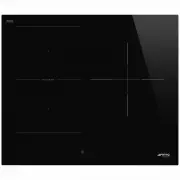
Description 10 2 Description 2.1 General description 60 cm 70 cm 90 cm Maximum absorbed power table (Watt) Power levels are approximate and may vary according to the pan used or the settings made Dimensions H x L (mm) Level 9 Booster Double Booster Zone 1/ 2: Single 180 x 218 2100 2500 3000 Zone 1/ ...
Page 10 - Advantages of induction cooking
Description 12 Advantages of induction cooking • Energy saving thanks to the direct transmission of energy to the pan (suitable magnetisable cookware is required) compared to traditional electric cooking. • Improved safety as the energy is only transmitted to the pan placed on the hob. • High level ...
Page 11 - Use; High temperature
Use 13 EN 3 Use 3.1 Instructions High temperature Danger of burns • Protect your hands by wearing heat- proof gloves during use. • Do not touch or clean the hob surface during operation or when the residual heat indicator lights are still on. • Do not put empty pans or frying pans on switched on coo...
Page 12 - Preliminary operations; Switching on the hob for the first time
Use 14 3.2 Preliminary operations In order to remove any moisture that could have accumulated during the manufacturing process and for the electronic circuits and control keypad to work properly:1. Remove the protective films from the external surfaces of the appliance and accessories. 2. Remove any...
Page 13 - Cooking zones display; Zone
Use 15 EN Cooking zones display The buttons for selecting the cooking zones and the timer icons above each of them and the Warming function icon are found in this zone. Timer display The controls for setting the independent timer and the timer for the cooking zones are located in this area. The foll...
Page 14 - Limiting the cooking duration
Use 16 Unsuitable cookware: • Copper, stainless steel, aluminium, fireproof glass, wood, ceramic and terracotta cookware. To see whether the pan is suitable, bring a magnet close to the bottom: if it is attracted, the pan is suitable for induction cooking. If you do not have a magnet, you can put a ...
Page 15 - Power levels
Use 17 EN • If possible, always cover saucepans with a suitable lid. • Choose a pan suitable for the quantity of food to be cooked. A large, half-empty saucepan leads to a waste of energy. Power levels The power in the cooking zone can be adjusted to various levels. The table shows the levels suitab...
Page 16 - Pan detection indication
Use 18 • The button corresponding to the zone on which the pan has been placed turns on automatically and displays . The other zones cannot be activated. If automatic pan detection is disabled, when the appliance is switched on, the symbol appears on the display of all the cooking zones. To activate...
Page 17 - Quick selection
Use 19 EN The display of the zone being used indicates . Quick selection After switching on the hob and having selected a cooking zone:1. Place a finger on the scroll bar at approximately the required power level. 2. Move your finger to the left or right to select the required cooking power. Booster...
Page 18 - Double Booster Function
Use 20 The display of the cooking zone used will show . Select any other power level to deactivate the Booster function.The Booster function can be activated quickly.• After switching on the hob and having selected a cooking zone, press the last segment on the far right of the scroll bar twice. Doub...
Page 19 - To deactivate the Multizone function:
Use 21 EN The same power level will be set for both cooking zones. If a large, oval or oblong pan is being used, make sure that it is placed in the centre of the cooking zone. Example of correct pan position Example of incorrect pan position Examples of griddle position To deactivate the Multizone f...
Page 20 - Cooking guidelines; Additional functions; Rapid heating; Improper use
Use 22 Cooking guidelines The table below shows the power values which can be set, together with the corresponding type of food. Settings may vary depending on the amount of food and consumer taste. Residual heat indication After the cooking zone has been switched off, each display shows a special s...
Page 21 - Warming Function
Use 23 EN After selecting a cooking zone:• Press and hold a power level (from 1 to 8 ) for at least 3 seconds. • The symbol appears on the display of the cooking zone alternating with the selected power level. • After the heating time has elapsed, the cooking zone reverts to the previously selected ...
Page 22 - Timed cooking
Use 24 7. When the time elapses, a series of beeps will be emitted and the timer display will start to flash. Press the timer display to deactivate the buzzer. Timed cooking The timed cooking function can be activated after a cooking zone has been switched on:1. Select a power level.2. Follow the sa...
Page 23 - Recall Function; Special functions; Grill Function
Use 25 EN Recall Function If the appliance is switched off unintentionally, carry out the following procedure within 6 seconds:1. Switch on the appliance. • The icon starts to flash. 2. Then immediately press the segment of the scroll bar directly below the icon to restore the previously active func...
Page 24 - Pause function
Use 26 This function has an automatic and a manual mode:• Automatic mode (default), adjusts the hood extractor fan speed according to the total power of the appliance (see “User menu” - option U8 ) • Manual mode allows you to adjust the extractor fan speed by pressing the button. After switching on ...
Page 25 - Clean Function
Use 27 EN To deactivate the Pause function:1. Access the settings menu.2. Press the segment of the scroll bar below the icon. The symbols disappear and the appliance resumes the previous functions. Clean Function At least one cooking zone must be active in order for the Clean function to be used:1. ...
Page 26 - Button sound volume
Use 28 Button sound volume 1. Access the settings menu.2. Press the segment of the scroll bar below the icon. 3. Use the scroll bar to select the required volume. Display lighting 1. Access the settings menu.2. Press the segment of the scroll bar below the icon. 3. Use the scroll bar to select the r...
Page 27 - Logic Advance
Use 29 EN 4. The following appear on the cooking zone displays: ( 60-cm models) ( 70 cm models) ( 90 cm models) Press all the buttons of the cooking zones in sequence in a clockwise direction starting from the front left ( 1 ). Every effective touch will be confirmed by a beep. 5. Release the button...
Page 28 - User options
Use 30 • After selecting an option, press the front left display to modify it. User options Option U2 modifies the volume of the button sounds; 4 sound levels can be selected using the scroll bar.• 0 : minimum volume. • 3 : maximum volume. Option U3 modifies the volume of the alarm when the timer ha...
Page 29 - Exiting the user menu
Use 31 EN Option U8 allows you to activate the Auto- Vent 2.0 function in automatic mode. 8 levels can be selected. The following table summarises the possible settings: Refer to the following table to choose the most suitable setting level according to the power limitation of the appliance: Option ...
Page 30 - Cleaning and maintenance; Cleaning the surfaces; Dirt
Cleaning and maintenance 32 4 Cleaning and maintenance 4.1 Instructions 4.2 Cleaning the surfaces To keep the surfaces in good condition, they should be cleaned regularly after use. Let them cool first. 4.3 Ordinary weekly cleaning Clean and maintain the hob once a week using an ordinary glass clean...
Page 31 - Changes in colour
Cleaning and maintenance 33 EN Changes in colour do not affect the operation and stability of the glass. These are not alterations to the material of the hob but just residues which have not been removed and have then carbonised. Shiny surfaces can form due to the bases of pans, especially aluminium...
Page 32 - Installation; Electrical connection; General information
Installation 34 5 Installation 5.1 Electrical connection General information Check the grid characteristics against the data indicated on the plate.The identification plate bearing the technical data, serial number and brand name is visibly positioned on the appliance.Do not remove this plate for an...
Page 33 - Fixed connection; Instructions for the installer; Risk of fire
Installation 35 EN • 220-240 V 1N ~ 5 x 4 mm² five-core cable Fixed connection Fit the power line with an all-pole circuit breaker with a contact separation distance sufficient to provide complete disconnection in category III overvoltage conditions, pursuant to installation regulations.The disconne...
Page 34 - Section cut from the countertop; Hob seal
Installation 36 5.4 Power limitation The appliance is factory set to use the maximum available power: 7.4 kW. 5.5 Section cut from the countertop Create an opening with the dimensions shown in the figure in the countertop of the piece of furniture. Hob seal To prevent leakage of liquid between the f...
Page 35 - = Electrical connection; opens on bottom
Installation 37 EN Flush mounting dimensions (mm) For this type of mounting, you have to make an additional cut at the edges of the recess if you wish to install the hob flush with the countertop. 1 = Electrical connection After laying the adhesive seal ( A ) on the glass surface and after positioni...
Page 36 - opens on bottom and on rear; from; Ventilation
Installation 38 opens on bottom and on rear On top of an empty kitchen unit or drawers If there are other pieces of furniture (lateral walls, drawers, etc.), dishwashers or fridges under the hob, a double-layer wooden base must be installed at least 20 mm from the bottom of the hob to avoid any acci...
Page 37 - Spring clips
Installation 39 EN Spring clips To ensure the hob is fixed and centred as accurately as possible, the clips provided must be positioned as described below:1. Fit the clips by gently pressing them horizontally into the appropriate space. 2. Then turn them upwards to fix them in place.