Page 2 - Instructions
Instructions 4 1.1 General safety instructionsRisk of personal injury • Never touch the heating ele- ments during use. • Keep children under the age of eight at a safe distance unless they are constantly supervised and make sure that they do not play with the appliance. • In accordance with current ...
Page 3 - Risk of damaging the appliance
5 EN Instructions Risk of damaging the appliance • WARNING: When position- ing the appliance, ensure the supply cord is not trapped or damaged. • WARNING: Do not locate multiple portable socket-outlets or portable power supplies at the rear of the appliance. • Do not use plug adapter. • Never rest s...
Page 4 - Manufacturer liability
Instructions 6 stuck in the doors. • The appliance contains a small quantity of isobutane (R600a), make sure not to damage the cooling circuit during transport, installation and cleaning. • Keep the ventilation openings surrounding the appliance or in the nearby area free from any obstructions. • Do...
Page 5 - Danger of electrocution; Identification plate
7 EN Instructions 1.4 Disposal This appliance must be dis- posed of separately from other waste (Directives 2002/95/EC, 2002/96/EC, 2003/108/EC). The appliance does not contain substances in quantities sufficient to be considered hazardous to health and the environment, in accordance with current Eu...
Page 6 - How to read the user manual; This user manual uses the following
Instructions 8 1.7 How to read the user manual This user manual uses the following reading conventions: Warning Serious injury or death risk Risk of electric shock Dangerous voltage risk Fire Warning; risk of fire / flamma- ble materials Caution Injury or property damage risk Important Operating the...
Page 7 - Description; Description of the appliance; General description; This presentation is only for
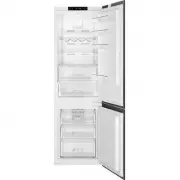
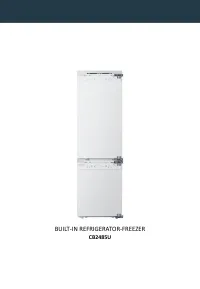
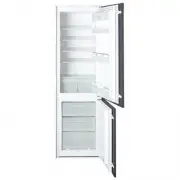
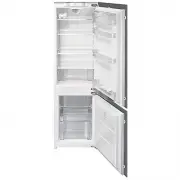
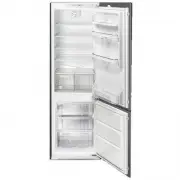
9 EN Description 2 Description of the appliance 2.1 General description This presentation is only for information about the parts of the appliance. Parts may vary according to the appli- ance model. A) Refrigerator compartment B) Freezer compartment 1) Display and control panel 2) Turbo fan * 3) Ref...
Page 8 - Use; Using the appliance; eration Cooling Technology; Using the Control Panel; Operating your Fridge Freezer
10 Use 3 Using the appliance 3.1 Information about New Gen- eration Cooling Technology Fridges with new-generation cooling technology have a different operating sys- tem to static fridges. Other (static) fridges may experience a build up of ice in the freezer compartment due to door openings and hum...
Page 9 - Purpose
11 EN Use 3.3.1 Freezer Temperature Settings • The initial temperature value for the freezer setting indicator is -18 °C. • Press the freezer set button once. When you first press the button, the previous value will blink on the screen. • Whenever you press the same but- ton, a lower temperature wil...
Page 10 - Temperature Adjustment
12 Use Recommended Settings for the Freezer and Refrigerator Compartment Tem- perature Freezer Compart- ment Refrigera- tor Compart- ment Remarks -18 °C 4 °C For regular use and best performance. -20 °C, -22 °C or -24 °C 4 °C Recommended when environ- mental temper- ature exceeds 30 °C. Super Freeze...
Page 11 - Do not fill the icebox with water
13 EN Use 3.5 Accessories3.5.1 Ice Tray (In some models) • Fill the ice tray with water and place in the freezer compartment. • After the water has completely frozen, you can twist the tray as shown below to remove the ice cubes. 3.5.2 The Icemaker (In some models) • Pull the lever towards you and r...
Page 12 - Removing the freezer box:; Do not put food you want to
14 3.5.3 The Freezer Box The freezer box allows food to be accessed more easily. Freezer boxes Removing the freezer box: • Pull the box out as far as possible • Pull the front of the box up and out Carry out the opposite of this operation when refitting the sliding compartment.Always keep hold of th...
Page 13 - To remove the Chiller Shelf:
15 EN To remove the Chiller Shelf: • Pull the chiller shelf towards you by sliding it on the rails. • Pull the chiller shelf up from the rail and remove it from the refrigerator. 3.5.5 The Fresh Dial (In some models) Fresh dial If the crisper is full, the fresh dial located in front of the crisper s...
Page 14 - Visual and text descriptions in the ac-
16 3.5.7 Adjustable Glass Shelf (In some models) Fig. 1 Fig. 2 Adjustable glass shelf mechanism provides higher storage spaces with a simple movement. To cover the glass shelf, push it. You can load your food as you want in the resulting extra space. To bring the shelf in its original position, pull...
Page 15 - Food storage; Refrigerator Compartment; Food
17 EN 4 Food storage 4.1 Refrigerator Compartment For normal operating conditions, set the temperature of the refrigerator compart- ment to +4 or +6 °C. • To reduce humidity and avoid the consequent formation of frost, always store liquids in sealed containers in the refrigerator. Frost tends to con...
Page 16 - Freezer Compartment
18 4.2 Freezer Compartment For normal operating conditions, set the temperature of the freezer compartment to -18 or -20 °C. • The freezer is used for storing frozen food, freezing fresh food, and mak- ing ice cubes. • For freezing fresh food; wrap and seal fresh food properly, that is the packaging...
Page 19 - Cleaning and Maintenance; Defrosting the refrigerator/freezer
21 EN Cleaning and Maintenance 5 Cleaning and Maintenance 5.1 Defrosting Occasional presence of frost inside the freezer compartment is normal. Do not use electrical applianc- es (e.g. hair dryers) or sprays for defrosting, the plastic parts could be damaged. Defrosting the refrigerator/freezer comp...
Page 20 - Cleaning the appliance; Cleaning the outside of the appliance; Replacing LED Lighting
22 5.3 Cleaning the appliance A special antibacterial protection on the appliance’s interior walls prevents bacterial growth and keeps them clean. They must nevertheless be cleaned regularly in order to keep them in good condition. Do not wash your appliance by pouring water on it. Cleaning the outs...
Page 22 - Electrical connection; Installation
24 air which has entered the freezer. The doors are misaligned: • Check that the appliance is level. • Level the appliance using its feet. 6 Installation 6.1 Electrical connection Power voltage Danger of electrocution • The appliance must be connected to ground in compliance with electrical system s...
Page 23 - Important installation instructions; Installation warnings
25 EN Installation climate class displayed on the infor- mation label. We do not recommend operating your appliance out of the stated temperature limits in terms of cooling effectiveness. Important installation instructions This appliance is designed to work in difficult climate conditions and is po...
Page 24 - CE Declaration of conformity
26 Installation wall. • The distance between the appliance and back wall must be a maximum of 75 mm. 6.4 During Usage • Do not connect your appliance to the mains electricity supply using an extension lead. • Do not use damaged, torn or old plugs. • Do not pull, bend or damage the cord. • Do not use...
Page 25 - Positioning
27 EN Installation raw material consumption and therefore decreases waste production. Notes: • Please read the instruction manual carefully before installing and using your appliance. We are not respon- sible for the damage occurred due to misuse. • Follow all instructions on your appli- ance and in...
Page 26 - Shipment and repositioning; Transportation and Changing
28 In order for the freezer to be installed correctly, the door must be able to close properly. Ensure that the door seals close hermetically, especially at the corners. Pressure on the seal Risk of damage to the appli- ance • Do not press, do not tear or detach the seal from the door. A few days af...
Page 27 - Errors; ERROR
29 EN 8 Before calling after-sales service Errors Your appliance will warn you if the tem- peratures for the appliance and freezer are at improper levels or if a problem occurs with the appliance. Warning codes are displayed in the freezer and refrigerator indicators. ERROR TYPE MEANING WHY WHAT ...
Page 30 - Tips for saving energy
32 9 Tips for saving energy 1. Install the appliance in a cool, well-ventilated room, but not in direct sunlight and not near a heat source (such as a radiator or oven) otherwise an insulating plate should be used. 2. Allow warm food and drinks to cool before placing them inside the appli- ance. 3. ...