Page 2 - Important Safety Instructions; READ AND SAVE THESE INSTRUCTIONS; - Your safety and the safety of; RECOGNIZE SAFETY INFORMATION
Important Safety Instructions 4 WARNING TIP OVER HAZARD • A child or adult can tip the range and be killed.• Make sure that the anti-tip device has been properly installed and attached. The wall-mounted brackets should anchor the sides of the range (primary system) or, in case of floor-mounted brack...
Page 3 - : This range is manufactured for use with natural gas. To convert the
Important Safety Instructions 5 EN The safety messages will inform you of potential hazards, on how to avoid the risk of injury and what can occur if the instructions are not followed. IMPORTANT: Observe all codes and ordinances in force. Do not store or use gasoline or other flammable vapors, liqui...
Page 4 - WARNING
Important Safety Instructions 6 • Proper installation is your responsibility. Make sure your appliance is properly installed and grounded by a qualified installer. • WARNING: NEVER use this appliance as a space heater to heat or warm the room. Doing so may result in carbon monoxide poisoning and ove...
Page 6 - State of California Proposition 65 Warning
Important Safety Instructions 8 • WARNING: NEVER cover any slots, holes or passages in the oven bottom or cover an entire rack with materials such as aluminium foil. Doing so blocks air flow through the oven and may cause carbon monoxide poisoning. Aluminium foil linings may also trap heat, causing ...
Page 7 - How to read the user manual; SAVE THESE INSTRUCTIONS; Instructions
Important Safety Instructions 9 EN • Make sure that your range is properly secured and the anti-tip device is correctly installed. Refer to the instructions inside the installation manual. • Do not stand or sit on the oven door or drawer. • Remove all packing materials and temporary labels from the ...
Page 8 - Description; General Description
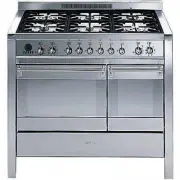
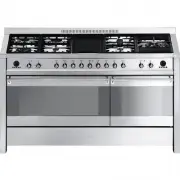
Description 10 1 Description 1.1 General Description 1 Cooktop 2 Control panel 3 Small oven seal 4 Small oven lights 5 Small oven door 6 Small oven storage compartment 7 Small oven fan 8 Main oven fans 9 Main oven seal 10 Main oven lights 11 Main oven door 12 Main oven storage compartment Rack/tray ...
Page 9 - AUX
Description 11 EN 1.2 Cooktop AUX = Auxiliary R = Rapid SR = Semi-rapid UR2 int. = Ultra-rapid internal UR2 ext. = Ultra-rapid external BBQ = Barbecue plate 1.3 Control panel 1 Hob burner knobs Useful for lighting and adjust the hob burners. Press and turn the knobs anti-clockwise to the value to li...
Page 10 - and
Description 12 3 Auxiliary oven function/temperature knob The oven’s various function are suitable for different cooking models. The cooking temperature is selected by turning the knob clockwise to the required setting, between 120°F and 450°F 4 Programming clock Useful for displaying the current ti...
Page 11 - Cooling fan; Available accessories; Griddle
Description 13 EN Cooling fan The fan cools the oven and comes into operation during cooking.The fan causes a steady outflow of air that exits from the rear of the appliance and which may continue for a brief period of time even after the appliance has been turned off. 1.5 Available accessories Tepp...
Page 12 - Rack
Description 14 Rack Useful for supporting containers with food during cooking. Rotisserie Useful for cooking chicken and all foods which require uniform cooking over their entire surface. Tray rack This is placed above the oven tray, and is used for cooking foods that might drip. Some models are not...
Page 13 - Use; Danger of burns
Use 15 EN 2 Use 2.1 Instructions High temperature inside the oven during use Danger of burns • Keep the oven door closed during cooking. • Protect your hands by wearing oven gloves when moving food inside the oven. • Do not touch the heating elements inside the oven. • Do not pour water directly ont...
Page 14 - A gas leak can cause an explosion.
Use 16 A gas leak can cause an explosion. If you smell gas or there are faults in the gas system:• Immediately turn off the gas supply or close the valve on the gas cylinder. • Extinguish all naked flames and cigarettes. • Do not turn on power switches or appliances and do not remove plugs from powe...
Page 15 - Using the accessories; Barbecue plate
Use 17 EN 2.2 Using the accessories Barbecue plate For grilling, cooking au gratin or as a barbecue.• Turn the barbecue heating element knob to a setting between 1 and 9 . The light comes on to indicate that the heating element is on. Ring reducers The ring reducers must be placed on the hob grids. ...
Page 16 - Rotisserie
Use 18 Rotisserie 1. Insert the 4 supplied bushings in the 4 corner holes of the deep tray and screw them onto the ring nuts with a suitable tool (such as a screwdriver). 2. Position the rotisserie supports in the bushings as shown in the figure below. 3. Prepare the rotisserie rod with the food usi...
Page 18 - Using the cooktop; Simmer function
Use 20 2.3 Using the cooktop All the appliance's control and monitoring devices are located together on the front panel. The burner controlled by each knob is shown next to the knob. The appliance is equipped with an electronic ignition device. Simply press the knob and turn it counter-clockwise to ...
Page 19 - • Heats very quickly and evenly.
Use 21 EN Practical tips for using the hob For better burner efficiency and to minimise gas consumption, use pans with lids and of suitable size for the burner, so that the flames do not reach up the sides of the pan. Once the contents come to the boil, turn down the flame far enough to ensure that ...
Page 20 - Correct positioning of the hob grids; Using the storage compartment; Gently release the storage compartment
Use 22 Correct positioning of the hob grids Before lighting the hob burners, make sure that the grids are correctly positioned on the hob.Bear in mind that:• Each grid has its own position on the hob. • The raised section must always face the appliance's upstand. • The left-hand ( A ) and right-hand...
Page 21 - Using the main oven; Switching on the main oven
Use 23 EN 2.5 Using the main oven Switching on the main oven To switch the oven on:1. Select the cooking function using the function knob. 2. Select the temperature using the temperature knob. Functions list Ensure that the programmer clock shows the cooking duration symbol , otherwise it will not b...
Page 22 - Using the auxiliary oven; Switching on the auxiliary oven
Use 24 2.6 Using the auxiliary oven Switching on the auxiliary oven To switch the oven on:• Select the cooking function using the function/temperature knob. Functions list Fan assisted The operation of the fan, combined with traditional cooking, ensures consistent cooking even with complex recipes. ...
Page 23 - General advice
Use 25 EN 2.7 Cooking advice General advice • Use a fan-assisted function to achieve uniform cooking at several levels. • It is not possible to shorten cooking times by increasing the temperature (the food could be overcooked on the outside and undercooked on the inside). • Using more ovens at the s...
Page 24 - Advice for cooking desserts and biscuits
Use 26 • Foods should be seasoned before cooking. Foods should also be coated with oil or melted butter before cooking. • Use the oven tray on the first bottom shelf to collect fluids produced by grilling. • Grilling processes should never last more than 60 minutes using multifunction ovens, 30 minu...
Page 25 - Programming clock; Setting the time
Use 27 EN 2.8 Programming clock Value decrease key Clock key Value increase key Setting the time On the first use, or after a power failure, the digits will be flashing on the appliance’s display. 1. Keep the clock key for two seconds. The dot between the hours and the minutes flashes. 2. The time c...
Page 26 - Minute minder timer
Use 28 Minute minder timer The minute minder timer can be activated at any time. 1. Keep the clock key pressed for a few seconds. The display shows the figures and the symbol flashing between the hours and minutes. 2. Use the value increase and value decrease keys to set the number of minutes requir...
Page 27 - Programmed cooking
Use 29 EN 5. Wait approx. 5 seconds without pressing any key in order for the function to activate. The current time and the symbol will appear on the display. At the end of cooking the heating elements will be deactivated. On the display, the symbol turns off, the symbol flashes and the buzzer soun...
Page 28 - Selecting the buzzer
Use 30 At the end of cooking the heating elements will be deactivated. On the display, the symbol turns off, the symbol flashes and the buzzer sounds. 6. To turn the buzzer off, simply press one of the programmer clock keys. 7. Press the clock key to reset the programmer clock. 12h or 24h format The...
Page 29 - Cooking information table
Use 31 EN Cooking information table Food Weight (Kg) Function Shelf Temperature (°F) Time (minutes) Lasagne 3 - 4 Convection 1 430 - 450 45 - 50 Pasta bake 3 - 4 Convection 1 430 - 450 45 - 50 Roast veal 2 Fan assisted/Fan 2 360 - 380 90 - 100 Pork 2 Fan assisted/Fan 2 360 - 380 70 - 80 Sausages 1.5...
Page 30 - Cleaning and Maintenance; Cleaning and maintenance
Cleaning and Maintenance 32 3 Cleaning and maintenance 3.1 Instructions Recommendations To keep the surfaces in good condition, they should be cleaned regularly after use. Let them cool first. Ordinary daily cleaning Always use only specific products that do not contain abrasives or chlorine-based a...
Page 31 - Pour some non-abrasive detergent on a
Cleaning and Maintenance 33 EN 3.2 Cleaning the hob 1. Pour some non-abrasive detergent on a damp cloth and wipe the surfaces. 2. Rinse thoroughly. 3. Dry with a soft cloth or a microfibre cloth. Cleaning cooktop grates, flame-spreader crowns and burner caps 1. Remove the components from the hob.2. ...
Page 32 - Cleaning the igniters and thermocouples; Cleaning the door; Removing the door
Cleaning and Maintenance 34 Cleaning the igniters and thermocouples • If necessary, clean the igniters and thermocouples with a damp cloth. • If there is any dry residue, remove it with a toothpick or needle. Cleaning the barbecue cooktop guard 1. Lift the heating element A and keep it in position u...
Page 33 - Grasp the door on both sides with both
Cleaning and Maintenance 35 EN 2. Grasp the door on both sides with both hands, lift it forming an angle of around 30° and remove it. 3. To reassemble the door, put the hinges in the relevant slots in the oven, making sure that grooved sections A are resting completely in the slots. Lower the door a...
Page 34 - Remove the intermediate glass pane by; Cleaning the oven cavity
Cleaning and Maintenance 36 3. Remove the intermediate glass pane by lifting it upwards. 4. Clean the external glass pane and the panes removed previously. Use absorbent kitchen roll. In case of stubborn dirt, wash with a damp sponge and neutral detergent. 5. When you have finished cleaning, reinser...
Page 35 - Removing racks/trays support frames
Cleaning and Maintenance 37 EN Removing racks/trays support frames Removing the rack/tray support frames enables the sides to be cleaned more easily.To remove the rack/tray support frames:• Pull the frame towards the inside of the oven to unhook it from its groove A , then slide it out of the seats ...
Page 36 - Vapor Clean
Cleaning and Maintenance 38 Vapor Clean Preliminary operations Before starting the Vapor Clean function:• Completely remove all accessories from inside the oven. • Remove the rack/tray support frames.• Detach removable guides, where fitted.• Close the door. • Pour approximately 40 cc of water into t...
Page 37 - Vapor Clean cycle setting
Cleaning and Maintenance 39 EN Vapor Clean cycle setting 1. Turn the function knob to the symbol and the temperature knob at a temperature ranging between 120°F and 180°F . 2. Set a cooking time of 18 minutes using the programmer clock. The Vapor Clean cycle starts a few seconds after the last press...
Page 38 - Extraordinary maintenance; Replacing the internal light bulb
Cleaning and Maintenance 40 3.5 Extraordinary maintenance Replacing the internal light bulb 1. Completely remove all accessories from inside the oven. 2. Remove the rack/tray support frames. 3. Remove the bulb cover using a tool (e.g. a screwdriver). 4. Slide out and remove the light bulb. 5. Fit th...
Page 39 - The appliance is not working properly:
Cleaning and Maintenance 41 EN What to do if... The appliance is not working properly: • The switch is defective: check the fuse box to see whether the switch is in working order. • Loss of power: check that the appliance indicator lights are operational. The gas burner does not light: • Loss of pow...
Page 40 - For LP Gas
Cleaning and Maintenance 42 For LP Gas : Turn off the burners and unplug the appliance from the electrical power supply.For regulating the minimum with LP, the screws at the side of the tap rod must be turned clockwise all the way. Once the regulation has been completed, replace the seal on the by-p...