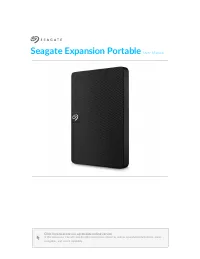
Page 4 - Welcome; Box content; Ports; Opera ng system
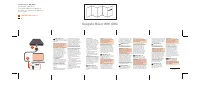
Welcome Box content Se agate Expansion PortableUSB 3.0 cable (USB micro-B to USB-A)Quick start guide Minimum system requirements Ports You can conne ct your Se agate de vice to a compute r with a USB-A port. This de vice supports conne ctions to compute r ports that are USB 3.0 and highe r. Opera ng...
Page 5 - Ge ng Started; Connect the USB cable
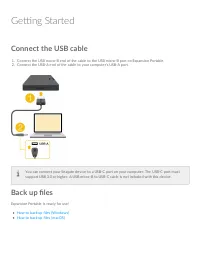
Ge ng Started Connect the USB cable 1. Conne ct the USB micro-B e nd of the cable to the USB micro-B port on Expansion Portable .2. Conne ct the USB-A e nd of the cable to your compute r’s USB-A port. Back up files Expansion Portable is re ady for use ! How to back up file s (Windows)How to back up f...
Page 6 - Op onal Forma ng and Par oning; Choosing a file system format; Compa bility with both Windows and Macs
Op onal Forma ng and Par oning Your de vice is pre formatte d e xFAT (Exte nde d File Allocation Table ) for compatibility with both Mac andWindows compute rs. Choosing a file system format Whe n choosing a file syste m format, conside r whe the r compatibility or performance is more important inyour...
Page 7 - Learn more; Forma ng instruc ons
de fault. APFS (Apple File Syste m) is an Apple file syste m optimize d for solid state drive s (SSDs) and flash-base dstorage syste ms, though it also works with hard disk drive s (HDDs). It was first introduce d with the re le ase ofmacOS High Sie rra (ve rsion 10.13). APFS can only be re ad by Ma...
Page 8 - Windows; Eject via Finder window
Safely Remove Device From Your Computer Always e je ct a storage drive from your compute r be fore physically disconne cting it. Your compute r mustpe rform filing and house ke e ping ope rations on the drive be fore it is re move d. The re fore , if you unplug thedrive without using the ope rating ...
Page 10 - Frequently Asked Ques ons; All users; Problem: My file transfers are too slow; Problem: My computer only has USB-C ports
Frequently Asked Ques ons For he lp se tting up and using your Se agate hard drive , re vie w the fre que ntly aske d que stions be low. Foradditional support re source s, go to Se agate custome r support . All users Problem: My file transfers are too slow Q: Are both e nds of the USB cable firmly at...
Page 11 - Problem: The provided USB cables are too short; Problem: I’m receiving file transfer error messages
Q: Can I use my hard drive with a USB hub? A: Ye s, the hard drive can be conne cte d to a USB hub. If you use a hub and e ncounte r de te ction proble ms,slowe r than normal transfe r rate s, random disconne ction from your compute r or othe r unusual issue s, tryconne cting the hard drive dire ctl...
Page 12 - Problem: The hard drive icon doesn’t appear in Computer; Mac; Problem: The hard drive icon does not appear on my desktop
Problem: The hard drive icon doesn’t appear in Computer Q: Is the hard drive liste d in De vice Manage r? A: All drive s appe ar in at le ast one place in De vice Manage r. Type Device Manager in Se arch to launch it. Look in the Disk Drive s se ction and, if ne ce ssary, click the Plus (+) icon to ...
Page 14 - Regulatory Compliance; China RoHS; Taiwan RoHS
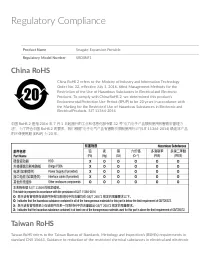
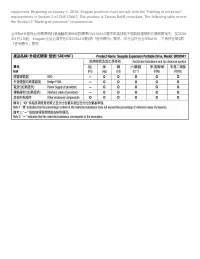
Regulatory Compliance Product Name Se agate Expansion Portable Regulatory Model Number SRD0NF1 China RoHS China RoHS 2 re fe rs to the Ministry of Industry and Information Te chnologyOrde r No. 32, e ffe ctive July 1, 2016, title d Manage me nt Me thods for theRe striction of the Use of Hazardous Su...