Page 2 - Contents; Safety information
English 2 Contents Contents Safety information 4 What you need to know about the safety instructions 4 Important safety symbols 4 Important safety precautions 5 Critical installation warnings 6 Installation cautions 8 Critical usage warnings 8 Usage cautions 10 Critical cleaning warnings 13 Instruct...
Page 3 - Maintenance
English 3 Contents Maintenance 46 Eco drum clean 46 Smart Check 47 Emergency drain 48 Cleaning 49Recovery from freezing 53 Care against an extended time of disuse 53 Troubleshooting 54 Checkpoints 54Information codes 57 Specifications 61 Fabric care chart 61 Protecting the environment 62 Specificati...
Page 4 - What you need to know about the safety instructions; What the icons and signs in this user manual mean:
English 4 Safety information Congratulations on your new Samsung washing machine. This manual contains important information on the installation, use and care of your appliance. Please take some time to read this manual to take full advantage of your washing machine’s many benefits and features. Wha...
Page 5 - Important safety precautions; WARNING; This appliance is not to be used by persons (including children)
English 5 Safety information These warning signs are here to prevent injury to yourself and others.Please follow them explicitly.After reading this manual, store it in a safe place for future reference. Read all instructions before using the appliance. As with any equipment that uses electricity and...
Page 6 - For use in Europe; Critical installation warnings
Safety information English 6 Safety information 4. If the supply cord is damaged, it must be replaced by the manufacturer, its service agent or similarly qualified persons in order to avoid a hazard. 5. The new hose-sets supplied with the appliance are to be used and old hose-sets should not be reus...
Page 8 - Installation cautions; CAUTION; Critical usage warnings
Safety information English 8 Safety information This appliance should be positioned so that the power plug, the water supply taps, and the drain pipes are accessible. Installation cautions CAUTION This appliance should be positioned in such a way that the power plug is easily accessible.• Failure to...
Page 10 - Usage cautions
Safety information English 10 Safety information Do not let children (or pets) play in or on your washing machine. The washing machine door does not open easily from the inside and children may be seriously injured if trapped inside. Usage cautions CAUTION When the washing machine is contaminated by...
Page 13 - Critical cleaning warnings
English 13 Safety information • Hard, sharp objects such as coins, safety pins, nails, screws, or stones can cause extensive damage to the appliance. Do not wash clothing with large buckles, buttons or other heavy metal objects. Sort the laundry by colour on the basis of its colorfastness and select...
Page 14 - Instructions about the WEEE; (Applicable in countries with separate collection systems)
Safety information English 14 Safety information Instructions about the WEEE Correct Disposal of This Product (Waste Electrical & Electronic Equipment) (Applicable in countries with separate collection systems) This marking on the product, accessories or literature indicates that the product and...
Page 15 - What’s included; Installation
English 15 Installation Follow these instructions carefully to ensure proper installation of the washing machine and to prevent accidents when doing laundry. What’s included Make sure all the parts are included in the product package. If you have a problem with the washing machine or the parts, cont...
Page 17 - Installation requirements; Electrical supply and grounding; Water supply; Drain
English 17 Installation Installation requirements Electrical supply and grounding • AC 220-240 V / 50 Hz fuse or circuit breaker is required. • Use an individual branch circuit specific to the washing machine. To ensure proper grounding, the washing machine comes with a power cord featuring a three-...
Page 18 - Flooring; Water temperature; Minimum clearance for stable operation:
Installation English 18 Installation Flooring For best performance, the washing machine must be installed on a solid floor. Wood floors may need to be reinforced to minimize vibration and/or unbalanced loads. Carpeting and soft tile surfaces are not a good resistance to vibrations and may cause the ...
Page 19 - STEP 1; Select a location; STEP 2; Remove the shipping bolts; Loosen all shipping bolts on the rear of
English 19 Installation Step-by-step installation STEP 1 Select a location Location requirements:• Solid, level surface without carpeting or flooring that may obstruct ventilation• Away from direct sunlight• Adequate room for ventilation and wiring• The ambient temperature is always higher than the ...
Page 21 - STEP 3; Adjust the levelling feet; STEP 4; Connect the water hose
English 21 Installation STEP 3 Adjust the levelling feet 1. Gently slide the washing machine into position. Excessive force may damage the levelling feet. 2. Level the washing machine by manually adjusting the levelling feet. 3. When levelling is complete, tighten the nuts using the spanner. STEP 4 ...
Page 25 - STEP 5; Position the drain hose; The drain hose can be positioned in three ways:; STEP 6; Power on; Power
English 25 Installation STEP 5 Position the drain hose The drain hose can be positioned in three ways: A Over the edge of a wash basinThe drain hose must be placed at a height of between 60 cm and 90 cm (*) from the floor. To keep the spout of the drain hose bent, use the supplied plastic hose guide...
Page 26 - Before you start; Initial settings; Laundry guidelines; Sort; Sort the laundry according to these criteria:
English 26 Before you start Initial settings Run Calibration (recommended) Calibration ensures accurate weight detection by the washing machine. Make sure the drum is empty before running Calibration. 1. Press Power to turn on the washing machine. 2. Press and hold Smart Control for 3 seconds. 3. Pr...
Page 27 - Empty pockets; Empty all the pockets of your laundry items; Use a laundry net; Determine the load capacity; NOTE
English 27 Before you start STEP 2 Empty pockets Empty all the pockets of your laundry items • Metal objects such as coins, pins, and buckles on clothing may damage other laundry items as well as the drum. Turn clothing with buttons and embroideries inside out • If trousers or jacket zippers are ope...
Page 28 - Apply a proper detergent type
Before you start English 28 Before you start STEP 6 Apply a proper detergent type The type of detergent depends on the type of fabric (cotton, synthetic, delicate items, wool), colour, wash temperature, and degree of soiling. Make sure to use the laundry detergent that is designed for automatic wash...
Page 29 - Detergent drawer guidelines; Prewash compartment
English 29 Before you start CAUTION For cycles using cold water or cycles that complete in less than one hour, it is recommended to use a liquid detergent. Otherwise, the capsule may not dissolve completely. Detergent drawer guidelines The washing machine provides a three-compartment dispenser: the ...
Page 30 - To apply washing agents to the detergent drawer
Before you start English 30 Before you start To apply washing agents to the detergent drawer 1. Slide open the detergent drawer. 2. Apply laundry detergent to the main-wash compartment as instructed or recommended by the manufacturer. To use liquid detergent, see page 31 . A 3. Apply fabric softener...
Page 31 - To use liquid detergent (applicable models only); compartment
English 31 Before you start CAUTION • Do not apply powder detergent to the liquid detergent container. • Concentrated fabric softener must be diluted with water before applied. • Do not apply main-wash detergent to the softener compartment . To use liquid detergent (applicable models only) A First i...
Page 32 - Operations; Control panel; Rinse Hold
English 32 Operations Control panel 01 02 03 04 05 06 07 10 09 08 01 Cycle Selector Turn the dial to select a cycle. 02 Display The display shows current cycle information and estimated time remaining, or an information code when a problem occurs. 03 Temp. Press to change the water temperature for t...
Page 33 - Simple steps to start; To change the cycle during operation
English 33 Operations For more information on the options, see the “ Special features ” section. Simple steps to start 1 4 5 2 3 1. Press Power to turn on the washing machine. 2. Turn the Cycle Selector to select a cycle. 3. Change the cycle settings ( Temp. , Rinse , and Spin ) as necessary. 4. To ...
Page 34 - Cycle overview; Standard cycles
Operations English 34 Operations Cycle overview Standard cycles Cycle Description & Max load (kg) COTTON • For cottons, bed linens, table linens, underwear, towels, or shirts. The washing time and the rinse count are automatically adjusted according to the load. Max COTTON • Optimal performance ...
Page 36 - Specialty cycle
Operations English 36 Operations Specialty cycle Six specialty cycles are designed to effectively remove specific types of stains and dirt that may accumulate on specific types of activities ranging from household work to professional mountain-climbing. Cycle Description & Max load (kg) Cooking ...
Page 37 - Options
English 37 Operations Options Option Description Pre Wash • This will add a preliminary washing cycle before the main wash cycle. Intensive • For badly soiled laundry. The operation time for each cycle is longer than normal. Bubble Soak • Bubble Soak helps remove a variety of stubborn stains.• With ...
Page 38 - Delay End
Operations English 38 Operations Delay End You can set the washing machine to finish your wash automatically at a later time, choosing a delay of between 1 to 24 hours (in 1 hour increments). The hour displayed indicates the time the wash will finish. 1. Select a cycle. Then change the cycle setting...
Page 39 - Special features; AddWash
English 39 Operations Special features AddWash When the AddWash indicator is on, you can stop operation of the machine and put additional laundry or softener into the drum. The Add Door opens by more than 130° for easy access. 1. Press Start/Pause to stop operation. 2. Press the upper area of the Ad...
Page 40 - Eco Check; Spin
Operations English 40 Operations • When using hot water for the wash, the Add Door may appear to leak water after opening and closing the Add Door. This is normal, simply because steam emerging from the open Add Door has cooled and formed water drops on the surface. • When the Add Door closes, the d...
Page 41 - Settings; Child Lock
English 41 Operations Settings Press and hold Smart Control for 3 seconds to enter the Settings screen. Once you change settings as necessary, press Options to return to the main screen. Child Lock To prevent accidents by children or infants, Child Lock locks all buttons. However, Child Lock holds i...
Page 43 - Samsung Smart Home app; Preparation; Washing Machine
English 43 Operations Samsung Smart Home app The Samsung Smart Home app enables you to access and control the washing machine on the move. For details about the app, visit the website specified on the last page of this manual, and download the Quick Guide. Installation 1. Visit Play Store for Androi...
Page 44 - Using the Samsung Smart Home app
Operations English 44 Operations • The surrounding environment may affect the wireless network performance. NOTE • To cancel or exit the network settings, press Back to return to the previous screen, or restart the washing machine. • To enable remote control, turn on Smart Control on the washing mac...
Page 45 - Samsung Smart Home Washing Machine app; Start
English 45 Operations - The drum may rotate occasionally to prevent the laundry from becoming entangled and creased, which consumes additional power. • Chat controls Chat between smart devices and get the information to control the device. • Customer support Download the product manual or request fo...
Page 46 - Eco drum clean; ECO DRUM CLEAN reminder
English 46 Maintenance Keep the washing machine clean to prevent deteriorated performance and to preserve its life cycle. Eco drum clean Perform this cycle regularly to clean the drum and to remove bacteria from it. 1. Press Power to turn on the washing machine. 2. Turn the Cycle Selector to select ...
Page 47 - Smart Check; Run the Samsung Smart Washer app on your mobile device, and tap
English 47 Maintenance Smart Check To enable this function, you must first download the Samsung Smart Washer at the Play Store or the App Store, and install it on a mobile device featuring the camera operation.The Smart Check function has been optimized for:Galaxy & iPhone series (cannot be supp...
Page 48 - Emergency drain; filter
Maintenance English 48 Maintenance Emergency drain In case of a power failure, drain the water inside the drum before taking out the laundry. 1. Power off and unplug the washing machine from the electrical outlet. 2. Gently press the top area of the filter cover to open. A 3. Put an empty, spacious ...
Page 49 - Cleaning; Surface of the washing machine; locking
English 49 Maintenance Cleaning Surface of the washing machine Use a soft cloth with a nonabrasive household detergent. Do not spray water onto the washing machine. Add Door A 1. Open the Add Door. 2. Use a wet cloth to clean the Add Door. - Do not use cleaning agents. Discolouration may occur. - Us...
Page 50 - Mesh filter
Maintenance English 50 Maintenance Mesh filter Clean the mesh filter of the water hose once or twice a year. 1. Turn off the washing machine, and unplug the power cord. 2. Close the water tap. 3. Loosen and disconnect the water hose from the back of the washing machine. Cover the hose with a cloth t...
Page 51 - Pump filter
English 51 Maintenance Pump filter It is advisable to clean the pump filter 5 or 6 times a year to prevent its clogging. A clogged pump filter may reduce the bubble effect. 1. Turn off the washing machine, and unplug the power cord. 2. Drain the remaining water inside the drum. See the “ Emergency d...
Page 52 - Detergent drawer; release lever
Maintenance English 52 Maintenance Detergent drawer A 1. While holding down the release lever (A) inside the drawer, slide open the drawer. 2. Remove the liquid detergent container from the drawer. 3. Clean the drawer components in flowing water using a soft brush. 4. Clean the drawer recess using a...
Page 53 - Recovery from freezing; Care against an extended time of disuse; Cycle Selector
English 53 Maintenance Recovery from freezing The washing machine may freeze when it drops below 0 °C. 1. Turn off the washing machine, and unplug the power cord. 2. Pour warm water over the water tap to loosen the water hose. 3. Disconnect the water hose, and soak it in warm water. 4. Pour warm wat...
Page 54 - Troubleshooting; Checkpoints; Problem
English 54 Troubleshooting Checkpoints If you encounter a problem with the washing machine, first check the table below and try the suggestions. Problem Action Does not start. • Make sure the washing machine is plugged in.• Make sure the door is properly closed.• Make sure the water taps are open.• ...
Page 57 - Information codes; Code
English 57 Troubleshooting Problem Action Leaks water. • Make sure the door is properly closed.• Make sure all hose connections are tight.• Make sure the end of the drain hose is correctly inserted and secured to the drain system. • Avoid overloading.• Use high efficiency (HE) detergent to prevent o...
Page 61 - Specifications; Fabric care chart; Speci
English 61 Specifications Fabric care chart The following symbols provide garment care directions. The care labels include four symbols in this order: washing, bleaching, drying and ironing (and dry cleaning when necessary). The use of symbols ensures consistency among garment manufacturers of domes...
Page 62 - Protecting the environment
Specifications English 62 Speci fications Protecting the environment • This appliance is manufactured from recyclable materials. If you decide to dispose of this appliance, please observe local waste disposal regulations. Cut off the power cord so that the appliance cannot be connected to a power so...
Page 63 - Specification sheet; Type
English 63 Speci fications Specification sheet “*” Asterisk(s) means variant model and can be varied (0-9) or (A-Z). Type Front loading washing machine Model name WW12K84*2O* Dimensions W600 × D600 × H850 (mm) Water pressure 50-800 kPa Net weight 76.0 kg Wash and spin capacity 12.0 kg Power consumpt...
Page 65 - Information of main washing cycles
English 65 Speci fications Information of main washing cycles Model Cycles Temperature (°C) Capacity (kg) Cycle Time (min) Residual Moisture Content (%) Water Consumption (L/cycle) Energy Consumption (kWh/Cycle) WW12K84*2O* COTTON 20 6 146 56 75 0.35 COTTON 40 6 274 44 47 0.57 60 6 294 44 47 0.63 12...
Page 66 - Memo


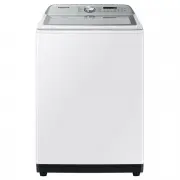 Samsung WA10A8376GW
User Manual
Samsung WA10A8376GW
User Manual
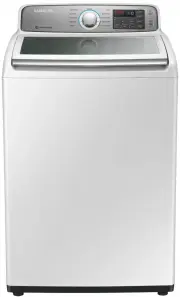 Samsung WA10H7200GW
User Manual
Samsung WA10H7200GW
User Manual
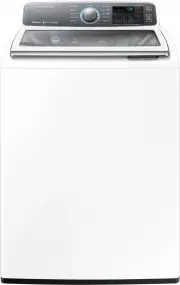 Samsung WA10J7700GW
User Manual
Samsung WA10J7700GW
User Manual
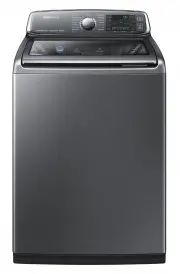 Samsung WA10J8700GP
User Manual
Samsung WA10J8700GP
User Manual
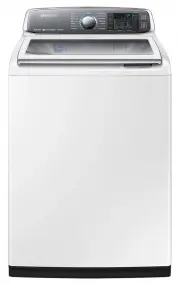 Samsung WA10J8700GW
User Manual
Samsung WA10J8700GW
User Manual
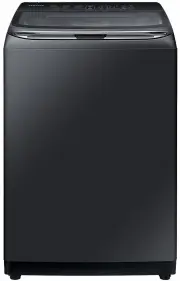 Samsung WA11M8700GV
User Manual
Samsung WA11M8700GV
User Manual
 Samsung WA12A8376GW
User Manual
Samsung WA12A8376GW
User Manual
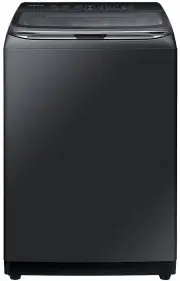 Samsung WA13M8700GV
User Manual
Samsung WA13M8700GV
User Manual
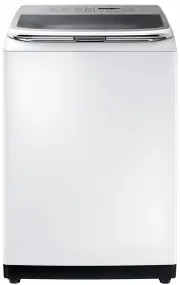 Samsung WA13M8700GW
User Manual
Samsung WA13M8700GW
User Manual
 Samsung WA14A8377GV
User Manual
Samsung WA14A8377GV
User Manual
 Samsung WA14A8377GW
User Manual
Samsung WA14A8377GW
User Manual
 Samsung WA40A3005AW
User Manual
Samsung WA40A3005AW
User Manual
 Samsung WA40A3005AW/A4
User Manual
Samsung WA40A3005AW/A4
User Manual
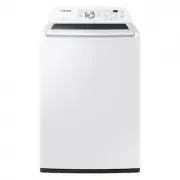 Samsung WA44A3205AW
User Manual
Samsung WA44A3205AW
User Manual
 Samsung WA44A3205AW/A4
User Manual
Samsung WA44A3205AW/A4
User Manual
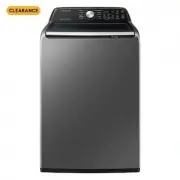 Samsung WA44A3405AP
User Manual
Samsung WA44A3405AP
User Manual
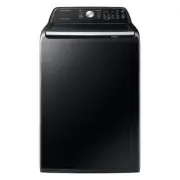 Samsung WA44A3405AV
User Manual
Samsung WA44A3405AV
User Manual
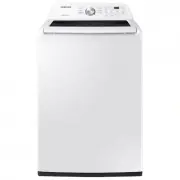 Samsung WA45T3200AW
User Manual
Samsung WA45T3200AW
User Manual