Page 2 - Contents; Safety information
Engl ish English 2 Contents Safety information 4 What you need to know about the safety instructions 4 Important safety symbols 4 Important safety precautions 5 Critical installation warnings 6 Installation cautions 8 Critical usage warnings 8 Usage cautions 9 Critical cleaning warnings 12 Installat...
Page 3 - Troubleshooting
Engl ish English 3 Troubleshooting 57 Checkpoints 57Information codes 60 Specifications 63 Fabric care chart 63 Protecting the environment 64 Specification sheet 65 Untitled-9 3 2023-02-01 4:35:21
Page 4 - What you need to know about the safety instructions
Engl ish English 4 Safety information Congratulations on your new Samsung washing machine. This manual contains important information on the installation, use and care of your appliance. Please take some time to read this manual to take full advantage of your washing machine’s many benefits and feat...
Page 5 - Important safety precautions; WARNING; For use in Europe; : This appliance can be used by children aged from
Engl ish English 5 Important safety precautions WARNING To reduce the risk of fire, electric shock, or injury to persons when using your appliance, follow basic precautions, including the following:1. This appliance is not to be used by persons (including children) with reduced physical, sensory o...
Page 6 - For use in Europe; : Children of less than 3 years should be kept away; Critical installation warnings
Engl ish Safety information English 6 6. For appliances with ventilation openings in the base, a carpet must not obstruct the openings. 7. For use in Europe : Children of less than 3 years should be kept away unless continuously supervised. 8. CAUTION : In order to avoid a hazard due to inadvertent ...
Page 8 - Installation cautions; Critical usage warnings
Engl ish Safety information English 8 Following the repair by a non-authorized service provider, self-repair or non-professional repair of the product, Samsung is not liable for any damage to the product, any injury or any other product safety issue caused by any attempt to repair the product which ...
Page 9 - Usage cautions
Engl ish English 9 Do not open the washing machine door by force while it is operating (high-temperature washing/drying/spinning).• Water flowing out of the washing machine may result in burns or cause the floor to be slippery. This may result in injury. • Opening the door by force may result in d...
Page 12 - Critical cleaning warnings
Engl ish Safety information English 12 Do not use water from water cooling/heating devices.• This may result in problems with the washing machine.Do not use natural hand-washing soap for the washing machine.• If it hardens and accumulates inside the washing machine, it may result in problems with th...
Page 13 - Installation; What’s included
Engl ish English 13 Installation Follow these instructions carefully to ensure proper installation of the washing machine and to prevent accidents when doing laundry. What’s included Make sure all the parts are included in the product package. If you have a problem with the washing machine or the ...
Page 15 - Installation requirements; Electrical supply and grounding; Water supply
Engl ish English 15 Installation requirements Electrical supply and grounding • Use an individual branch circuit specific to the washing machine. To ensure proper grounding, the washing machine comes with a power cord featuring a three-prong grounding plug for use in a properly installed and groun...
Page 16 - Drain; Water temperature
Engl ish Installation English 16 Drain Samsung recommends a standpipe 60-90 cm high. The drain hose must be connected through the hose clip to the standpipe, and the standpipe must fully cover the drain hose. Flooring For best performance, the washing machine must be installed on a solid floor. Wood...
Page 17 - STEP 1
Engl ish English 17 Step-by-step installation NOTE While unpacking the washing machine, lift the washing machine from the foam base. Make sure the drum support was removed from the bottom of the washing machine. STEP 1 Select a location Location requirements:• Solid, level surface without carpeti...
Page 18 - STEP 2
Engl ish Installation English 18 STEP 2 Remove the shipping bolts Unpack the product package and remove all shipping bolts. NOTE Number of shipping bolts may differ depending on the model. WARNING • Packaging materials can be dangerous to children. Dispose all packaging material (plastic bags, poly...
Page 19 - STEP 3
Engl ish English 19 STEP 3 Adjust the levelling feet 1. Gently slide the washing machine into position. Excessive force may damage the levelling feet. 2. Level the washing machine by manually adjusting the levelling feet. 3. When levelling is complete, tighten the nuts using the spanner. Untitled...
Page 20 - STEP 4
Engl ish Installation English 20 CAUTION When installing the product make sure the levelling feet is not pressing the power cord. CAUTION Make sure all the levelling feet are seating on the floor surface to avoid the washing machine from moving or generating noise due to vibration. Then, check if th...
Page 24 - STEP 5
Engl ish Installation English 24 STEP 5 Position the drain hose The drain hose can be positioned in three ways: A Over the edge of a wash basin The drain hose must be placed between 60 cm and 90 cm (*) above from the floor. To keep the spout of the drain hose bent, use the supplied plastic hose gui...
Page 25 - STEP 6; Environment
Engl ish English 25 In a sink drain pipe branch The drain pipe branch must be above the sink siphon so that the end of the hose is at least 60 cm above the ground.(*) : 60 cm CAUTION Remove the lid on the sink drain pipe branch before connecting the drain pipe to it. STEP 6 Power on Plug the powe...
Page 26 - Before you start; Initial setup; Run Calibration; Suomi
Engl ish English 26 Before you start NOTE Before doing your laundry for the first time, you must run a complete wash cycle without any items in the drum. Initial setup • When you turn on the washing machine for the first time, the screen shows the initial setup process. Follow the on-screen instruct...
Page 27 - Laundry guidelines
Engl ish English 27 Laundry guidelines STEP 1 Sort Sort the laundry according to these criteria: • Care Label: Sort the laundry into cottons, mixed fibres, synthetics, silks, wools, and rayon.• colour: Separate whites from colours.• Size: Mixing different sized items together in the drum improves...
Page 30 - Detergent drawer guidelines
Engl ish Before you start English 30 Detergent drawer guidelines With the automatic dispensing option on, the washing machine dispenses an adequate amount of detergent or fabric softener for each load. See below for details: PUSH A C B A. Dispenser - You can only use liquid detergent in this dispens...
Page 31 - To apply washing agents to the auto dispenser
Engl ish English 31 CAUTION • Do not operate the washing machine without the dispenser or in the detergent drawer. - A water leak may cause electric shock or injury. • Do not use the following types of detergent in the drawer. - Tablet, capsule, ball, or net types. • Do not use gel-type or viscous...
Page 34 - Operations; Control panel
Engl ish English 34 Operations NOTE The cycle and function names that appeared in this manual may differ from your product. Control panel WW**B*7*****, WW**B*5***** 01 03 02 04 10 05 06 07 08 09 WW**B*9***** 01 03 02 04 10 11 05 06 07 08 09 01 Power Tap to turn the washing machine on or off.• If yo...
Page 35 - Icon descriptions
Engl ish English 35 04 Display The display shows current cycle information and estimated time remaining, or an information message when a problem occurs. NOTE The actual washing time may differ from the estimated time initially displayed on the control panel upon cycle selection. 05 OK Tap to con...
Page 36 - Operating a cycle
Engl ish Operations English 36 Operating a cycle WW**B*7*****, WW**B*5***** 2 5 3 4 6 1 WW**B*9***** 2 5 3 4 5 6 1 1. Tap turn on the washing machine. 2. Turn the Navigation dial to select the cycle you want. - For more information, see page 37 . 3. Tap , , or to change the default cycle settings. 4...
Page 37 - Cycle overview
Engl ish English 37 Cycle overview Cycle Description Max load (kg) 12 kg 9.5/9 kg Cotton • For cottons, bed linens, table linens, underwear, towels, or shirts. The washing time and the rinse count are automatically adjusted according to the load. • For cleaning lightly soiled cotton items at a nom...
Page 40 - Options; Using Options
Engl ish Operations English 40 Options Using Options 1. Tap . 2. Turn the Navigation dial to select the desired additional function. 3. Tap to change the selected function’s settings or start the function. NOTE • To return to the main screen, tap again or turn the Navigation dial to select Back and ...
Page 41 - Dose per Wash
Engl ish English 41 Dose per Wash You can increase or decrease the amount of detergent dispensed automatically. 1. Tap . 2. Turn the Navigation dial to select Dose per Wash , and then tap . 3. Tap to select the desired setting. - Default setting is Med. . - You can select from Med., High, Off, or ...
Page 42 - Delay End; Child Lock
Engl ish Operations English 42 Delay End You can set the washing machine to finish your wash automatically at a later time, choosing a delay of between 1 to 24 hours (in 1 hour or 10 minutes increments). The hour displayed indicates the time the wash will finish. 1. Select a cycle and change the cyc...
Page 43 - Using Settings
Engl ish English 43 Settings Using Settings 1. Tap and hold for 3 seconds. 2. Turn the Navigation dial and select the desired system setting, and then tap . 3. Tap to change or run the selected setting. NOTE To return to the main screen, tap again or turn the Navigation dial to select Back and tap...
Page 44 - Pump Clean
Engl ish Operations English 44 Dispenser The dispenser can be set to dispense liquid softener or liquid detergent. You must run the Pump Clean function before you switch between the softener and detergent. 1. Tap and hold for 3 seconds. 2. Turn the Navigation dial to select Dispenser , and then ta...
Page 45 - AI Pattern
Engl ish English 45 AI Pattern This function saves frequently used cycles and settings. When you turn the function on, the washing machine remembers the cycles you use most and their settings (Temp., Rinse, Spin) and displays them in frequency order. 1. Tap and hold for 3 seconds. 2. Turn the Navi...
Page 46 - Language
Engl ish Operations English 46 Wi-Fi You can turn the washing machine's Wi-Fi on or off. 1. Tap and hold for 3 seconds. 2. Turn the Navigation dial to select Wi-Fi , and then tap . 3. Tap to select On or Off . - The washing machine's Wi-Fi is off as a factory default setting. However, the washing ma...
Page 47 - Special features
Engl ish English 47 Special features Smart Control (applicable models only) You can connect to the SmartThings app and control your washing machine remotely. Connecting your washing machine1. Download and open the SmartThings app on your smartphone or tablet (Android & iOS). 2. Tap to turn on ...
Page 48 - SmartThings; Download
Engl ish Operations English 48 NOTE • The washing machine switches to standby power saving mode when operation is paused even if the machine is not connected to the SmartThings app. • In some circumstances, only the Door Lock icon may be illuminated. SmartThings Wi-Fi connection On your smartphone o...
Page 49 - Open Source Announcement
Engl ish English 49 Open Source Announcement The software included in this product contains open source software. You may obtain the complete corresponding source code for a period of three years after the last shipment of this product by contacting our support team via http://opensource.samsung.c...
Page 50 - Maintenance
Engl ish English 50 Maintenance Keep the washing machine clean to prevent deteriorated performance and to preserve its life cycle. Drum Clean+/Drum Clean Perform this cycle regularly to clean the drum by removing bacteria from it. This cycle heats the water between 60 °C and 70 °C, and it also remov...
Page 51 - Emergency drain
Engl ish English 51 Emergency drain In case of a power failure, drain the water inside the drum before taking out the laundry. A A 1. Power off and unplug the washing machine from the electrical outlet. 2. Open the filter cover (A) . - TYPE 1: Gently press the top area of the filter cover (A) to o...
Page 52 - Cleaning; Surface of the washing machine
Engl ish Maintenance English 52 Cleaning Surface of the washing machine Use a soft cloth with a nonabrasive household detergent. Do not spray water onto the washing machine. Mesh filter Clean the mesh filter of the water hose once or twice a year. 1. Turn off the washing machine, and unplug the powe...
Page 53 - Debris filter
Engl ish English 53 Debris filter It is advisable to clean the debris filter every 2 months to prevent its clogging. A clogged debris filter may reduce the bubble effect. 1. Turn off the washing machine, and unplug the power cord. 2. Drain the remaining water inside the drum. See the Emergency dra...
Page 54 - Detergent drawer
Engl ish Maintenance English 54 Detergent drawer To prevent the detergent residue buildup in the detergent drawer, clean the detergent drawer once or twice a month, and whenever you refill or change the detergent or softener. CAUTION • Make sure to turn off the washing machine and unplug the power c...
Page 56 - Defrosting your washing machine; Care against an extended time of disuse
Engl ish Maintenance English 56 Defrosting your washing machine The washing machine may freeze when it drops below 0 °C. 1. Turn off the washing machine, and unplug the power cord. 2. Pour warm water over the water tap to loosen the water hose. 3. Disconnect the water hose, and soak it in warm water...
Page 57 - Checkpoints
Engl ish English 57 Troubleshooting If there is any problem, check the information message on the LCD screen and follow the on-screen instructions.If the problem persists, please contact the service center. Checkpoints If you encounter a problem with the washing machine, first check the table belo...
Page 60 - Information codes
Engl ish Troubleshooting English 60 Problem Action Leaks water. • Make sure the door is properly closed.• Make sure all hose connections are tight.• Make sure the end of the drain hose is correctly inserted and secured to the drain system. • Avoid overloading.• Use high efficiency (HE) detergent to ...
Page 63 - Specifications; Washing; Bleaching
Engl ish English 63 Specifications Fabric care chart The following symbols provide garment care direction. The Clothing care labels include symbols for drying, bleaching, drying and ironing, or dry cleaning when necessary. The use of symbols ensures consistency among garment manufacturers of domes...
Page 64 - Ironing; Professional care; Protecting the environment
Engl ish Specifications English 64 Ironing Iron at maximum sole plate temperature of 200 °C.Iron at maximum sole plate temperature of 150 °C.Iron at maximum sole plate temperature of 110 °C. Caution when using steam irons (work without steam). Do not iron. NOTE The dots indicate the temperature rang...
Page 65 - Specification sheet
Engl ish English 65 Specification sheet “*” Asterisk(s) means variant model and can be varied (0-9) or (A-Z). Type Front loading washing machine Model name WW12BB****** Dimensions Width 600 mm Height 850 mm Depth 695 mm Water pressure 50-800 kPa Net weight 80.0 kg (WW1*BB*4****) 78.0 kg (WW1*BB*0*...
Page 66 - Memo


 Samsung WA10A8376GW
User Manual
Samsung WA10A8376GW
User Manual
 Samsung WA10H7200GW
User Manual
Samsung WA10H7200GW
User Manual
 Samsung WA10J7700GW
User Manual
Samsung WA10J7700GW
User Manual
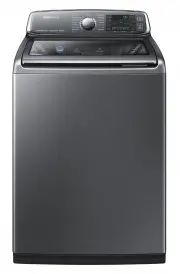 Samsung WA10J8700GP
User Manual
Samsung WA10J8700GP
User Manual
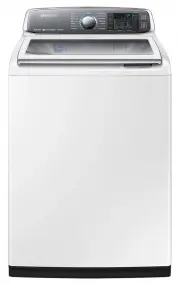 Samsung WA10J8700GW
User Manual
Samsung WA10J8700GW
User Manual
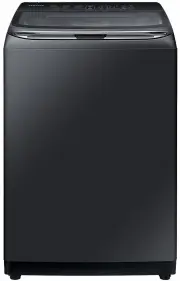 Samsung WA11M8700GV
User Manual
Samsung WA11M8700GV
User Manual
 Samsung WA12A8376GW
User Manual
Samsung WA12A8376GW
User Manual
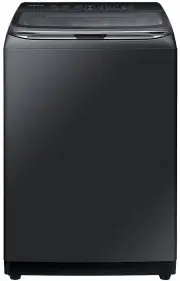 Samsung WA13M8700GV
User Manual
Samsung WA13M8700GV
User Manual
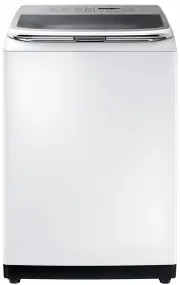 Samsung WA13M8700GW
User Manual
Samsung WA13M8700GW
User Manual
 Samsung WA14A8377GV
User Manual
Samsung WA14A8377GV
User Manual
 Samsung WA14A8377GW
User Manual
Samsung WA14A8377GW
User Manual
 Samsung WA40A3005AW
User Manual
Samsung WA40A3005AW
User Manual
 Samsung WA40A3005AW/A4
User Manual
Samsung WA40A3005AW/A4
User Manual
 Samsung WA44A3205AW
User Manual
Samsung WA44A3205AW
User Manual
 Samsung WA44A3205AW/A4
User Manual
Samsung WA44A3205AW/A4
User Manual
 Samsung WA44A3405AP
User Manual
Samsung WA44A3405AP
User Manual
 Samsung WA44A3405AV
User Manual
Samsung WA44A3405AV
User Manual
 Samsung WA45T3200AW
User Manual
Samsung WA45T3200AW
User Manual